
Вступ і закінченняview
This manual provides instructions for the Apple AirPods Pro 2nd Generation (Lightning) Replacement Charging Case, model A2700. This product is designed to replace a lost or damaged original charging case, offering seamless connectivity and reliable performance for your existing AirPods Pro 2nd Generation (Lightning) earbuds.
Важливе зауваження щодо сумісності: This replacement charging case is exclusively compatible with Apple AirPods Pro (2nd Generation) with Lightning connector. It pairs specifically with the left AirPod Pro (A2699) and right AirPod Pro (A2698) from the 2nd Generation Lightning model. It is not compatible with other AirPods models, including AirPods Pro (1st Generation) or AirPods Pro (2nd Generation) with USB-C connector.
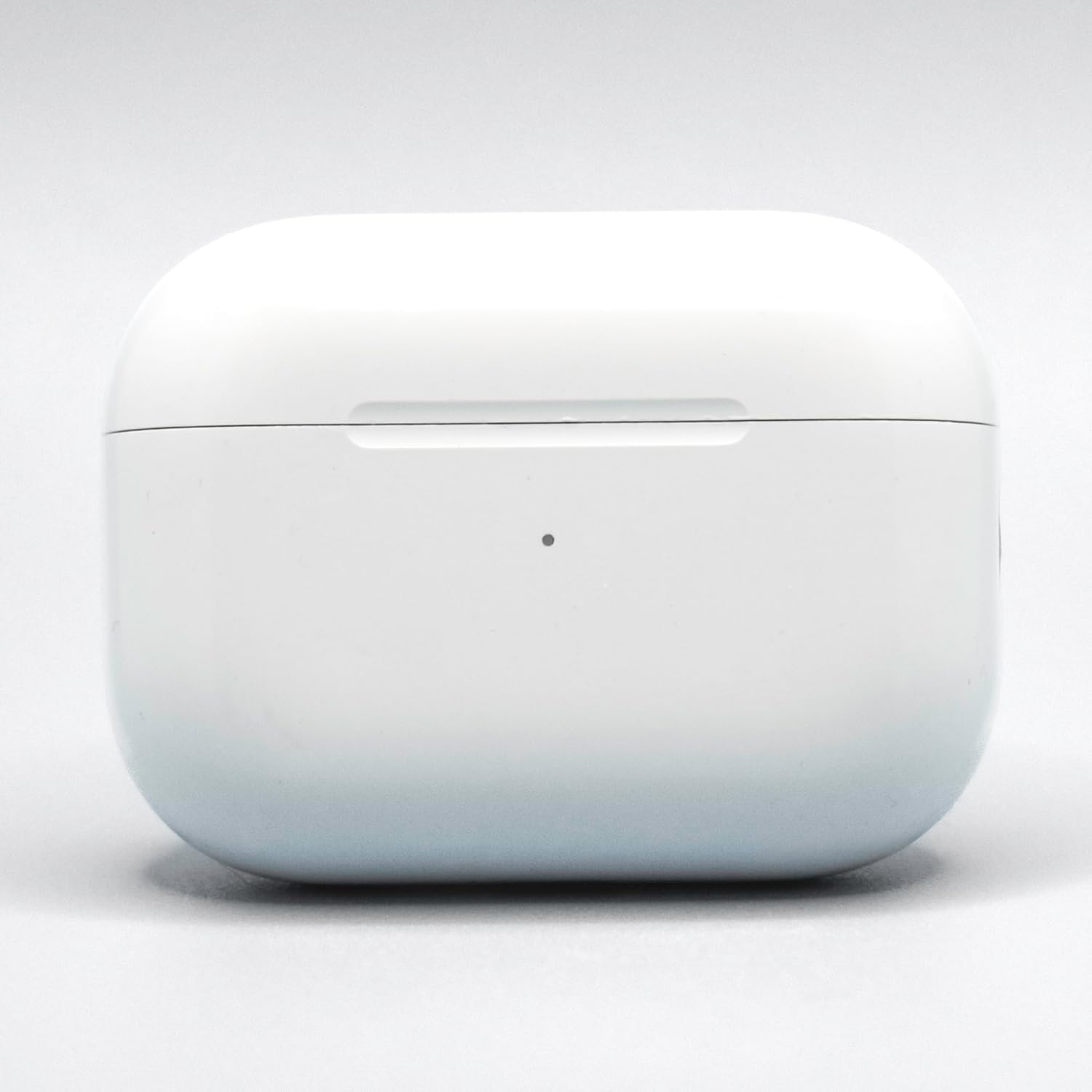
Image: The Apple AirPods Pro 2nd Generation (Lightning) Replacement Charging Case (Model A2700) in white. This image shows the exterior of the charging case, which is designed to hold and charge the AirPods Pro earbuds.
Інструкції з налаштування
Follow these steps to set up and pair your new replacement charging case with your AirPods Pro 2nd Generation (Lightning) earbuds:
- Зарядіть футляр: Before pairing, ensure the replacement charging case is sufficiently charged. Connect the Lightning cable (not included) to the charging port on the bottom of the case and the other end to a USB power adapter. The status light on the front of the case will indicate charging status.
- Place AirPods in Case: Insert your left and right AirPods Pro 2nd Generation (Lightning) earbuds into the new charging case. Ensure they are seated correctly.
- Закрийте кришку: Закрийте кришку зарядного футляра.
- Сполучення з пристроєм:
- Open the charging case lid with your AirPods inside, and hold it near your iPhone or iPad.
- A setup animation should appear on your device's screen. Follow the on-screen instructions to connect.
- If the animation does not appear, go to your device's Bluetooth settings, find your AirPods in the list, and tap "i" (information) next to them. Then tap "Forget This Device." After forgetting, repeat the steps above.
- Скидання (за потреби): If pairing issues persist, with the AirPods in the case and the lid open, press and hold the setup button on the back of the case for about 15 seconds until the status light flashes amber, then white. Then, try pairing again.
Інструкція з експлуатації
This section details the basic operation of your replacement charging case.
- Зарядка AirPods: Simply place your AirPods Pro 2nd Generation (Lightning) into the charging case. They will begin charging automatically. The case itself holds multiple charges for your AirPods.
- Зарядка футляра:
- Проводна зарядка: Connect a Lightning cable to the port on the bottom of the case.
- Бездротова зарядка: Place the case with the status light facing up on a Qi-certified wireless charging mat.
- Зарядка MagSafe: The case is compatible with MagSafe chargers for convenient magnetic alignment and faster wireless charging.
- Перевірка стану батареї:
- Case Status Light:
- Зелене світло: Fully charged (or AirPods fully charged if they are inside).
- Янтарне світло: Less than one full charge remaining.
- Миготливе біле світло: Готовий до пари.
- Миготливе жовте світло: Pairing error, or needs to be reset.
- На iPhone/iPad: Open the case lid near your iOS device, and the battery status for both AirPods and the case will appear on screen. You can also add the Batteries widget to your device's Today View.
- Case Status Light:
Технічне обслуговування
Proper care ensures the longevity and performance of your charging case.
- Прибирання:
- Wipe the exterior of the case with a soft, lint-free cloth.
- Для стійких плям злегкаampen the cloth with water or a 70% isopropyl alcohol solution.
- Do not use abrasive materials, sprays, or solvents.
- Ensure no moisture enters the charging ports or speaker openings.
- Зберігання: Store the charging case in a clean, dry environment away from extreme temperatures.
- Уникайте пошкоджень: Protect the case from drops, impacts, and exposure to liquids. The case is not water-resistant.
Усунення несправностей
If you encounter issues with your replacement charging case, try the following solutions:
- AirPods не заряджаються:
- Переконайтеся, що сам зарядний футляр заряджений.
- Verify that the AirPods are correctly seated in the case.
- Clean the charging contacts on both the AirPods and inside the case with a dry cotton swab.
- Case Not Charging:
- Check the Lightning cable for damage and ensure it's securely connected. Try a different cable and power adapter.
- If using wireless charging, ensure the case is properly aligned on the charging mat and the mat is powered.
- Проблеми зі сполученням:
- Ensure your AirPods are AirPods Pro 2nd Generation (Lightning) model.
- Perform a reset of the charging case: With AirPods inside and lid open, press and hold the setup button on the back for about 15 seconds until the status light flashes amber, then white.
- On your iOS device, go to Bluetooth settings, "Forget This Device" for your AirPods, then try pairing again.
- Status Light Not Responding:
- Try charging the case for at least 30 minutes.
- Perform a hard reset as described in "Pairing Issues."
If problems persist, contact the seller or Apple Support for further assistance.
Технічні характеристики
| Особливість | Деталь |
|---|---|
| Номер моделі | A2700 |
| Сумісність | Apple AirPods Pro 2nd Generation (Lightning) (AirPods A2699, A2698) |
| Бренд | Яблуко |
| Колір | Білий |
| матеріал | пластик |
| Інтерфейс зарядки | Lightning port, Qi-certified wireless charging, MagSafe compatible |
| Рівень водонепроникності | Не водостійкий |
| UPC | 197644743551 |
| GTIN | 197644743551 |
Гарантія та підтримка
This replacement charging case comes with a Гарантія 90 днів з дати покупки. Ця гарантія поширюється на виробничі дефекти та гарантує належне функціонування виробу за умови нормального використання.
For warranty claims, technical support, or further assistance, please contact the seller from whom you purchased this product. You may also refer to the official Apple Support website for general AirPods Pro information and troubleshooting guides.
Будь ласка, збережіть підтвердження покупки для гарантійних цілей.