PowerA Advantage Wireless Controller for Nintendo Switch 2 - Mario & Yoshi
Model: NSGP0569-01V
вступ
This manual provides comprehensive instructions for the PowerA Advantage Wireless Controller, designed for use with the Nintendo Switch family of devices. It covers setup, operation, maintenance, and troubleshooting to ensure optimal performance and longevity of your controller.
Ключові характеристики
Hall Effect Modules: Equipped with contact-free magnetic sensors in the thumbsticks to prevent stick drift, offering smoother control, enhanced precision, and increased longevity.
Advanced Gaming Buttons: Two mappable buttons can be programmed on the fly during gameplay without needing to access system settings.
Intuitive Motion Controls: Experience fluid and responsive motion controls for aiming, steering, flying, and other in-game actions.
Кнопка C: Provides quick access to GameChat features.
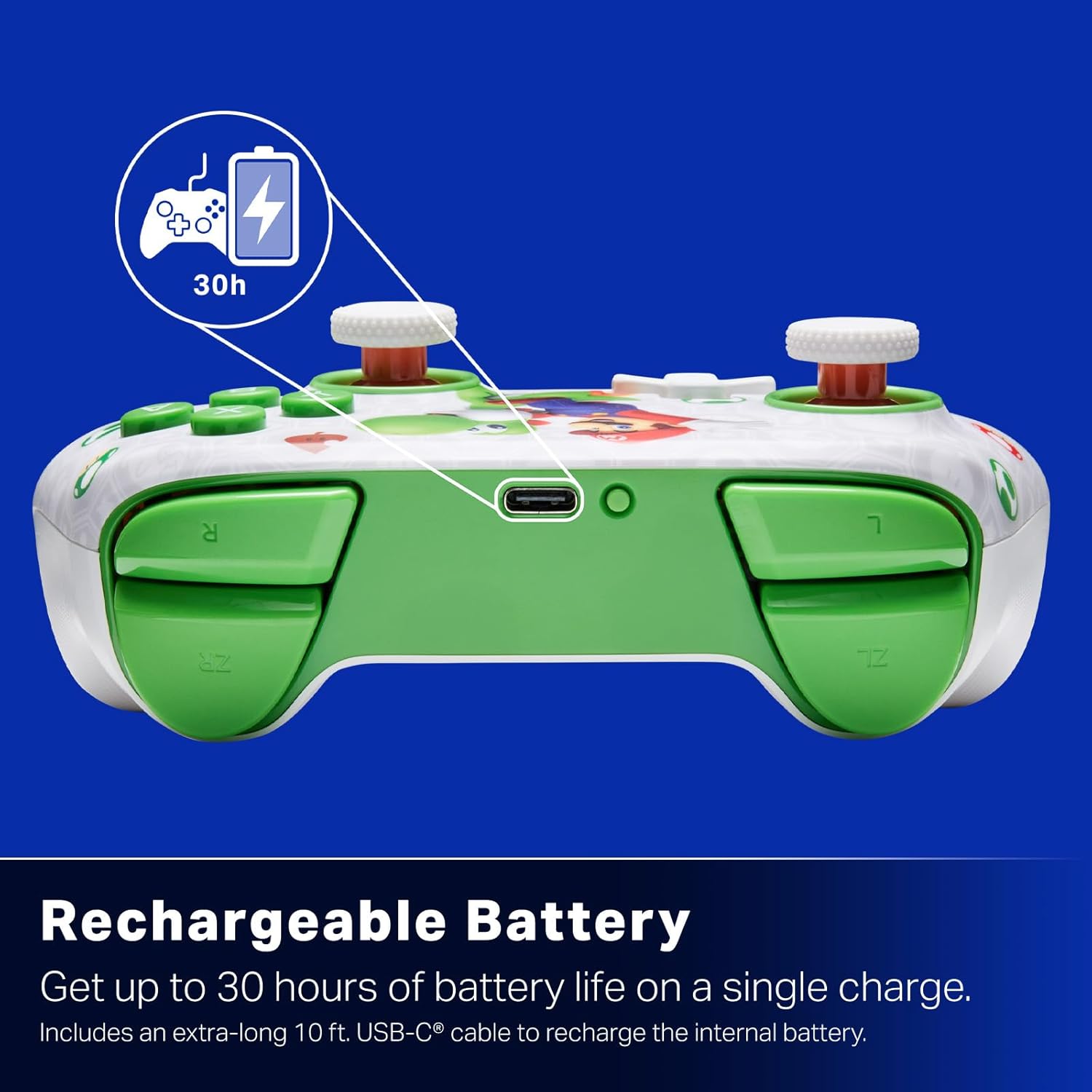
Акумуляторна батарея: Offers up to 30 hours of gameplay on a single charge. Includes a 10 ft. (3m) USB-C cable for recharging.
Ергономічний дизайн: Crafted for comfort during extended gaming sessions, utilizing cutting-edge ergonomics and high-quality materials.
Nintendo Family Compatibility: Compatible with Nintendo Switch 2, Nintendo Switch, Nintendo Switch – OLED Model, and Nintendo Switch Lite.
Офіційно ліцензовано: PowerA products undergo rigorous testing by Nintendo to ensure compatibility and quality.
Інструкції з налаштування
1. Початкове заряджання
Before first use, fully charge your PowerA Advantage Wireless Controller. Connect the included 10 ft. (3m) USB-C cable to the controller's USB-C port and the other end to a powered USB port on your Nintendo Switch dock or a USB wall adapter.
Figure 1: Controller connected via USB-C for charging, highlighting the rechargeable battery feature.
2. Сполучення з Nintendo Switch
Переконайтеся, що ваша консоль Nintendo Switch увімкнена та оновлена до останнього версії системного програмного забезпечення.
У меню HOME виберіть Контролери, тоді Змінити захоплення/порядок.
On the PowerA Advantage Wireless Controller, press and hold the Кнопка SYNC located on the top edge of the controller for at least three seconds. The player indicator LEDs on the bottom of the controller will begin to flash.
Once the controller successfully pairs, the player indicator LED(s) corresponding to the controller number will remain lit.
Натисніть Кнопка to confirm and exit the pairing screen.
For subsequent uses, simply press the HOME button on the controller to wake it up and automatically reconnect to your Switch console.
Інструкція з експлуатації
Основні елементи керування
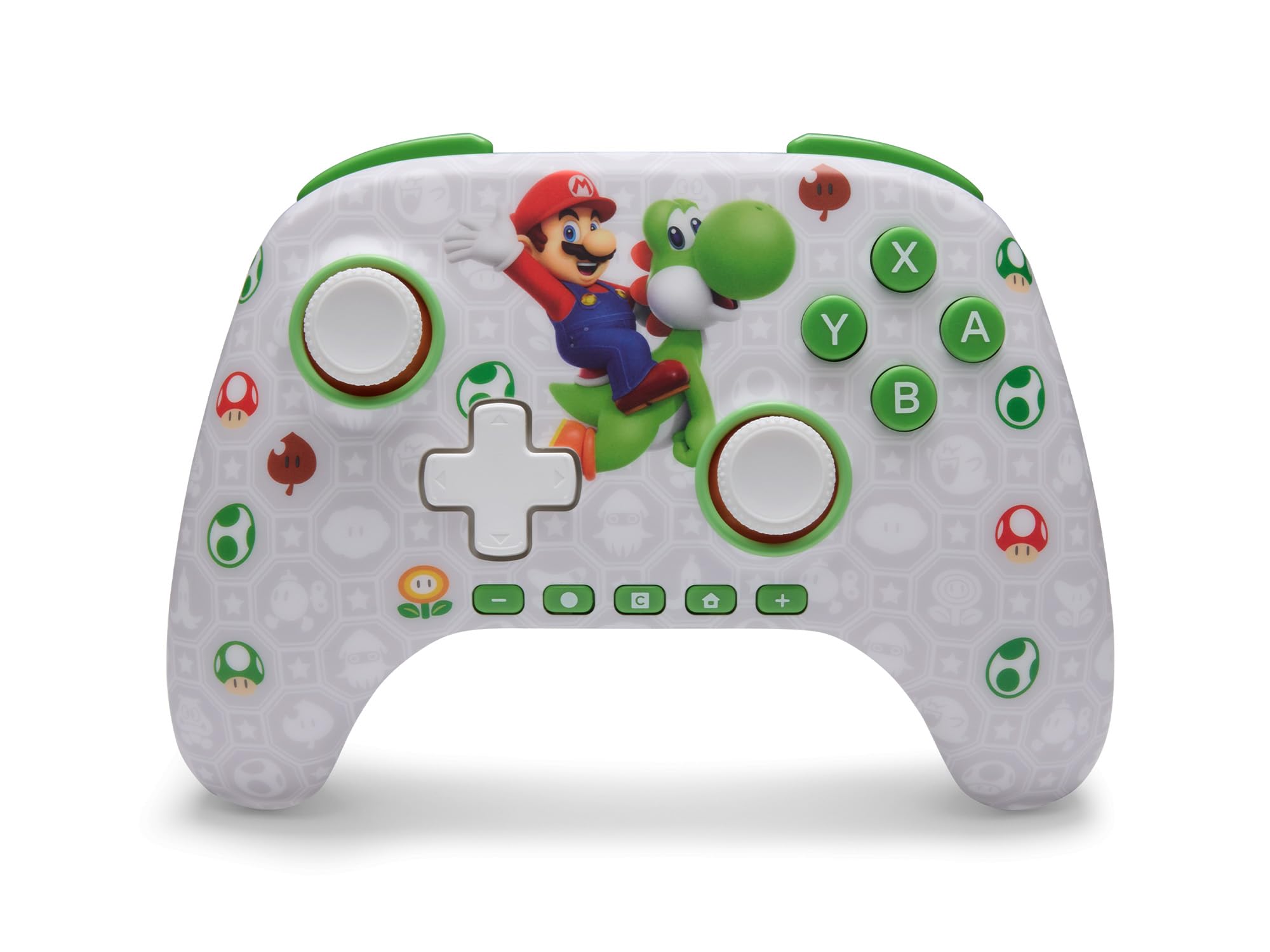
PowerA Advantage Wireless Controller features standard Nintendo Switch button layouts, including A, B, X, Y buttons, L/R and ZL/ZR shoulder buttons, a D-pad, and dual analog sticks. Familiarize yourself with these controls for general gameplay.
Малюнок 2: Спереду view of the PowerA Advantage Wireless Controller, highlighting the Mario and Yoshi design and button layout.
Розширені ігрові кнопки (AGB)
The controller includes two mappable Advanced Gaming Buttons (AGR and AGL) on the back. These buttons can be assigned to replicate any other button on the controller for quick access during gameplay.
Натисніть Program Button (PRGM) on the back of the controller. The Program LED will flash.
Натисніть Advanced Gaming Button (AGR or AGL) you wish to map. The Program LED will flash rapidly.
Натисніть кнопку you want to assign to the Advanced Gaming Button (e.g., A, B, X, Y, L, R, ZL, ZR, D-pad directions). The Program LED will stop flashing, indicating successful mapping.
To clear a mapped button, repeat steps 1-2, then press the Кнопка програми знову.
Figure 3: Advanced Gaming Buttons (AGB) on the back of the controller, with an illustration of mappable functions.
Елементи керування рухом
The controller supports motion controls, allowing for intuitive interaction in compatible games. These controls are automatically enabled when supported by the game.
Figure 4: Controller demonstrating motion control capabilities through tilting.
C Button (GameChat)
The dedicated C Button provides quick access to GameChat features in supported titles, enhancing your multiplayer experience.
Figure 5: The 'C' button, used for GameChat features.
Технічне обслуговування
Прибирання: Використовуйте м’яку суху тканину для очищення контролера. Уникайте використання агресивних хімікатів або абразивних матеріалів.
Зберігання: Зберігайте контролер у прохолодному, сухому місці, подалі від прямих сонячних променів та екстремальних температур.
Догляд за акумулятором: Щоб продовжити термін служби батареї, уникайте частого повного розряджання контролера. Регулярно заряджайте його, навіть якщо він не використовується постійно.
Догляд за кабелем: Handle the USB-C charging cable with care. Avoid bending or twisting it excessively.
Усунення несправностей
Контролер не підключається/не сполучається
Переконайтеся, що контролер повністю заряджений.
Verify the Nintendo Switch console is updated to the latest system software.
Repeat the pairing process (see "Pairing with Nintendo Switch" in Setup Instructions).
If issues persist, try restarting both the controller and the Nintendo Switch console.
Stick Drift
PowerA Advantage Controller features Hall Effect modules designed to prevent stick drift. If you experience any unintended input, ensure the controller's firmware is up to date (check PowerA's official webсайт для оновлень).
Recalibrate the joysticks through the Nintendo Switch system settings if necessary (System Settings > Controllers and Sensors > Calibrate Control Sticks).
Короткий термін служби батареї
Переконайтеся, що контролер повністю заряджений перед кожним використанням.
Battery life can vary based on game usage and features enabled.
Use the provided USB-C cable for optimal charging.
Технічні характеристики
Особливість
Деталь
Номер моделі
NSGP0569-01V
Підключення
Wireless (Bluetooth), USB-C (for charging)
Сумісні пристрої
Nintendo Switch 2, Nintendo Switch, Nintendo Switch – OLED Model, Nintendo Switch Lite
Термін служби батареї
До 30 годин (залежить від використання)
Довжина кабелю
10 ft. (3m) USB-C
Розміри
5.88 x 4.21 x 2.36 дюймів
вага
0.66 фунта
Особливості
Hall Effect Thumbsticks, Mappable Advanced Gaming Buttons, Motion Controls, C Button
Гарантія та підтримка
PowerA Advantage Wireless Controller comes with a Дворічна обмежена гарантія. For detailed warranty information, product support, or to register your product, please visit the official PowerA webсайт за адресою PowerA.com/Support.
Figure 6: Official Nintendo Licensed Product badge, ensuring quality and compatibility.
Ask a question about this manual
Ask about setup, troubleshooting, compatibility, parts, safety, or missing instructions. Manuals+ will review the question and use this page’s manual context to help answer it.