
вступ
This manual provides detailed instructions for the installation, operation, maintenance, and troubleshooting of your Blackspider BSDD1460A 7-inch Android multimedia radio. Please read this manual thoroughly before using the device to ensure proper functionality and safety.
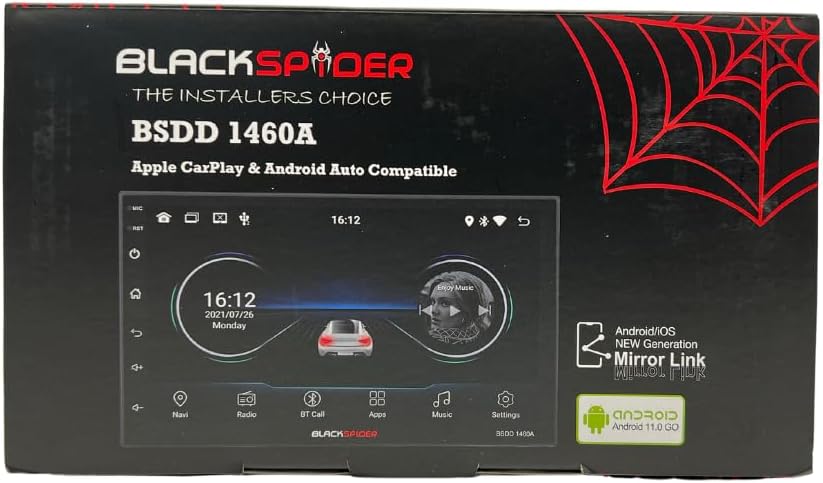
Figure 1: Blackspider BSDD1460A Product Packaging
The Blackspider BSDD1460A is a double-DIN head unit featuring a 7-inch Android 11 touchscreen. It supports Wireless Apple CarPlay, Wired Android Auto, built-in GPS navigation, and offers robust multimedia control and audio output. It is designed for seamless integration with various car systems, including rear cameras and steering wheel controls.
Налаштування та встановлення
Вміст упаковки
Перед встановленням перевірте наявність усіх компонентів у комплекті:
- 1 x BSDD1460A Radio Unit
- 1 х кабель для камери
- 1 x RCA Cables Set
- 2 кабелі USB
- 1 x GPS-приймач
- 1 x схема підключення
- 2 х кріплення кронштейнів
- 4 х гвинти
- 1 x зовнішній мікрофон
- 1 х кабель живлення

Figure 2: Unboxed Components

Малюнок 3: Детально View of Cables and Wiring Diagram
Інструкції зі встановлення
Installation of the BSDD1460A unit should ideally be performed by a qualified professional. Incorrect wiring can damage the unit or your vehicle's electrical system. Refer to the included wiring diagram for specific connections.
Key connection points include:
- Джерело живлення: Connect the power cable to the vehicle's electrical system, ensuring correct polarity and fuse protection.
- Виходи для динаміків: Connect to your vehicle's speakers. The unit provides 60W x 4 max output.
- GPS антена: Connect the GPS receiver to the dedicated input and mount the antenna in a location with clear sky visibility.
- Вхід для задньої камери: Connect your rear-view camera to the designated input for automatic display when reversing.
- Порти USB: Utilize the dual rear USB ports for media playback or charging devices.
- Зовнішній мікрофон: Connect the external microphone for improved hands-free calling audio quality.
- Елементи керування на кермі: Connect to your vehicle's resistive steering wheel controls for integrated functionality.
- Виходи RCA: Use the RCA audio outputs (Front/Rear) and dedicated Subwoofer output for external ampліферів.

Рисунок 4: З’єднання на задній панелі
Інструкція з експлуатації
Увімкнення/вимкнення живлення
Press and hold the power button on the front panel or use the vehicle's ignition to turn the unit on or off. The unit will display the Blackspider logo upon startup.

Рисунок 5: Екран запуску
Сенсорний інтерфейс
The 7-inch touchscreen provides intuitive control over all functions. Tap icons to open applications, swipe to navigate menus, and use pinch-to-zoom gestures where applicable (e.g., in navigation apps).
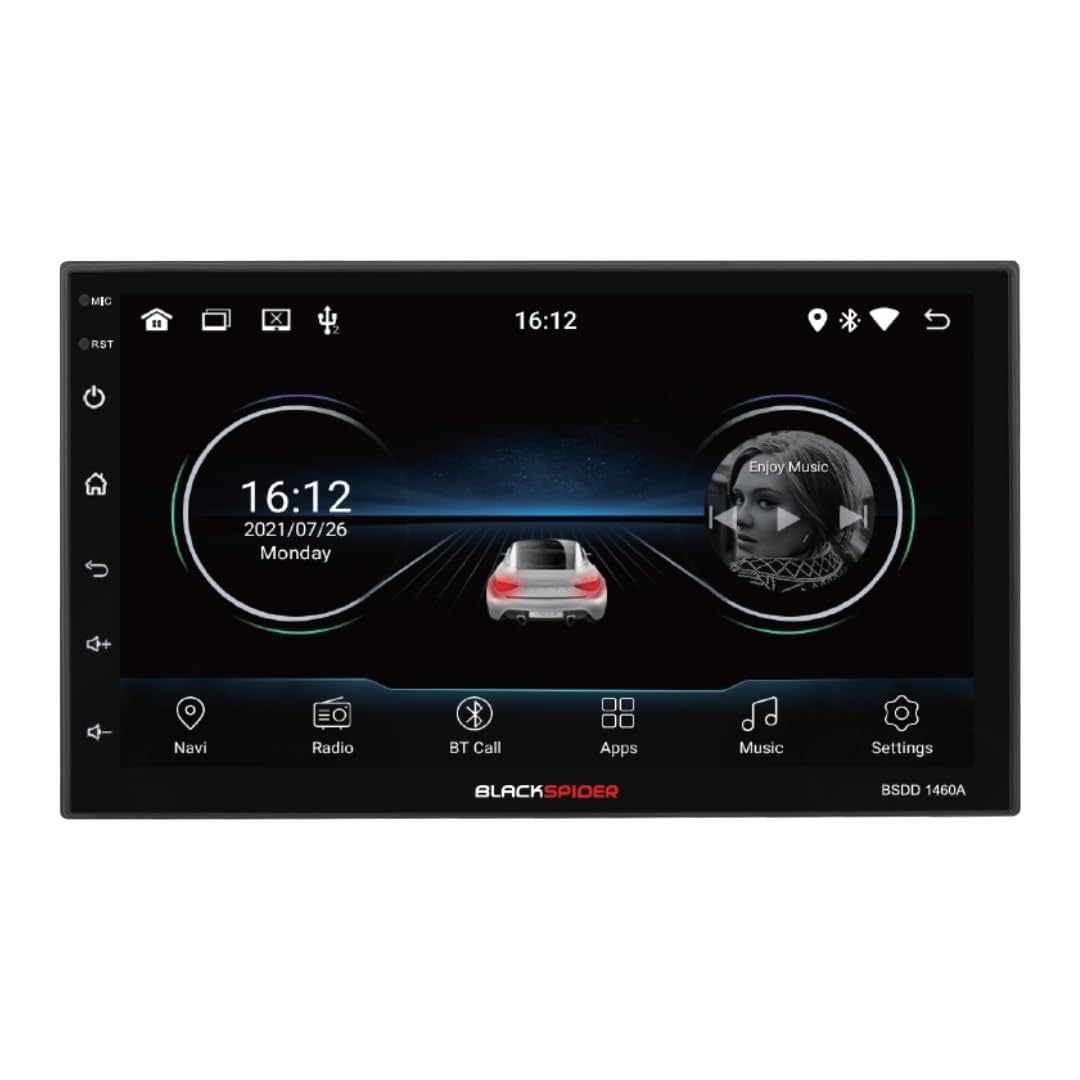
Figure 6: Main Home Screen

Figure 7: Applications Screen
Ключові характеристики
- Бездротовий Apple CarPlay: Connect your iPhone wirelessly for access to navigation, music, messages, and more directly on the unit's screen. Ensure Bluetooth and Wi-Fi are enabled on your iPhone.
- Дротовий Android Auto: Connect your Android smartphone via a USB cable to use Android Auto features, including Google Maps, Spotify, and voice commands.
- Вбудована GPS-навігація: The unit comes with built-in GPS capabilities. You can download and use various navigation applications from the Android system's app store.
- Bluetooth Hands-Free Calling & Music Streaming: Pair your smartphone via Bluetooth for hands-free calls and wireless audio streaming. The included external microphone enhances call clarity.
- Відтворення мультимедіа: Відтворення аудіо та відео files from USB drives connected to the dual rear USB ports.
- Підтримка задньої камери: Коли підключено задню камеру, дисплей автоматично перемикається на зображення з камери view коли транспортний засіб знаходиться на задній передачі.
- Контроль звуку: Adjust volume, balance, fader, and utilize the built-in equalizer presets to customize your audio experience.
Технічне обслуговування
To ensure the longevity and optimal performance of your Blackspider BSDD1460A, follow these maintenance guidelines:
- Прибирання: Use a soft, dry cloth to clean the screen and unit exterior. For stubborn marks on the screen, use a screen cleaner specifically designed for electronic displays. Avoid abrasive cleaners or solvents.
- Оновлення програмного забезпечення: Periodically check for software updates through the unit's settings menu or the manufacturer's webсайт. Оновлення програмного забезпечення може покращити продуктивність і додати нові функції.
- Умови навколишнього середовища: Уникайте тривалого перебування пристрою під екстремальними температурами, прямими сонячними променями або надмірною вологістю.
Усунення несправностей
If you encounter issues with your Blackspider BSDD1460A, refer to the following common problems and solutions:
| проблема | Можлива причина | Рішення |
|---|---|---|
| Пристрій не включається | Incorrect wiring, blown fuse, vehicle battery issue | Check power connections and fuses. Ensure vehicle battery is charged. Consult an installer. |
| Немає звуку | Speaker wires disconnected, volume too low, mute activated | Перевірте підключення динаміків. Збільште гучність. Вимкніть функцію вимкнення звуку. |
| Сигнал GPS втрачено або він неточний | GPS antenna obstructed or improperly placed | Переконайтеся, що GPS-антена має чіткий сигнал view неба. Перевірте підключення антени. |
| Apple CarPlay/Android Auto не підключається | Incorrect settings, cable issue (for Android Auto), phone compatibility | For CarPlay, ensure Wi-Fi and Bluetooth are on. For Android Auto, try a different USB cable. Check phone compatibility and settings. |
| Сенсорний екран не реагує | Тимчасовий програмний збій | Restart the unit. If issue persists, perform a factory reset (note: this will erase all user data). |
Технічні характеристики
Technical specifications for the Blackspider BSDD1460A multimedia radio:
- модель: BSDD1460A
- Дисплей: 7-inch Android 11 Touchscreen
- Пам'ять: 2GB RAM + 32GB ROM
- Підключення: Wireless Apple CarPlay, Wired Android Auto, Bluetooth, GPS, Dual Rear USB, AV Input & Video Output, RCA Audio Outputs (Front/Rear), Dedicated Subwoofer Output
- Аудіовихід: 60W × 4 max speaker output, Built-in Equalizer Presets
- Особливості: Ззаду-view camera input, Resistive steering wheel control support, External microphone support
- Розміри (Д x Ш x В): 14 Г x 17.8 Ш x 10 В сантиметрів
- Вага товару: 1.35 кілограма
- колір: чорний
Інформація про гарантію
The Blackspider BSDD1460A comes with a 1 роки гарантії from the date of purchase. This warranty covers manufacturing defects under normal use. It does not cover damage caused by improper installation, misuse, accidents, unauthorized repairs, or normal wear and tear. Please retain your proof of purchase for warranty claims.
Підтримка
For further assistance, technical support, or warranty claims, please contact your retailer or the Blackspider customer service department. Refer to the contact information provided with your purchase or visit the official Blackspider webсайт для ресурсів підтримки.