
вступ
Welcome to the SONICAKE NeoUke Smart Guitar instruction manual. This document provides essential information for setting up, operating, maintaining, and troubleshooting your NeoUke. Please read this manual thoroughly before using the device to ensure optimal performance and longevity.

Image: The NeoUke is designed for ease of use, allowing quick engagement with music.
Продукт закінченийview
The SONICAKE NeoUke is a stringless smart guitar designed for beginners and music enthusiasts. It features a light-up fretboard, built-in speaker, and smart accompaniment system, offering a unique and interactive musical experience.
Включені компоненти:
- NeoUke Smart Guitar unit
- Кабель для зарядки USB Type-C
- Strap with clips
- Mini jack male to jack female adapter
- Короткий посібник з початку роботи (докладні інструкції див. у цьому посібнику)

Image: The NeoUke package contents, including the instrument and essential accessories.
Елементи керування та порти:
- Transpose Knob: Adjusts the key of the chords.
- Fretboard Pads: 21 silicone chord buttons with dynamic light guidance.
- Pick A & Pick B: Strumming/picking sensors.
- Регулятор гучності: Контролює вихідну гучність.
- Порт типу C: Для зарядки та передачі даних.
- Вмикання/вимкнення: Вмикає або вимикає пристрій.
- Play/Stop & Fill-in Button: Controls accompaniment playback and adds musical fills.
- Доповідач: Integrated 10W Bluetooth speaker.
- RGB Light Ring: Visual feedback for rhythm and volume.
- BLE and Audio Dual Module: Для бездротового підключення.
- Pressable Wheel: For menu navigation or parameter adjustment.
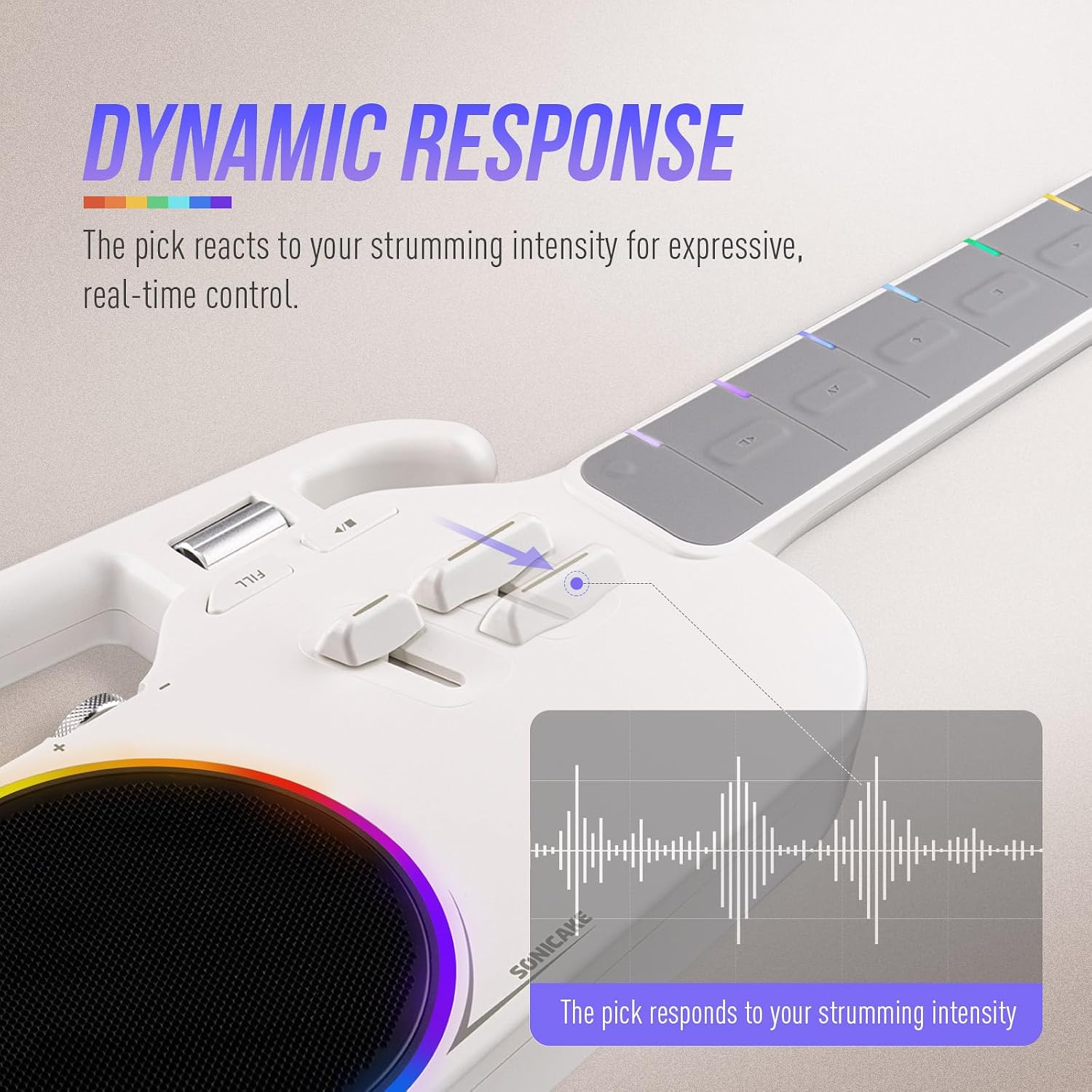
Зображення: Детальне view of the NeoUke's strumming area and dynamic response indicators.
Налаштування
1. Зарядка пристрою
Before first use, fully charge your NeoUke. Connect the provided USB Type-C cable to the Type-C port on the device and the other end to a compatible USB power adapter (not included). The device can be used while charging.
2. Увімкнення/вимкнення живлення
Locate the On/Off switch on the side of the NeoUke. Slide the switch to the 'ON' position to power on the device. Slide it to 'OFF' to power off.
3. Встановлення та підключення програми
The NeoUke integrates with a mobile application for enhanced functionality and learning. шукати the official SONICAKE NeoUke app on your device's app store (iOS/Android). Follow the on-screen instructions to install.
- Переконайтеся, що Bluetooth увімкнено на вашому мобільному пристрої.
- Open the NeoUke app and follow the pairing instructions. The app will guide you through connecting to your NeoUke via Bluetooth.

Image: The NeoUke seamlessly integrates with its companion app for interactive learning and control.
Інструкція з експлуатації
1. Базове відтворення
The NeoUke features 21 silicone chord buttons on the fretboard. Press a button with one hand and use the 'Pick A' or 'Pick B' sensors with the other hand to generate sound. The fretboard lights will guide you on which buttons to press for various songs and chords.
Video: Demonstration of basic playback and interaction with the SONICAKE NeoUke. This video shows how to play your first song using the device's features.
2. Interactive Lighting System
The fretboard lights indicate chord positions and rhythm. The RGB light ring around the speaker syncs with your playing, providing visual feedback and enhancing the experience.

Image: The NeoUke's speaker and LED ring, illustrating the dynamic visual feedback during play.
3. Accompaniment System
The NeoUke features a smart accompaniment system with Intro, Loop, Fill-in, and Ending functions. Use the Play/Stop & Fill-in button to control these features. The intelligent algorithm automatically adjusts keys and transitions. You can switch between various instrument sounds (Piano, Acoustic Guitar, Ukulele, Electric Guitar) and styles (Pop, Rock, Folk) using the controls or the app.
4. Функціональність Bluetooth-динаміка
The built-in 10W speaker can also function as a standalone Bluetooth speaker. Pair your mobile device with the NeoUke via Bluetooth to stream audio. The speaker delivers a clear sound with a frequency response of 80Hz–16kHz.
5. Контроль додатків
The companion app provides comprehensive control over the NeoUke's functions. It offers lessons, songs with lyrics and chords, and allows customization of chord layouts and instrument settings. Refer to the app's internal guide for detailed usage.
Технічне обслуговування
1. прибирання
Wipe the NeoUke with a soft, dry cloth. For stubborn dirt, a slightly damp cloth can be used, followed by immediate drying. Avoid using harsh chemicals or abrasive cleaners, as these can damage the finish and electronic components.
2. Догляд за акумулятором
The NeoUke is equipped with dual 2000mAh lithium batteries. To prolong battery life:
- Уникайте частого повного розряджання акумулятора.
- Зберігайте пристрій у прохолодному, сухому місці, якщо він не використовується протягом тривалого часу.
- Charge the device periodically if stored for a long time to prevent deep discharge.
Усунення несправностей
| проблема | Можлива причина | Рішення |
|---|---|---|
| Немає звуку | Volume too low; device not powered on; battery depleted; incorrect chord/pick action. | Increase volume; ensure device is on; charge battery; ensure proper pressure on fretboard pads and pick sensors. |
| Помилка сполучення Bluetooth | Bluetooth not enabled on mobile device; NeoUke not in pairing mode; interference. | Enable Bluetooth; restart both devices; move closer to the NeoUke; try pairing in a different location. |
| Fretboard lights not working | Device off; low battery; software glitch. | Ensure device is on and charged; restart the NeoUke; check app settings for light controls. |
| Проблеми з підключенням програми | Outdated app version; operating system incompatibility; Bluetooth issues. | Update the app; check app store for compatibility; ensure stable Bluetooth connection; contact support if issues persist. |
| Короткий час автономної роботи | Frequent use of high volume or bright lights; aging battery. | Reduce volume or light intensity; ensure full charge before use; battery performance may degrade over time. |
Технічні характеристики
- Назва моделі: NeoUke
- Номер моделі: QUK-01
- Розміри (Д x Ш x В): 619 мм x 207 мм x 58 мм (24.37 дюйма x 8.15 дюйма x 2.28 дюйма)
- вага: 1.3 кг (2.87 фунта)
- Матеріал корпусу: Акрилонітрилбутадієнстирол (АБС)
- Матеріал грифа: Силікон
- Батарея: Dual 2000mAh Lithium-ion (approx. 4+ hours continuous play)
- Доповідач: 10W BT Speaker, 2.5-3 inch full-range unit, 550mL acoustic chamber
- Частотна характеристика динаміка: 80 Гц–16 кГц
- Підключення: USB Type-C, Bluetooth Low Energy (BLE)
- UPC: 843037103203

Image: The NeoUke's design emphasizes portability and modern aesthetics.
Інформація про гарантію
The SONICAKE NeoUke Smart Guitar comes with a 1 рік обмеженої гарантії з дати покупки. Ця гарантія поширюється на виробничі дефекти та дефекти виготовлення за умов нормального використання. Вона не поширюється на пошкодження, спричинені неправильним використанням, нещасними випадками, несанкціонованими модифікаціями або нормальним зносом. Будь ласка, збережіть підтвердження покупки для пред'явлення гарантійних претензій.
Підтримка клієнтів
For technical assistance, warranty claims, or any questions regarding your SONICAKE NeoUke Smart Guitar, please contact SONICAKE customer support through their official website or the contact information provided with your purchase. Please have your model number (QUK-01) and proof of purchase ready when contacting support.


