
вступ
This manual provides essential information for the safe and effective use of your Hyper Tough 20V Max 2.0Ah Lithium-Ion Battery Pack. This battery pack is designed to power Hyper Tough 20V tools and features integrated USB-A and USB-C ports for charging compatible electronic devices. Please read these instructions carefully before use and retain them for future reference.
Інформація про безпеку
ПОПЕРЕДЖЕННЯ: Прочитайте всі застереження та інструкції з безпеки. Недотримання попереджень та інструкцій може призвести до ураження електричним струмом, пожежі та/або серйозних травм.
Безпека акумуляторної батареї
- RISK OF FIRE AND BURNS. Не відкривайте, не роздавлюйте, не нагрівайте вище 100°C (212°F) та не спалюйте.
- Follow manufacturer's instructions for charging and use.
- Store indoors in a cool, dry place, away from direct sunlight and moisture.
- РИЗИК УРАЖЕННЯ ЕЛЕКТРИЧНИМ СТРУМОМ. Не піддавайте акумуляторну батарею впливу води чи дощу.
- No user-serviceable parts inside. Do not attempt to disassemble or repair the battery pack.
- Ambient temperature for charging should be between 41°F to 104°F (5°C to 40°C).
- Charge only with Hyper Tough chargers (e.g., JS-22055-117UN) or other chargers specifically approved by Hyper Tough for this model.
- Не замикайте клеми акумулятора.
- Тримайте акумуляторні блоки подалі від дітей.
- Утилізуйте використані акумуляторні блоки відповідально згідно з місцевими правилами.
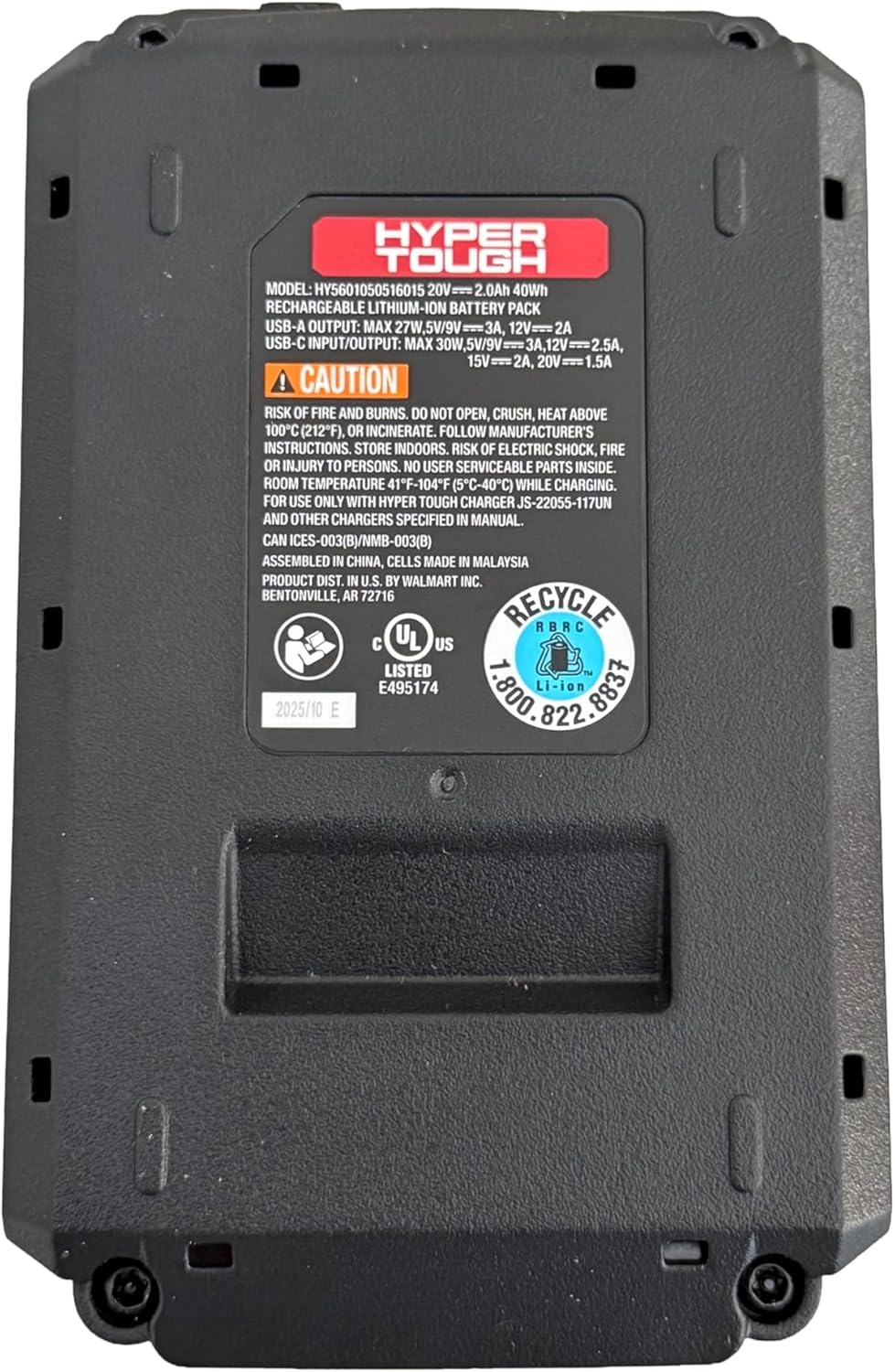
Зображення: Нижня частина view of the battery pack, displaying model information, USB port specifications, and critical safety warnings regarding fire, burns, and electric shock. It also shows recycling information and UL listing.
Продукт закінченийview
The Hyper Tough 20V Max 2.0Ah Lithium-Ion Battery Pack provides portable power for your Hyper Tough 20V tools and acts as a power bank for your electronic devices.
Ключові компоненти:
- Акумулятор: 20V Max 2.0Ah Lithium-Ion power source.
- Tool Interface: Connects to compatible Hyper Tough 20V power tools and garden tools.
- Порт USB-A: For charging various electronic devices.
- 2-Way USB-C Port: For fast charging of electronic devices (30W Power Delivery) and potentially for charging the battery pack itself (if supported by a compatible charger).
- Індикатор ємності акумулятора: Displays the current charge level of the battery.

Зображення: спереду view of the Hyper Tough battery pack, highlighting the 'HYPER TOUGH' branding and the clearly labeled USB-A and USB-C (IN/OUT PD) ports.
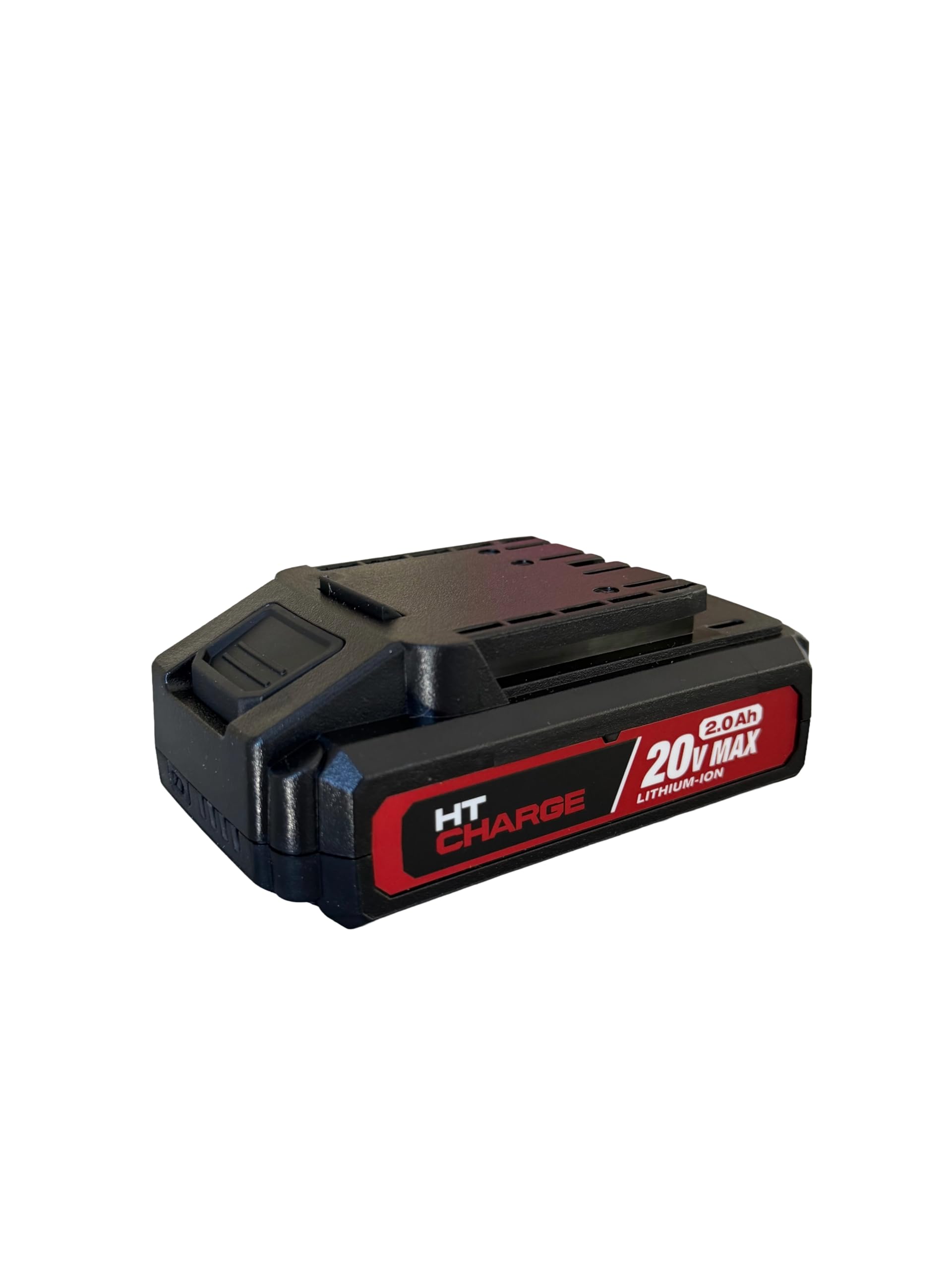
Зображення: Верх view of the Hyper Tough battery pack, displaying the connection terminals and slide mechanism for attaching to compatible power tools.
Налаштування
Початкова зарядка
- Перед першим використанням переконайтеся, що акумуляторна батарея повністю заряджена.
- Connect the Hyper Tough 20V Max 2.0Ah Lithium-Ion Battery Pack to a compatible Hyper Tough 20V battery charger.
- Підключіть зарядний пристрій до стандартної електричної розетки.
- Індикатор зарядного пристрою показуватиме стан заряджання. Зверніться до інструкції з експлуатації вашого зарядного пристрою, щоб дізнатися про конкретні значення індикаторів.
- Після повної зарядки від’єднайте зарядний пристрій від розетки та вийміть акумуляторний блок.
Прикріплення до інструменту
- Align the battery pack with the battery port on your Hyper Tough 20V power tool or garden tool.
- Slide the battery pack firmly into the tool until it clicks securely into place. Ensure it is fully seated to prevent accidental detachment during operation.
- To remove, press the battery release button (if present on the tool or battery) and slide the battery pack out.
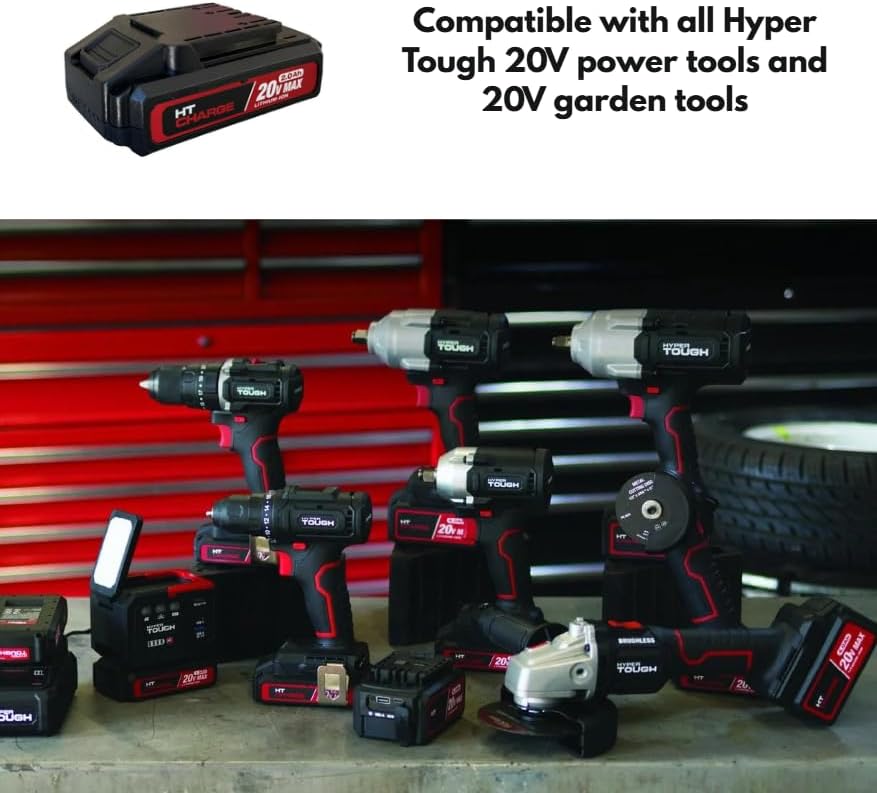
Image: The Hyper Tough 20V Max 2.0Ah Lithium-Ion Battery Pack displayed alongside a range of compatible Hyper Tough 20V power tools, including drills, impact wrenches, and grinders, illustrating its versatility.
Операційна
Powering Tools
Once the battery pack is securely attached to a compatible Hyper Tough 20V tool, the tool is ready for operation. Refer to your specific tool's instruction manual for operating procedures.
Using USB Ports for Device Charging
The integrated USB-A and USB-C ports allow you to charge compatible electronic devices such as smartphones, tablets, or other USB-powered gadgets.
- Порт USB-A: Connect your device's USB-A charging cable to the USB-A port on the battery pack.
- 2-Way USB-C Port: Connect your device's USB-C charging cable to the USB-C port on the battery pack. This port supports Power Delivery (PD) for faster charging of compatible devices.
- Ensure your device is compatible with the output specifications of the battery pack's USB ports.
Індикатор ємності акумулятора
Press the battery capacity indicator button on the battery pack to view the current charge level. A series of LED lights will illuminate, indicating the remaining power. Refer to the specific LED pattern on your battery for detailed charge level interpretation.
Технічне обслуговування
прибирання
- Always remove the battery pack from any tool or charger before cleaning.
- Wipe the exterior of the battery pack with a clean, dry cloth.
- Do not use water, solvents, or harsh chemicals to clean the battery pack.
- Тримайте клеми акумулятора чистими та без сміття.
Зберігання
- Store the battery pack in a cool, dry place, away from direct sunlight, heat sources, and moisture.
- Avoid storing the battery pack in temperatures below 41°F (5°C) or above 104°F (40°C).
- For long-term storage, it is recommended to charge the battery pack to approximately 50% capacity.
- Do not store the battery pack with metal objects that could short-circuit the terminals.
Усунення несправностей
Battery Pack Not Charging
- Ensure the charger is properly plugged into a working electrical outlet.
- Verify that the battery pack is securely connected to the charger.
- Check the ambient temperature; charging should occur between 41°F (5°C) and 104°F (40°C).
- Confirm you are using a compatible Hyper Tough charger.
Battery Pack Not Powering Tool
- Ensure the battery pack is fully charged. Check the battery capacity indicator.
- Verify the battery pack is securely attached to the tool.
- Confirm the tool is compatible with Hyper Tough 20V battery packs.
Порти USB не заряджають пристрої
- Ensure the battery pack has sufficient charge.
- Verify that the USB cable is functioning correctly and is securely connected to both the battery pack and the device.
- Confirm your device is compatible with the USB output specifications (voltagе/струм).
- Some devices may require specific charging protocols not supported by the battery pack.
Технічні характеристики
| Назва моделі | Акумулятор 20 В 2.0 Ач |
| Номер моделі | HT-CHARGE-20V-2AH |
| Тип батареї | Літій-іонний |
| томtage | 20 В Макс |
| Ємність | 2.0Ah (40Wh) |
| Вихід USB-A | 27W Max, 5V/9V=3A, 12V=2A |
| Вхід/вихід USB-C | 30W Max, 5V/9V=3A, 12V=2.5A, 15V=2A, 20V=1.5A |
| Рекомендована температура зарядки | 41°F до 104°F (5°C до 40°C) |
| Сумісність | All Hyper Tough 20V power tools and garden tools |
Гарантія та підтримка
For warranty information, please refer to the documentation provided with your original purchase or contact the retailer where the product was acquired. For technical support or further assistance, please contact Hyper Tough customer service through their official webсайт або контактну інформацію, надану разом із вашим продуктом.


