
1. Вступ
Welcome to the user manual for your new Xiaomi 17 Ultra smartphone. This device combines cutting-edge technology with a sophisticated design, offering an exceptional user experience. Key features include a powerful Leica 200MP telephoto lens, a 1-inch ultra-dynamic camera with LOFIC HDR technology for stunning night photography, and the advanced Snapdragon 8 Elite Gen 5 mobile platform for superior performance. The device is also equipped with a long-lasting 6000 mAh Xiaomi Surge battery and integrates HyperAI for enhanced productivity and smart features.

Figure 1: Xiaomi 17 Ultra smartphone in hand.
2. Налаштування
2.1 Розпакування та вміст упаковки
Carefully unbox your Xiaomi 17 Ultra. Ensure all components are present. The standard package includes the Xiaomi 17 Ultra smartphone, a USB-C cable, and a SIM ejector tool (SIM-Pin).

Figure 2: Package contents including the Xiaomi 17 Ultra, USB-C cable, and SIM-Pin.
2.2 Встановлення SIM-картки
- Знайдіть лоток для SIM-картки на боковій стороні пристрою.
- Вставте інструмент для вилучення SIM-картки в маленький отвір на лотку для SIM-картки та обережно натисніть, доки лоток не вискочить.
- Вставте вашу(і) Nano-SIM-картку(и) у лоток золотими контактами вниз. Переконайтеся, що вони правильно орієнтовані.
- Carefully push the SIM tray back into the slot until it is flush with the device.

Малюнок 3: Сторона view of the Xiaomi 17 Ultra, indicating the SIM card tray.
2.3 Початкове увімкнення та заряджання
To power on your device, press and hold the power button located on the side until the Xiaomi logo appears. For initial setup, it is recommended to fully charge your device. Connect the USB-C cable to the phone's charging port and the other end to a compatible power adapter (not included) or a computer.
3. Operating Your Xiaomi 17 Ultra
3.1 Основна навігація
- Увімкнення/вимкнення живлення: Press and hold the power button. Select "Power off" or "Restart" from the menu.
- Блокування/розблокування екрана: Briefly press the power button. Use your fingerprint, face unlock, or PIN/pattern to unlock.
- Головний екран: Проведіть пальцем угору від нижньої частини екрана, щоб перейти на головний екран.
- Останні програми: Проведіть пальцем вгору знизу та утримуйте, щоб view нещодавні заявки.
- Сповіщення та швидкі налаштування: Проведіть пальцем униз від верхньої частини екрана, щоб отримати доступ до сповіщень та швидких налаштувань.
3.2 Функції камери
The Xiaomi 17 Ultra features an advanced Leica camera system designed for professional-grade photography.
- Leica 200MP Telephoto Lens: Experience exceptional detail and clarity with the 75–100mm optical zoom, eliminating the need for digital cropping.
- Leica 1-inch Ultra-Dynamic Camera: The large 1-inch sensor, combined with LOFIC HDR technology, captures stunning images even in challenging low-light conditions, preserving intricate details.
- Leica UltraPure Optical Design: An updated optical structure with precision glass elements significantly reduces reflections, ensuring purer image quality.
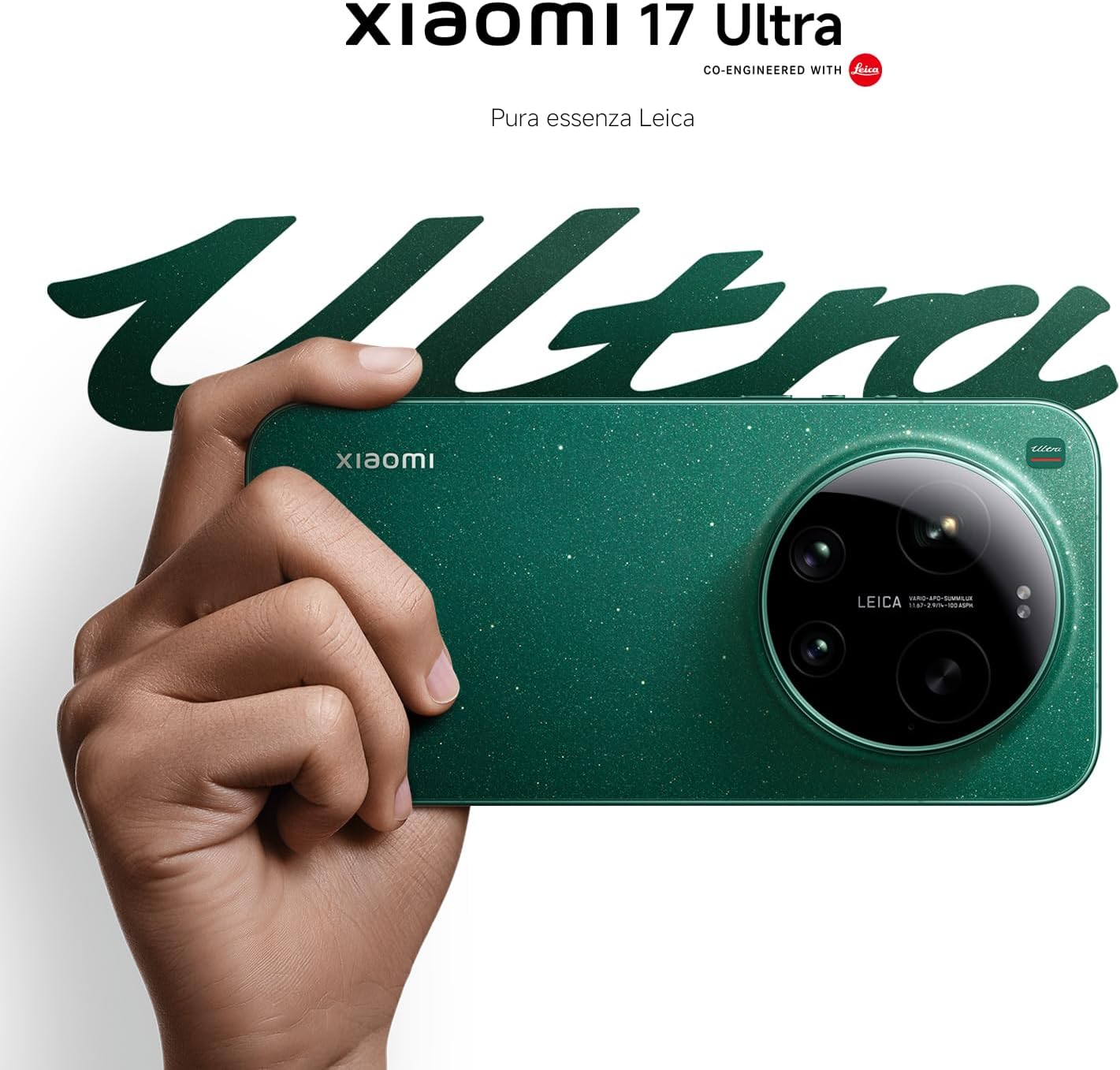
Figure 4: Leica 200MP Telephoto Lens.

Figure 5: Leica 1-inch Ultra-Dynamic Camera Sensor.

Figure 6: Leica UltraPure Optical Design.
Video 1: Demonstration of the Xiaomi 17 Ultra's camera capabilities, capturing fireworks with detail and clarity.
3.3 HyperAI Features
The integrated HyperAI enhances various aspects of your smartphone experience, offering intelligent assistance and improved productivity.
- ШІ-письмо: Assists with text composition and suggestions.
- AI Voice Recognition: Provides accurate voice-to-text conversion and command execution.
- Пошук AI: Intelligently processes search queries for more relevant results.
- Dynamic AI Wallpapers: Offers personalized and adaptive visual experiences.

Малюнок 7: Закінченоview of Xiaomi HyperAI functionalities.
4. Технічне обслуговування
4.1 Догляд за акумулятором
Your Xiaomi 17 Ultra is equipped with a 6000 mAh Xiaomi Surge battery for extended usage. To maximize battery lifespan:
- Уникайте екстремальних температур (спеки чи холоду).
- Do not let the battery drain completely regularly. Charge it before it reaches very low levels.
- Використовуйте лише схвалені зарядні пристрої та кабелі.
- Avoid overcharging for prolonged periods.

Малюнок 8: Внутрішній view of the 6000 mAh Xiaomi Surge battery.
4.2 Screen and Device Cleaning
To clean your device, use a soft, lint-free cloth. Avoid abrasive materials, sprays, or harsh chemicals. For stubborn smudges, slightly dampзмочіть тканину водою. Не занурюйте пристрій у воду.
4.3 Оновлення програмного забезпечення
Regularly check for and install software updates to ensure optimal performance, security, and access to new features. You can usually find this option in your device's settings under "About phone" or "System updates."
5. Вирішення проблем
5.1 Поширені проблеми та рішення
| Випуск | Можливе рішення |
|---|---|
| Пристрій не вмикається | Переконайтеся, що акумулятор заряджений. Натисніть і утримуйте кнопку живлення щонайменше 10-15 секунд, щоб примусово перезавантажити пристрій. |
| Збої або зависання програм | Close the app and reopen it. Clear the app's cache and data in settings. Update the app or the phone's software. |
| Низький час автономної роботи | Check background app usage. Reduce screen brightness. Disable unnecessary features like GPS or Bluetooth when not in use. Refer to battery care tips. |
| Проблеми з підключенням до мережі | Restart the device. Check if airplane mode is off. Reinsert the SIM card. Reset network settings. Contact your service provider. |
6. Технічні характеристики
| Особливість | Деталь |
|---|---|
| Модель | Xiaomi 17 Ultra |
| Процесор | Snapdragon 8 Elite Gen 5 Mobile Platform |
| ОЗУ | 16 ГБ |
| Внутрішня пам'ять | 512 ГБ |
| Основна камера | Leica 1-inch Ultra-Dynamic Camera with LOFIC HDR |
| Телеоб'єктив | Leica 200MP, 75–100mm Optical Zoom |
| Акумулятор | 6000 mAh Xiaomi Surge Battery (typical) |
| Особливості ШІ | Xiaomi HyperAI (AI Writing, Voice Recognition, Search, Dynamic Wallpapers) |

Figure 9: Snapdragon 8 Elite Gen 5 Mobile Platform.
7. Гарантія та підтримка
7.1 Гарантія виробника
Ваш Xiaomi 17 Ultra постачається з 3-річна гарантія виробника. This includes the standard 2-year manufacturer warranty plus an additional 1 year of extended warranty, automatically applied upon purchase.
Зберігайте підтвердження покупки для гарантійних претензій.
7.2 Підтримка клієнтів
For further assistance, technical support, or warranty inquiries, please visit the official Xiaomi support website or contact their customer service. You can find contact information on the Xiaomi official website or within your device's "Settings" under "About phone" > "Legal information" or "Support".


