
вступ
Welcome to your new Yamaha YDP105 Digital Piano. This manual provides essential information for setting up, operating, maintaining, and troubleshooting your instrument. Please read it thoroughly to ensure proper use and to maximize your playing experience.
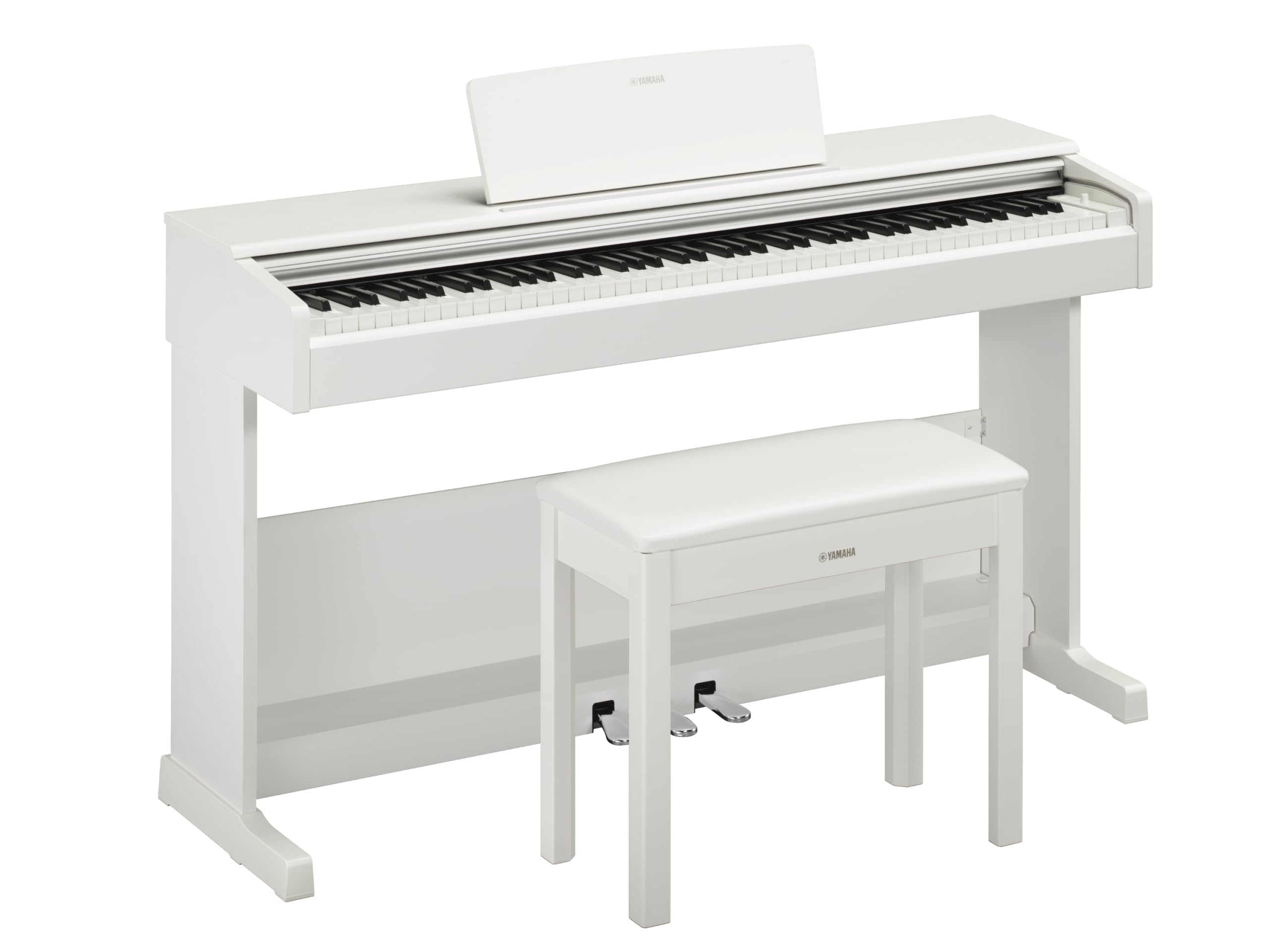
This image shows the Yamaha YDP105 digital piano in a white finish, positioned in a modern living room environment, highlighting its elegant design.
Важливі інструкції з безпеки
- Джерело живлення: Використовуйте лише зазначений адаптер живлення. Переконайтеся, що гучністьtage відповідає вашому місцевому джерелу живлення.
- Вода і вологість: Do not expose the instrument to rain, moisture, or excessive humidity. Keep liquids away from the piano.
- Вентиляція: Ensure adequate ventilation around the instrument. Do not block ventilation openings.
- Розташування: Place the piano on a stable, level surface. Avoid direct sunlight, heat sources, and areas with excessive dust or vibrations.
- Обробка: Поводьтеся з інструментом обережно. Уникайте падінь та сильних ударів.
- Обслуговування: Не намагайтеся обслуговувати прилад самостійно. Довірте всі послуги кваліфікованому персоналу.
Налаштування
Розпакування
Carefully remove all components from the packaging. Ensure all included items are present: the piano unit, bench, 3-pedal unit, power adapter, and music rest.
Збірка
The Yamaha YDP105 requires some assembly. Follow these steps:
- Attach the side panels to the main keyboard unit using the provided screws.
- Secure the pedal unit to the assembled frame.
- Attach the backboard.
- Place the music rest into its slot on the keyboard unit.
- Assemble the bench according to its separate instructions.

This image shows the fully assembled Yamaha YDP105 digital piano in white, complete with its matching bench and music rest.
Підключення живлення
Connect the supplied power adapter to the DC IN jack on the rear of the piano and then to a standard AC outlet.
Підключення педального блоку
Ensure the 3-pedal unit cable is securely connected to the corresponding jack on the piano.

This image displays a close-up of the three-pedal unit, showing the sustain, sostenuto, and soft pedals.
Інструкція з експлуатації
Увімкнення/вимкнення живлення
Натисніть ПОТУЖНІСТЬ кнопку, щоб увімкнути або вимкнути інструмент.
Регулювання гучності
Використовуйте ГОЛОВНИЙ ОБ'ЄМ ручку для регулювання загального рівня звуку.
Selecting Voices (Instrument Sounds)
The YDP105 features 10 instrument voices. To select a voice:
- Натисніть ГОЛОС кнопку.
- Use the keyboard keys to select the desired voice as indicated in the manual's voice list.

This image shows a close-up of the control panel on the left side of the keyboard, highlighting the "GRAND PIANO" and "FUNCTION" buttons.
Використання навушників
The piano includes dual headphone jacks for private practice or duets. Connect standard 3.5mm headphones to either jack.

This image shows a pair of headphones resting on the top surface of the digital piano, near the keys.
Інтеграція з додатком Smart Pianist
Enhance your experience by connecting the YDP105 to the Yamaha Smart Pianist app. This app allows for intuitive control of piano functions, access to scores, and learning tools. Refer to the Smart Pianist app's documentation for detailed connection and usage instructions.

This image displays the icon for the Yamaha Smart Pianist App, featuring a stylized piano keyboard and musical notes.
Технічне обслуговування
прибирання
Протріть інструмент м’якою сухою тканиною. Для стійкого бруду використовуйте злегкаamp cloth and then wipe dry. Avoid abrasive cleaners, solvents, or polishes.
Зберігання
Зберігайте піаніно в стабільному середовищі, подалі від прямих сонячних променів, екстремальних температур та високої вологості.
Moving the Instrument
When moving the piano, ensure it is powered off and disconnected from the power source. Handle with care to prevent damage.
Усунення несправностей
Немає звуку
- Перевірте, чи ввімкнено живлення.
- Переконайтеся, що гучність збільшена.
- Якщо підключено навушники, від’єднайте їх, щоб перевірити вихідний сигнал динаміка.
- Перевірте, чи всі кабелі надійно підключені.
Клавіші не відповідають
- Power cycle the instrument (turn off, then on again).
- Переконайтеся, що жодні предмети не заважають клавішам.
Pedals Not Working
- Check the pedal unit cable connection.
- Ensure the pedal unit is correctly assembled and positioned.
Технічні характеристики
| Особливість | Деталь |
|---|---|
| Назва моделі | ЯДП-105 |
| Кількість клавіш | 88 |
| Тип ключа | Graded Hammer Standard (GHS) keyboard with matte black keytops |
| Сенсорна відповідь | Hard/Medium/Soft/Fixed |
| Голоси | 10 (including Grand Piano) |
| Поліфонія | 64 нот |
| Педалі | 3 (Дamper with half pedal effect, Sostenuto, Soft) |
| Підключення | USB to Host, Headphone Jacks (2 x Standard Stereo Phone Jack) |
| Доповідачі | 12 см х 2 |
| Ampлібератор | 8 Вт х 2 |
| Розміри (Ш x Г x В) | 1357 мм x 422 мм x 815 мм (53.44 дюйма x 16.63 дюйма x 32.09 дюйма) |
| вага | 37.5 кг (82.7 фунта) |
| Джерело живлення | PA-150B or an equivalent recommended by Yamaha |
Інформація про гарантію
The Yamaha YDP105 Digital Piano comes with a 1-year manufacturer warranty. Yamaha Corporation of America is committed to the quality and craftsmanship of its products. This limited warranty applies only to products purchased from an authorized Yamaha retailer in the fifty United States (including the District of Columbia) and used within this area. For complete warranty details and terms, please refer to the official Yamaha webсайт або зверніться до служби підтримки клієнтів Yamaha.
Підтримка клієнтів
Для отримання додаткової допомоги, технічної підтримки або запитів щодо обслуговування, будь ласка, відвідайте офіційний веб-сайт Yamaha. webсайту або зв’яжіться зі своїм відділом обслуговування клієнтів.