
вступ
Thank you for choosing the OneOdio Focus A1Pro Wireless On-Ear Headphones. This manual provides detailed instructions for setting up, operating, maintaining, and troubleshooting your new headphones. Please read this manual thoroughly before use to ensure optimal performance and longevity of your device.
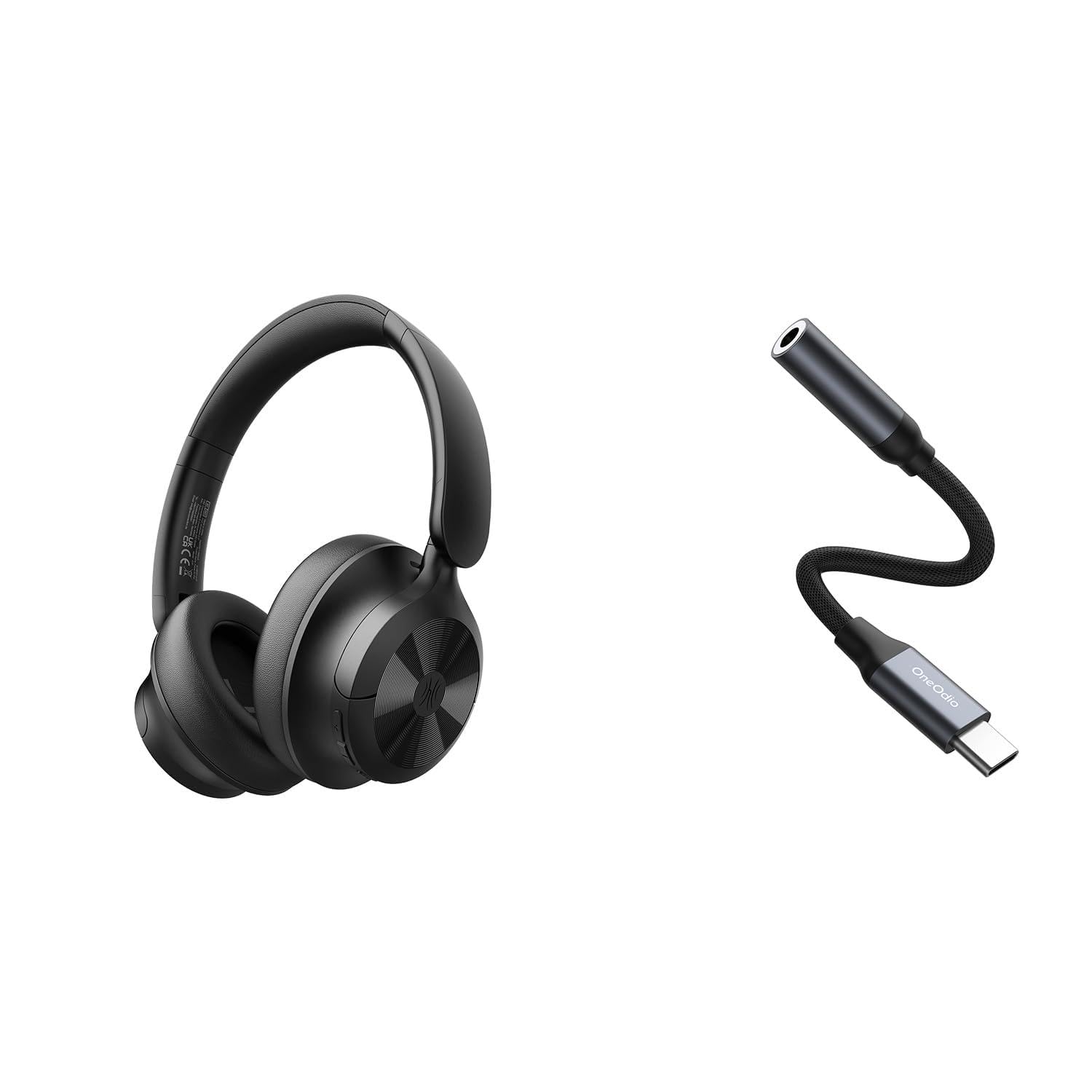
Image: OneOdio Focus A1Pro Wireless On-Ear Headphones. This image displays the headphones in their typical on-ear design, showcasing амбушури та наголов'я.
Вміст упаковки
Будь ласка, перевірте упаковку на наявність наступних предметів:
- OneOdio Focus A1Pro Wireless On-Ear Headphones
- Аудіоадаптер USB-C до 3.5 мм
- Зарядний кабель USB-C
- Сумка для перенесення
- Посібник користувача (цей документ)
Налаштування
1. Зарядка навушників
Before first use, fully charge the headphones. Connect the USB-C charging cable to the charging port on the headphones and the other end to a USB power source (e.g., computer USB port, wall adapter). The LED indicator will show charging status and turn off or change color when fully charged.

Image: Close-up of the USB-C charging port on the OneOdio Focus A1Pro headphones, with a charging cable connected.
2. Увімкнення/вимкнення живлення
- Щоб увімкнути: Press and hold the Multi-function button for approximately 3 seconds until the LED indicator flashes blue.
- Щоб вимкнути: Press and hold the Multi-function button for approximately 3 seconds until the LED indicator flashes red and then turns off.
3. Підключення Bluetooth
- Переконайтеся, що навушники вимкнено.
- Press and hold the Multi-function button for 5-7 seconds until the LED indicator flashes red and blue alternately. This indicates pairing mode.
- На вашому пристрої (смартфоні, планшеті, комп’ютері) увімкніть Bluetooth та знайдіть доступні пристрої.
- Select "OneOdio A1Pro" from the list of found devices.
- Після підключення світлодіодний індикатор повільно блиматиме синім.
- Якщо потрібен пароль, введіть «0000».
Навушники автоматично спробують повторно підключитися до останнього сполученого пристрою після ввімкнення.
4. Wired Connection (using USB-C to 3.5mm Audio Adapter)
For a wired connection, use the provided USB-C to 3.5mm audio adapter. This allows you to connect the headphones to devices with a standard 3.5mm audio jack.
- Plug the USB-C end of the adapter into the USB-C port on the headphones.
- Plug the 3.5mm end of the adapter into the 3.5mm audio jack of your audio source device.
- Ensure the headphones are powered off for wired mode to function correctly and conserve battery.

Image: The OneOdio Focus A1Pro headphones connected to an audio source via the USB-C to 3.5mm audio adapter.
Інструкція з експлуатації
Контроль надview
The headphones feature intuitive controls located on the earcup. Familiarize yourself with these buttons for seamless operation.

Image: Diagram showing the location and function of control buttons on the OneOdio Focus A1Pro headphones, including volume, multi-function, and ANC buttons.
Відтворення музики
- Відтворення/пауза: Натисніть багатофункціональну кнопку один раз.
- Наступний трек: Натисніть і утримуйте кнопку збільшення гучності протягом 2 секунд.
- Попередній трек: Натисніть і утримуйте кнопку зменшення гучності протягом 2 секунд.
- Збільшення гучності: Коротко натисніть кнопку збільшення гучності.
- Зменшення гучності: Коротко натисніть кнопку зменшення гучності.
Обробка дзвінків
- Відповісти/закінчити виклик: Натисніть багатофункціональну кнопку один раз.
- Відхилити виклик: Натисніть і утримуйте багатофункціональну кнопку протягом 2 секунд.
- Повторний набір останнього номера: Двічі натисніть багатофункціональну кнопку.
Активне скасування шуму (ANC)
The Focus A1Pro headphones feature Active Noise Cancellation to reduce ambient noise.
- Активувати ANC: Press the ANC button once. The ANC indicator light will turn green.
- Деактивувати ANC: Натисніть кнопку ANC ще раз. Індикатор ANC згасне.
Носіння навушників
Adjust the headband to fit comfortably over your head. The earcups should fully cover your ears for optimal sound quality and noise cancellation. The earcups are typically marked 'L' for left and 'R' for right.
Технічне обслуговування
прибирання
- Протріть навушники м’якою, сухою тканиною без ворсу.
- Не використовуйте абразивні засоби для чищення, спирт або хімічні розчинники.
- Уникайте потрапляння вологи в будь-які отвори.
- The earpads can be gently wiped with a slightly damp cloth and mild soap solution, then dried thoroughly.
Зберігання
When not in use, store the headphones in the provided carrying pouch to protect them from dust and scratches. Store in a cool, dry place away from extreme temperatures.
Догляд за акумулятором
- Уникайте частого повного розряджання акумулятора.
- Регулярно заряджайте навушники, навіть якщо вони не використовуються протягом тривалого часу, щоб підтримувати справність акумулятора.
- Do not expose the headphones to high temperatures, as this can degrade battery performance.
Усунення несправностей
Немає живлення
- Переконайтеся, що навушники повністю заряджені.
- Press and hold the Multi-function button for 3 seconds to power on.
Немає звуку
- Bluetooth:
- Ensure the headphones are paired and connected to your device.
- Перевірте рівень гучності як на навушниках, так і на пристрої.
- Спробуйте розпарити та знову підключити навушники.
- Провідний:
- Ensure the USB-C to 3.5mm adapter is securely connected to both the headphones and the audio source.
- Переконайтеся, що джерело аудіо відтворюється, і його гучність збільшена.
- Test with a different audio cable or device if possible.
Проблеми з підключенням Bluetooth
- Ensure the headphones are in pairing mode (red and blue flashing LED).
- Перемістіть навушники ближче до свого пристрою.
- Clear the Bluetooth list on your device and try pairing again.
- Уникайте перешкод від інших бездротових пристроїв.
Скидання навушників
If you experience persistent issues, you can try resetting the headphones to their factory settings. (Note: Specific reset procedures vary by model. A common method is to press and hold the Multi-function and Volume Down buttons simultaneously for 5-10 seconds while powered on, or connect to power while holding a button. Refer to the manufacturer's official support for exact steps if this general method does not work.)
Технічні характеристики
| Назва моделі | Focus A1Pro |
| Версія Bluetooth | 5.0 (Estimated, common for modern headphones) |
| Діаметр драйвера | 40 мм (Розрахункова) |
| АЧХ | 20Hz - 20kHz (Типовий) |
| Ємність акумулятора | 500mAh (Розрахункова) |
| Час зарядки | прибл. 2-3 години |
| Час відтворення | До 30 годин (Varies with volume and ANC usage) |
| вага | Approx. 250g (Розрахункова) |
Note: Specifications are subject to change without notice. Actual performance may vary.
Гарантія та підтримка
Інформація про гарантію
OneOdio products are covered by a limited warranty from the date of purchase. This warranty covers manufacturing defects in materials and workmanship. It does not cover damage caused by misuse, accidents, unauthorized modifications, or normal wear and tear. Please retain your proof of purchase for warranty claims.
Підтримка клієнтів
For technical support, warranty inquiries, or other assistance, please contact OneOdio customer service through their official webсайт або магазин, де ви придбали товар.
Офіційний Webсайт: www.oneodio.com
Підтримка електронною поштою: support@oneodio.com