
1. Продукт закінчивсяview
The Hunter ZenTech 52 Inch Smart Ceiling Fan (Model 53638) is designed for both indoor and covered outdoor spaces, offering quiet, efficient performance with advanced smart home integration. This 5-blade fan features a slim DC motor, adjustable LED lighting with TrueLight technology, and Wi-Fi connectivity for control via the HunterSMART app, Amazon Alexa, Google Assistant, and Apple HomeKit. It is ENERGY STAR certified and damp-rated for versatile use.
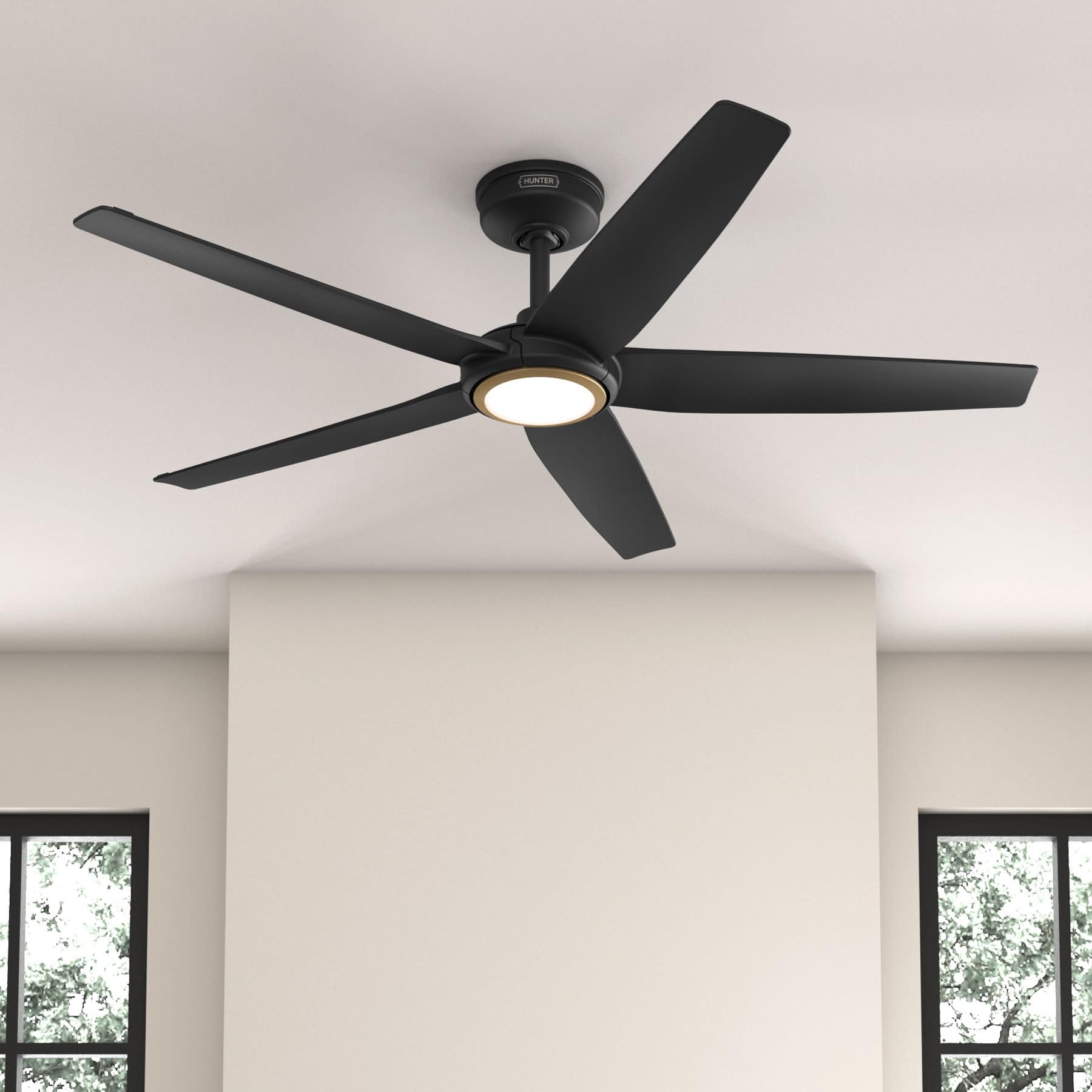
Figure 1: Hunter ZenTech 52 Inch Smart Ceiling Fan (Matte Black)
Ключові характеристики:
- Розширений дизайн: Ultra-slim DC motor for powerful, quiet airflow and a modern aesthetic.
- Інтеграція розумного будинку: HunterSMART technology for app and voice control via Amazon Alexa, Google Assistant, and Apple HomeKit.
- Регульоване світлодіодне освітлення: TrueLight LED offers 10 brightness levels and 10 color temperatures, protected by a durable Duralight lens.
- SureSpeed Guarantee: Delivers strong, consistent airflow with quiet, wobble-free performance.
- Енергоефективний: ENERGY STAR certified reversible 6-speed DC motor.
- Damp Рейтинг: Suitable for indoor and covered outdoor areas.
2. Важливі інструкції з техніки безпеки
Read all instructions carefully before beginning installation. Failure to follow these instructions could result in electric shock, fire, or personal injury.
- Завжди відключайте живлення за допомогою головного автоматичного вимикача перед встановленням або обслуговуванням.
- Переконайтеся, що всі електричні з'єднання відповідають місцевим нормам і постановам. Якщо ви не знайомі з електропроводкою, зверніться до кваліфікованого електрика.
- Монтажна конструкція повинна витримувати вагу вентилятора (приблизно 14.11 фунтів).
- Do not bend blade brackets during installation or cleaning.
- Тримайте руки подалі від лопатей вентилятора під час його роботи.
- Цей вентилятор damp-rated for use in covered outdoor areas but should not be exposed directly to water.
3. Вміст упаковки
Перш ніж розпочати встановлення, переконайтеся, що всі перелічені нижче компоненти присутні у вашій упаковці.
- Корпус двигуна стельового вентилятора
- Вентиляторні ключі 5
- Light Kit with Duralight Lens
- 6-дюймовий нижній стрижень
- Навіс та монтажний кронштейн
- Ручний пульт дистанційного керування
- Комплект кріпильних матеріалів (гвинти, шайби, гайки)

Figure 2: ZenTech 52 Inch Fan Components
4. Посібник із встановлення
Professional installation is recommended. Ensure the power is OFF at the circuit breaker before starting.
4.1 Монтаж вентилятора
- Secure the mounting bracket to the ceiling junction box. The junction box must be listed for fan support.
- Assemble the downrod (6-inch included, compatible with up to 24-inch downrods) to the fan motor housing.
- Hang the fan assembly from the mounting bracket.
- Complete electrical wiring connections as per the wiring diagram provided in the full manual.
- Прикріпіть лопаті вентилятора до корпусу двигуна.
- Install the light kit and Duralight lens.

Figure 3: ZenTech Fan installed in a covered outdoor space
5. Інструкція з експлуатації
The ZenTech fan can be operated using the included handheld remote control or through the HunterSMART app.
5.1 Робота дистанційного керування
- Включення/виключення вентилятора: Натисніть кнопку вентилятора, щоб увімкнути або вимкнути вентилятор.
- Швидкість вентилятора: Use the speed buttons to cycle through 6 fan speeds.
- Увімкнення/вимкнення світла: Натисніть кнопку освітлення, щоб увімкнути або вимкнути світло.
- Затемнення світла: Hold the light button to dim or brighten the light.
- Колірна температура: Press the color temperature button to cycle through different color temperatures (warm to cool).
- Зворотна функція: Press the reverse button to change the fan's direction for seasonal use.
5.2 LED Light Control (TrueLight Technology)
The TrueLight LED system allows for precise control over your lighting environment. You can select from 10 brightness levels and 10 color temperatures to match your preference.

Figure 4: TrueLight LED Technology for adjustable lighting
6. Інтеграція «Розумний дім».
The ZenTech fan features HunterSMART technology, enabling seamless integration with popular smart home ecosystems.
6.1 Connecting to HunterSMART App
- Download the HunterSMART app from your device's app store.
- Follow the in-app instructions to create an account and add your ZenTech fan.
- Ensure your fan is powered on and your mobile device is connected to a 2.4 GHz Wi-Fi network during setup.
6.2 Сумісність голосового керування
Once connected to the HunterSMART app, you can link your fan to:
- Amazon Alexa
- Google Assistant
- Apple HomeKit
Refer to the respective smart home platform's instructions for linking smart devices.

Figure 5: HunterSMART Control Options
7. Догляд і технічне обслуговування
Регулярне технічне обслуговування забезпечує оптимальну продуктивність та довговічність вашого стельового вентилятора.
- Прибирання: Dust the fan blades and motor housing periodically with a soft, lint-free cloth. For damp-rated areas, wipe down with a slightly damp cloth, then dry thoroughly. Do not use abrasive cleaners or solvents.
- Перевірка герметичності: Annually, check all screws and connections for tightness. Vibrations can cause them to loosen over time.
- Комплект світла: The LED light source is designed for long life and is not user-serviceable.
8. Посібник з усунення несправностей
If you encounter issues with your ZenTech ceiling fan, refer to the table below for common problems and solutions.
| проблема | Можлива причина | Рішення |
|---|---|---|
| Вентилятор не запускається | Немає живлення вентилятора; нещільне з'єднання проводів; низький заряд батареї пульта дистанційного керування. | Перевірте автоматичний вимикач; переконайтеся, що всі проводові з'єднання надійні; замініть батарейку пульта дистанційного керування. |
| Світло не працює | No power to the light kit; Loose wire connection; Light kit malfunction. | Check circuit breaker; Verify light kit wiring; Contact customer support if LED is faulty. |
| Коливання вентилятора | Loose blades or blade holders; Improperly balanced blades; Loose mounting bracket. | Ensure all blade screws are tight; Use a blade balancing kit (not included); Tighten mounting bracket screws. |
| Розумні функції не підключаються | Incorrect Wi-Fi network (not 2.4 GHz); Incorrect app setup; Router issues. | Ensure connection to 2.4 GHz Wi-Fi; Re-attempt app setup; Restart router and fan. |
9. Технічні характеристики
| Специфікація | Деталь |
|---|---|
| Бренд | Мисливець |
| Назва моделі | ZenTech |
| Номер моделі | 53638 |
| Розмір | 52 дюймів |
| Колір | Матовий чорний |
| Розміри продукту | 52" Г x 52" Ш x 11.78" В |
| Вага товару | 14.11 фунта |
| Кількість лез | 5 |
| Тип двигуна | DC |
| Кількість швидкостей | 6 |
| Потужність повітряного потоку | 5443.94 кубічних футів за хвилину |
| Wattage | 17 Вт |
| томtage | 120 вольт |
| Використання в приміщенні/зовні | Indoor, Covered Outdoor (Damp Рейтинг) |
| Особливості | LED Light, Quiet Operation, Water Resistant, Wi-Fi Enabled |
| Тип контролера | Керування застосунками, дистанційне керування |
| Сертифікати | ETL, Energy Star, FCC |
| Довжина причіпного штока | 6 дюймів (в комплекті) |
10. Інформація про гарантію
The Hunter ZenTech 52 Inch Smart Ceiling Fan is backed by Hunter's commitment to quality. It includes a limited lifetime motor warranty, ensuring long-term confidence in your product. For full warranty details and terms, please refer to the documentation included with your fan or visit the official Hunter Fan Company webсайт.
11. Підтримка клієнтів
If you require further assistance, have questions about installation, operation, or troubleshooting that are not covered in this manual, please contact Hunter Fan Company customer support. You can typically find contact information on the official Hunter Fan Company webсайті або в упаковці продукту.