
1. Вступ
This manual provides detailed instructions for the installation, operation, and maintenance of your Lemorele 4K HDMI Video Capture Card with USB3.0. This device is designed for high-quality video capture and passthrough, supporting resolutions up to 4K@60Hz for passthrough and 1080p for capture. It is compatible with various gaming consoles, cameras, and computers, making it suitable for streaming, recording, and live presentations.
2. Вміст упаковки
Будь ласка, перевірте наявність усіх предметів у вашій упаковці:
- Lemorele 4K HDMI Video Capture Card (Model: 4K60HZ)
- Кабель USB-C – USB-A
- Посібник користувача

Image: The Lemorele 4K HDMI Video Capture Card, USB-C cable, and user manual are shown together, indicating the typical package contents.
3. Продукт закінчивсяview
The Lemorele 4K HDMI Video Capture Card features a durable aluminum alloy body and multiple ports for versatile connectivity.
3.1. Схема пристрою
Зображення: Верх view of the capture card highlighting the HDMI OUT, HDMI IN, and Type-C ports. The HDMI OUT port is for looping out the display, HDMI IN is for the device being captured, and Type-C is for connecting to the acquisition device (computer).

Зображення: Збоку view of the capture card highlighting the MIC IN, LINE IN, and AUDIO OUT ports. These ports are used for connecting external microphones, mixers, and audio output devices respectively.
3.2. Описи портів
- Вихід HDMI: Connects to a display (monitor, TV, projector) for zero-latency passthrough.
- Вхід HDMI: Connects to the source device (gaming console, camera, laptop) for video input.
- TYPE-C: Connects to your computer (laptop, PC, Mac, iPad Pro) for data transfer and power.
- ВХІД МІКРОФОНА: Connects to an external microphone for audio input.
- РЯД: Connects to an audio mixer or instrument for additional audio input.
- АУДІО ВИХІД: Connects to headphones or speakers for audio monitoring.
4. Налаштування
Follow these steps to set up your Lemorele 4K HDMI Video Capture Card:
- Підключити вихідний пристрій: Connect your HDMI source device (e.g., Nintendo Switch dock, PS5, Xbox, camera) to the HDMI-IN порту на платі захоплення за допомогою кабелю HDMI.
- Підключення дисплея (необов'язково): If you wish to monitor your gameplay or video feed without latency, connect your display (monitor, TV) to the HDMI OUT порту на платі захоплення за допомогою кабелю HDMI.
- Підключення до комп'ютера: Connect the capture card to your computer (laptop, PC, Mac, iPad Pro) using the provided USB-C to USB-A cable. Plug the USB-C end into the ТИП-C port on the capture card and the USB-A end into an available USB 3.0 port on your computer.
- Підключіть аудіо (додатково): For external audio input, connect your microphone to the ВХІД МІКРОФОНА port or an audio mixer to the ЛІНІЙНИЙ ВХІД port. For audio monitoring, connect headphones or speakers to the АУДІО ВИХІД порт.
- Налаштування програмного забезпечення: Install and open your preferred video capture software (e.g., OBS Studio, Zoom, Twitch, YouTube). The capture card should be recognized as a video input device.
Video: This video demonstrates the connection process for the Lemorele AC09 video capture card, showing how to connect the HDMI IN, HDMI OUT, and Type-C ports to a Nintendo Switch dock, a monitor, and a laptop for capturing game footage using OBS Studio.

Image: A visual diagram illustrating the connection of the capture card to a gaming console (PS5), a monitor, and a laptop for streaming and recording.
5. Інструкція з експлуатації
Once the capture card is set up, you can begin capturing or streaming your content.
5.1. Using with OBS Studio (Exampле)
- Відкрийте OBS Studio на вашому комп'ютері.
- In the 'Sources' panel, click the '+' icon and select 'Пристрій відеозахоплення'.
- Create a new source or select an existing one. In the device dropdown, choose your Lemorele capture card (it may appear as 'USB Video' or similar).
- Configure resolution, FPS, and audio input settings as needed. Ensure 'Use custom audio device' is checked and select the capture card's audio input.
- Click 'OK' to add the source. You should now see your video feed in OBS.
- Adjust the video source size and position within the preview вікно.
- To start recording or streaming, click the 'Start Recording' or 'Start Streaming' button in OBS Studio.
5.2. Аудіо управління
The capture card features dedicated MIC IN and LINE IN ports for advanced audio integration. Ensure your capture software is configured to use these audio inputs for optimal sound quality.
Відео: Це відео надає оглядview of the Lemorele 4K HDMI Video Capture Card, showcasing its features and various applications in gaming, streaming, and professional settings.

Image: A user is shown actively streaming a game, with the capture card connected to a console and a laptop running streaming software, demonstrating a typical usage scenario.
6. особливості
- 4K@60Hz Ultra HD Passthrough: Supports 4K@60Hz zero-lag passthrough to a display while capturing video at 1080p, ensuring a smooth viewing experience for the user and high-quality capture for the audience.
- Розширене керування звуком: Dedicated MIC IN and LINE IN ports allow direct connection to external microphones, mixers, or instruments, facilitating professional audio integration for various content creation needs.
- Comprehensive I/O Connectivity: Equipped with HDMI IN & OUT, USB-C, and AUDIO OUT ports, providing flexible setup options for connecting gaming consoles, cameras, laptops, and monitors.
- Stable & Reliable Performance: The durable aluminum alloy body ensures efficient heat dissipation and anti-interference protection, supporting continuous operation during extended streaming or recording sessions.
- Plug-and-Play Wide Compatibility: Works seamlessly with Windows, macOS, and iPad Pro, and supports popular software such as OBS Studio, Zoom, Twitch, and YouTube. Compatible with PS5, Xbox Series X/S, Nintendo Switch, and DSLR cameras.

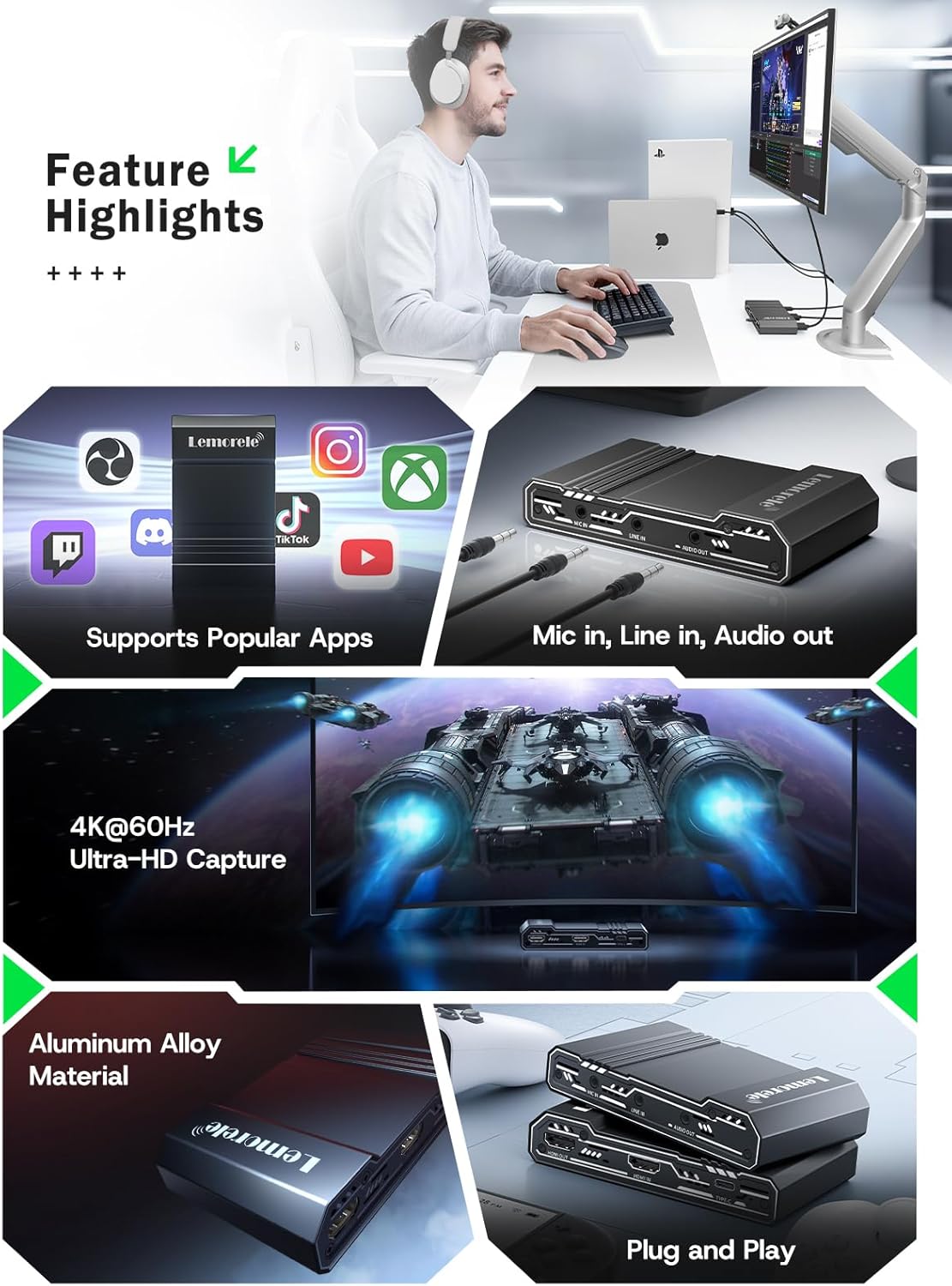
Image: This graphic highlights key features of the capture card, including support for popular streaming applications, dedicated audio input/output ports, 4K@60Hz Ultra-HD capture, durable aluminum alloy construction, and plug-and-play functionality.
7. Вирішення проблем
Якщо у вас виникли проблеми, зверніться до наступних поширених проблем та способів їх вирішення:
- Немає відеосигналу:
- Ensure all HDMI cables are securely connected to the correct ports (HDMI IN from source, HDMI OUT to display).
- Verify the source device is powered on and outputting video.
- Check your capture software settings to ensure the correct video capture device is selected and configured.
- Disable HDCP on your source device (e.g., PS5 settings) if you are experiencing a blank screen.
- Без звуку:
- Confirm audio cables are correctly connected to MIC IN, LINE IN, or AUDIO OUT ports.
- In your capture software, ensure the audio input device is correctly selected and not muted.
- Перевірте налаштування звуку на вашому джерелі звуку.
- Затримка або заїкання відео:
- Переконайтеся, що ваш комп'ютер відповідає мінімальним системним вимогам для захоплення та потокового відео.
- Use a USB 3.0 port for connecting the capture card to your computer.
- Закрийте непотрібні програми, що працюють у фоновому режимі, щоб звільнити системні ресурси.
- Lower the capture resolution or frame rate in your software settings.
- Пристрій не розпізнано:
- Спробуйте підключити карту захоплення до іншого USB-порту на комп'ютері.
- Перезавантажте комп'ютер.
- Переконайтеся, що ваша операційна система оновлена.
8. Технічні характеристики
| Особливість | Деталь |
|---|---|
| Бренд | Леморель |
| Модель | 4K60HZ |
| Апаратний інтерфейс | 3.5mm Audio, HDMI, USB 3.0 Type C |
| Max HDMI Input Resolution | 4K при 60 Гц |
| Максимальна наскрізна роздільна здатність HDMI | 4K при 60 Гц |
| Максимальна роздільна здатність захоплення | 1080p |
| Вага товару | 9.8 унції |
| Розміри упаковки | 6.1 x 4.02 x 1.42 дюймів |
| матеріал | Алюмінієвий сплав |
| Сумісність | Windows, macOS, iPad Pro, OBS Studio, Zoom, Twitch, YouTube, PS5, Xbox Series X/S, Nintendo Switch, DSLR cameras |
9. Технічне обслуговування
To ensure the longevity and optimal performance of your capture card, follow these maintenance guidelines:
- Прибирання: Використовуйте м’яку суху тканину для очищення зовнішньої частини пристрою. Уникайте використання рідких засобів для чищення або абразивних матеріалів.
- Зберігання: Зберігайте пристрій у прохолодному, сухому місці, подалі від прямих сонячних променів та екстремальних температур.
- Обробка: Поводьтеся з пристроєм обережно, щоб запобігти фізичним пошкодженням. Уникайте падінь та сильних ударів.
- Вентиляція: Ensure the device has adequate ventilation during operation to prevent overheating, especially during long streaming sessions. The aluminum alloy body is designed for efficient heat dissipation.
10. Гарантія та підтримка
Lemorele products are designed for reliability and performance. This product comes with a standard manufacturer's warranty. For specific warranty details, please refer to the warranty card included in your package or visit the official Lemorele webсайт.
For technical support, troubleshooting assistance, or any inquiries regarding your Lemorele 4K HDMI Video Capture Card, please contact our customer support team:
- Електронна пошта: support@lemorele.com
- Webсайт: Visit the Lemorele official webсайт із поширеними запитаннями та додатковими ресурсами.