
toocki Wi-Fi 6 USB Adapter
Toocki Wi-Fi 6 USB Adapter Instruction Manual
Model: Wi-Fi 6 USB Adapter
вступ
This manual provides detailed instructions for the installation, operation, and maintenance of your Toocki Wi-Fi 6 USB Adapter. This device is designed to provide high-speed wireless internet connectivity and Bluetooth 5.4 functionality to your desktop or laptop computer. Please read this manual thoroughly before using the product to ensure proper setup and optimal performance.
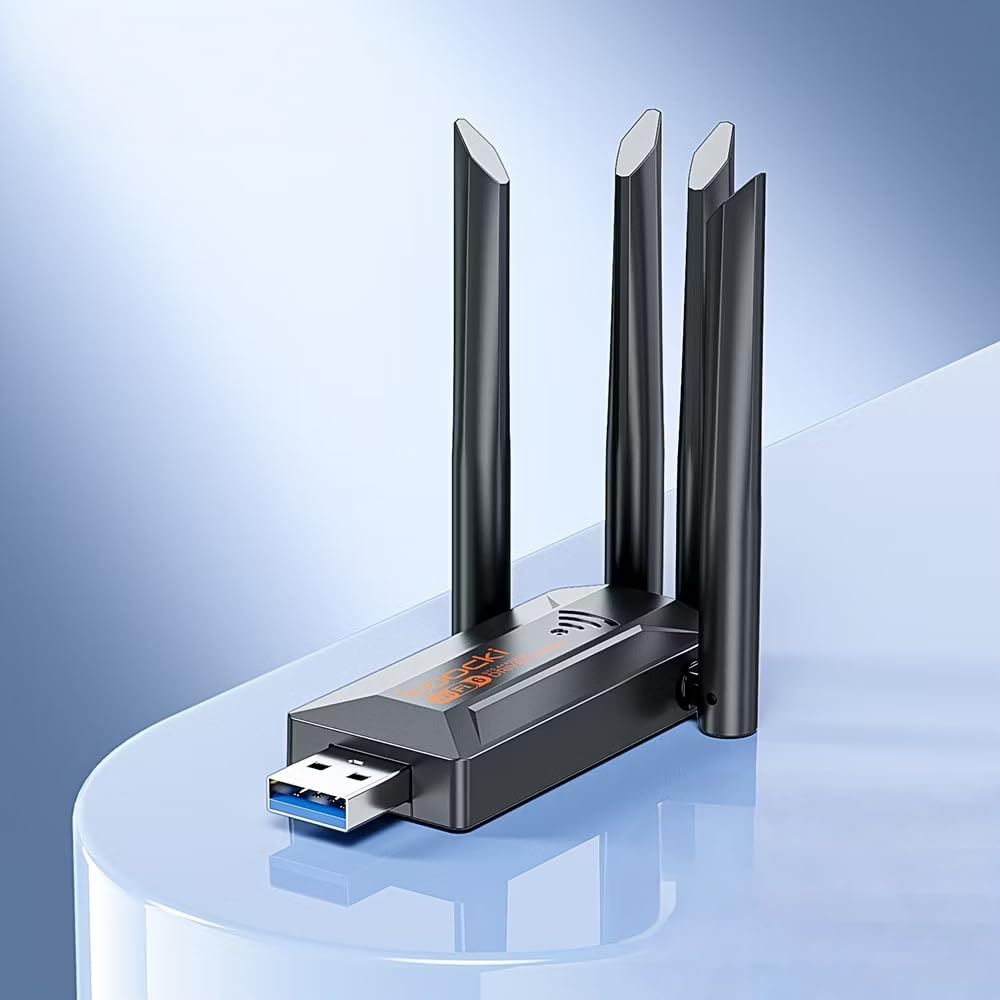
Image: The Toocki Wi-Fi 6 USB Adapter, showcasing its compact design and four adjustable antennas.
Інформація про безпеку
- Тримайте пристрій подалі від води, вогню, високої вологості або гарячих середовищ.
- Не намагайтеся розібрати, відремонтувати чи модифікувати пристрій.
- Уникайте впливу прямих сонячних променів або джерел тепла на пристрій.
- Use only with compatible USB ports (USB 3.0 recommended for optimal performance).
- Зберігати в недоступному для дітей місці.
Вміст упаковки
Перевірте наявність усіх предметів у вашій упаковці:
- Toocki Wi-Fi 6 USB Adapter (1 unit)
- Посібник користувача (цей документ)
Note: The product is designed for driver-free installation on Windows 10/11. No separate driver CD is included.
Продукт закінченийview
The Toocki Wi-Fi 6 USB Adapter integrates advanced Wi-Fi 6 technology and Bluetooth 5.4 into a compact USB device. It features four high-gain external antennas for improved signal reception and transmission.

Зображення: Внутрішнє view highlighting the Wi-Fi 6 smart algorithm chip, indicating enhanced signal stability and wider coverage.
Ключові характеристики:
- Підтримка Wi-Fi 6 (802.11ax): Provides stronger signal stability and wider coverage.
- Дводіапазонне підключення: Supports both 2.4GHz and 5GHz frequencies for flexible network options and speeds up to 900Mbps.
- Bluetooth 5.4: Enables stable, multi-device connections for peripherals like mice, keyboards, and headphones.
- Four High-Gain Antennas: Enhances signal strength and extends wireless range.
- Інтерфейс USB 3.0: Ensures rapid data transfer speeds.
- Встановлення без драйверів: Plug-and-play compatibility for Windows 10/11.
- Подвійна функціональність: Acts as a Wi-Fi receiver and an AP/Hotspot.
Інструкції з налаштування
1. Підключіть адаптер
- Переконайтеся, що комп’ютер увімкнено.
- Locate an available USB 3.0 port on your desktop or laptop. For optimal performance, use a USB 3.0 port (typically blue inside).
- Carefully insert the Toocki Wi-Fi 6 USB Adapter into the USB port.
- The operating system (Windows 10/11) should automatically detect and install the necessary drivers. A notification may appear indicating successful installation.
2. Adjust Antennas
The adapter features four adjustable antennas. For best signal reception and transmission, position the antennas vertically or at an angle that provides the strongest signal in your environment. Experiment with different orientations to find the optimal setup.

Image: The Toocki Wi-Fi 6 USB Adapter with its four antennas fully extended, ready for use.
Інструкція з експлуатації
1. Connecting to Wi-Fi (Receiver Mode)
- After successful driver installation, click on the Wi-Fi icon in your computer's system tray (usually bottom-right corner for Windows).
- З’явиться список доступних бездротових мереж.
- Select your desired Wi-Fi network (either 2.4GHz or 5GHz band, if both are available).
- Введіть ключ безпеки мережі (пароль), якщо буде запропоновано.
- Click "Connect". Your computer should now be connected to the internet wirelessly.

Image: Illustration of the adapter functioning as a Wi-Fi receiver, enabling a desktop PC to connect to a wireless network without cables.
2. Using as an AP/Hotspot (Transmission Mode)
The adapter can also create a Wi-Fi hotspot, allowing other devices (phones, tablets) to connect to your computer's internet connection.
- Ensure your computer is connected to the internet via an Ethernet cable or another Wi-Fi adapter.
- On Windows 10/11, go to Налаштування > Мережа та Інтернет > Мобільна точка доступу.
- Toggle the "Share my Internet connection with other devices" switch to On.
- You can customize the network name (SSID) and password under "Edit".
- Other devices can now search for and connect to this hotspot.

Image: Illustration demonstrating the adapter's Wi-Fi transmission function, creating a hotspot from a connected PC to share internet with mobile devices.
3. Підключення Bluetooth 5.4
The integrated Bluetooth 5.4 allows for stable connections with multiple Bluetooth-enabled devices.
- On Windows 10/11, go to Налаштування > Пристрої > Bluetooth та інші пристрої.
- Ensure Bluetooth is toggled On.
- Натисніть «Додати Bluetooth або інший пристрій» і виберіть «Bluetooth».
- Put your Bluetooth device (e.g., headphones, mouse, keyboard) into pairing mode.
- Виберіть свій пристрій зі списку та дотримуйтесь будь-яких підказок на екрані, щоб завершити сполучення.

Image: The Toocki Wi-Fi 6 USB Adapter connected to a laptop, symbolizing its Bluetooth 5.4 capability for multiple device connections.
Технічне обслуговування
- Тримайте адаптер в чистоті, протираючи його м’якою сухою тканиною.
- Уникайте використання рідких засобів для чищення або розчинників.
- Переконайтеся, що адаптер не заблокований, щоб забезпечити належний відвід тепла.
- When not in use for extended periods, it is recommended to safely remove the adapter from the USB port.
Усунення несправностей
Немає з'єднання з Wi-Fi:
- Перевірте USB-порт: Ensure the adapter is firmly inserted into a working USB port. Try a different USB port, preferably a USB 3.0 port.
- Встановлення драйвера: For Windows 10/11, the driver should install automatically. Verify in Device Manager (search "Device Manager" in Windows) under "Network adapters" that the Toocki adapter is listed and has no error symbols. If not, try restarting your computer.
- Розташування антени: Налаштуйте антени для оптимального прийому сигналу.
- Налаштування маршрутизатора: Ensure your Wi-Fi router is powered on and broadcasting a signal. Check if other devices can connect to the same network.
- Мережа Profile: Forget the network and try reconnecting.
Низька швидкість Wi-Fi:
- Порт USB 3.0: Ensure the adapter is connected to a USB 3.0 port for maximum speed. USB 2.0 ports will limit performance.
- Потужність сигналу: Check your Wi-Fi signal strength. A weak signal can lead to slower speeds. Move closer to the router or adjust antennas.
- Перевантаження мережі: Too many devices on the same network or channel can cause slowdowns. Try switching to the 5GHz band if available and less congested.
- Перешкоди: Other electronic devices (microwaves, cordless phones) can interfere with Wi-Fi signals.
Bluetooth не працює:
- Bluetooth увімкнено: Verify Bluetooth is enabled in Windows Settings.
- Сполучення пристроїв: Ensure your Bluetooth device is in pairing mode and within range.
- Перешкоди: Reduce distance between devices and remove any obstructions.
- Перезапуск: Try restarting your computer and re-pairing the device.
Технічні характеристики

Image: Visual representation emphasizing the 900Mbps dual-band Wi-Fi 6 features for faster, more stable connections.
| Особливість | Деталь |
|---|---|
| Бренд | Тоокі |
| Модель | USB-адаптер Wi-Fi 6 |
| Апаратний інтерфейс | USB 3.0 |
| Бездротовий стандарт | Wi-Fi 6 (IEEE 802.11ax), IEEE 802.11ac, IEEE 802.11n, IEEE 802.11g, IEEE 802.11b, IEEE 802.11a |
| Швидкість передачі даних | До 900 мегабіт за секунду |
| Смуги частот | 2.4 ГГц, 5 ГГц |
| Версія Bluetooth | Bluetooth 5.4 |
| антени | 4 зовнішні антени з високим коефіцієнтом посилення |
| Сумісні пристрої | Настільний комп'ютер, ноутбук |
| Підтримка операційної системи | Windows 10/11 (Driver-Free) |
| Розміри продукту | 30L x 20W x 60H Millimeters (approx. 3 x 2 x 6 cm) |
| Вага товару | 30 грамів |
| Колір | чорний |
Інформація про гарантію
This Toocki Wi-Fi 6 USB Adapter comes with a Гарантія 6 місяців from the date of purchase. This warranty covers manufacturing defects and malfunctions under normal use. It does not cover damage caused by misuse, accidents, unauthorized modifications, or external factors. Please retain your proof of purchase for warranty claims.
Підтримка клієнтів
If you encounter any issues or have questions regarding your Toocki Wi-Fi 6 USB Adapter that are not addressed in this manual, please contact your retailer or the manufacturer's customer support.
For support inquiries, please refer to the contact information provided with your purchase documentation or visit the official Toocki webсайт.