
1. Вступ
Thank you for choosing the VOCOO 15.7" Digital Wall Timer and Clock. This device is designed to provide clear time display, versatile countdown and count-up timer functions, and customizable alarm settings for various environments such as offices, homes, kitchens, gyms, and classrooms. Please read this manual carefully to ensure proper setup and operation.
2. Що входить до комплекту
Перевірте наявність усіх компонентів в упаковці:
- VOCOO 15.7" Digital Wall Timer and Clock
- Пульт дистанційного керування
- Шнур живлення 16.4 футів
- Адаптер живлення 5 В/2 А
- 3 x AAA Batteries (for memory backup)
- 2 батарейки типу AAA (для пульта дистанційного керування)
- Посібник користувача (цей документ)
3. Налаштування
3.1 Підключення живлення
- Connect the 16.4ft power cord to the DC 5V input port on the back of the timer.
- Plug the 5V/2A power adapter into a standard electrical outlet. The timer will power on automatically.
3.2 Memory Backup Battery Installation
The timer uses 3 AAA batteries (included) to retain settings during power outages. This ensures that time, colors, and alarms are preserved without reprogramming.
- Знайдіть батарейний відсік на задній панелі таймера.
- Відкрийте кришку відділення.
- Вставте 3 батарейки типу AAA, дотримуючись правильної полярності (+/-).
- Надійно закрийте кришку батарейного відсіку.

Image: Illustration of memory backup battery installation. The diagram shows the timer connected to power and the location for AAA batteries to preserve settings during power loss.
3.3 Встановлення батарейок пульта дистанційного керування
The remote control requires 2 AAA batteries (included).
- Відкрийте батарейний відсік на задній панелі пульта дистанційного керування.
- Вставте 2 батарейки типу ААА, дотримуючись правильної полярності.
- Закрийте кришку відсіку.
3.4 Монтаж та розміщення
The timer can be wall-mounted or placed on a desk.
- Настінне кріплення: Use the keyhole slots on the back of the timer to hang it securely on screws (not included) in your desired wall location.
- Розміщення столу: Place the timer on a flat, stable surface.
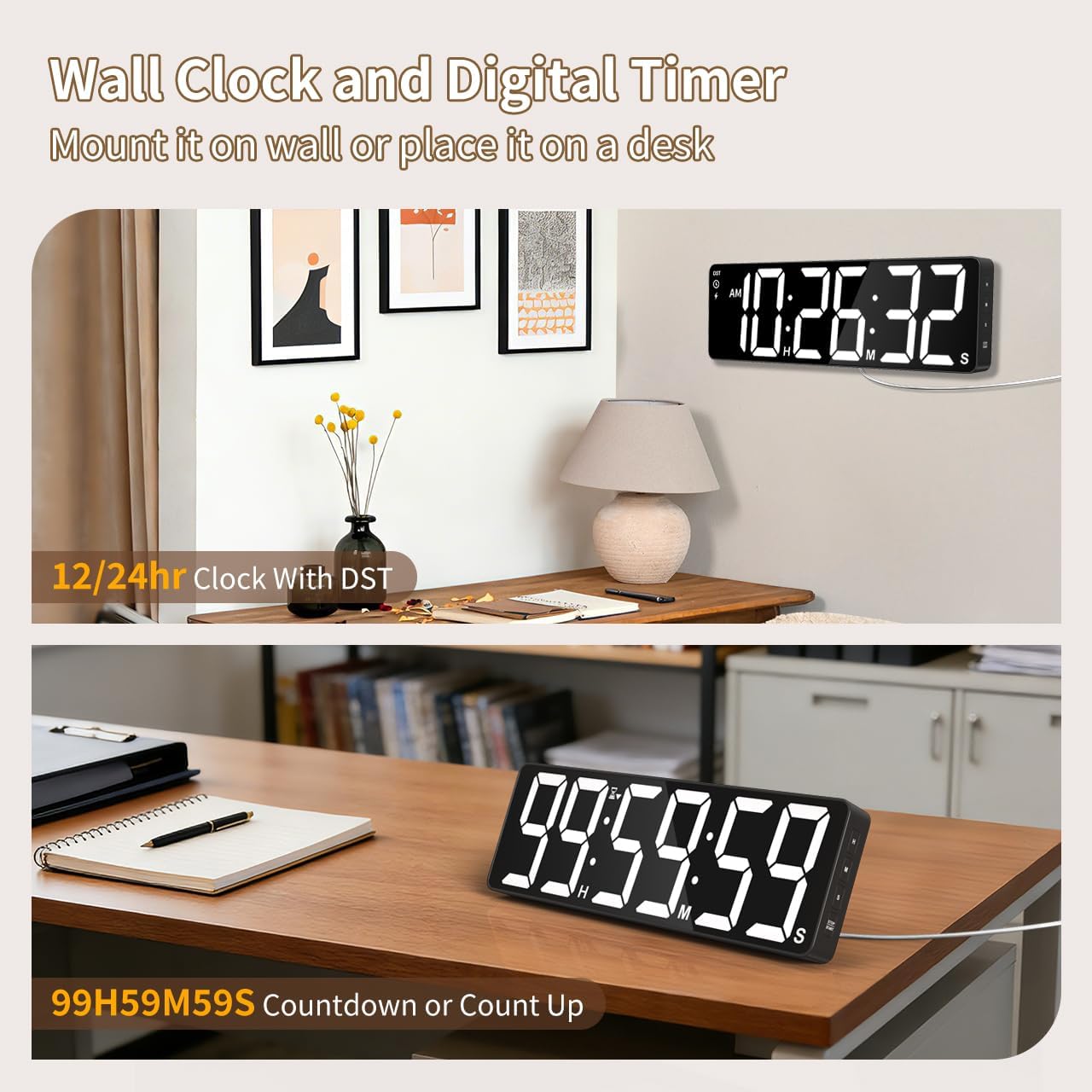
Зображення: Прamples of the digital timer's placement, showing it mounted on a wall and resting on a desk, illustrating its versatility.
4. Інструкція з експлуатації
The timer can be operated using the buttons on the device or the included remote control.

Зображення: Оверview of the timer's physical buttons and the remote control, highlighting their functions for easy operation.
4.1 Basic Clock Settings
Upon initial power-on or after a full power loss without backup batteries, the clock may need to be set.
- Встановити час: Натисніть НАБІР button on the remote or device. Use the number buttons (0-9) on the remote or the ВГОРУ/ВНИЗ buttons on the device to adjust hours and minutes. Press НАБІР знову для підтвердження.
- 12/24-годинний формат: Натисніть 12/24 год button on the remote to switch between 12-hour (with AM/PM indicator) and 24-hour formats.
- Перехід на літній час (DST): The timer features automatic DST adjustment. Ensure the DST setting is enabled if your region observes it. Refer to the remote control for a dedicated літній час button or a combination key press.
4.2 Регулювання яскравості
The display has 3 brightness levels.
- Натисніть ЯСКРАВІСТЬ button on the remote or device to cycle through the available brightness levels (Dim, Medium, Bright).
4.3 Вибір кольору
Choose from 18 color options for the display digits.
- Натисніть СВІТЛИЙ КОЛІР button on the remote or device to cycle through 8 solid colors, 3 RGB fixed colors, and 7 RGB gradient colors.

Image: Visual representation of the 18 color options and 3 brightness levels (Dim, Medium, Bright) available for the timer's display.
4.4 Timer Functions (Countdown/Count Up)
The timer supports both countdown and count-up modes, up to 99 hours, 59 minutes, and 59 seconds.
- Set Countdown: Прес ТАЙМЕР on the remote. Use the number buttons (0-9) to input the desired time (HH:MM:SS). Press СТАРТ/ПАУЗА почати.
- Count Up (Stopwatch): Прес ТАЙМЕР а потім ЯСНО to set the timer to 00:00:00. Press СТАРТ/ПАУЗА щоб почати відлік.
- Пауза/Відновлення: Прес СТАРТ/ПАУЗА during an active timer to pause or resume.
- Скинути: Прес СКИДАННЯ to clear the current timer setting.
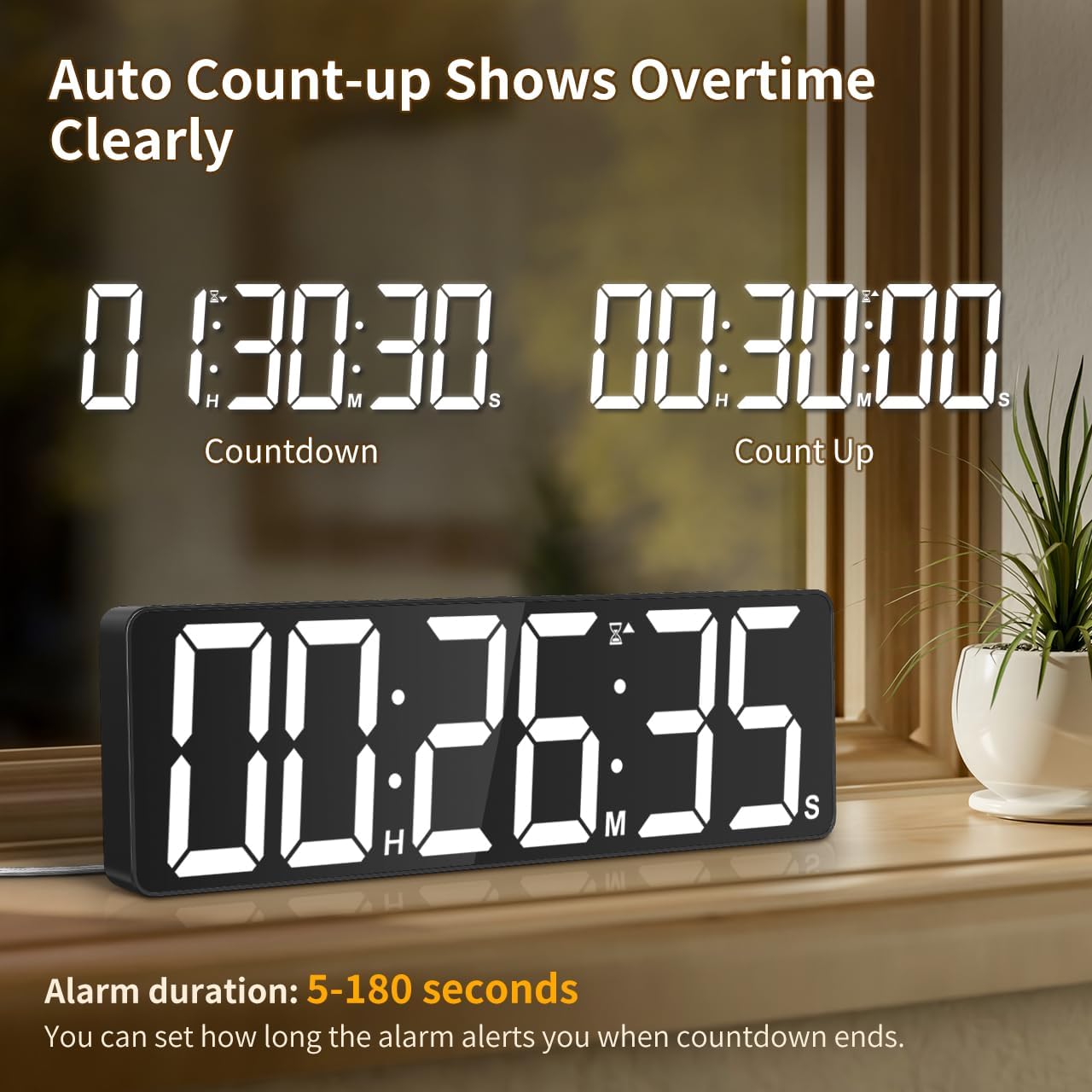
Image: The timer showing a countdown from 01:30:30 and an automatic count-up to 00:30:00 after a countdown finishes, indicating overtime tracking.
4.5 Quick-Set Shortcuts
The remote control includes 6 one-touch shortcut buttons for common timer durations:
- 3 хвилин
- 5 хвилин
- 15 хвилин
- 25 хвилин
- 30 хвилин
- 5 години
Press the desired shortcut button to instantly set and start a countdown.
4.6 Налаштування будильника
The timer offers 6 distinct ringtones and 4 adjustable volume levels.
- Установити будильник: Прес ТРИВОГА on the remote. Use number buttons to set the alarm time. Press ТРИВОГА знову для підтвердження.
- Select Ringtones: Натисніть РИНГТОН button on the remote to cycle through the 6 available tones (Buzzer, Melody 1-5).
- Регулювання гучності: Натисніть ОБ'ЄМ button on the remote to cycle through 4 volume levels (L01-L04) or L00 for silent mode (digits flash).
- Тривалість будильника: The alarm duration can be set from 5 to 180 seconds. Refer to the remote control for specific buttons or combination presses to adjust this setting.
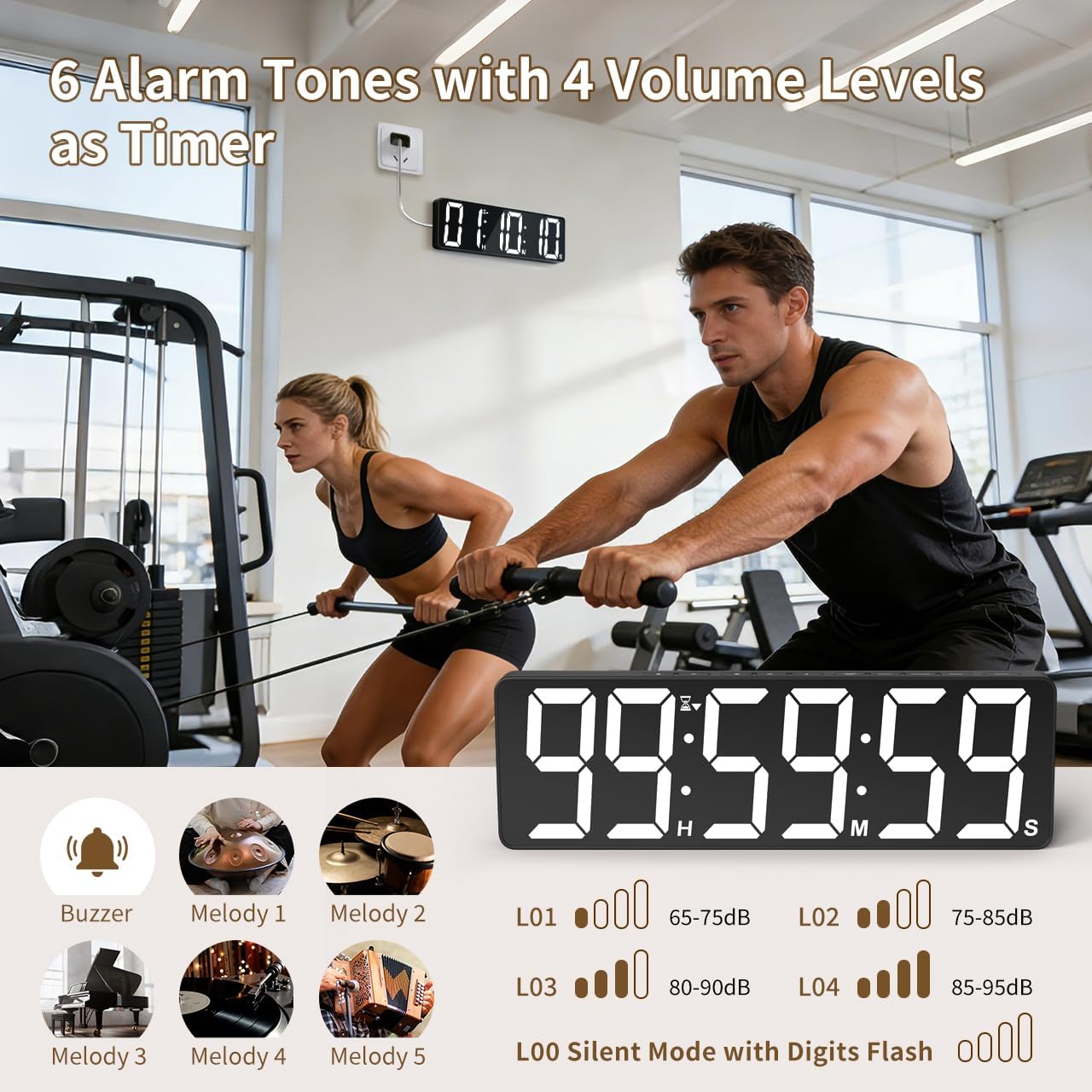
Image: Visual guide to the 6 alarm tones (Buzzer, Melody 1-5) and 4 volume levels (L01-L04), including a silent mode (L00) with flashing digits.
5. Технічне обслуговування
5.1 Очищення
To clean the timer, gently wipe the display and casinм’якою сухою тканиною. Не використовуйте абразивні засоби для чищення, розчинники та не розпилюйте їх безпосередньо на пристрій.
5.2 Заміна батареї
- Memory Backup Batteries: Replace the 3 AAA batteries in the main unit annually or if you notice settings are not retained during power outagес.
- Батареї пульта дистанційного керування: Replace the 2 AAA batteries in the remote control when its range or responsiveness decreases.
Завжди утилізуйте використані батареї згідно з місцевими правилами.
6. Вирішення проблем
- Таймер не вмикається: Ensure the power adapter is securely connected to both the timer and a working electrical outlet. Check if the outlet is functional.
- Пульт дистанційного керування не працює: Check if the remote control batteries are correctly installed and not depleted. Ensure there are no obstructions between the remote and the timer. The remote has a range of 30ft+.
- Налаштування втрачені після відключення живленняtage: Verify that the 3 AAA memory backup batteries are installed correctly and are not depleted. Replace them if necessary.
- Display is dim or colors are incorrect: Adjust the brightness level using the ЯСКРАВІСТЬ button. Cycle through color options using the СВІТЛИЙ КОЛІР кнопку.
- Alarm not audible: Check the alarm volume setting using the ОБ'ЄМ button on the remote. Ensure it is not set to L00 (silent mode).
7. Технічні характеристики
| Номер моделі | 6247 |
| Тип дисплея | LED |
| Розмір екрана | 15.7 дюймів |
| Висота цифри | 4.1 дюймів |
| Параметри кольору | 18 (8 solid, 3 RGB fixed, 7 RGB gradients) |
| Рівні яскравості | 3 |
| Діапазон таймера | Up to 99 hours, 59 minutes, 59 seconds |
| Мелодії будильника | 6 |
| Рівні гучності сигналізації | 4 + Silent Mode |
| Тривалість будильника | 5-180 секунд |
| Вхідна потужність | 5 В/2 А постійного струму |
| Довжина шнура живлення | 16.4 футів (метрів 5) |
| Резервне копіювання пам'яті | 3 батареї AAA (входять в комплект) |
| Батарейки для пульта дистанційного керування | 2 батареї AAA (входять в комплект) |
| Діапазон дистанційного керування | 30ft+ |
| Розміри продукту (Д x Ш x В) | 3.7 Г x 38 Ш x 12 В сантиметрів |
| Вага товару | 820 грамів |
| матеріал | Акрилонітрил бутадієн стирол |
8. Гарантія та підтримка
For warranty information or technical support, please refer to the contact details provided with your purchase or visit the official VOCOO webсайт. Зберігайте чек про покупку для гарантійних претензій.