
1. Вступ
This manual provides detailed instructions for the New Bee WJ25 5.8GHz Wireless Guitar System. This system is designed to provide a stable and high-quality audio transmission for various instruments, offering freedom from cables with minimal latency and interference.
The system operates on the 5.8GHz frequency band, ensuring clear audio with 24bit/48kHz resolution and a low latency of 4.6ms. It supports a transmission distance of approximately 30 meters (98 feet).
2. Вміст упаковки
Перш ніж продовжити, переконайтеся, що всі предмети присутні у вашій упаковці:
- 1 х передавач
- 1 х приймач
- 1 x 2000mAh Charging Box
- 1 кабель USB-C
- 1 х посібник користувача
- 1 x захисна сумка

Малюнок 2.1: Вміст пакета
3. Налаштування та сполучення
Follow these steps to set up and pair your New Bee WJ25 Wireless Guitar System:
- Заряджання пристроїв: Before first use, fully charge the transmitter and receiver using the provided charging box and USB-C cable. The charging box has a 2000mAh battery and can fully charge the devices twice, providing up to 30 hours of total working time (10 hours per charge cycle for the devices). The 4-bar battery indicator on the charging box shows its charge level (one bar = 25%).
- Увімкнення: Увімкніть і передавач, і приймач.
- Початкове створення пари:
- Long press the pairing button on the receiver.
- Then, press the pairing button on the transmitter for 3 seconds.
- The devices will pair automatically. A successful connection is indicated by a steady blue light.
- Автоматичне повторне підключення: After the initial setup, the system will automatically reconnect each time you power on the devices, ensuring true plug-and-play convenience.
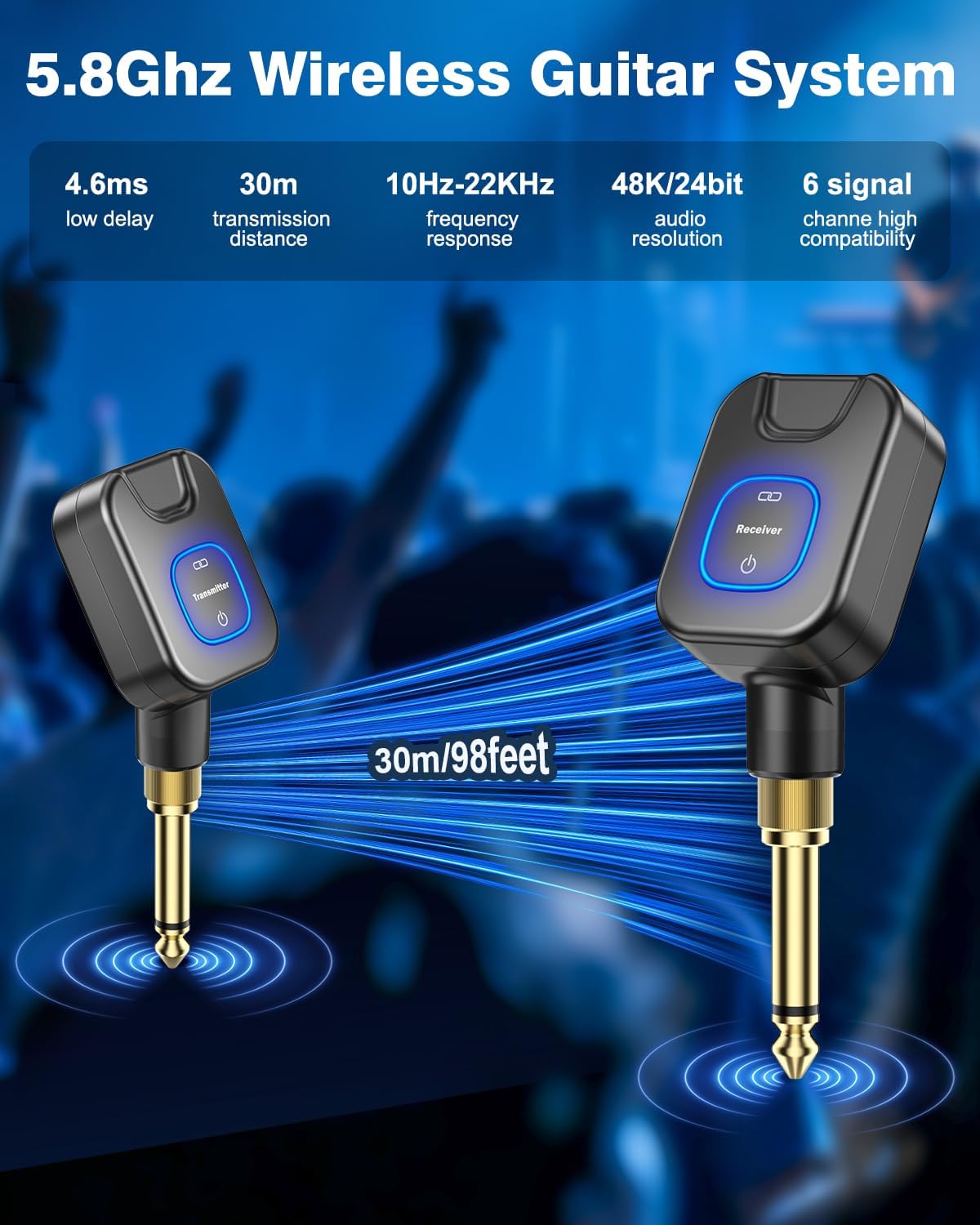
Figure 3.1: Transmitter and Receiver Overview

Figure 3.2: Charging Box and Battery Indicator
4. Операція
4.1 Connecting to Instruments and Devices
The New Bee WJ25 system offers wide compatibility with various instruments and devices:
- Роз'єм 6.35 мм: Connects to electric guitars, basses, keyboards, amplifiers, electronic drums, and audio mixers.
- Роз'єм 3.5 мм: Connects to phones, computers, tablets, and other devices for recording or live streaming.
- Works with both active and passive pickup instruments.

Figure 4.1: Wide Compatibility with 6.35mm and 3.5mm Jacks
4.2 Channel Selection and Multi-Device Use
The system is equipped with 6 selectable channels, allowing for flexible use in various scenarios:
- Multiple Devices in One Environment: Up to 6 pairs of New Bee wireless guitar devices can operate simultaneously in the same environment without interference. Each pair should be set to a different channel.
- One Transmitter to Multiple Receivers: A single transmitter can send signals to up to 6 receivers (note: all receivers must be the same product model). This is ideal for complex stage setups involving multiple amplifiers or effect pedals.

Figure 4.2: Support for 6 Devices on Different Channels

Figure 4.3: One Transmitter Supporting Six Receivers
4.3 Using the Charging Box as a Power Bank
The charging box can also function as a portable power bank to charge other devices via its USB output port, if needed.

Figure 4.4: Charging Box as a Portable Power Bank
5. Технічне обслуговування
- Прибирання: Use a soft, dry cloth to clean the transmitter, receiver, and charging box. Avoid using liquid cleaners or solvents.
- Зберігання: Store the system in a cool, dry place away from direct sunlight and extreme temperatures. Use the provided protective bag for safe storage and transport.
- Догляд за акумулятором: To prolong battery life, avoid fully discharging the devices frequently. Recharge them regularly, even if not in use for extended periods.
- Обережно поводьтеся: Avoid dropping or subjecting the devices to strong impacts, as this can damage internal components.
6. Вирішення проблем
| проблема | Можлива причина | Рішення |
|---|---|---|
| Немає звуку або звук переривчастий |
|
|
| Пристрої не заряджаються |
|
|
| Poor audio quality (noise, crackling) |
|
|
7. Технічні характеристики
| Особливість | Деталь |
|---|---|
| Бренд | Нова Бджола |
| Номер моделі | WJ25 |
| Діапазон частот | 5.8 ГГц |
| Роздільна здатність звуку | 24 біт/48 кГц |
| Затримка | 4.6 мс |
| Відстань передачі | Приблизно 30 метрів (98 футів) |
| Канали | 6 канали на вибір |
| Зарядний пристрій Акумулятор | 2000 мАг |
| Working Time (Devices) | Up to 10 hours per charge cycle |
| Total Working Time (with Charging Box) | До 30 годин |
| Jacks Supported | 6.35 мм і 3.5 мм |
| Сумісність інструментів | Electric Guitars, Basses, Keyboards, Amplifiers, Electronic Drums, Audio Mixers, Phones, Computers, Tablets (Active and Passive Pickups) |
| Розміри предмета | 4.72 x 3.94 x 3.35 дюймів |
| Вага товару | 250 г |
| Включені компоненти | Transmitter, Receiver, Charging Case |
8. Гарантія та підтримка
The New Bee WJ25 Wireless Guitar System comes with a 3-year warranty. For warranty claims or technical support, please contact New Bee customer service through the retailer where the product was purchased or visit the official New Bee webсайт для контактної інформації.
Щоб отримати додаткові ресурси та інформацію про продукт, ви можете відвідати New Bee Store on Amazon.
9. Офіційні відео про продукт
Watch this official video for more information on the New Bee WJ25 Wireless Guitar System:
Video 9.1: Features and Specifications of the New Bee Wireless Guitar System. This video provides an overview of the product's key functionalities and technical details.