
1. Вступ
Thank you for choosing the Cooler Master ELITE Gold 1000W Power Supply Unit. This manual provides essential information for the safe and efficient installation, operation, and maintenance of your new power supply. The ELITE Gold 1000W is designed for daily gaming and PC building enthusiasts, fully supporting the latest ATX 3.1 standard and offering flexible compatibility with RTX 50 series GPUs and future upgrades.
2. Інформація про безпеку
Please read and understand all safety instructions before installing or operating this product. Failure to do so may result in personal injury or damage to the product or connected devices.
- Небезпека ураження електричним струмом: Не відкривайте блок живлення casinг. Високий об'ємtages are present inside, even when the unit is turned off. There are no user-serviceable parts inside.
- Правильне заземлення: Ensure the power supply is properly grounded using the provided power cord.
- Вентиляція: Do not block any ventilation openings of the power supply. Ensure adequate airflow around the unit to prevent overheating.
- вологість: Не піддавайте блок живлення впливу води або надмірної вологості.
- Джерело живлення: Connect the power supply only to a power source with the correct voltage and frequency as indicated on the unit's label.
- Управління кабелем: Route cables carefully to avoid pinching or damage.
- температура: Operate the power supply within the specified temperature range (up to 40°C high-load environments).
3. Вміст упаковки
Перевірте наявність усіх предметів у вашій упаковці:
- Cooler Master ELITE Gold 1000W Power Supply Unit
- Modular Cable Set (including 12+4 Pin, ATX24 Pin, EPS 4+4 Pin, EPS 8 Pin, SATA + Peripheral 4 Pin connectors)
- AC Power Cord (A/JP cord)
- Монтажні гвинти
- Посібник користувача
4. Налаштування та встановлення
Follow these steps to install your Cooler Master ELITE Gold 1000W Power Supply Unit:
- Підготуйте свою систему:
Before installation, ensure your computer is completely powered off and unplugged from the wall outlet. Discharge any residual power by pressing the power button a few times.
- Install the PSU into the PC Case:
Position the ELITE Gold 1000W PSU into the designated power supply bay in your PC case. The compact design (under 150mm) facilitates easy installation in various PC cases. Secure the PSU with the provided mounting screws.

Image: The Cooler Master ELITE Gold 1000W Power Supply Unit installed within a computer chassis, viewed from above, highlighting its compact form factor and top-mounted fan grill.
- Підключення модульних кабелів:
The ELITE Gold 1000W features a full modular design. Connect only the necessary cables to the power supply unit first. Refer to the labels on the PSU for correct connector types (e.g., 10P MB, 18P MB, 8P PCI-E/CPU, 12V-2x6, 6P SATA/HDD).

Зображення: Детальний view of the Cooler Master ELITE Gold 1000W Power Supply Unit's modular cable interface, clearly showing labeled ports for various component connections such as motherboard, CPU, PCIe, and SATA/HDD.

Image: The Cooler Master ELITE Gold 1000W Power Supply Unit with its full suite of modular cables securely connected and neatly routed, demonstrating the full modular design.
- Підключення до компонентів:
- Материнська плата: Підключіть 24-контактний кабель ATX до материнської плати.
- ЦП: Connect the 4+4 pin or 8-pin EPS cable(s) to your motherboard's CPU power connector(s).
- Відеокарта (GPU): Connect the appropriate PCIe power cables (e.g., 8-pin, 12+4 pin for ATX 3.1/PCIe Gen 5.1) to your graphics card(s). This unit is optimized for RTX 50 series GPUs.
- Пристрої зберігання даних: Підключіть кабелі живлення SATA до SSD, HDD та оптичних приводів.
- Периферійні пристрої: Connect peripheral 4-pin cables to any other devices requiring power.
- Підключіть джерело змінного струму:
Connect the provided AC power cord to the power supply unit and then to a grounded wall outlet. Ensure the power switch on the PSU is in the OFF position before connecting to the wall outlet.
5. Інструкція з експлуатації
After successful installation, follow these steps to operate your system:
- Увімкнення:
Flip the power switch on the back of the power supply unit to the ON (I) position.
- Запуск системи:
Press the power button on your computer case to start your system. The ELITE Gold 1000W will provide stable and efficient power, thanks to its 80 Plus Gold certification and quiet, long-life rifle bearing fan.
- Вимкнення живлення:
To power off your system, shut down your operating system normally. For complete power disconnection, flip the power switch on the back of the power supply unit to the OFF (O) position and unplug the AC power cord.
6. Технічне обслуговування
Proper maintenance ensures the longevity and optimal performance of your power supply unit.
- Очищення від пилу: Періодично очищайте вентилятор та вентиляційні решітки блока живлення від пилу за допомогою стисненого повітря. Перед чищенням переконайтеся, що система вимкнена та відключена від мережі.
- Вентиляція: Ensure that the PC case has adequate airflow and that the power supply's fan intake and exhaust are not obstructed.
- Перевірка кабелю: Regularly check all modular cables for any signs of wear, fraying, or damage. Replace damaged cables immediately.
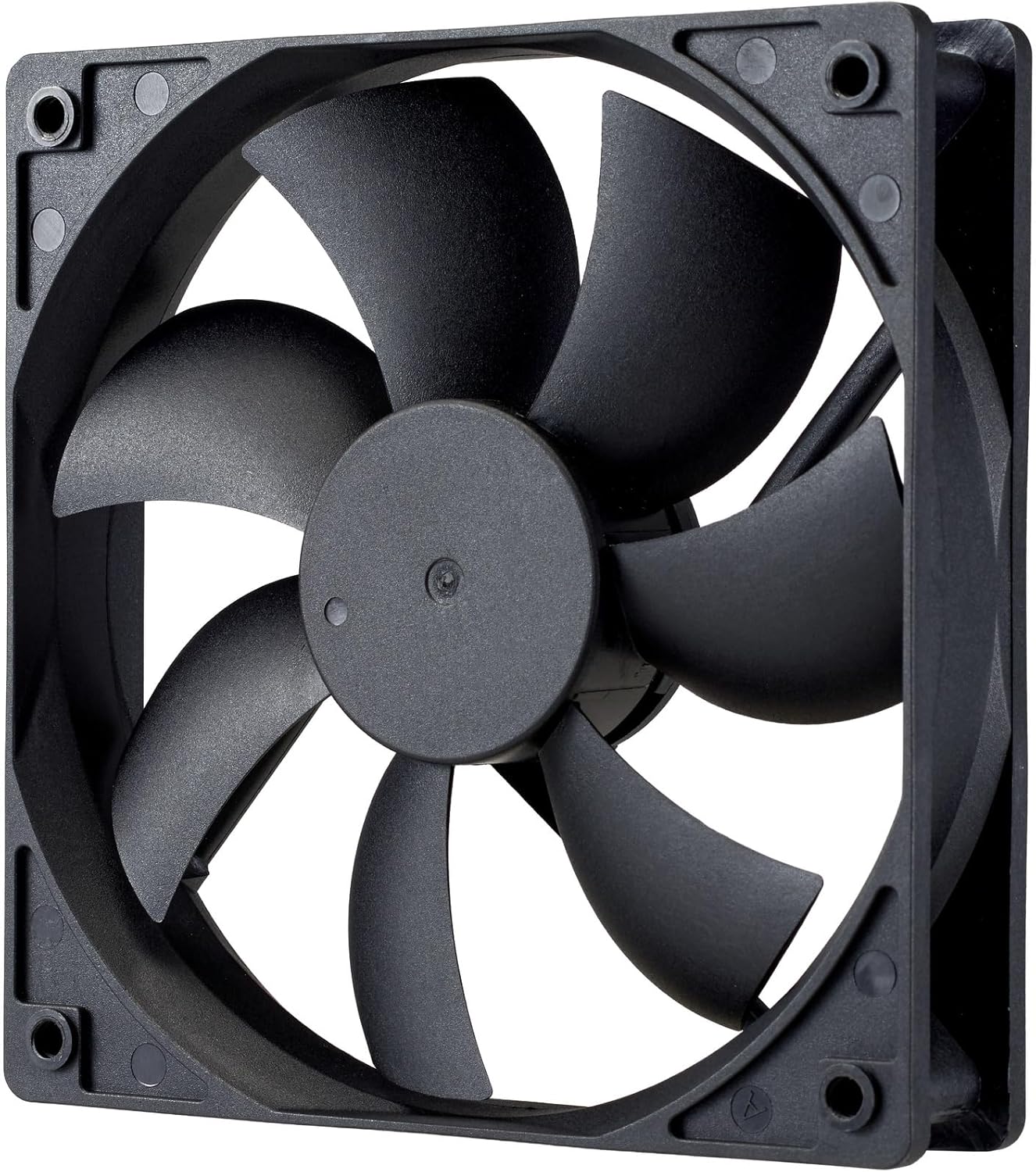
Зображення: Крупний план view of the power supply's cooling fan, featuring five blades designed for efficient airflow and quiet operation.
7. Вирішення проблем
If you encounter issues with your power supply, refer to the following troubleshooting steps:
- Немає живлення:
- Переконайтеся, що шнур живлення змінного струму надійно підключений як до джерела живлення, так і до розетки.
- Verify that the power switch on the back of the PSU is in the ON (I) position.
- Check all modular cables (24-pin ATX, EPS, PCIe) are firmly seated in both the PSU and the respective components.
- Перевірте розетку за допомогою іншого пристрою, щоб переконатися в її працездатності.
- Нестабільність системи/випадкові вимкнення:
- Забезпечте належну вентиляцію всередині корпусу ПК, щоб запобігти перегріву.
- Verify that your system's power requirements do not exceed the 1000W capacity of the PSU.
- Перевірте наявність нещільних кабельних з'єднань.
- Незвичайні шуми:
- A quiet rifle bearing fan is designed for minimal noise. If you hear unusual grinding or rattling, ensure no cables are obstructing the fan.
- If the noise persists, contact Cooler Master support.
If these steps do not resolve the issue, please contact Cooler Master customer support for further assistance.
8. Технічні характеристики
Detailed technical specifications for the Cooler Master ELITE Gold 1000W Power Supply Unit:
| Назва моделі | ELITE Gold |
| Номер моделі виробника | MPX-A005-AFAG-BJP |
| Бренд | Cooler Master |
| Вихідна ватtage | 1000 Вт |
| Сертифікат 80 PLUS | золото |
| Версія ATX | ATX 3.1 |
| Версія PCIe | PCIe покоління 5.1 |
| Форм-фактор | ATX |
| Power Design | Повністю модульний |
| Типи конекторів | 12+4 Pin, ATX24 Pin, EPS 4+4 Pin, EPS 8 Pin, SATA + Peripheral 4 Pin |
| Кількість шанувальників | 1 (Rifle Bearing Fan) |
| Максимальний вхідний об'ємtage | 240 вольт (перемінний струм) |
| Мінімальна вхідна гучністьtage | 100 вольт (перемінний струм) |
| Розміри продукту (Д x Ш x В) | 14 х 15 х 8.6 см |
| Вага продукту | 2230 грами |
| Робоча температура | До 40°C |

Зображення: Верх view of the Cooler Master ELITE Gold 1000W Power Supply Unit, showcasing its branding and honeycomb-patterned ventilation.

Image: The official 80 PLUS GOLD certification logo, indicating high power efficiency.
9. Гарантія та підтримка
The Cooler Master ELITE Gold 1000W Power Supply Unit comes with a Гарантія 5 рік з дати покупки. Ця гарантія поширюється на дефекти матеріалів і виготовлення за нормального використання.
Для отримання технічної підтримки, гарантійних претензій або додаткової допомоги, будь ласка, відвідайте офіційний веб-сайт Cooler Master. website or contact your local Cooler Master distributor. Please have your product model number (MPX-A005-AFAG-BJP) and proof of purchase ready when contacting support.