
1. Вступ
Thank you for choosing the SOVMIKU Vicohome 2K Indoor Camera CA43. This camera is designed to provide reliable indoor security monitoring with advanced features such as 2K resolution, dual-band Wi-Fi connectivity (2.4GHz and 5GHz), AI tracking, two-way audio, and night vision. This manual will guide you through the setup, operation, and maintenance of your device to ensure optimal performance.

Image: The SOVMIKU Vicohome 2K Indoor Camera CA43, a compact white security camera with a black lens, designed for indoor use.
2. Вміст упаковки
Будь ласка, перевірте упаковку на наявність наступних предметів:
- Vicohome 2K Indoor Camera CA43
- Адаптер живлення
- Кабель живлення USB-C
- Mounting Kit (screws and anchors)
- Інструкція з експлуатації

Image: A close-up of the SOVMIKU Vicohome 2K Indoor Camera CA43, its power adapter, and mounting accessories, laid out on a white surface.
3. Продукт закінчивсяview
The Vicohome CA43 camera features a compact design with a pan/tilt head for wide coverage. Key components include:
- Об'єктив: 2K (3MP) resolution for clear video.
- Інфрачервоне світло: Для можливостей нічного бачення.
- Мікрофон і динамік: Для двостороннього аудіо зв'язку.
- Кнопка скидання: Used for device reset during setup or troubleshooting.
- Слот для карти Micro SD: Підтримує до 128 ГБ для локального сховища.
- Порт USB-C: Для підключення живлення.
- Світловий індикатор стану: Provides device status feedback.

Image: A diagram highlighting the microphone, infrared light, lens, speaker, and charge port on the Vicohome CA43 camera.
4. Посібник із налаштування
Follow these steps to set up your SOVMIKU Vicohome 2K Indoor Camera CA43:
- Увімкнення: Connect the camera to a power source using the provided USB-C cable and power adapter. The camera will power on automatically.
- Скинути камеру: Locate the reset button (usually near the Micro SD card slot). Press and hold the reset button for approximately 6 seconds until you hear an audible prompt indicating the camera is resetting.
- Download the Vicohome App:
- For Android devices, search for "Vicohome" in the Google Play Store.
- For iOS devices, search for "Vicohome" in the Apple App Store.
- Завантажте та встановіть програму.
- Create/Sign In to Account: Open the Vicohome app. If you are a new user, sign up for a new account. If you already have an account, sign in using your credentials.
- Додати пристрій:
- У додатку натисніть значок «+» у верхньому правому куті, щоб додати новий пристрій.
- Select "Add a new device" and choose the "Plug-in device" option.
- Confirm that you hear a sound from the camera and proceed to the next step.
- Підключіться до Wi-Fi:
- The app will prompt you to select your home Wi-Fi network (supports 2.4GHz and 5GHz).
- Введіть пароль від Wi-Fi та підтвердіть його.
- The camera will attempt to connect to the network. Once connected, you will hear a confirmation sound and the app will indicate "Connection succeeded".
- Назвіть свій пристрій: Assign a name to your camera (e.g., "Living Room Camera", "Baby Monitor").
- Set Home & Location: Choose or add a home location for your camera within the app.
- Почати моніторинг: Once the device is successfully added, you can start viewing the live feed and access all camera features.
Video: Official installation guide for the CA43 camera, demonstrating power-on, reset, app download, Wi-Fi connection, and device naming steps.
5. Інструкція з експлуатації
5.1 Живий View і Відтворення
- Open the Vicohome app and select your camera to view живий корм.
- Use the on-screen controls to pan (horizontal) and tilt (vertical) the camera for a 360° view.
- Доступ до записаного footage from the "Library" or "Playback" section in the app.

Image: A smartphone screen displaying the Vicohome app with live feeds from multiple cameras, illustrating multi-device monitoring.
5.2 Двосторонній аудіозв'язок
- З прямого ефіру view, торкніться значка мікрофона, щоб говорити через динамік камери.
- Tap the speaker icon to hear audio from the camera's environment.

Image: A split image showing two children playing in a kitchen on one side, and a person interacting with the camera via the Vicohome app's two-way audio feature on a smartphone on the other side.
5.3 Виявлення руху та відстеження за допомогою штучного інтелекту
- Увімкніть функцію виявлення руху в налаштуваннях програми, щоб отримувати сповіщення про виявлення руху.
- The AI tracking feature allows the camera to automatically follow detected motion within its field of view.
- Customize detection sensitivity and activity zones for precise monitoring.

Image: A white cat walking on a piano, with red tracking boxes overlaid, demonstrating the camera's motion tracking capabilities.
5.4 Екстренний SOS
- The camera features a one-touch SOS call button. Pressing this button will immediately contact pre-set emergency contacts through the app.
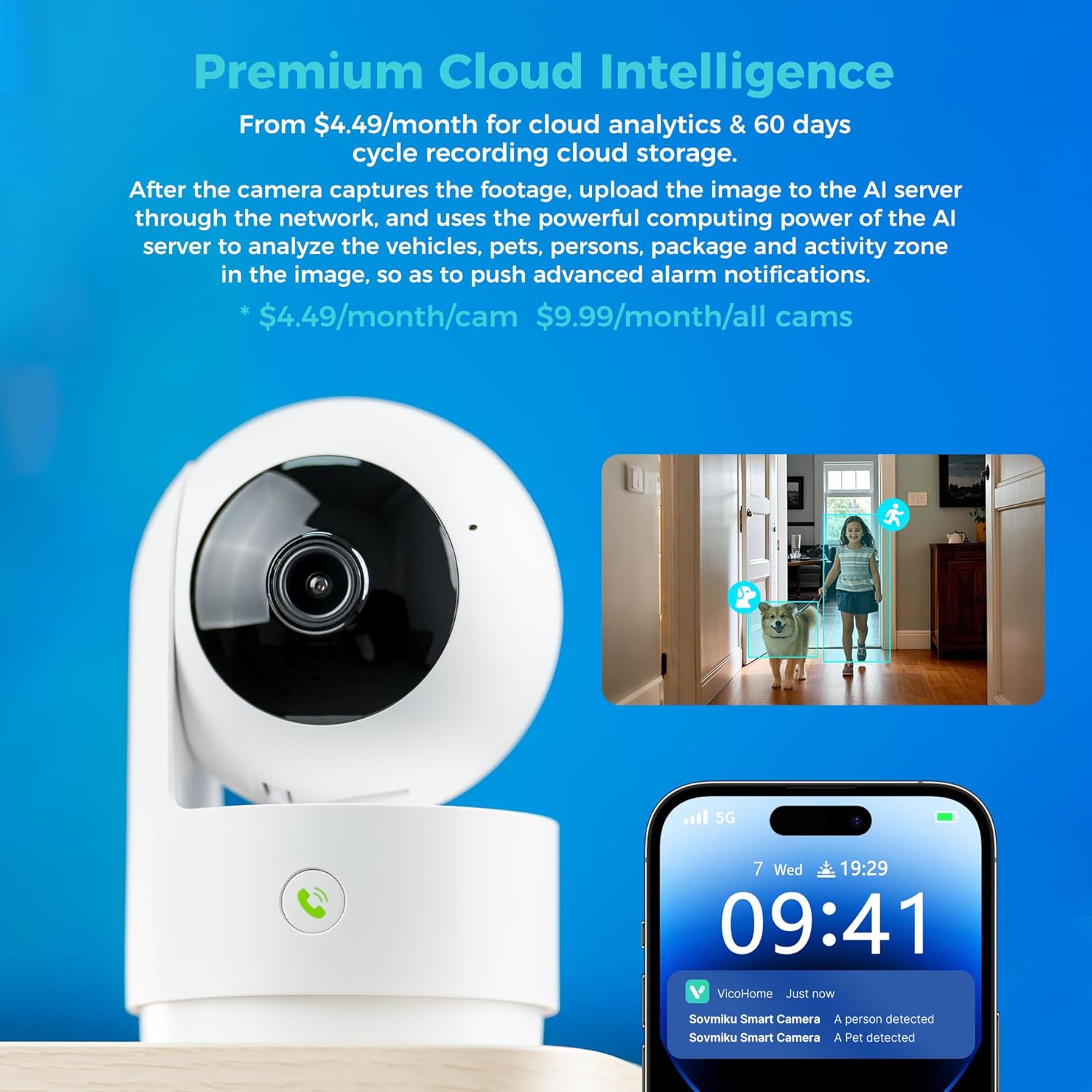
Image: A hand pressing the emergency SOS button on the camera, with a smartwatch showing an incoming call from the Vicohome app, indicating the emergency alert feature.
5.5 Режим конфіденційності
- Activate Privacy Mode in the app to physically hide the camera lens, ensuring privacy when monitoring is not desired.

Image: Two Vicohome cameras side-by-side, one in normal operating mode and the other in privacy mode with its lens retracted, demonstrating the privacy feature.
6. особливості
- Роздільна здатність 2K: Знімає чітке та детальне відео footage (3MP effective still resolution).
- Дводіапазонний Wi-Fi: Supports both 2.4GHz and 5GHz Wi-Fi networks for flexible connectivity.
- 360° Pan/Tilt: Пропонує широкий viewing angle with horizontal (83.5°), vertical (44°), and diagonal (59.2°) movement.
- Відстеження AI: Automatically detects and follows human or pet movement.
- Двостороннє аудіо: Communicate with individuals near the camera using the built-in microphone and speaker.
- Нічне бачення: Equipped with infrared LEDs for clear black and white video in low-light conditions.
- Локальне та хмарне сховище: Supports Micro SD card up to 128GB for local storage and offers optional cloud storage services.
- Екстрений SOS: One-touch call feature for immediate contact in emergencies.
- Режим конфіденційності: Physically hides the camera lens for enhanced privacy.
- Seamless Vicohome App Compatibility: Integrates with existing Vicohome devices for unified management.

Image: The Vicohome camera with example images demonstrating its 3MP resolution, showing clear details of a dog and a child in a home setting.

Image: A graphic illustrating the Vicohome camera's compatibility with both 2.4GHz and 5GHz dual-band Wi-Fi networks.

Image: A hand inserting a Micro SD card into the camera, with icons for 128GB storage and cloud storage, indicating local and cloud storage options.
7. Технічне обслуговування
- Прибирання: Використовуйте м’яку суху тканину для очищення об’єктива та корпусу камери. Уникайте використання абразивних засобів для чищення або розчинників.
- Оновлення прошивки: Regularly check the Vicohome app for available firmware updates to ensure your camera has the latest features and security enhancements.
- Джерело живлення: Ensure the camera is connected to a stable power source. Use only the provided power adapter or a compatible replacement.
- Розміщення: Place the camera in a location where it has a clear view and is protected from extreme temperatures or direct moisture.
8. Вирішення проблем
- Камера не підключається до Wi-Fi:
- Ensure your Wi-Fi password is correct and the camera is within range of your router.
- Try resetting the camera and repeating the setup process.
- Verify your router supports 2.4GHz or 5GHz Wi-Fi and is not using a hidden SSID.
- Немає живого View:
- Check your internet connection and ensure the camera is powered on.
- Restart the Vicohome app.
- Сповіщення про рух не отримано:
- Перевірте, чи ввімкнено виявлення руху в налаштуваннях програми.
- Перевірте налаштування сповіщень додатків на вашому смартфоні.
- Проблеми з двостороннім аудіо:
- Ensure microphone and speaker permissions are granted to the Vicohome app on your phone.
- Check the volume settings on both the app and your phone.
9. Технічні характеристики
| Особливість | Деталь |
|---|---|
| Рекомендоване використання | Безпека в приміщенні |
| Бренд | SOVMIKU |
| Назва моделі | CA43 |
| Технологія підключення | Wi-Fi (2.4 ГГц та 5 ГГц) |
| Особливість | Adjustable, AI Tracking, Two-Way Audio, Night Vision, SOS Call, Privacy Mode |
| Використання в приміщенні/зовні | закритий |
| Сумісні пристрої | iOS, Android, iPad OS |
| Спосіб контролю | додаток |
| Джерело живлення | Провідний електричний |
| Ефективне вирішення проблеми | 3 МП (2 тис.) |
| Кодування відео | H.265 |
| Тип флеш-пам'яті | Micro SD |
| Максимальна підтримувана флеш-пам'ять | 128 ГБ |
| Вага товару | 1.5 фунта |
| матеріал | ПВХ |
10. Гарантія та підтримка
- Гарантія: The product comes with a 1-Year Manufacturer Warranty.
- Політика обміну: Enjoy a 180-Day No-Risk Guarantee, backed by a 6-month replacement promise for defects.
- Підтримка клієнтів: Free expert support is available 24/7 to assist with any questions or issues.
For further assistance, please refer to the contact information provided in your product packaging or through the Vicohome app.