
SANSUI W12
Інструкція користувача навушників SANSUI W12 із функцією штучного інтелекту перекладу
Модель: W12 | Бренд: SANSUI
1. Вступ
The SANSUI W12 AI Translation Earbuds are designed to facilitate real-time language translation, high-definition calls, and immersive audio experiences. Featuring advanced Bluetooth 6.0 technology and an open-ear design, these earbuds offer comfort and functionality for various daily activities, including travel, business, and learning.

Image: SANSUI W12 AI Translation Earbuds and their compact charging case.
Video: A detailed physical display of the SANSUI W12 AI Translation Earbuds, showcasinїх дизайн та особливості.
2. Що в коробці
Upon unboxing your SANSUI W12 AI Translation Earbuds, you should find the following items:
- SANSUI W12 AI Translation Earbuds (Left and Right)
- Зарядний футляр
- Зарядний кабель USB-C
- Посібник користувача W12
- SANSUI AI Smart App User Guide

Image: All items included in the SANSUI W12 product packaging.
3. Налаштування
3.1. Завантаження та встановлення програми
The SANSUI AI Smart App is essential for utilizing the full translation capabilities of your earbuds. You can download it via QR code or by searching in your device's app store.
- Сканувати QR-код: Locate the QR code on the product packaging or in the included user guide. Use your phone's built-in QR code scanner to scan it. This will direct you to a download page.
- Select Your System: On the download page, select your operating system (Android or iOS).
- Завантажити з App Store: You will be redirected to the Google Play Store (for Android) or the Apple App Store (for iOS). Download and install the "SANSUI" app.
- Direct Search: Alternatively, open your device's app store (Google Play Store or Apple App Store) and search for "SANSUI" to find and install the app directly.
Video: Instructions for downloading and connecting the SANSUI App on Android devices.
Video: Tutorial for downloading the SANSUI AI Smart App on iOS devices.
3.2. Підключення Bluetooth
Follow these steps to pair your SANSUI W12 earbuds with your smartphone:
- Переконайтеся, що Bluetooth увімкнено на вашому смартфоні.
- Відкрийте зарядний футляр і вийміть обидва навушники. Вони автоматично перейдуть у режим сполучення.
- On your phone, go to Bluetooth settings and search for available devices.
- Select "SANSUI W12" from the list of available devices to connect.
- Once connected, open the SANSUI AI Smart App. In the app, click the "+" sign to search for and connect to your earbuds within the application.

Image: The SANSUI AI Smart App interface, displaying EQ settings and device connection status.
4. Інструкція з експлуатації
4.1. Real-Time Translation
The SANSUI W12 earbuds support over 100 languages for real-time translation through the AI Smart App.
- Open the SANSUI AI Smart App and navigate to the AI function window.
- Select your desired translation mode (e.g., Voice Translation, Text Translation, Simultaneous Interpretation, Conversation Translation).
- Choose the source and target languages for translation.
- Press the record button or follow the on-screen prompts to begin the translation conversation.

Image: Demonstrates various scenarios where the earbuds facilitate communication, such as learning, travel, and business meetings.
Відео: Оверview of the SANSUI W12 AI Translation Earbuds model experience, highlighting its features in use.
4.2. Відтворення аудіо та дзвінки
The earbuds provide immersive 8D surround sound and clear communication with dual microphones and advanced noise cancellation.
- Відтворення музики: Enjoy high-fidelity audio for music. The AI Smart App allows for customizable sound effects and EQ settings.
- Дзвінки високої чіткості: The dual microphones and noise cancellation ensure clear voice transmission during calls.
- Smart Meeting Recording: Utilize the smart meeting recording feature for transcribing conversations.

Image: A user wearing the earbuds, with icons representing key functionalities: Music, Audio control, Calls, Smart meeting transcription, AI models, and Translation.
4.3. Ергономічний дизайн та комфорт
The SANSUI W12 features an open-ear design with TPEE ear hooks for comfort and stability.
- Дизайн з відкритим вухом: Allows for ambient sound awareness, enhancing safety during activities like cycling or jogging.
- Надійна посадка: TPEE elastic ear hooks prevent the earbuds from falling out during physical activity.
- Підходить для окулярів: The slim ear hooks are designed to be comfortable for users who wear glasses.

Image: A visual comparison of open-ear versus in-ear earbud designs, emphasizing the comfortable and secure fit of the SANSUI W12.

Image: A person wearing the SANSUI W12 earbuds comfortably with eyeglasses, showcasing the ergonomic design for glasses wearers.
5. Технічне обслуговування
To ensure the longevity and optimal performance of your SANSUI W12 AI Translation Earbuds, follow these maintenance guidelines:
- Прибирання: Обережно протріть навушники та зарядний футляр м’якою сухою тканиною. Уникайте використання абразивних матеріалів або агресивних хімікатів.
- Водонепроникність: The earbuds feature a nano-coating for water resistance, protecting against sweat and light rain. However, they are not designed for submersion in water. Avoid prolonged exposure to moisture.
- Зарядка: Use the provided USB-C cable for charging. Ensure the charging ports are clean and dry before connecting.
- Зберігання: Зберігайте навушники в зарядному футлярі, коли вони не використовуються, щоб захистити їх та забезпечити їх зарядку. Зберігайте в прохолодному, сухому місці, подалі від екстремальних температур.
6. Вирішення проблем
If you encounter issues with your SANSUI W12 earbuds, refer to the following common solutions:
- Earbuds Not Connecting to Phone:
- Переконайтеся, що на вашому телефоні ввімкнено Bluetooth.
- Переконайтеся, що навушники заряджені та вийняті з зарядного футляра.
- Забудьте про пристрій у налаштуваннях Bluetooth телефону та спробуйте знову підключитися.
- Перезавантажте телефон і навушники.
- Проблеми із завантаженням програми:
- Перевірте своє інтернет-з’єднання.
- Переконайтеся, що операційна система вашого пристрою оновлена.
- Clear the cache of your app store (Google Play Store or Apple App Store).
- If scanning the QR code doesn't work, try searching for "SANSUI" directly in the app store.
- Translation Inaccuracies or Lag:
- Ensure a stable internet connection for optimal real-time translation.
- Говоріть чітко та в помірному темпі.
- Check the selected languages in the app to ensure they are correct.
- Update the SANSUI AI Smart App to the latest version.
- Погана якість звуку:
- Ensure the earbuds are properly positioned on your ears.
- Adjust the EQ settings within the SANSUI AI Smart App.
- Очистіть динаміки навушників від будь-якого сміття.
7. Технічні характеристики
| Особливість | Деталь |
|---|---|
| Назва моделі | W12 |
| Бренд | САНСУІ |
| Технологія підключення | Бездротовий зв'язок (Bluetooth 6.0) |
| Діапазон Bluetooth | 15 метрів |
| Термін служби батареї (навушники) | До 8 годин заряду |
| Загальний час роботи від батареї (з футляром) | 42 години |
| Час зарядки | 1.5 Hours (Type-C) |
| Розмір звукового драйвера | 14.2 міліметрів |
| Контроль шуму | Активне шумозаглушення |
| Рівень водонепроникності | Water Resistant (Nano-coating) |
| Вага виробу (навушники) | 8.3 г на навушник |
| Тип управління | App Control / Touch Control / Volume Control |
| Сумісні пристрої | Cellphones, Gaming Consoles, Laptops, Tablets, Telephones |
| Особливості | Integrated Equalizer, Noise Cancellation, Surround Sound, Touch Control, Volume Control, AI Translation, Smart Meeting Recording |

Image: Technical diagram highlighting the Bluetooth 6.0 technology and 14.2mm dynamic driver for superior audio performance.
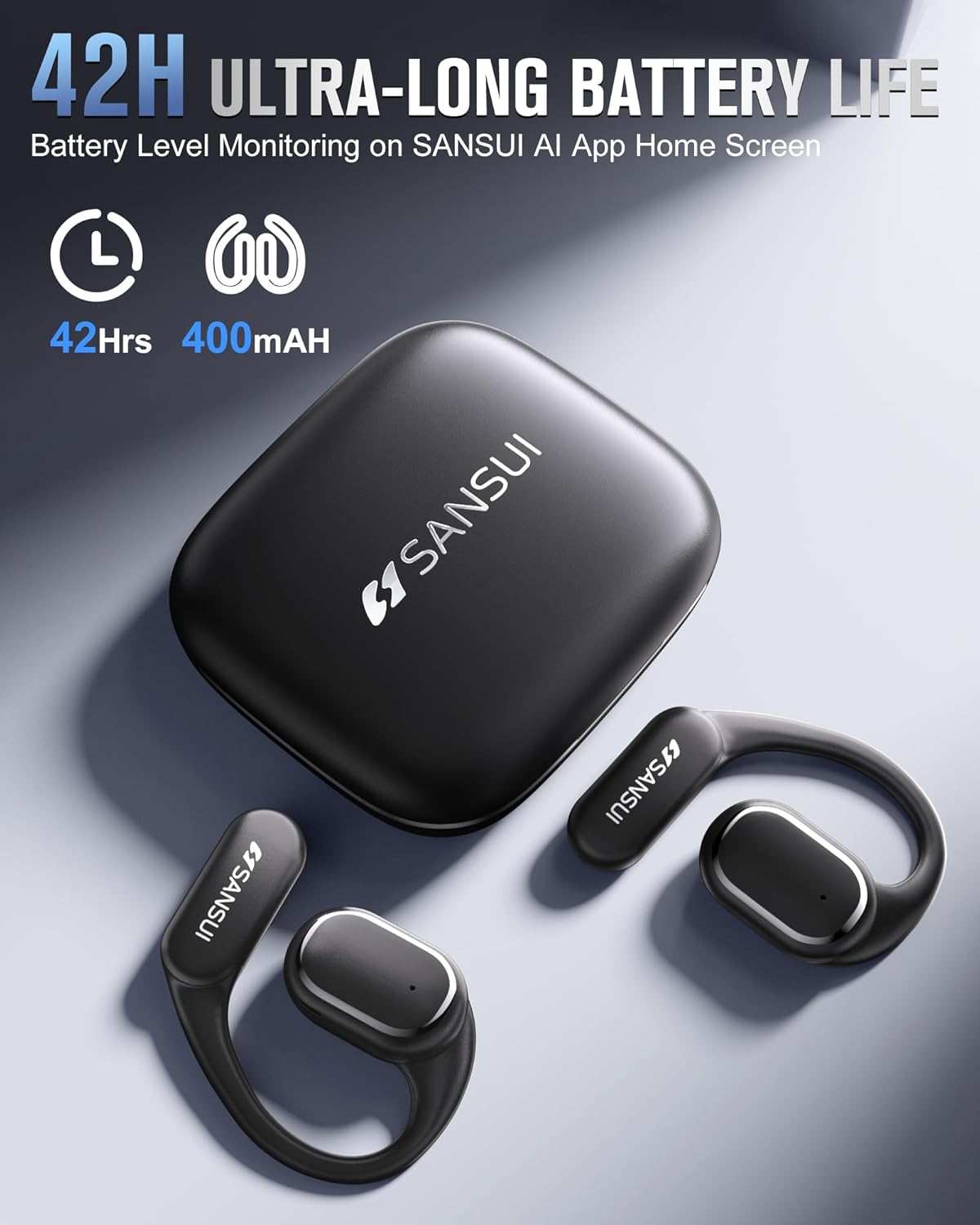
Image: The SANSUI W12 earbuds and charging case, illustrating the 42-hour ultra-long battery life.
8. Гарантія та підтримка
SANSUI is committed to providing quality products and customer satisfaction. For any inquiries or support needs, please refer to the following:
- Гарантія: The product comes with a standard manufacturer's warranty. Please refer to the warranty card included in your packaging for specific terms and conditions.
- Підтримка клієнтів: For technical assistance, troubleshooting, or general inquiries, please visit the official SANSUI website or contact their customer service. Contact information can be found in the user manual or on the SANSUI AI Smart App.
- Плани захисту: Extended protection plans are available for purchase separately to cover your device beyond the standard warranty period.
Ask a question about this manual
Ask about setup, troubleshooting, compatibility, parts, safety, or missing instructions. Manuals+ will review the question and use this page’s manual context to help answer it.