
1. Продукт закінчивсяview
The Sharp SMD2420MS is a 24-inch built-in microwave drawer oven designed for seamless integration into your kitchen. It features a 1.2 cu. ft. capacity, touch control panel, and Sensor Cook technology for efficient and convenient cooking.

Image: The Sharp SMD2420MS microwave drawer oven in a closed, angled view, шоуcasing its stainless steel finish and black control panel.
2. Налаштування та встановлення
This microwave drawer oven offers versatile installation options, allowing it to be built into a wall, kitchen island, peninsula, or under-counter without requiring additional hardware. The design supports both standard and flush-mount installations to match your kitchen aesthetics.
Параметри встановлення
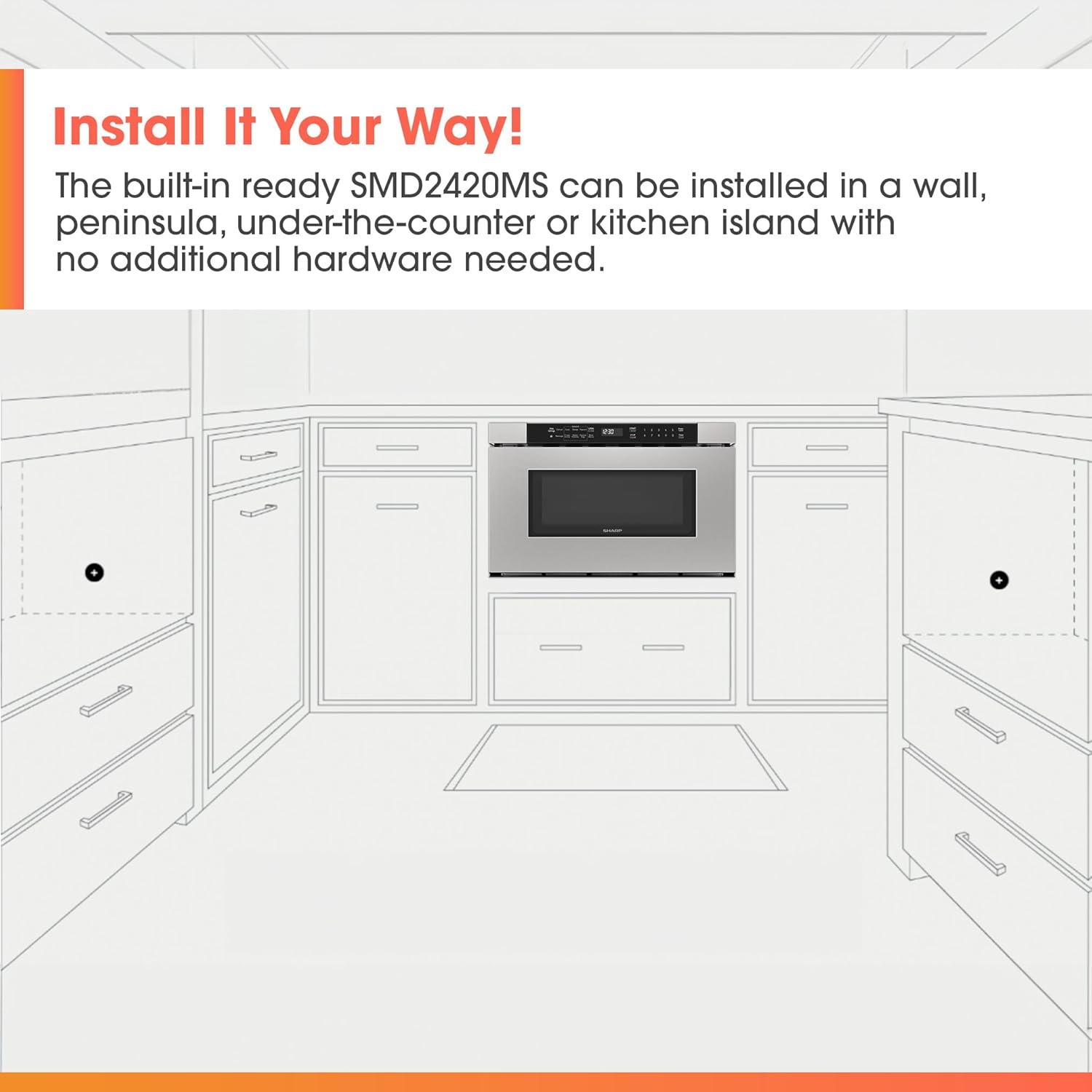
Image: A diagram illustrating the flexible installation possibilities for the microwave drawer, including under-counter, island, and wall placements.
For detailed installation instructions, please refer to the official Installation Manual provided with your product or available for download from the manufacturer's website. Proper ventilation and electrical connections are crucial for safe operation.
Flush-Mount Ready Design
The SMD2420MS can be installed with either a traditional standard mount or a flush mount, providing a sleek, integrated look with your cabinetry.
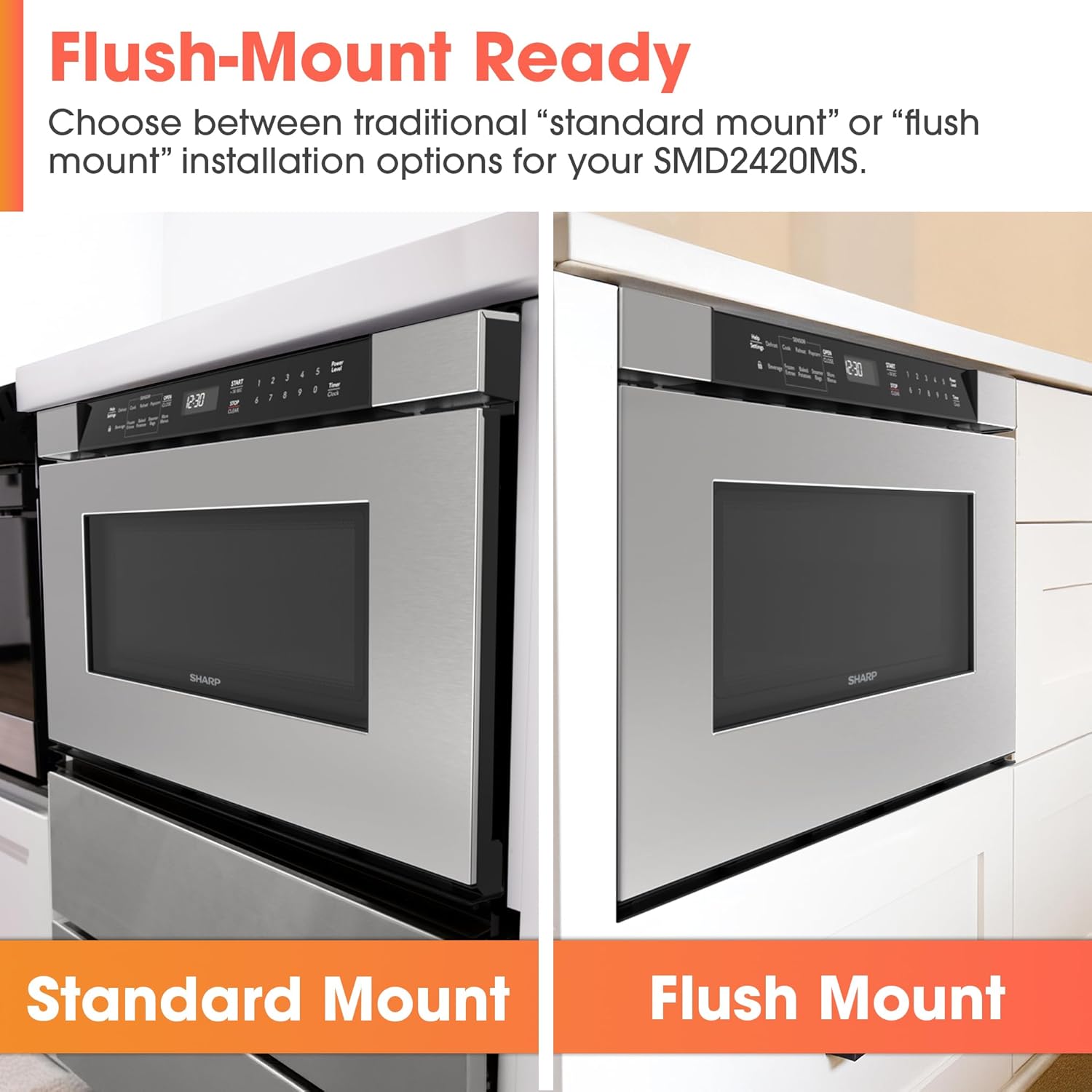
Image: A side-by-side comparison showing the difference between a standard mounted microwave drawer and a flush-mounted one, highlighting the seamless integration of the latter.
Optional Pedestal Accessory
An optional pedestal accessory is available (sold separately) to provide convenient drawer storage and elevate the microwave for specific installation needs. This allows for customization to match your kitchen's design.

Image: The microwave drawer oven shown installed above an optional pedestal accessory, with examples of different custom panel finishes for the pedestal.
Розміри
Ensure your cabinet opening meets the required dimensions for proper installation.
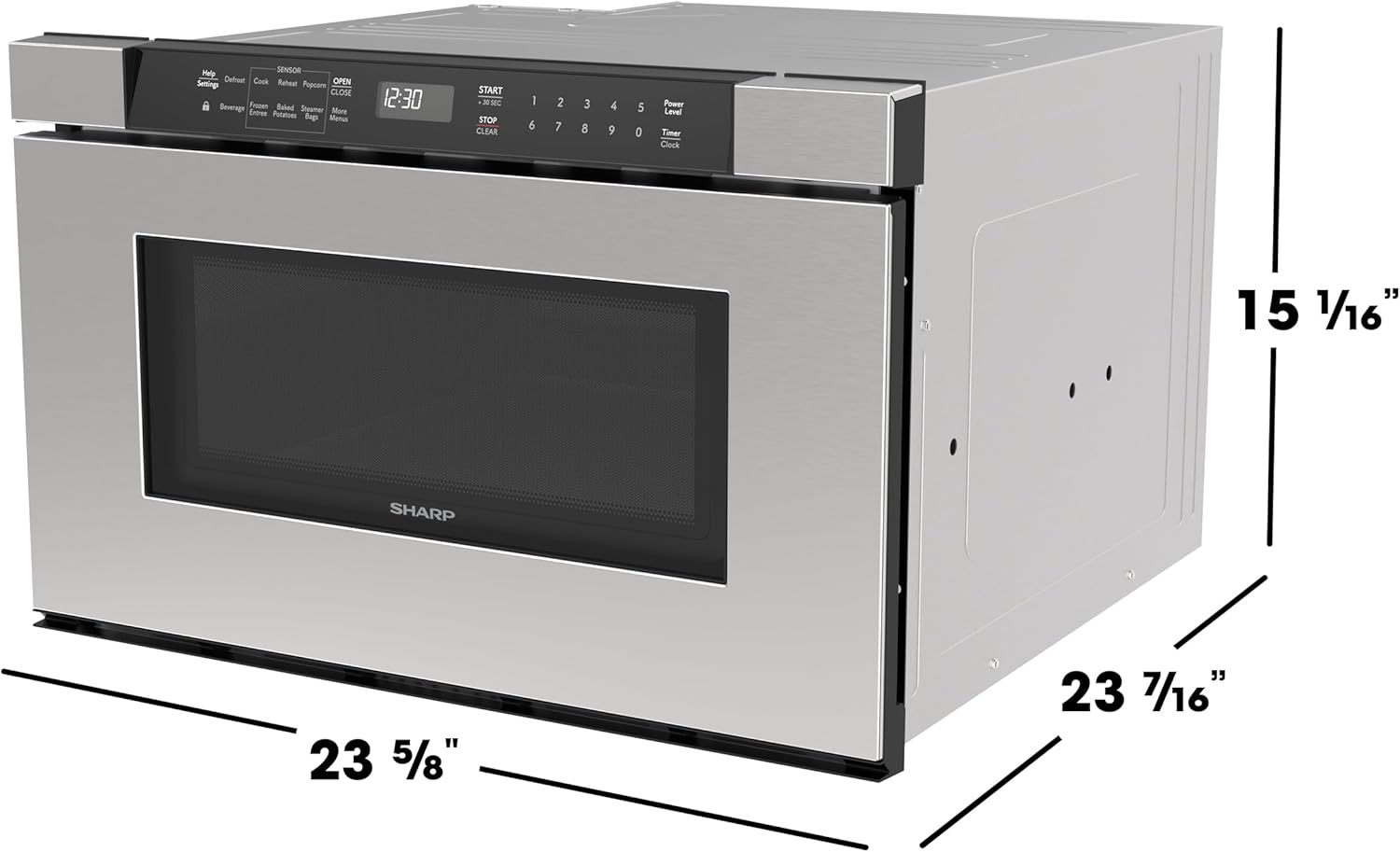
Image: A technical drawing indicating the height, width, and depth dimensions of the Sharp SMD2420MS microwave drawer oven.
3. Інструкція з експлуатації
The SMD2420MS microwave drawer oven is designed for ease of use with its intuitive touch control panel and automatic drawer system.
Відкриття та закриття шухляди
The automatic drawer system allows for convenient access. Press the ВІДЧИНЕНО button on the control panel to smoothly open the drawer. To close, gently nudge the drawer or press the ЗАКРИТИ кнопку.
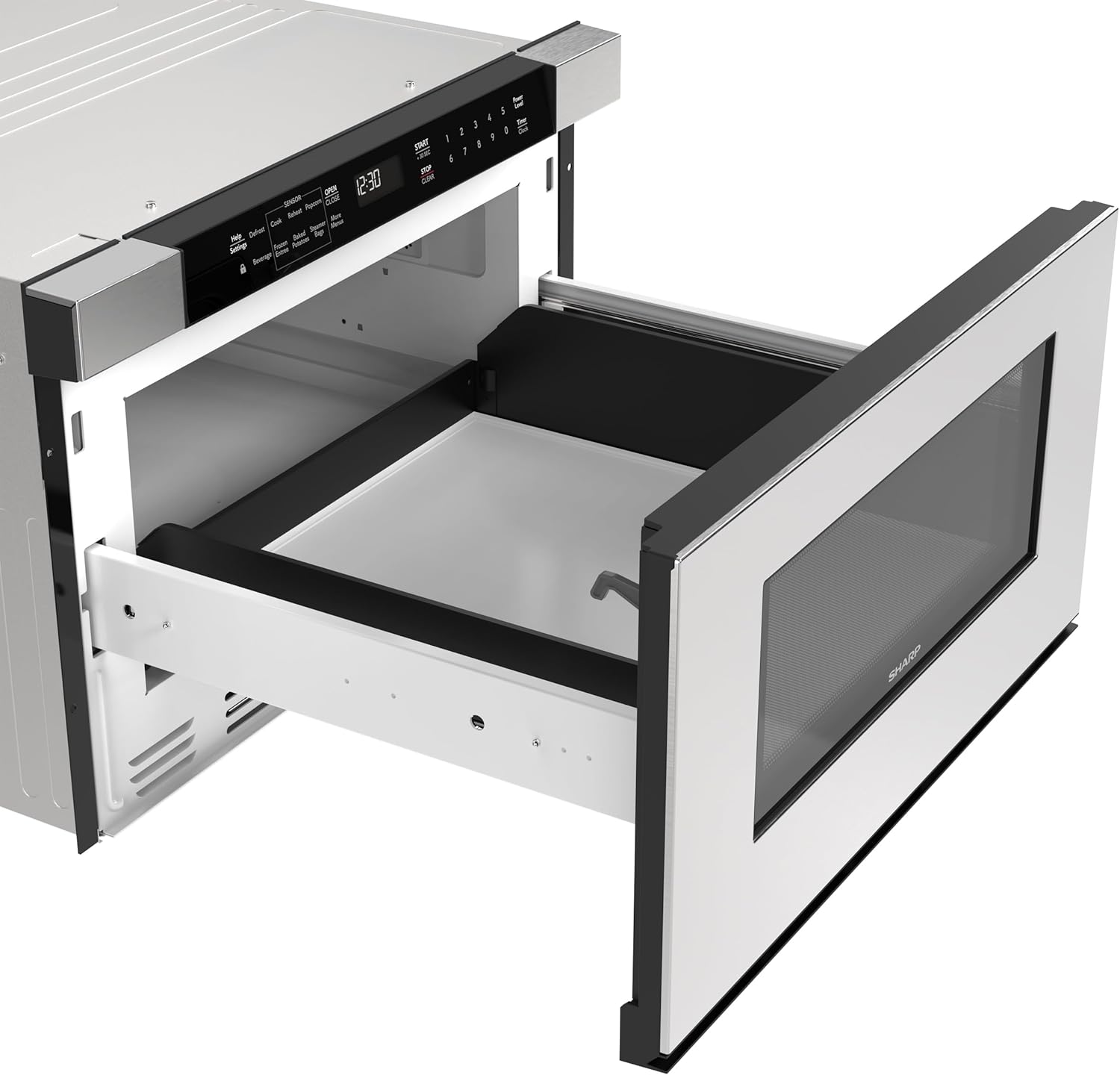
Зображення: Сторона view of the Sharp SMD2420MS microwave drawer oven with its drawer fully extended, revealing the interior cooking space.
Панель керування
The angled touch control panel provides easy visibility and access to all cooking functions. It includes options for Sensor Cook, Reheat, Popcorn, Defrost, and more.

Зображення: Крупний план view of the microwave's angled touch control panel, showing various function buttons and a digital display, with a finger interacting with a button.
Sensor Cook Technology
The advanced Sensor Cook technology automatically detects the moisture levels of food to determine the ideal cooking time and power level, eliminating guesswork and ensuring optimal results for various dishes.

Image: A split image showing perfectly cooked roasted potatoes on one side and raw meat patties on the other, demonstrating the microwave's capability for both cooking and defrosting.
Функція блокування керування
To prevent accidental operation, especially by children, enable the Control Lock feature. This feature disables the control panel until it is unlocked.

Зображення: Детальний view of the microwave's control panel, highlighting the 'Control Lock' button with a finger pressing it, indicating activation of the safety feature.
Основні функції приготування їжі
- попкорн: Use the dedicated Popcorn button for perfectly popped corn.
- Розігріти: The Sensor Reheat function warms food evenly without overcooking.
- Розморожування: Utilize Sensor Defrost with moisture detection for efficient thawing of various foods.
- Напій: Optimized setting for heating beverages.

Image: A white bowl filled with peas and carrots placed inside the spacious open drawer of the microwave oven, demonstrating its capacity.
Продукт закінченийview відео
Відео: Офіційний продукт завершеноview from Sharp Electronics Corporation, showcasing the features and functionality of the microwave drawer oven, including its automatic opening and closing mechanism and control panel.
4. Технічне обслуговування та очищення
Regular cleaning and maintenance will ensure the longevity and optimal performance of your Sharp SMD2420MS microwave drawer oven.
Прибирання салону
To clean the interior, wipe with a soft cloth and mild detergent. For stubborn food spills, place a bowl of water with lemon slices inside and microwave for a few minutes to loosen residue, then wipe clean. Avoid abrasive cleaners or scouring pads.
Зовнішнє прибирання
Wipe the exterior surfaces, including the stainless steel and control panel, with a soft, damp cloth. For stainless steel, use a specialized stainless steel cleaner to maintain its finish. Do not spray cleaners directly onto the control panel.
Drawer Rails
Keep the drawer rails free from food particles and debris to ensure smooth operation. Periodically wipe the rails with a damp тканина.
5. Вирішення проблем
If you encounter issues with your microwave drawer oven, refer to the following common troubleshooting steps before contacting customer support.
Microwave Not Starting
- Переконайтеся, що шнур живлення надійно під’єднано до справної розетки.
- Check your household fuse or circuit breaker.
- Make sure the drawer is fully closed. The microwave will not operate if the drawer is ajar.
- Verify that the Control Lock feature is not activated. If it is, deactivate it as per the operating instructions.
Uneven Cooking or Heating
- Ensure food is placed centrally in the drawer.
- Для рівномірнішого результату перемішайте або поверніть страву в середині приготування.
- Використовуйте посуд, придатний для використання в мікрохвильовій печі.
Drawer Not Opening or Closing Smoothly
- Check for any obstructions in the drawer rails.
- Ensure the microwave is level and properly installed.
Якщо ці кроки не вирішать проблему, зверніться до служби підтримки клієнтів.
6. Технічні характеристики
| Особливість | Деталь |
|---|---|
| Бренд | Гострий |
| Номер моделі | SMD2420MS |
| Розміри продукту (Д x Ш x В) | 16" Г x 24" Ш x 16" В |
| Колір | Stainless Steel With Black Control Panel |
| Ємність | 1.2 кубічних футів |
| Wattage | 950 Вт |
| томtage | 120 вольт |
| Кількість рівнів потужності | 10 |
| Тип установки | Вбудований |
| Особливості | ADA Compliant, Automatic Drawer System, Built-in Airflow Control, Control Lock, Touch Control Panel, Sensor Cook Technology |
| матеріал | Glass, Plastic, Stainless Steel |
| Вага товару | 75 фунта |
| UPC | 074000623019 |

Image: A person in a wheelchair is shown comfortably preparing food on a countertop next to the Sharp microwave drawer oven, highlighting its ADA-compliant design and accessibility.
7. Інформація про гарантію
The Sharp SMD2420MS microwave drawer oven comes with a 1 роки обмеженої гарантії. Please refer to the warranty documentation included with your product for full terms and conditions. Keep your purchase receipt as proof of purchase for any warranty claims.
8. Підтримка клієнтів
For further assistance, technical support, or to inquire about service, please contact Sharp Customer Service. You can typically find contact information on the Sharp official webсайті або в документації, що додається до вашого приладу.
Інтернет-ресурси: Visit the official Sharp webсайт із поширеними запитаннями, реєстрацією продукту та додатковими допоміжними матеріалами.
Обслуговування та ремонт: If your appliance requires service, please contact an authorized Sharp service provider.


