
вступ
The MINIX 100W USB C Charger (NEO P3 Pro) is a versatile 3-port GaN charger designed for rapid charging of various devices, including laptops, tablets, and smartphones. It features a smart display for real-time charging information and a compact, travel-friendly design. This manual provides essential information for the safe and efficient use of your charger.

Image: The MINIX 100W USB C Charger (NEO P3 Pro) connected to a laptop, illustrating its fast charging capability.
What's in the Box (Setup)
Your MINIX 100W USB C Charger package includes the following items:
- 1x MINIX P3 PRO 100W Charger
- 1x EU Plug Adapter
- 1x UK Plug Adapter
- 1x Посібник користувача
- Сумка для зберігання 1x

Image: The MINIX P3 Pro charger, EU plug, UK plug, and storage bag, as included in the package.
Attaching the Correct Plug Adapter
The MINIX P3 Pro charger comes with interchangeable plug adapters (US, EU, UK) to ensure compatibility in various regions. To attach an adapter:
- Align the desired plug adapter with the charger's prongs.
- Gently push the adapter onto the charger until it clicks securely into place.
- To remove, press the release button (if present) and slide the adapter off.

Image: The MINIX charger with its switchable US, EU, and UK plug adapters.
Інструкція з експлуатації
Підключення пристроїв
The MINIX P3 Pro features two USB-C ports and one USB-A port. Connect your devices using appropriate charging cables. For optimal 100W charging, use a 100W 5A cable connected to a single USB-C port.
- USB-C1: Up to 100W Max output.
- USB-C2: Up to 100W Max output.
- USB-A1: Up to 30W Max output.

Image: The MINIX P3 Pro charging three devices concurrently: a laptop via USB-C1, a tablet via USB-C2, and a smartphone via USB-A1.
Smart Display and Touch Control
The integrated smart display provides real-time information about your charging status. You can interact with the display using the touch control button.
- Стан зарядки: View the current wattage вихід.
- Port-Specific Details: Tap the touch button to cycle through individual port outputs.
- Temperature Reminder: The display may show temperature-related information for safety.
- Загальний час: Displays the total charging duration.
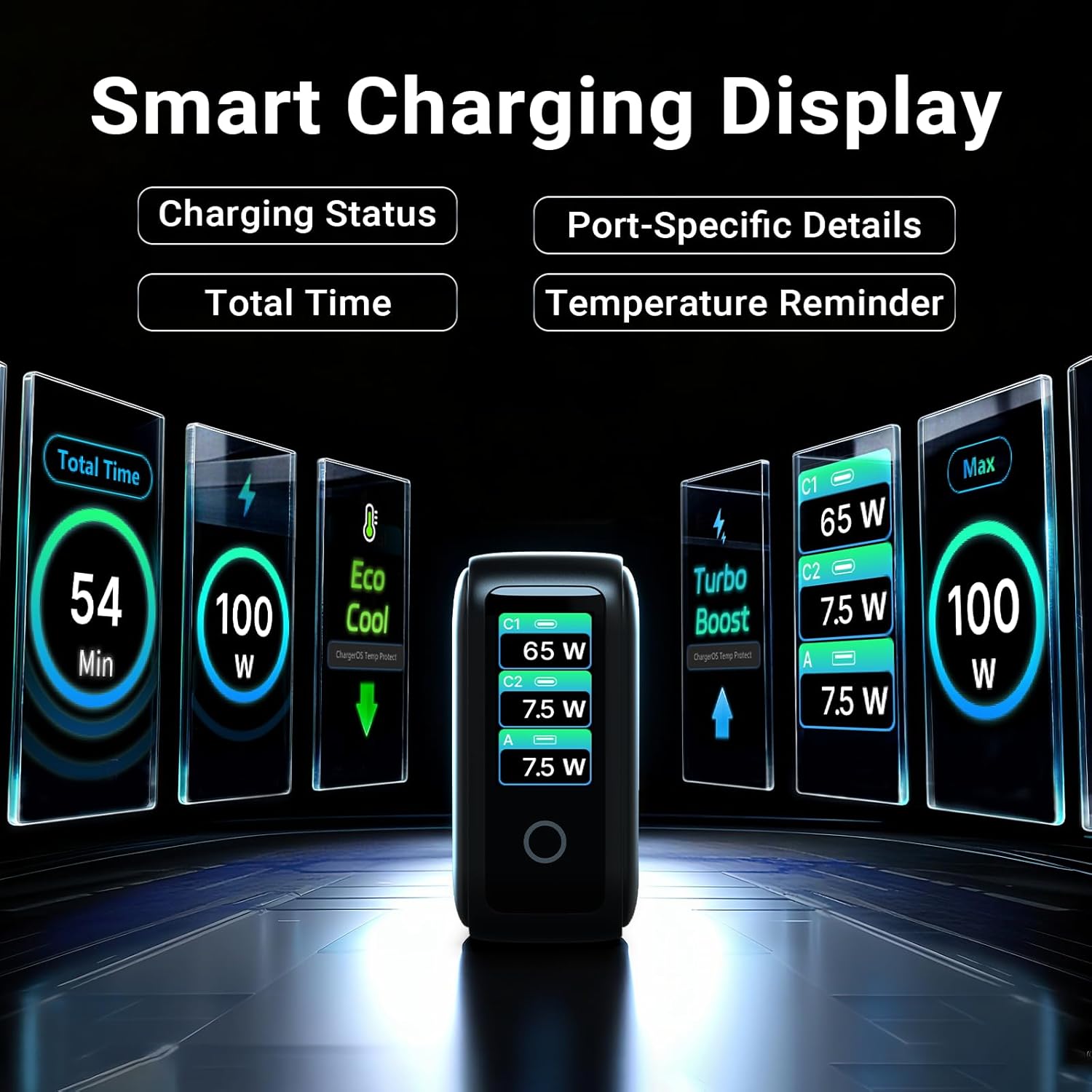
Image: The smart display of the MINIX P3 Pro, showcasing real-time charging status and port-specific details.
Обертання екрана
To adapt the display orientation to your wall outlet, press and hold the touch control button for 3 seconds. The screen will rotate 180°.
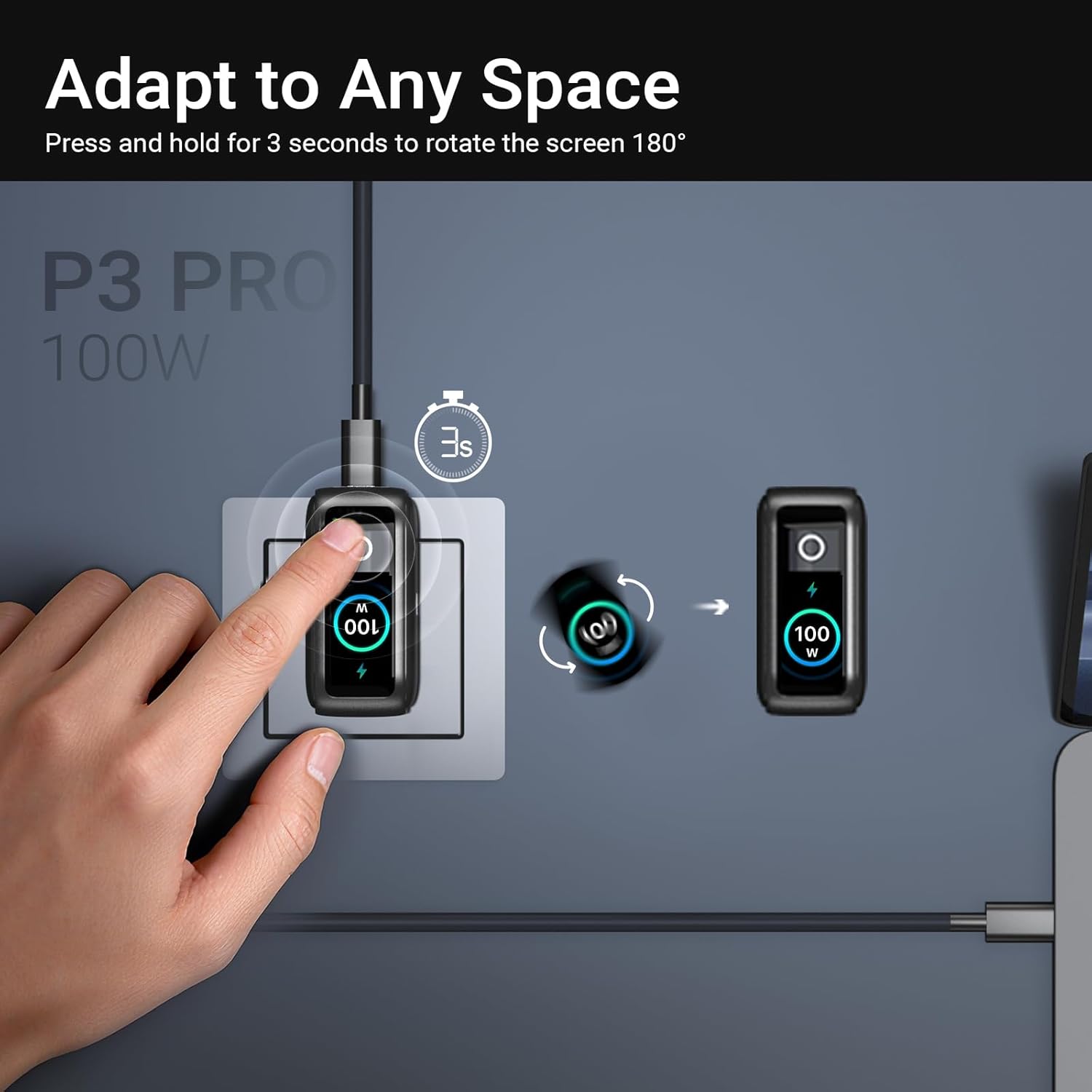
Image: The MINIX P3 Pro charger plugged into a wall socket, illustrating how to rotate the smart display by 180 degrees for better viewінж.
Розподіл потужності
The charger intelligently redistributes power based on the number of connected devices and their power requirements. Below is a general guide to power output configurations:
- 1 вихідний порт:
- USB-C1: 100 Вт
- USB-C2: 100 Вт
- USB-A1: 30W
- 2 порти Вихід:
- USB-C1 + USB-C2: 65 Вт + 30 Вт
- USB-C1 + USB-A1: 65W + 7.5W
- USB-C2 + USB-A1: 7.5W + 7.5W
- 3 порти Вихід:
- USB-C1 + USB-C2 + USB-A1: 65W + 7.5W + 7.5W
Video: An official product introduction video for the MINIX P3 Pro, demonstrating its features and functionality, including power distribution across multiple ports.
Технічне обслуговування
To ensure the longevity and optimal performance of your MINIX P3 Pro charger, follow these maintenance guidelines:
- Тримайте зарядний пристрій чистим та без пилу та сміття. Використовуйте м’яку суху тканину для очищення.
- Avoid exposing the charger to extreme temperatures, humidity, or direct sunlight.
- Не кидайте та не піддавайте зарядний пристрій сильним ударам.
- Store the charger in the provided storage bag when not in use, especially during travel, to protect it from scratches and damage.
- Ensure proper ventilation around the charger during operation to prevent overheating.
Технічні характеристики
| Особливість | Деталь |
|---|---|
| Бренд | МІНІКС |
| Номер моделі | P5010 |
| Загальна кількість портів USB | 3 (2x USB Type-C, 1x USB Type-A) |
| Wattage | 100 Вт (макс.) |
| Вхідний об'ємtage | 240 вольт |
| Вихідний струм | 5 Amps |
| Вихідний випtage | 120 вольт |
| Тип роз'єму | USB типу A, USB типу C |
| Сумісні пристрої | Laptops, Tablets, Samsung Galaxy S21-S24 Series, iPhone 17/16/15/14/13/12 Series, iPhone SE (3rd Gen) |
| Особливості | Fast Charging, Lightweight Design, Multi-Device Charging, Travel-Friendly, Smart Display, Touch Control |
| Колір | чорний |
| Вага товару | 200 грамів |
| матеріал | Термопластичний еластомер (TPE) |
| Сертифікати | CE, FCC, WEEE |
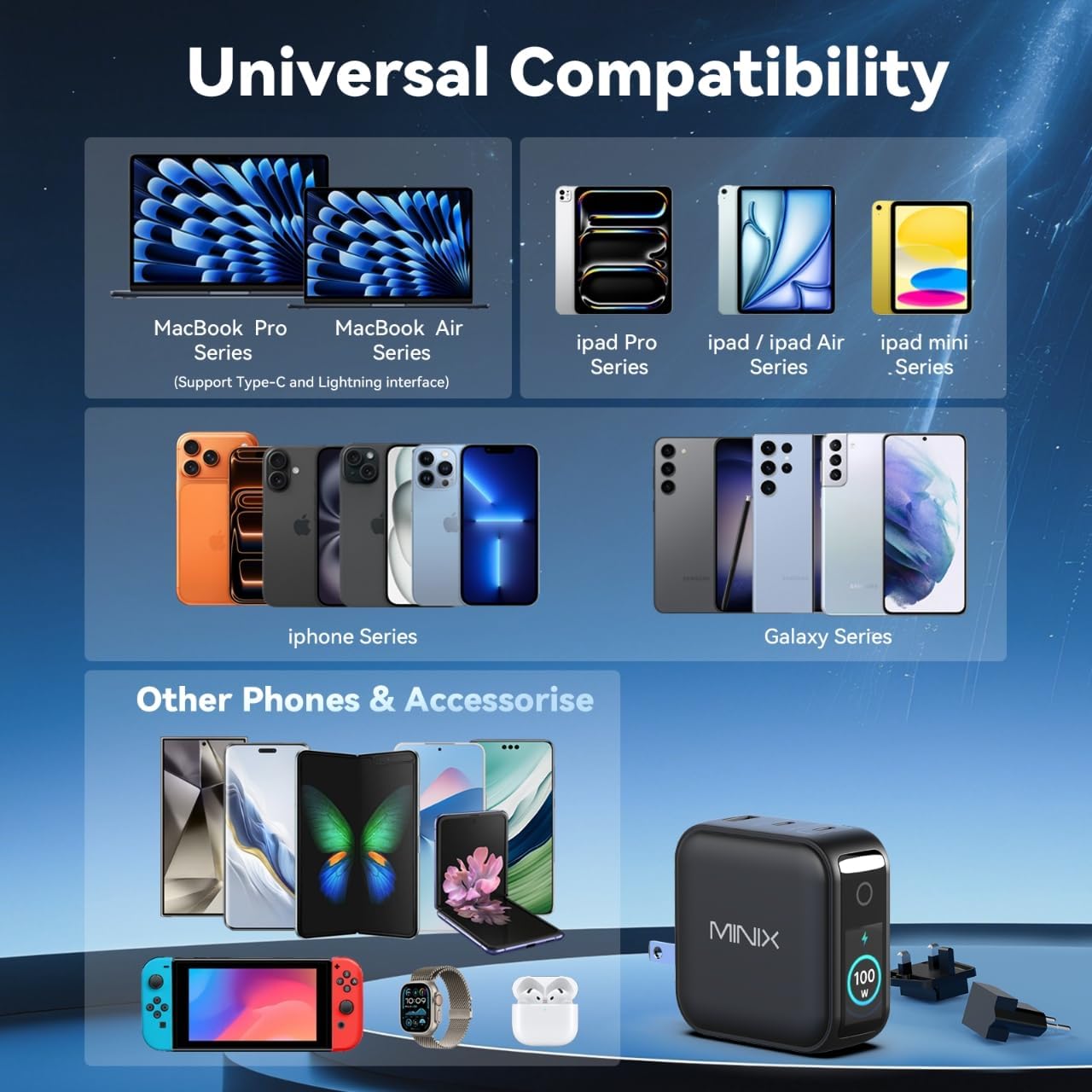
Image: A visual representation of the MINIX P3 Pro's universal compatibility with various devices.
Усунення несправностей
If you encounter issues with your MINIX P3 Pro charger, please refer to the following common troubleshooting steps:
- Зарядний пристрій не включається:
- Переконайтеся, що зарядний пристрій надійно підключено до робочої розетки.
- Verify that the correct regional plug adapter is firmly attached.
- Пристрій не заряджається або заряджається повільно:
- Check that the charging cable is securely connected to both the charger and your device.
- Ensure the charging cable is not damaged and supports the required power delivery (e.g., 100W for high-power devices).
- Спробуйте інший порт на зарядному пристрої.
- If charging multiple devices, note that power is distributed, which may reduce individual port output. Refer to the "Power Distribution" section.
- Ensure your device supports the charging protocols (PPS, PD3.0, QC3.0) supported by the charger.
- Smart display not working or showing incorrect information:
- Ensure the charger is powered on and a device is connected.
- Tap the touch button to cycle through display modes.
- If the display is unresponsive, unplug the charger from the wall for a few seconds and then plug it back in.
- Зарядний пристрій нагрівається під час використання:
- Нагрівання зарядного пристрою під час роботи є нормальним явищем, особливо під час заряджання високою потужністю.
- Ensure there is adequate ventilation around the charger. If it becomes excessively hot, disconnect it immediately and contact support.
Інформація про безпеку
Будь ласка, прочитайте та дотримуйтесь цих запобіжних заходів, щоб запобігти пошкодженню виробу або травмуванню себе:
- Не піддавайте зарядний пристрій впливу води, вологи або високої вологості.
- Avoid using the charger in environments with extreme temperatures.
- Do not disassemble, modify, or attempt to repair the charger yourself. This will void the warranty.
- Тримайте зарядний пристрій у недоступному для дітей та домашніх тварин місці.
- Використовуйте із зарядним пристроєм лише сумісні кабелі та пристрої.
- Від’єднуйте зарядний пристрій від мережі під час грози або коли він не використовується протягом тривалого часу.
- The charger includes built-in safety features such as over-current, over-voltage, захист від перегріву та короткого замикання.
Гарантія та підтримка
The MINIX 100W USB C Charger (NEO P3 Pro) comes with a 1-річна гарантія виробника.
Підтримка клієнтів
For any questions, technical assistance, or warranty claims, please contact MINIX customer service:
- Інтернет-підтримка: Відвідайте MINIX Store on Amazon and use the "Ask Product Question" feature.
- Служба офлайн-технічного обслуговування: Будь ласка, відвідайте наш офіційний сайт webдля отримання додаткової інформації.
Please have your product model number (P5010) and purchase details ready when contacting support.