
1. Вступ
The EPOMAKER TH87 is a versatile 87-key Tenkeyless (TKL) mechanical keyboard designed for various computing environments. It features tri-mode connectivity (Wired USB-C, 2.4GHz Wireless, and Bluetooth), hot-swappable switches, PBT keycaps, and customizable RGB backlighting. This manual provides detailed instructions for setting up, operating, maintaining, and troubleshooting your keyboard.
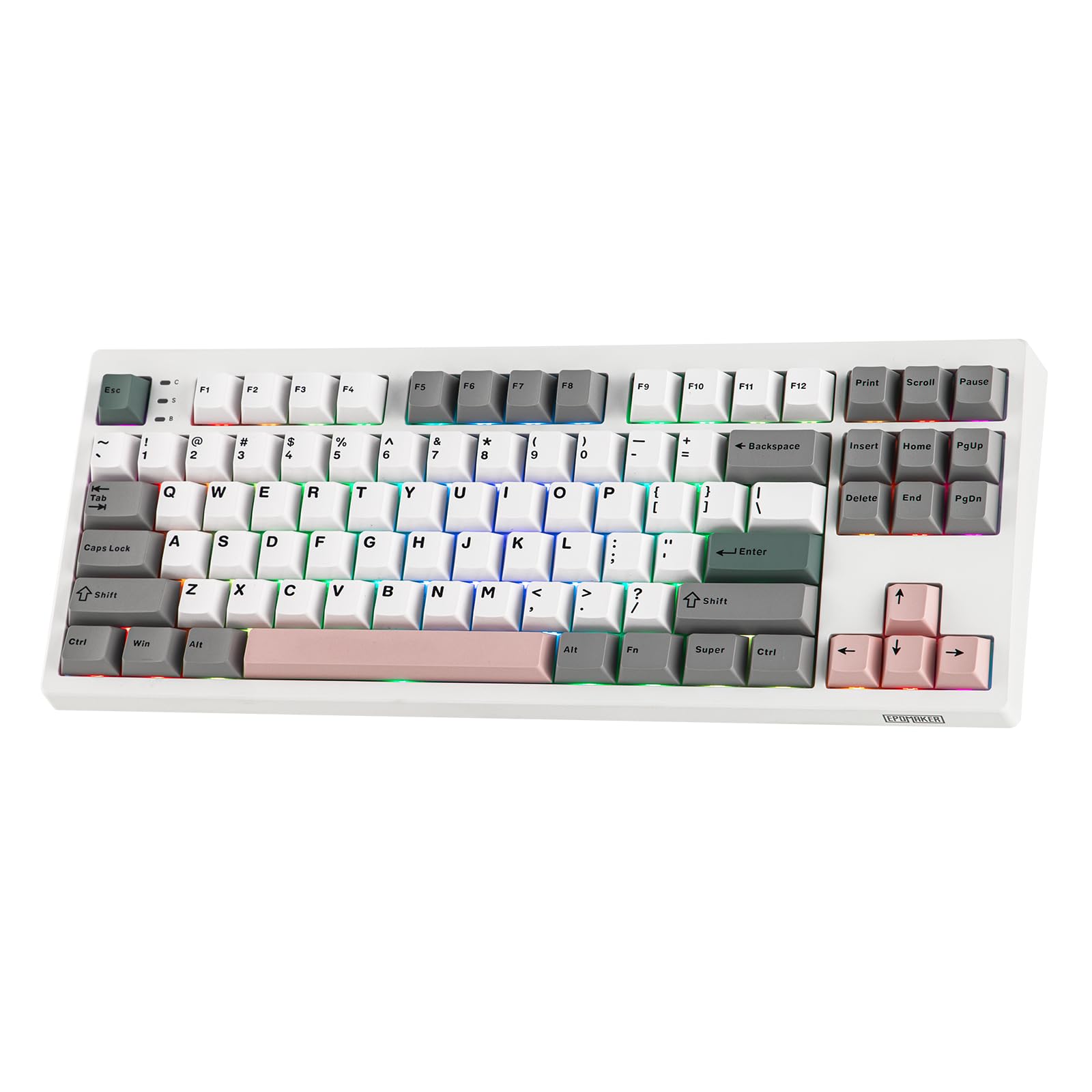
Figure 1: EPOMAKER TH87 Wireless Mechanical Keyboard
2. Вміст упаковки
Переконайтеся, що всі предмети присутні у вашій упаковці:
- TH87 Wireless Gaming Keyboard
- USB A-to-C Cable
- Extra Switches (for customization)
- Wireless 2.4Ghz Receiver (stored under the side kick-stand)
- 2-in-1 Switch-and-Keycap Puller
- Посібник користувача (цей документ)
Video 1: EPOMAKER TH87 Unboxing & Overview & Typing Video. This video demonstrates the unboxing process and provides a general overview of the keyboard's features and typing experience.
3. Налаштування
Follow these steps to set up your EPOMAKER TH87 keyboard:
3.1. Провідне підключення
- Знайдіть порт USB-C на клавіатурі.
- Connect the provided USB A-to-C cable to the keyboard and your computer.
- Ensure the mode switch on the keyboard is set to 'USB'.
3.2. Бездротове з'єднання 2.4 ГГц
- Locate the 2.4GHz wireless receiver, typically stored in a compartment under the side kick-stand of the keyboard.
- Підключіть приймач до вільного порту USB на комп’ютері.
- Set the mode switch on the keyboard to '2.4G'. The keyboard should automatically connect.
3.3. Підключення Bluetooth
- Set the mode switch on the keyboard to 'BT'.
- On your device (PC, Mac, Tablet, Phone), open Bluetooth settings.
- шукати new devices and select 'EPOMAKER TH87' to pair.
- Клавіатура підтримує кілька Bluetooth Profiles; refer to the full user manual for specific pairing instructions for each profile.
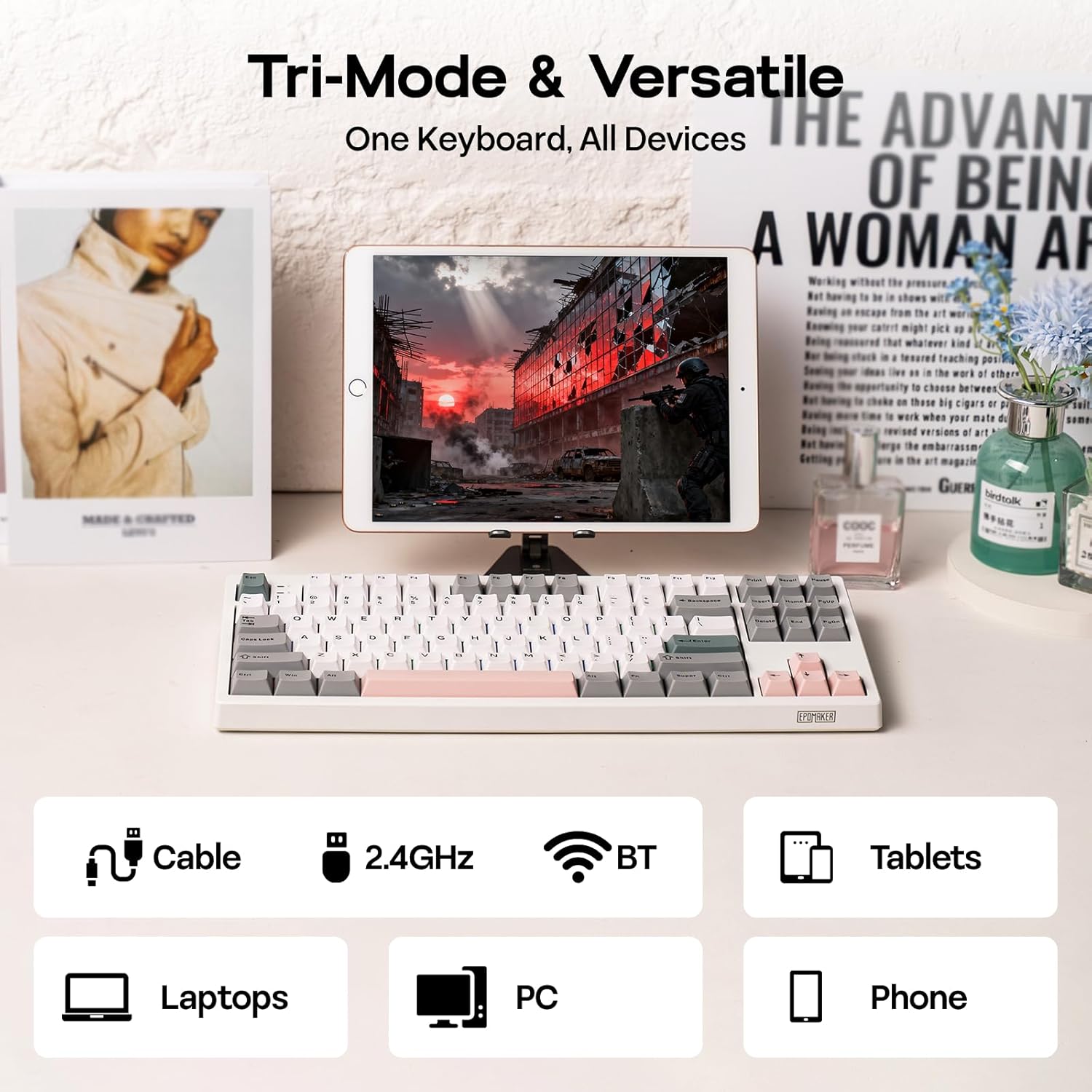
Рисунок 2: Варіанти підключення в трьох режимах
4. Інструкція з експлуатації
4.1. Основні функції
The TH87 features a standard 87-key TKL layout. All keys function as labeled in their default state.
4.2. Функціональні клавіші (комбінації Fn)
The keyboard includes an 'Fn' key to access secondary functions printed on certain keycaps. Common combinations include:
- Fn + F1-F12: Multimedia controls, volume adjustment, etc.
- Fn + клавіші зі стрілками: Adjust RGB lighting effects (brightness, speed, direction).
- Fn + Win: Клавіша блокування/розблокування Windows.
- Fn + Enter: Перевірте стан акумулятора.
4.3. OS Mode Switching
Use the dedicated switch on the keyboard to toggle between Mac and Windows compatibility modes.
5. Налаштування
The EPOMAKER TH87 offers extensive customization through its web-based driver software.
5.1. Web-Based Driver
The custom driver allows you to:
- Remap individual keys.
- Record and assign macros for complex key sequences.
- Adjust RGB lighting effects, colors, brightness, and speed.
- Configure advanced key functions like SOCD (Simultaneous Opposite Cardinal Directions) and Mod Tap.
Access the driver online via the official EPOMAKER website or the QR code provided in the brand card.
Video 2: How to Use TH87 Online Web Driver. This video guides you through connecting your keyboard to the web driver and customizing key functions, macros, and lighting settings.
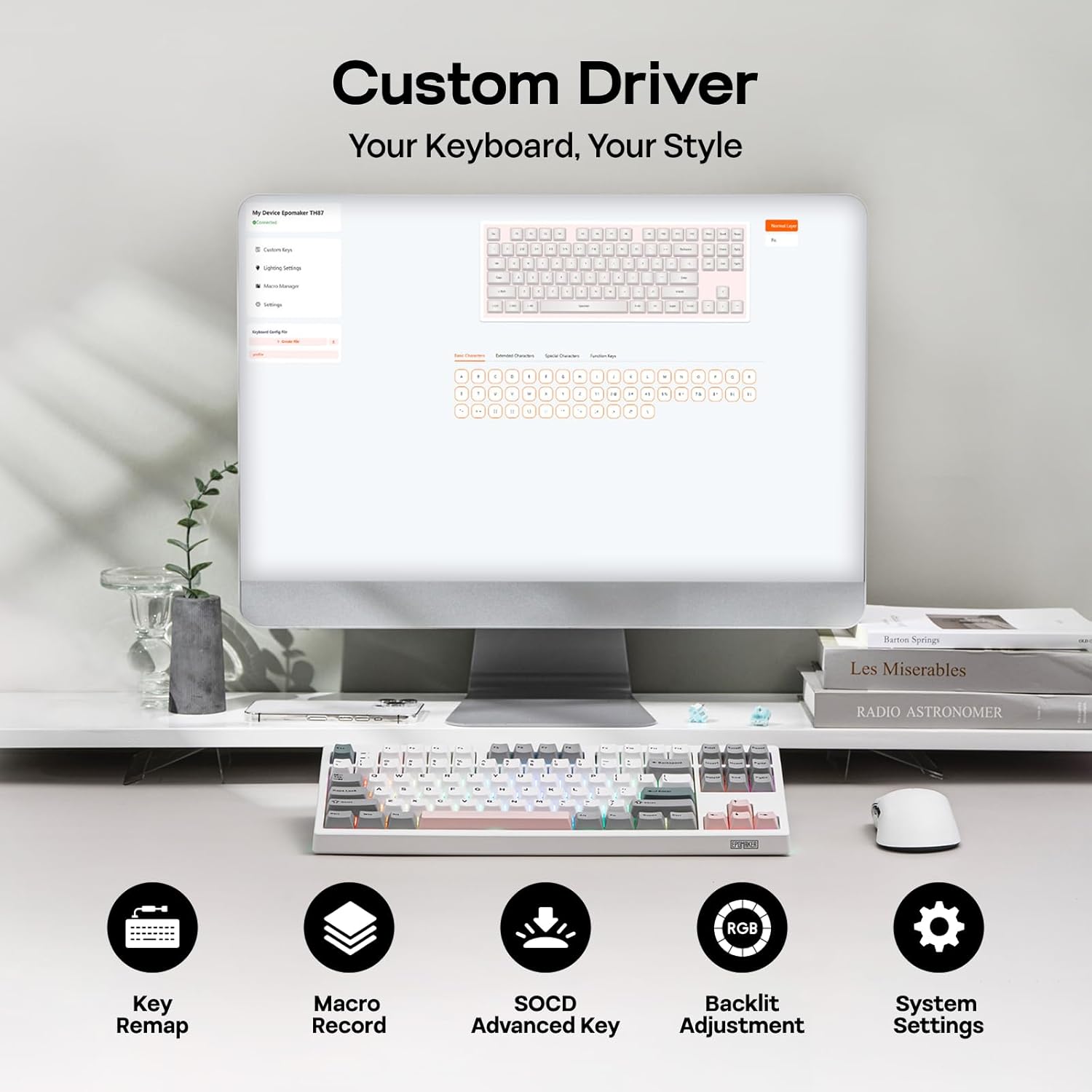
Figure 3: Custom Driver Interface
5.2. Комутатори з можливістю гарячої заміни
The TH87 features a hot-swappable PCB, allowing you to change mechanical switches without soldering. It is compatible with 3-pin and 5-pin switches.
Щоб замінити вимикач:
- Використовуйте наданий знімач для ковпачків клавіш, щоб зняти ковпачок.
- Use the provided switch puller to gently remove the switch from the PCB.
- Зіставте контакти нового перемикача з отворами на друкованій платі та щільно натисніть, доки він не зафіксується на місці.
- Замініть ковпачок клавіші.
The keyboard comes with pre-lubed EPOMAKER Sea Salt Silent V2 switches (Linear, 45±5gf Trigger Force, 51±5gf Bottom-Out Force, 1.8±0.4mm Pre-Travel, 3.5±0.4mm Total Travel).

Figure 4: Hot-Swappable Switches and Sea Salt Silent V2 Specifications
Video 3: EPOMAKER TH87 Typing with Creamy Jade/Sea Salt Silent Switch. This video demonstrates the sound profile of the included switches.
5.3. Підсвічування RGB
The TH87 features per-key RGB backlighting with various effects. You can adjust the saturation, brightness, and speed of the lighting through the Fn key combinations or the custom driver software.
6. Інформація про акумулятор
The keyboard is equipped with a 10000mAh battery, providing extended usage times:
- Up to 45 hours of continuous use with RGB backlight at brightest setting.
- Up to 200 hours of continuous use with RGB backlight off.
To charge the keyboard, connect it via the USB-C cable to a computer or a compatible USB power adapter. The keyboard charges when plugged in. Always use a computer USB port for charging. Using a power adapter directly may cause battery damage.
7. Технічне обслуговування
Правильне обслуговування забезпечує довговічність та продуктивність вашої клавіатури:
- Прибирання: Regularly clean keycaps and the keyboard surface with a soft, dry cloth. For deeper cleaning, remove keycaps using the provided puller and use compressed air to clear debris.
- Зберігання: Зберігайте клавіатуру в прохолодному, сухому місці, подалі від прямих сонячних променів та екстремальних температур.
- Обробка: Avoid dropping the keyboard or exposing it to liquids.
8. Вирішення проблем
Якщо у вас виникли проблеми з клавіатурою, зверніться до наступних поширених рішень:
- Клавіатура не реагує: Ensure the keyboard is charged and the correct connectivity mode (Wired, 2.4G, BT) is selected. Try reconnecting the cable or re-pairing the wireless connection.
- Ключі не реєструються: Check if the switches are properly seated. If a specific key is not working, try replacing its switch with one of the extra switches provided.
- RGB-підсвічування не працює/неправильно працює: Verify lighting settings in the custom driver or cycle through effects using Fn key combinations. Ensure the keyboard is sufficiently charged.
- Проблеми з підключенням: For 2.4GHz, ensure the dongle is securely plugged in and close to the keyboard. For Bluetooth, ensure your device's Bluetooth is enabled and the keyboard is paired correctly. Avoid interference from other wireless devices.
- Проблеми з програмним забезпеченням: If the custom driver is not detecting the keyboard, ensure it is connected via USB-C and the mode switch is set to 'USB'.
9. Технічні характеристики
| Особливість | Деталь |
|---|---|
| Бренд | ЕПОМАКЕР |
| Номер моделі | TH87 |
| Опис клавіатури | TKL Layout Mechanical Keyboard |
| Кількість клавіш | 87 |
| Технологія підключення | 2.4Ghz Wireless, BT, USB A-to-C Wired |
| Джерело живлення | Живлення від батареї (10000 мАг) |
| Підсвічування клавіатури | RGB |
| Тип перемикача | Linear (EPOMAKER Sea Salt Silent Switch) |
| Особливості | Підсвічування, Ергономічний, Гаряча заміна, Програмовані клавіші, Перезаряджається |
| Розміри продукту | 14.43 см (Д) x 5.59 см (Ш) x 1.63 см (В) |
| матеріал | пластик |
| Сумісні пристрої | Gaming Console, Laptop, PC, Projector, Tablet |

Figure 5: Technical Specifications and Layout
10. Гарантія та підтримка
The EPOMAKER TH87 Wireless Mechanical Keyboard comes with a 1 роки гарантії з дати покупки.
For technical support, warranty claims, or any inquiries, please contact EPOMAKER customer service:
- Електронна пошта: support@epomaker.com
- Офіційний Webсайт: www.epomaker.com
Please have your purchase receipt and product model number (TH87) ready when contacting support.