
вступ
This manual provides detailed instructions for the assembly, operation, maintenance, and troubleshooting of your HUANUO Standing Desk with LED Strip. This desk features a 63" x 31.5" desktop, dual-motor electric height adjustment, and integrated RGB LED lighting, designed for both gaming and office environments.

This image shows the HUANUO standing desk in a typical gaming environment, featuring dual monitors and peripherals. It highlights the desk's spacious surface and integrated LED lighting.
Інформація про безпеку
Always follow the assembly instructions carefully. Ensure the desk is properly anchored to the floor to prevent tipping, especially when adjusting the height. Be cautious when handling the LED lights to avoid injury.
- Тримайте дітей та домашніх тварин подалі від столу під час роботи.
- Не перевантажуйте стіл понад його максимальну вагу 220 фунтів.
- Переконайтеся, що всі кабелі належним чином прокладені, щоб запобігти заплутуванню під час регулювання висоти.
- Уникайте розміщення рідин безпосередньо на поверхні столу без належних підставок.
Налаштування
The HUANUO Standing Desk requires assembly. Please refer to the separate, detailed assembly manual included in your product packaging for step-by-step instructions. Ensure all components are present before beginning assembly.
Ключові кроки складання:
- Розпакуйте всі компоненти та звірте їх зі списком деталей.
- Attach the lifting columns to the desk feet.
- Secure the desktop to the frame.
- Install the control panel and connect all necessary cables.
- Attach the LED strip and connect its power source.
- Perform initial calibration as per the assembly manual.

A comprehensive diagram providing all key dimensions of the standing desk, including its adjustable height range and overall footprint.

A visual representation of the desk's generous dimensions, indicating a width of 63 inches and a depth of 31.5 inches, providing ample space for various setups.
Інструкція з експлуатації
Регулювання висоти:
The desk features a dual-motor lift system for smooth and quiet height adjustments. The height can be adjusted from 27.9 inches to 46 inches.
- Кнопки вгору/вниз: Використовуйте ^ (Вгору) і v (Down) buttons on the control panel to manually adjust the desk to your desired height. The current height will be displayed on the digital screen.
- Попередні налаштування пам'яті: The control panel includes three programmable memory presets (1, 2, 3) to save your preferred sitting and standing heights.
- Відрегулюйте висоту столу на потрібну вам висоту за допомогою кнопок «Вгору/Вниз».
- Натисніть S кнопку. На дисплеї з’явиться «S-».
- Press the desired preset button (1, 2, or 3) within 3 seconds. The height is now saved.
- To recall a saved height, simply press the corresponding preset button (1, 2, or 3).

This image details the intuitive control panel for the standing desk, featuring buttons for height adjustment, a digital display for current height, and three programmable memory presets.
Світлодіодна стрічка RGB:
The integrated RGB LED strip offers customizable lighting to enhance your environment.
- КОНТРОЛЬ: The LED strip can be controlled via a dedicated app or remote control (if included). Refer to the LED strip's specific instructions for pairing and usage.
- Налаштування: Choose from 16 million colors, various pulsating patterns, and adjustable brightness levels to create your desired ambiance.

This image focuses on the vibrant RGB LED strip, illustrating its dynamic lighting capabilities and the option for control via an app or remote.

The desk is shown with its integrated RGB LED strip active, showcasing the customizable lighting feature that enhances the gaming or work atmosphere.
Official video demonstrating the features and operation of the HUANUO E-Sports standing desk, including height adjustment and LED lighting.
Технічне обслуговування
- Прибирання: Протріть поверхню столу м’якою, damp cloth. Avoid abrasive cleaners or harsh chemicals that may damage the finish or LED strip.
- Управління кабелем: Regularly check and organize cables to prevent strain or damage during height adjustments.
- Огляд: Periodically inspect all screws and connections to ensure they are secure. Tighten if necessary.
Усунення несправностей
- Стіл не рухається:
- Перевірте, чи шнур живлення надійно підключено як до столу, так і до розетки.
- Переконайтеся, що немає перешкод, що заважають руху.
- Perform a reset (refer to the assembly manual for specific reset procedures, typically involving holding down the 'v' button).
- Нерівномірна висота:
- Переконайтеся, що стіл стоїть на рівній поверхні.
- Perform a reset to re-synchronize the motors.
- LED Strip Not Working:
- Check the power connection for the LED strip.
- Verify the remote control or app is properly paired and has working batteries (if applicable).
- Коди помилок на дисплеї: If an error code appears, consult the assembly manual for specific meanings and solutions.
Технічні характеристики

An image emphasizing the robust construction and dual-motor system, capable of supporting up to 220 pounds of equipment.
| Бренд | ХУАНУО |
| Номер моделі | HNESD221B-140A-V-US |
| Розміри робочого столу | 63 см (Ш) x 31.5 см (Г) |
| Діапазон регулювання висоти | від 27.9 до 46 дюймів |
| Вага | 220 фунтів |
| Тип двигуна | Dual-Motor Electric |
| Матеріал рами | Вуглецева сталь |
| Верхній матеріал | Engineered Wood with Carbon Fiber Texture |
| Особливості | Adjustable Height, RGB LED Strip, Memory Presets, Ergonomic Curved Edge |
| Рівень шуму | <50 дБ |
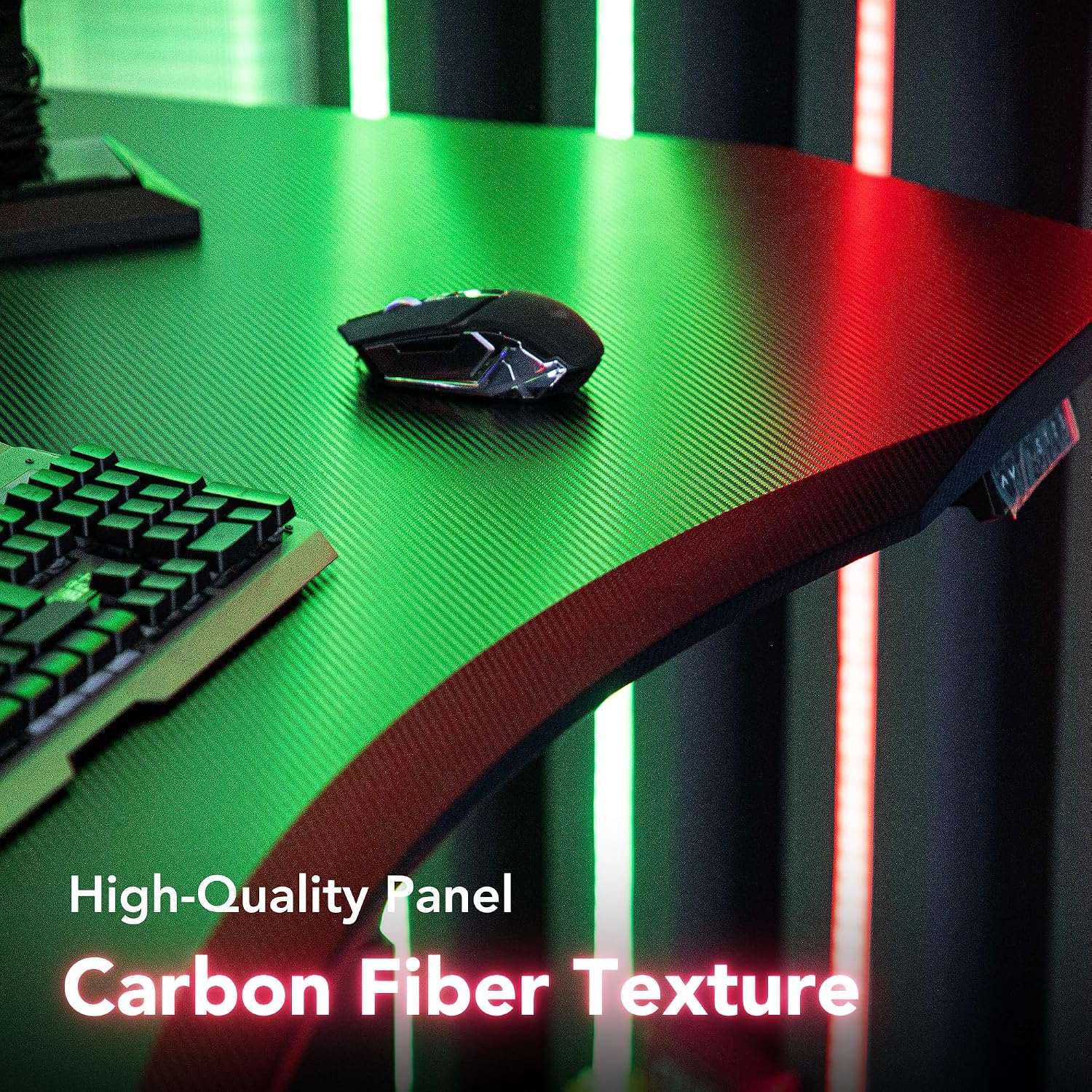
Детальний view of the desk's high-quality panel, showcasing its carbon fiber texture for a modern and durable finish.
Гарантія
This HUANUO Standing Desk comes with a Limited Warranty. For specific details regarding warranty coverage, duration, and terms, please refer to the warranty card included with your product or contact HUANUO customer support.
Підтримка
If you encounter any issues or have questions not covered in this manual, please contact HUANUO customer service for assistance. Contact information can typically be found on the product packaging, the HUANUO official webсайті або через вашого продавця.