
вступ
Thank you for choosing the Ortizan D1 Dynamic XLR/USB Microphone. This manual provides essential information for the proper setup, operation, and maintenance of your microphone. Please read it thoroughly before use to ensure optimal performance and longevity of the product.
Що включено
The Ortizan D1 Dynamic XLR/USB Microphone package includes the following components:
- 1 × USB/XLR Dynamic Microphone
- 1 × Microphone Pop Filter
- 1 × XLR Cable
- 1 × кабель USB-A – USB-C
- 1 × Boom Arm Clamp
- 1 × Boom Arm Stand
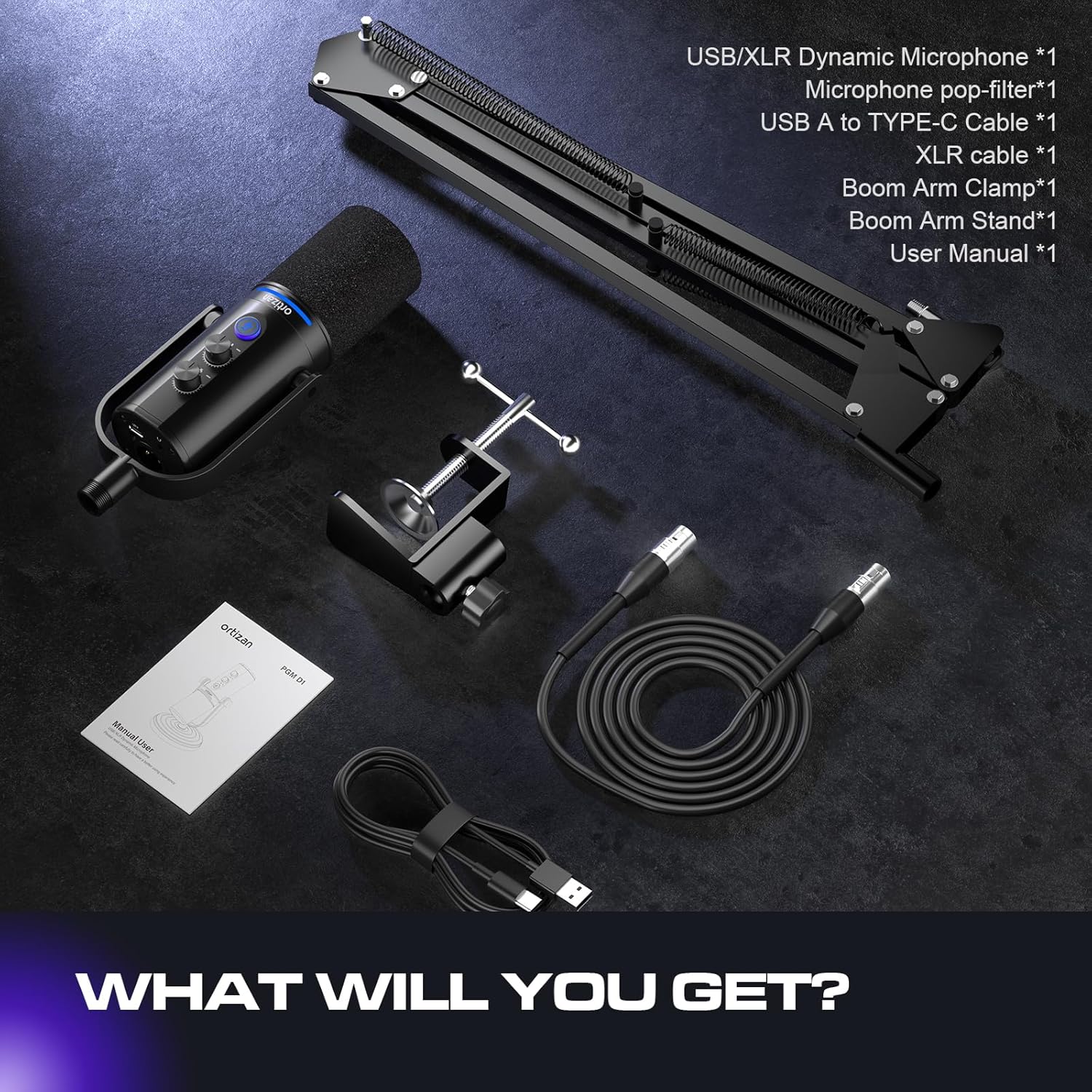
Image: All components included in the Ortizan D1 microphone package.
Продукт закінченийview
The Ortizan D1 microphone is designed for high-quality audio capture in various applications, including podcasting, streaming, gaming, and recording. It features dual USB and XLR connectivity for versatile use.
Ключові характеристики:
- Clean Sound Quality: Offers a frequency response of 40Hz to 16kHz, providing a balanced and detailed sound. The super-cardioid pickup pattern effectively minimizes ambient noise from sources like hard drives or computer fans, ensuring your voice remains clear and prominent.
- Гнучке підключення: Equipped with both USB and XLR connections, making it suitable for various audio setups. The XLR interface enhances sound space for immersive podcasting and professional audio transfer, while the USB connection is convenient for daily recording needs and portability.
- Mute Button & Noise Reduction: Features a dedicated mute button for instant silencing, useful for privacy during live streams or avoiding unnecessary noise during recording. Pressing and holding the mute button activates noise reduction (available only for USB connection), ensuring audio authenticity and clarity.
- Real-time Monitoring & Volume Control: Includes a 3.5mm headphone jack for real-time audio monitoring and a headphone volume control knob. This allows you to monitor your output sound and adjust monitoring levels directly on the microphone.
- Sturdy & Flexible Arm Stand: Comes with an adjustable boom arm stand. The clamp fits most desktops up to 2 inches thick. Both the boom arm and microphone are adjustable, allowing you to position the microphone at the ideal angle and height.
- Режими освітлення RGB: Features 7 RGB lighting modes to enhance your streaming or gaming environment.

Image: Extreme Noise Reduction capabilities of the Ortizan D1 microphone.

Image: Simple and comprehensive functions on the microphone body.

Image: Supercardioid Dynamic Mic with recommended best range for use.
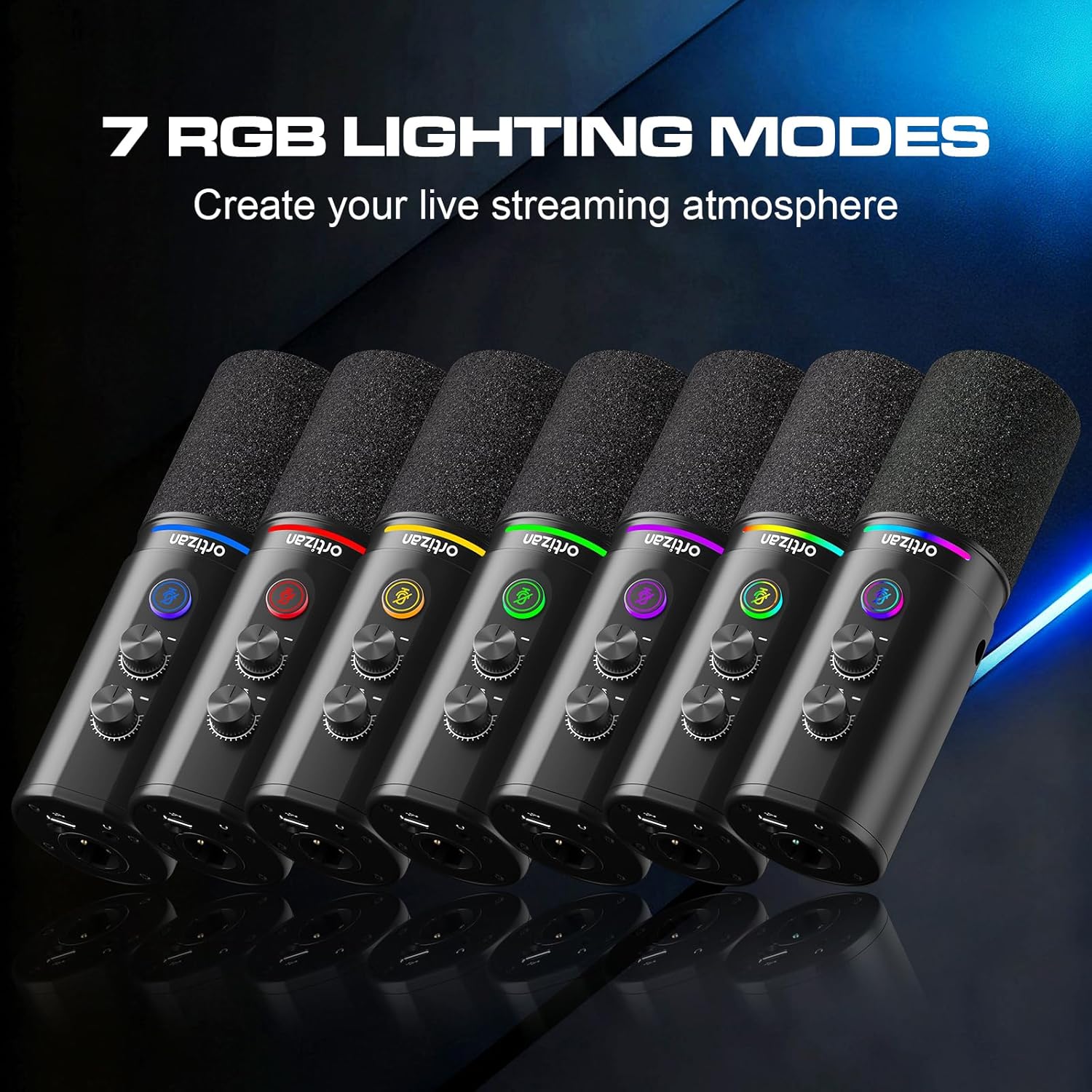
Image: The 7 RGB Lighting Modes available on the microphone.

Image: USB-C and XLR Connectivity options and compatibility.
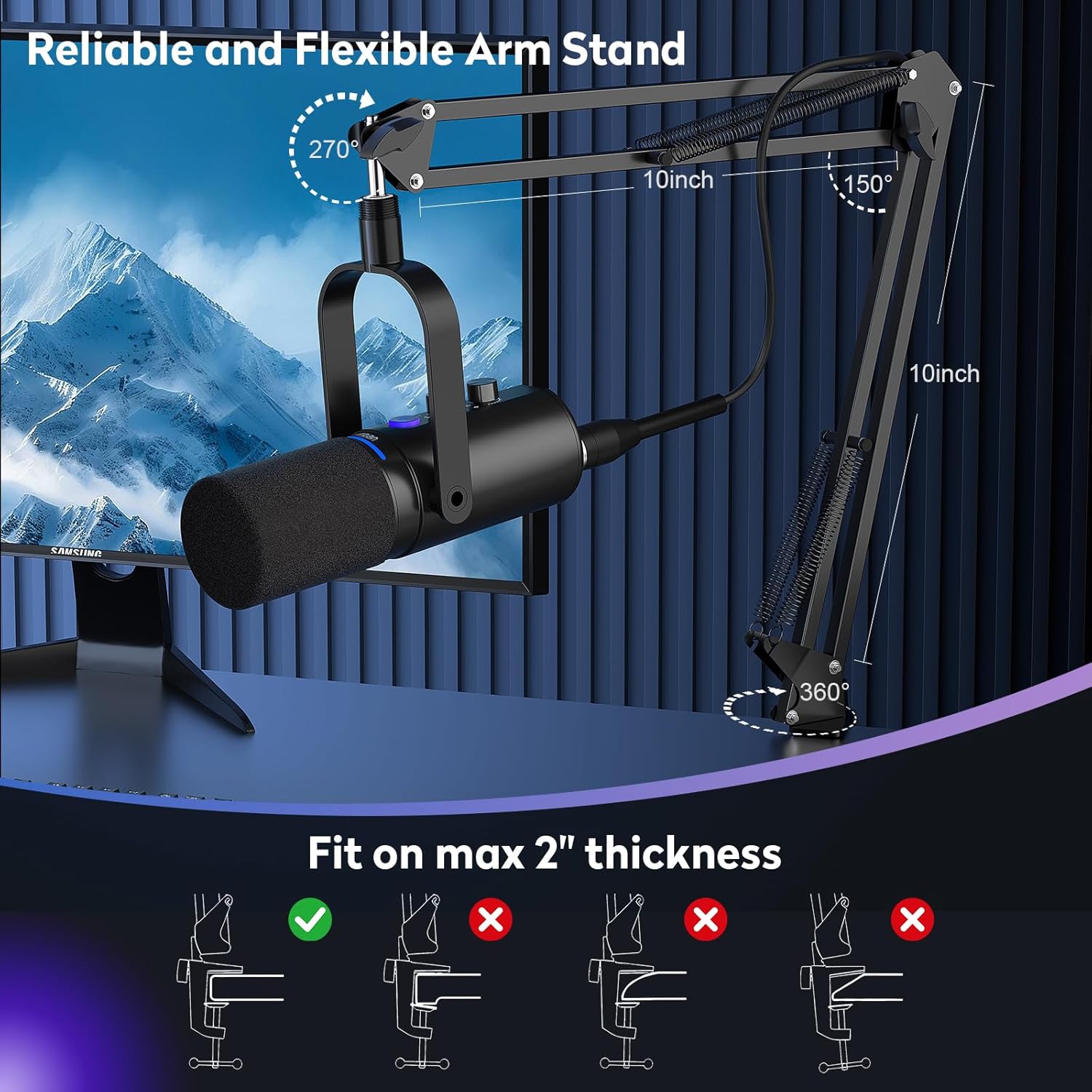
Image: Reliable and Flexible Arm Stand setup.
Інструкції з налаштування
- Зберіть стійку стріли: Прикріпіть стрілу клamp to your desktop. Ensure the desktop thickness does not exceed 2 inches for a secure fit. Insert the boom arm into the clamp і затягніть його.
- Підключіть мікрофон: Screw the Ortizan D1 microphone onto the boom arm stand. Adjust the angle and height of the microphone for optimal positioning.
- Прикріпіть поп-фільтр: Secure the pop filter to the boom arm or microphone stand, positioning it directly in front of the microphone capsule.
- Connect via USB (Plug and Play):
- Connect the USB-C end of the provided cable to the microphone.
- Connect the USB-A end to an available USB port on your computer (Windows/Mac OS), PS4/PS5, or other compatible device.
- The microphone should be automatically recognized by your operating system. Select it as your input device in your system's sound settings and your recording/streaming software.
- Connect via XLR (Professional Audio Interface):
- Connect one end of the provided XLR cable to the XLR port on the microphone.
- Connect the other end of the XLR cable to an XLR input on your mixer or audio interface.
- Ensure your mixer/audio interface is properly configured and connected to your computer.
- Connect Headphones for Monitoring: Plug your 3.5mm headphones into the headphone jack located on the microphone for real-time audio monitoring.
Інструкція з експлуатації
Елементи керування мікрофоном:
- Ручка регулювання посилення мікрофона: Rotate this knob to adjust the input sensitivity (gain) of the microphone. Adjust it to achieve a strong signal without clipping.
- Регулятор гучності навушників: Rotate this knob to control the volume of the audio output to your connected headphones.
- Кнопка вимкнення звуку: Press the button once to instantly mute or unmute the microphone. The indicator light will change to show the mute status.
- Noise Reduction (USB Mode Only): Press and hold the mute button for a few seconds to activate or deactivate the noise reduction feature. This helps to filter out background ambient sounds.
- Режими освітлення RGB: The microphone features customizable RGB lighting. Refer to the specific product documentation or experiment with button combinations (if any) to cycle through the 7 available lighting modes.
Оптимальне використання:
- For best sound quality and to minimize background noise, position the microphone between 2 to 6 inches (5 to 15 cm) from your mouth.
- Ensure the pop filter is correctly placed to reduce plosive sounds (P's and B's).
- Regularly monitor your audio through headphones to ensure desired sound levels and clarity.
Технічне обслуговування
- Прибирання: Використовуйте м’яку суху тканину для очищення корпусу мікрофона. Не використовуйте агресивні хімікати або абразивні засоби для чищення.
- Зберігання: Коли мікрофон не використовується, зберігайте його в чистому, сухому місці, подалі від екстремальних температур та вологості.
- Обробка: Поводьтеся з мікрофоном обережно. Уникайте падіння та сильних ударів, оскільки це може пошкодити внутрішні компоненти.
Усунення несправностей
| проблема | Можлива причина | Рішення |
|---|---|---|
| Немає звуку з мікрофона. |
|
|
| Надмірний фоновий шум. |
|
|
| No sound in headphones. |
|
|
| Мікрофон не розпізнається комп'ютером. |
|
|
Технічні характеристики
| Особливість | Специфікація |
|---|---|
| Форм-фактор мікрофона | Studio Condenser (Dynamic) |
| Технологія підключення | USB, XLR |
| Тип роз'єму | USB Type-C |
| Полярний візерунок | Супер кардіоїд |
| АЧХ | 40 Гц - 16 кГц |
| Співвідношення сигнал / шум (SNR) | 85 дБ |
| матеріал | метал |
| Джерело живлення | Corded Electric (USB/XLR) |
| Сумісні пристрої | Windows, Mac OS, PlayStation 4, PlayStation 5, Mixer, Audio Interface |
| Особливості | Monitoring Jack, Mute Function, Volume Control, Controllable RGB Lighting, Plug & Play |
| Розміри виробу (ДхШхВ) | 7 х 20 х 20 см |
| Вага товару | 950 г |
Гарантія та підтримка
For warranty information and technical support, please refer to the warranty card included with your product or contact the retailer from whom you purchased the Ortizan D1 microphone. You may also visit the official Ortizan webсайт для отримання додаткової допомоги та оновлених ресурсів підтримки.