
1. Вступ
This manual provides detailed instructions for the installation, operation, and maintenance of your SENTKENG Y05009 Indoor Camera. Please read this manual thoroughly before using the product to ensure proper function and safety. The SENTKENG Y05009 is a 1080P WiFi camera designed for indoor monitoring, featuring pan/tilt capabilities, two-way audio, IR night vision, and motion detection.
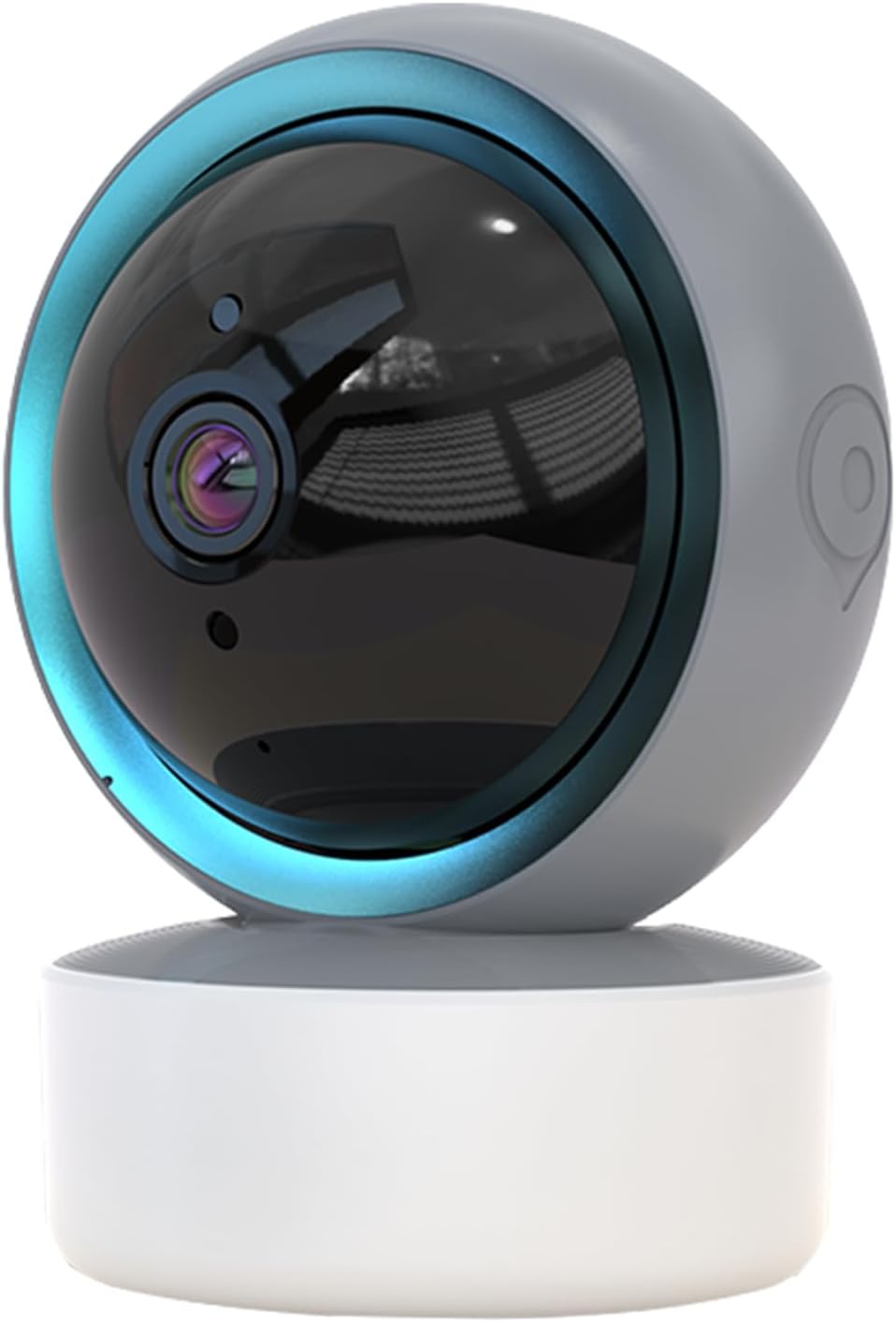
Image 1.1: SENTKENG Y05009 Indoor Camera. This image displays the compact, spherical design of the camera with its lens and base.
2. Вміст упаковки
Будь ласка, перевірте наявність усіх предметів у упаковці:
- SENTKENG Y05009 Indoor Camera
- USB кабель живлення
- Power Adapter (not explicitly listed but implied for a plug-in device)
- Монтажний кронштейн і гвинти
- Інструкція з експлуатації

Image 2.1: Package Contents. This image shows the camera, USB cable, mounting accessories, and the user manual included in the box.
3. Продукт закінчивсяview
The SENTKENG Y05009 camera features a compact design with essential components for effective indoor monitoring.
3.1 Компоненти камери
- Об'єктив: Записує відео у форматі 1080P.
- Інфрачервоні світлодіоди: Забезпечують можливості нічного бачення.
- Мікрофон: Для аудіовходу та двостороннього розмови.
- Доповідач: Для виведення звуку та двостороннього розмови.
- Слот для карт MicroSD: Підтримка локального сховища до 128 ГБ (карта не входить до комплекту).
- Кнопка скидання: Використовується для скидання до заводських налаштувань або режиму сполучення.
- Порт живлення: USB port for connecting the power cable.
Image 3.1: Camera Component Details. This image highlights the speaker, microSD card slot, reset button, and power port on the camera.
4. Налаштування
Follow these steps to set up your SENTKENG Y05009 Indoor Camera.
4.1 Увімкнення
- Підключіть кабель живлення USB до порту живлення камери.
- Підключіть інший кінець USB-кабелю до наданого адаптера живлення.
- Plug the power adapter into a standard electrical outlet. The camera will power on and initiate its startup sequence.
4.2 Встановлення програми та створення облікового запису
- Завантажити InstaVision додаток з магазину додатків вашого смартфона (iOS або Android).
- Open the InstaVision app and create a new account or log in if you already have one.

Image 4.1: InstaVision App Interface. This image shows the 'Welcome to InstaVision' screen on a smartphone, illustrating the initial app setup.
4.3 Підключення до Wi-Fi
The camera supports 2.4GHz Wi-Fi networks only.
- In the InstaVision app, tap 'Add Device' or the '+' icon.
- Select your camera model or 'Smart Camera'.
- Follow the on-screen instructions to connect the camera to your 2.4GHz Wi-Fi network. This typically involves scanning a QR code generated by the app with the camera's lens or listening for an audio prompt.
- Після підключення індикатор камери зміниться, і ви отримаєте підтвердження в застосунку.
4.4 Розміщення та монтаж
The camera can be placed on a flat surface or mounted to a ceiling.
- Настільне кріплення: Place the camera on a stable, flat surface such as a table or shelf.
- Монтаж стелі: Use the provided mounting bracket and screws to secure the camera to the ceiling. Ensure the camera is oriented correctly for optimal viewінж.
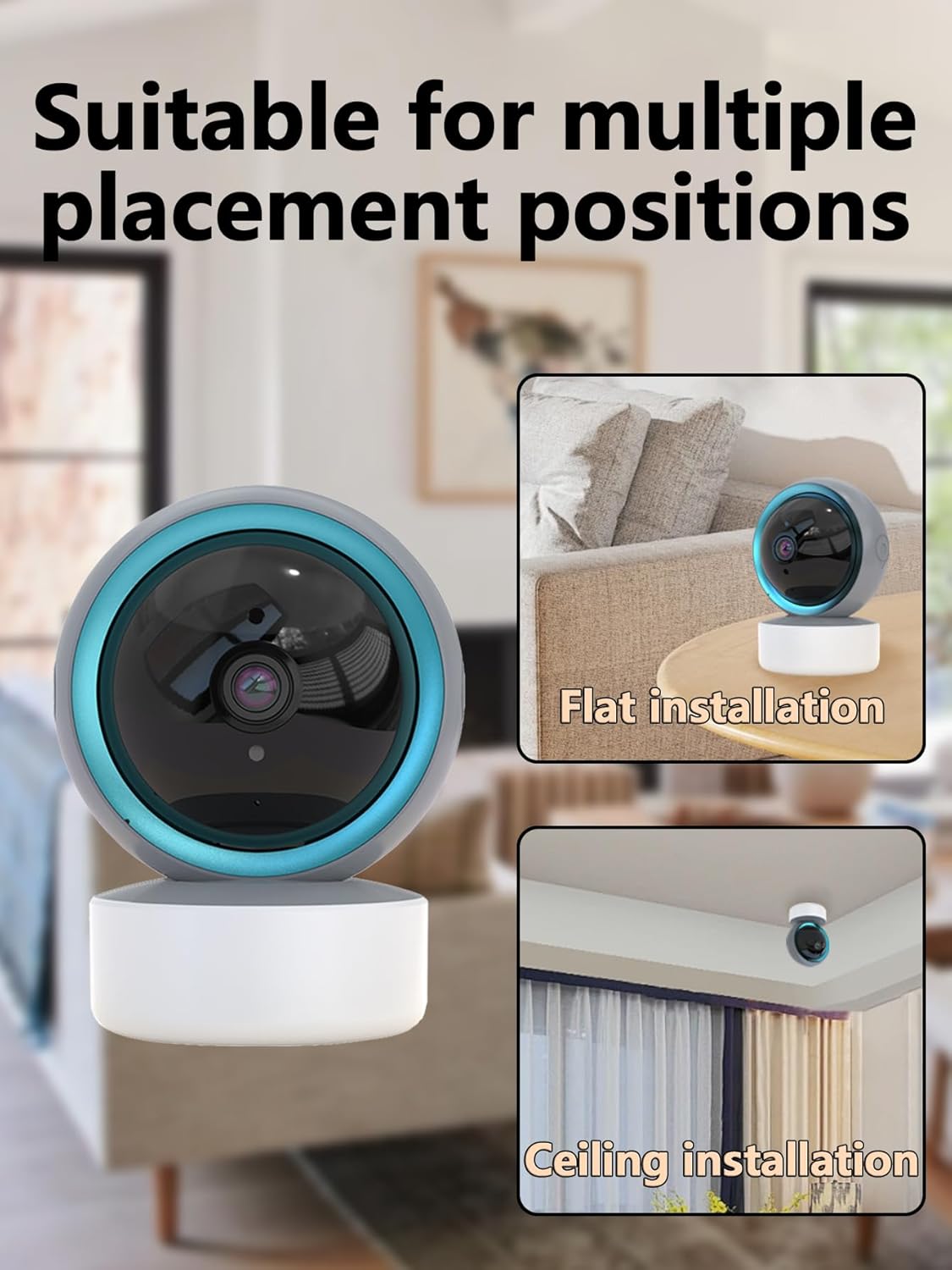
Image 4.2: Multiple Placement Positions. This image illustrates the camera placed on a flat surface and mounted on a ceiling.
5. Інструкція з експлуатації
Learn how to use the various features of your SENTKENG Y05009 camera.
5.1 Живий View та керування панорамуванням/нахилом
- Open the InstaVision app and select your camera from the device list.
- Ви побачите відеотрансляцію в реальному часі.
- Use the directional controls within the app to remotely rotate the camera lens: 355° по горизонталі і 90° по вертикалі.

Image 5.1: Multi-Angle Rotation. This image demonstrates the camera's ability to rotate 355 degrees horizontally and 90 degrees vertically.
5.2 Двосторонній аудіозв'язок
The camera features a built-in microphone and speaker for real-time communication.
- У прямому ефірі view, торкніться значка мікрофона в додатку.
- Speak into your phone to transmit audio through the camera's speaker.
- The camera's microphone will capture audio from its surroundings, which you can hear through your phone.
5.3 Виявлення руху та сповіщення
The camera can detect motion and send instant notifications to your phone.
- Enable motion detection in the InstaVision app settings for your camera.
- За потреби налаштуйте рівні чутливості.
- When motion is detected, you will receive a push notification on your smartphone.
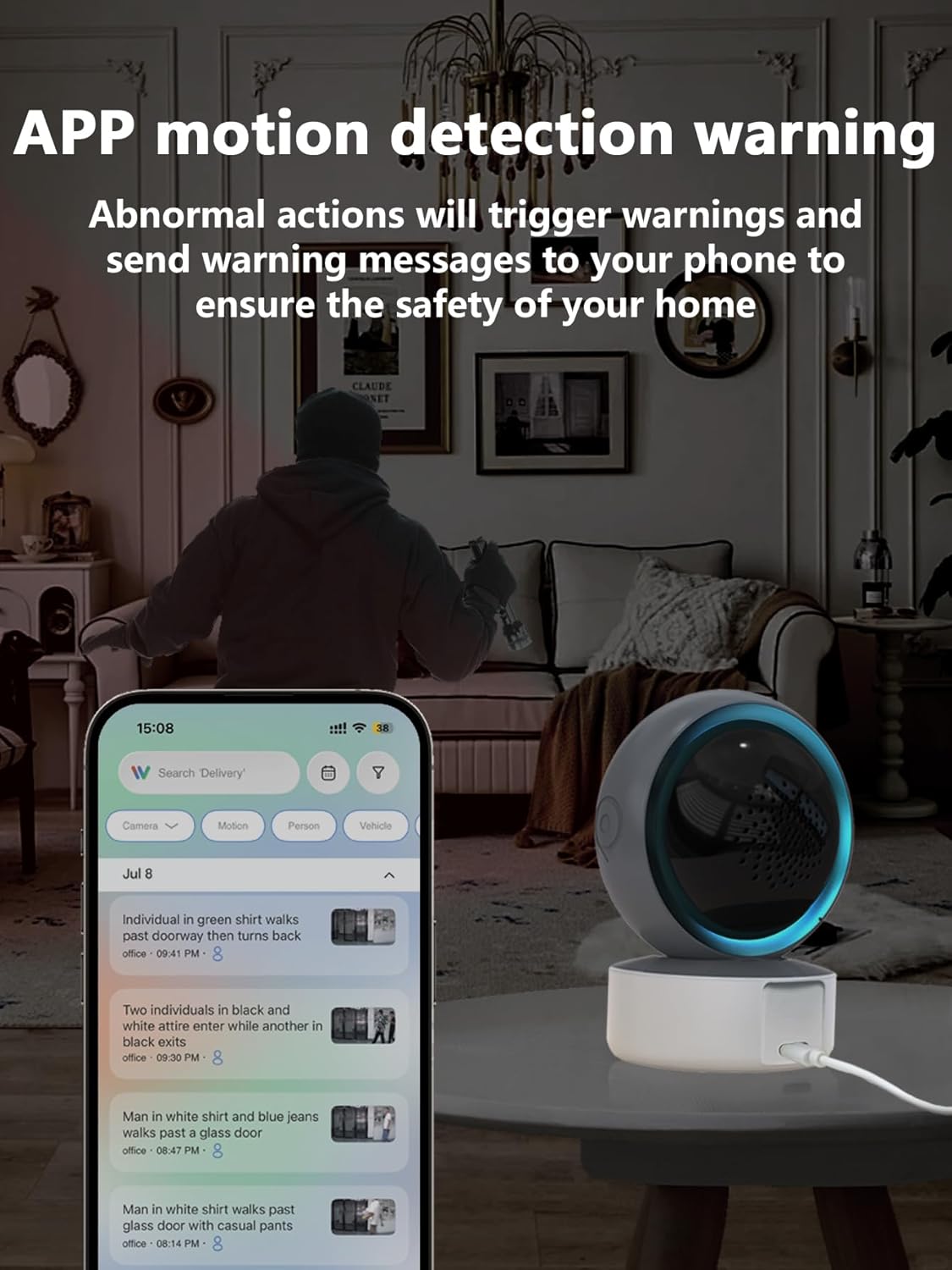
Image 5.2: APP Motion Detection Warning. This image shows a smartphone displaying motion detection alerts from the InstaVision app, with the camera monitoring a room.
5.4 ІЧ-нічного бачення
Камера автоматично перемикається на інфрачервоне нічне бачення в умовах слабкого освітлення.
- Infrared LEDs provide clear black-and-white images up to 8 meters in complete darkness.
- No manual activation is required; the camera adjusts automatically.

Image 5.3: Clear IR Night Vision. This image depicts the camera providing a clear view in a dark room, with a smartphone displaying the night vision feed.
5.5 Зберігання відео
The camera offers two storage options for recorded footage:
- Картка MicroSD: Insert a microSD card (up to 128GB, not included) into the camera's slot for local storage. Recordings will be saved directly to the card.
- Хмарний сервіс: An optional cloud storage subscription is available through the InstaVision app for remote and secure storage of your video recordings.

Image 5.4: Video Playback & Storage Function. This image shows the camera, a microSD card, and a smartphone displaying cloud storage icons, illustrating the dual storage options.
5.6 AI Detection (Subscription)
Advanced AI-powered detection features are available with a paid InstaVision app subscription. These features may include:
- Виявлення особи
- Виявлення домашніх тварин
- Specific human action recognition
5.7 Багатокористувацький режим Viewінж
The InstaVision app allows multiple users to view одночасно подавати зображення з камери.
- In the app, navigate to the camera settings and find the 'Share Device' option.
- Invite other users by entering their InstaVision account details.
- Shared users will receive an invitation and can then access the camera feed.

Image 5.5: Simultaneous Online Viewing by Multiple Users. This image shows several individuals viewing the camera feed on their smartphones, indicating the family share function.
6. Технічне обслуговування
Регулярне технічне обслуговування допомагає забезпечити довговічність та оптимальну роботу вашої камери.
- Прибирання: Обережно протріть об’єктив та корпус камери м’якою сухою тканиною. Уникайте використання агресивних хімікатів або абразивних матеріалів.
- Оновлення програмного забезпечення: Periodically check the InstaVision app for firmware updates for your camera. Keeping the firmware updated ensures you have the latest features and security enhancements.
- Цикл живлення: Якщо з камерою виникли проблеми, спробуйте відключити її від джерела живлення на 10 секунд, а потім знову підключити.
7. Вирішення проблем
If you encounter problems with your SENTKENG Y05009 camera, refer to the following common issues and solutions.
- Camera is offline:
- Ensure the camera is properly powered on and the power adapter is securely plugged in.
- Check your Wi-Fi network connection. Ensure the camera is within range of your 2.4GHz Wi-Fi router.
- Перезавантажте камеру, від’єднавши та знову підключивши її.
- If the issue persists, try resetting the camera and re-pairing it with the app.
- Неможливо підключитися до Wi-Fi:
- Verify that your Wi-Fi network is 2.4GHz. The camera does not support 5GHz networks.
- Переконайтеся, що ви вводите правильний пароль Wi-Fi.
- Move the camera closer to your Wi-Fi router during the setup process.
- Reset the camera and attempt the connection process again.
- Motion detection alerts are not received:
- Check the motion detection settings in the InstaVision app to ensure it is enabled and sensitivity is adjusted appropriately.
- Verify that your smartphone's notification settings allow alerts from the InstaVision app.
- Переконайтеся, що камера має стабільне інтернет-з’єднання.
- Погана якість відео:
- Переконайтеся, що об'єктив камери чистий і не містить пилу чи плям.
- Перевірте силу сигналу Wi-Fi. Слабкий сигнал може вплинути на якість потокового передавання.
- Забезпечте достатнє освітлення для оптимального денного відеозйомки.
8. Технічні характеристики
| Особливість | Специфікація |
|---|---|
| Назва моделі | Y05009 |
| Використання в приміщенні/зовні | закритий |
| Роздільна здатність захоплення відео | 1080p |
| Технологія підключення | Бездротовий зв'язок (2.4 ГГц Wi-Fi) |
| Джерело живлення | Провідний електричний |
| Діапазон повороту/нахилу | По горизонталі 355°, по вертикалі 90° |
| Діапазон нічного бачення | 8 метрів |
| Параметри зберігання | MicroSD Card (up to 128GB), Cloud Storage (subscription) |
| Двостороннє аудіо | так |
| Виявлення руху | так |
| Особливості ШІ | Optional (subscription required) |
| Сумісні пристрої | Смартфон (iOS, Android) |
| Розміри продукту | 3.58 x 2.97 x 4.69 дюймів |
| Вага товару | 9 унції |
9. Інформація для підтримки
For further assistance or technical support, please refer to the contact information provided with your product packaging or visit the official SENTKENG webсайт.