
1. Вступ
The SENTKENG Y03008 InstaVision 1080P WiFi Camera is an indoor security camera designed for monitoring your home, baby, or pets. It offers 1080P Full HD video, pan and tilt functionality for wide coverage, two-way audio communication, infrared night vision, and intelligent motion detection. This manual provides essential information for setting up, operating, and maintaining your camera.
2. Інформація про безпеку
- Ensure the camera is used indoors only.
- Використовуйте лише надані адаптер живлення та кабель.
- Тримайте пристрій подалі від води, вологи та екстремальних температур.
- Не намагайтеся розбирати або ремонтувати камеру самостійно. Зверніться до служби підтримки, якщо виникнуть проблеми.
- Зберігати в недоступному для дітей та домашніх тварин місці.
3. Вміст упаковки
Будь ласка, перевірте упаковку на наявність наступних предметів:
- SENTKENG Y03008 InstaVision 1080P WiFi Camera
- Інструкція з експлуатації
- Зарядний кабель типу С
- Настінний кронштейн
- Гвинтовий пакет

Image: The camera, Type-C charging cable, wall bracket, screw package, and instruction manual are included in the box.
4. Продукт закінчивсяview
Familiarize yourself with the main components of your camera:
- Об'єктив камери: Записує відео у форматі Full HD 1080P.
- Доповідач: Для двостороннього аудіо зв'язку.
- Storage Card Slot: Insert a microSD card (up to 128GB, not included) for local storage.
- Клавіша скидання: Використовується для скидання налаштувань камери до заводських.
- Порт зарядки Type-C: Підключіть сюди кабель живлення.
Зображення: Детальний view of the camera highlighting the camera lens, speaker, storage card slot, reset key, and Type-C charging port.
5. Посібник із налаштування
5.1 Powering On and App Installation
- Увімкнення: Connect the camera to a power outlet using the provided Type-C charging cable and power adapter. The camera will power on automatically.
- Download the InstaVision App: шукати 'InstaVision' in your smartphone's app store (iOS or Android) and download the application.
- Реєстрація/Увійти: Open the InstaVision app and follow the on-screen instructions to register a new account or log in if you already have one.

Image: The camera next to a smartphone displaying the InstaVision app's welcome screen, illustrating the easy connection process.
5.2 Підключення до Wi-Fi
- Додати пристрій: In the InstaVision app, tap the '+' icon or 'Add Device' to begin the pairing process.
- Виберіть тип камери: Choose the appropriate camera model from the list.
- Дотримуйтесь інструкцій у додатку: The app will guide you through connecting the camera to your 2.4GHz Wi-Fi network. Ensure your phone is connected to the same 2.4GHz Wi-Fi network during setup.
- Підтвердження: Після підключення індикатор камери зміниться, а додаток підтвердить успішне сполучення.
5.3 Параметри встановлення
The SENTKENG Y03008 camera offers flexible installation:
- Tabletop Mount (Freestanding): Place the camera on any flat surface such as a table, shelf, or desk. Ensure it has a clear view області, яку ви бажаєте контролювати.
- Стельовий монтаж: Use the included wall bracket and screws to mount the camera to the ceiling. After mounting, you may need to adjust the image orientation in the InstaVision app settings.

Зображення: Прamples of camera placement, showing both flat surface installation and ceiling mounting options.
6. Інструкція з експлуатації
6.1 Живий View і Відтворення
Once connected, open the InstaVision app to access the live video feed from your camera. You can view foo в режимі реального часуtage і review recorded events from anywhere, anytime.
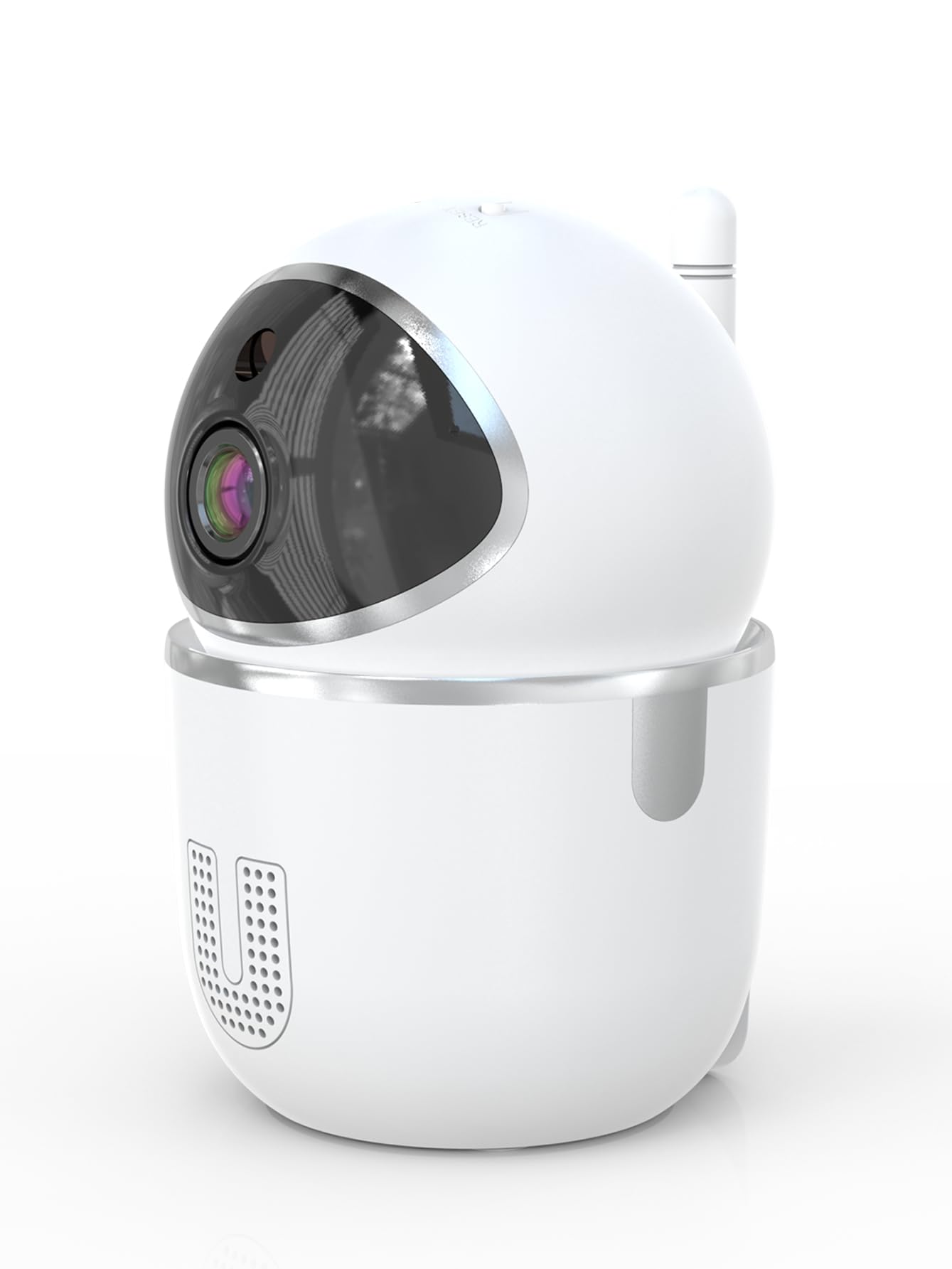
Image: A smartphone displaying the live video feed from the camera, showing a living room scene.
6.2 Керування панорамуванням та нахилом
Remotely control the camera's viewing angle through the InstaVision app. The camera supports 355° horizontal rotation and 90° vertical tilt, allowing you to cover a wide area with minimal blind spots.

Image: The camera illustrating its pan (355°) and tilt (90°) capabilities, showing the range of motion.
6.3 Двосторонній аудіозв'язок
The built-in microphone and speaker enable real-time two-way communication. Tap the microphone icon in the app to speak through the camera, and listen to audio from the camera's surroundings.
6.4 Нічне бачення
The camera is equipped with powerful infrared LEDs, providing clear black-and-white video footage in low-light conditions or complete darkness, ensuring 24/7 monitoring.
6.5 Виявлення руху та сповіщення
The camera detects motion and sends instant notifications to your smartphone. You can customize motion detection sensitivity and alert schedules within the InstaVision app.

Image: A smartphone screen showing a list of motion detection events and alerts, indicating human presence.
6.6 Варіанти зберігання
- Пам'ять на картці MicroSD: Insert a microSD card (up to 128GB, not included) into the camera's card slot for local recording. The camera will automatically overwrite the oldest footagе. коли картка заповнена.
- Хмарне сховище: An optional cloud service is available via a paid InstaVision app subscription. This provides secure off-site storage for your recordings.

Image: The camera with visual cues indicating support for both local microSD card storage (up to 128GB) and optional cloud storage.
6.7 AI Detection (Subscription)
With a paid InstaVision app subscription, you can access advanced AI-powered features such as recognizing people, pets, and specific human actions. This allows for more precise alerts and faster searching of recorded events.

Image: A smartphone screen demonstrating the contextual AI search feature, allowing users to quickly find specific events like package deliveries or pet movements.
6.8 Багатокористувацький режим Viewінж
Share access to your camera's live feed with family members or trusted individuals through the InstaVision app, allowing multiple users to view камеру одночасно.

Image: The camera surrounded by multiple smartphones, illustrating the multi-user viewing capability for real-time online monitoring.
7. Технічне обслуговування
- Прибирання: Використовуйте м’яку суху тканину для очищення об’єктива та корпусу камери. Не використовуйте рідкі засоби для чищення або аерозолі.
- Оновлення прошивки: Regularly check the InstaVision app for available firmware updates. Keeping your camera's firmware updated ensures optimal performance and security.
- Керування карткою MicroSD: If using a microSD card, periodically check its status in the app. Format the card if necessary to maintain recording quality.
8. Вирішення проблем
8.1 Камера не підключається до Wi-Fi
- Переконайтеся, що ваша мережа Wi-Fi працює на частоті 2.4 ГГц. Камера не підтримує Wi-Fi 5 ГГц.
- Перевірте, чи правильно введено пароль Wi-Fi.
- Перемістіть камеру ближче до вашого Wi-Fi роутера.
- Перезавантажте роутер і камеру.
- Perform a factory reset on the camera using the reset key and try connecting again.
8.2 Немає відеопотоку
- Переконайтеся, що камера увімкнена та підключена до Wi-Fi.
- Перевірте підключення до Інтернету.
- Restart the InstaVision app.
8.3 Виявлення руху не працює
- Ensure motion detection is enabled in the InstaVision app settings.
- Налаштуйте чутливість виявлення руху.
- Перевірте налаштування зони виявлення, щоб переконатися, що охоплено потрібну область.
8.4 Проблеми з двостороннім аудіозв'язком
- Ensure your phone's microphone is enabled for the InstaVision app.
- Перевірте налаштування гучності на телефоні та в додатку.
- Ensure there are no obstructions blocking the camera's speaker or microphone.
9. Технічні характеристики
| Назва моделі | Y03008 InstaVision |
| Використання в приміщенні/зовні | закритий |
| Роздільна здатність захоплення відео | 1080p Full HD |
| Діапазон повороту/нахилу | 355° по горизонталі, 90° по вертикалі |
| Технологія підключення | Бездротовий зв'язок (2.4 ГГц Wi-Fi) |
| Джерело живлення | Провідний електричний |
| Діапазон нічного бачення | 8 метрів |
| Параметри зберігання | MicroSD card (up to 128GB, not included), Cloud Storage (optional subscription) |
| Особливості | 2-Way Audio, PTZ Technology, Motion Detection, AI Detection (subscription) |
| Розміри продукту | 3.18 x 2.63 x 4.02 дюймів |
| Вага товару | 8.5 унції |
10. Гарантія та підтримка
10.1 Інформація про гарантію
For detailed warranty information, please refer to the documentation included with your purchase or visit the official SENTKENG webсайт. Зберігайте чек про покупку для гарантійних претензій.
10.2 Підтримка клієнтів
If you encounter any issues or have questions regarding your SENTKENG Y03008 InstaVision Camera, please contact SENTKENG customer support through the InstaVision app or the official SENTKENG website. Our support team is available to assist you.