
1. Вступ
Дякуємо за покупкуasing the LG 27G411A UltraGear Gaming Monitor. This manual provides essential information for the safe and efficient use of your monitor. Please read it thoroughly before operating the product and retain it for future reference. This 27-inch Full HD (1920 x 1080) IPS display is designed for an immersive gaming experience, featuring a 144Hz refresh rate, 1ms Motion Blur Reduction (MBR), HDR10 support, and compatibility with NVIDIA G-Sync and AMD FreeSync technologies.
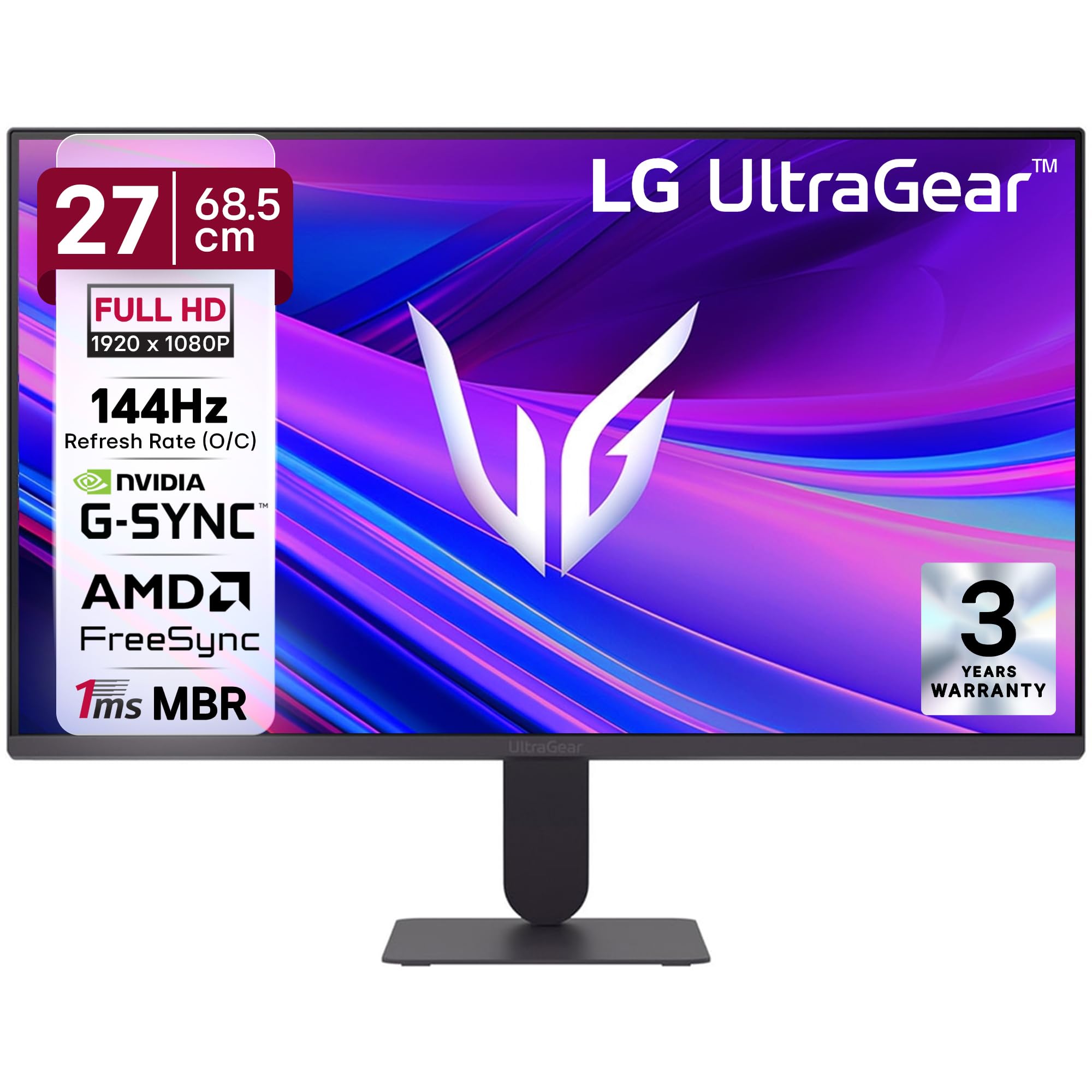
Малюнок 1: Спереду view of the LG 27G411A UltraGear Gaming Monitor.
2. Інформація про безпеку
Дотримуйтесь наступних запобіжних заходів, щоб запобігти пошкодженню виробу або травмуванню себе та інших.
- Потужність: Use only the power cord and adapter supplied with the monitor. Do not overload power outlets.
- Розміщення: Place the monitor on a stable, level surface. Avoid direct sunlight, heat sources, and areas with high humidity or dust. Ensure adequate ventilation around the monitor.
- Обробка: Do not drop the monitor or subject it to strong impacts. Avoid touching the screen with sharp objects.
- Прибирання: Від’єднайте шнур живлення від мережі перед чищенням. Використовуйте м’яку суху тканину. Не використовуйте рідкі засоби для чищення або аерозольні спреї.
- Ремонт: Не намагайтеся самостійно обслуговувати цей виріб. Зверніть усі послуги до кваліфікованого обслуговуючого персоналу.
3. Вміст упаковки
Перевірте наявність усіх елементів у коробці з вашим товаром:
- LG 27G411A UltraGear Monitor
- Кабель живлення
- Кабель HDMI
- Підставка для монітора (основа та шия)
- Посібник користувача (цей документ)
4. Налаштування
4.1 Збірка монітора
Виконайте ці кроки, щоб зібрати підставку монітора та прикріпити її до панелі дисплея.
- Carefully place the monitor face down on a soft cloth or cushion to prevent scratches.
- Attach the stand neck to the base, securing it with the captive screw.
- Align the assembled stand with the mounting slot on the back of the monitor panel and push until it clicks into place.
- Alternatively, the monitor supports VESA 100x100mm wall mounting. Remove the stand if using a wall mount.

Figure 2: Illustration of the monitor's ultra-slim design, tilt adjustment, and VESA wall mount compatibility.
4.2 Підключення монітора
Підключіть пристрої до монітора за допомогою відповідних кабелів.
- Підключення живлення: Підключіть кабель живлення до входу живлення монітора, а потім до розетки.
- Підключення HDMI: Use the supplied HDMI cable to connect your computer or gaming console to the HDMI port on the monitor.
- Підключення DisplayPort: For optimal performance, especially for 144Hz refresh rate, connect your computer to the DisplayPort (DP) on the monitor using a DisplayPort cable (not always included).
- Вихід для навушників: Connect headphones or external speakers to the 3-pole headphone out port for audio output.

Малюнок 3: Задня частина view of the monitor displaying the power input, HDMI, DisplayPort, and headphone out ports.

Малюнок 4: Детально view of the DisplayPort (DP-IN), HDMI, and Headphone (HP) ports.
5. Інструкція з експлуатації
5.1 Увімкнення/вимкнення живлення
Press the joystick button located at the bottom center of the monitor to turn it on or off. A short press will bring up the OSD menu, while a long press will power off the monitor.
5.2 Екранне меню (OSD)
Екранне меню дозволяє налаштовувати різні параметри монітора. Використовуйте кнопку джойстика для навігації:
- Переміщуйте джойстик вгору/вниз/вліво/вправо для навігації між пунктами меню.
- Натисніть джойстик, щоб вибрати опцію або підтвердити налаштування.
5.3 Режими зображення
The monitor offers several preset picture modes optimized for different content types:
- Спеціальний: Allows manual adjustment of all picture settings.
- Gamer1/Gamer2: User-configurable modes for gaming preferences.
- FPS/RTS: Optimized for First-Person Shooter and Real-Time Strategy games.
- Яскравий: Enhances color and contrast for general viewінж.
- Читач: Зменшує синє світло для комфортного читання.
- Ефект HDR: Simulates HDR content for non-HDR sources.
- Слабкість кольору: Налаштовує параметри кольору для користувачів із порушеннями кольорового зору.
5.4 Покращення в іграх
The LG 27G411A is equipped with features to enhance your gaming experience:
- Частота оновлення 144 Гц та MBR 1 мс: Experience fluid motion and reduced ghosting. The monitor supports a native 120Hz refresh rate and up to 144Hz in overclock mode via DisplayPort 1.4 (HDMI 2.0 supports up to 144Hz).
- AMD FreeSync & NVIDIA G-Sync Compatible: Синхронізує частоту оновлення монітора з частотою кадрів вашого графічного процесора, щоб усунути розриви та заїкання екрана.
- Чорний стабілізатор: Освітлює темні ділянки, щоб допомогти вам помітити ворогів, що ховаються в тінях.
- Синхронізація динамічних дій (DAS): Minimizes input lag for real-time action.
- Перехрестя: Розміщує фіксоване перехрестя прицілу в центрі екрана для покращення прицілювання в іграх від першої особи.
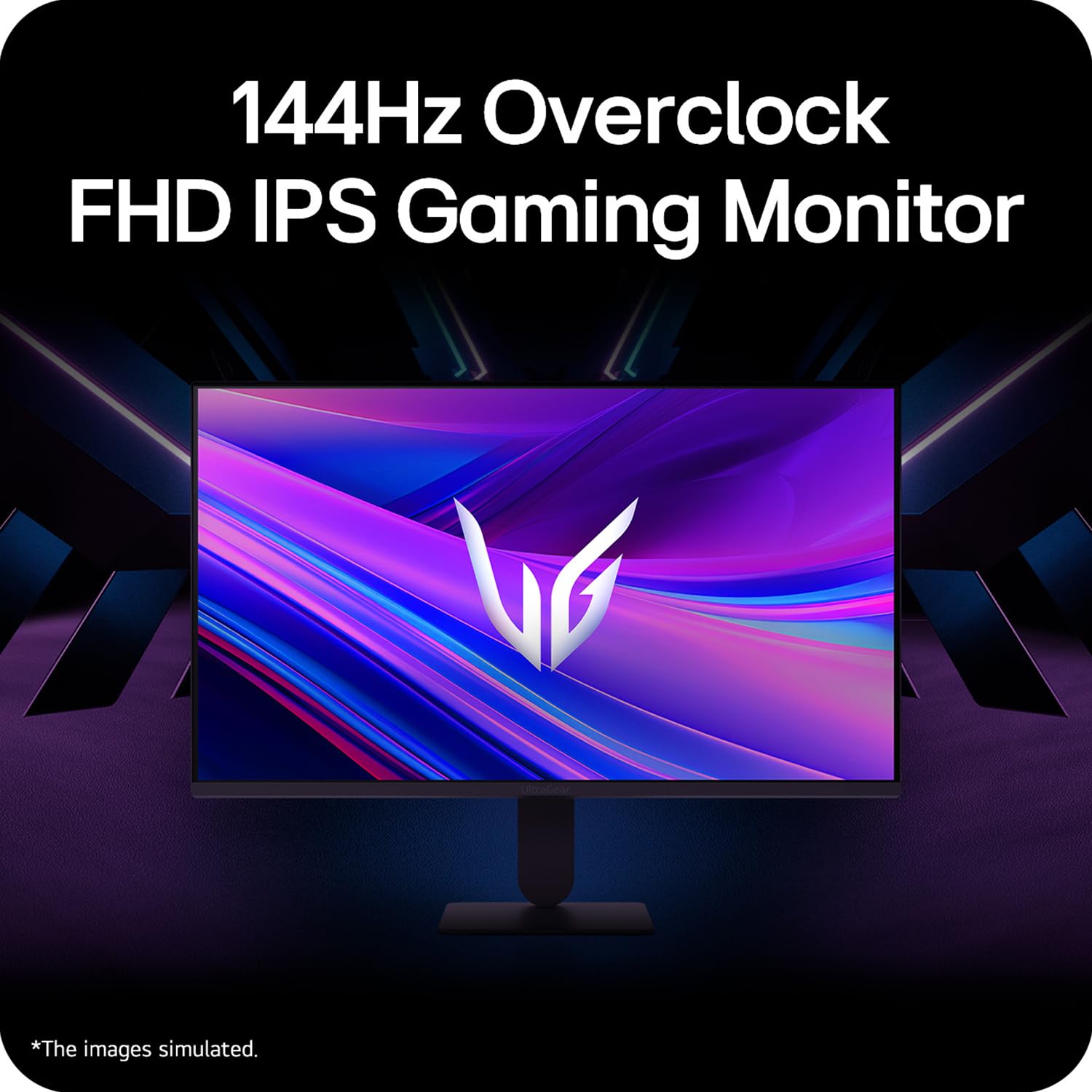
Figure 5: Visual representation of 144Hz overclock for fluid gaming motion.

Figure 6: Illustration of 1ms Motion Blur Reduction (MBR) for fast-paced gaming. Note: 1ms MBR causes lowered luminance and cannot be used with AMD FreeSync/DAS. Flicker may occur during 1ms MBR operation.

Figure 7: The monitor is certified compatible with NVIDIA G-Sync and AMD FreeSync technologies.

Figure 8: Precision Gaming Mode features: Dynamic Action Sync (DAS), Black Stabilizer, and Crosshair.
5.5 Функції догляду за очима
To reduce eye strain during prolonged use, the monitor includes:
- Захист від мерехтіння: Reduces screen flicker to minimize eye fatigue.
- Режим читання: Adjusts color temperature and brightness to simulate paper, making it easier on the eyes for reading tasks.
- Слабкість кольору: Provides color adjustments for users with color vision deficiencies.
5.6 Smart Convenience (LG Switch App)
The LG Switch app offers enhanced control and customization options for your monitor directly from your computer. Features include Dual mode, Smart screen split, Launch a video call, and Personalized Picture Wizard.

Figure 9: The LG Switch app provides smarter control and seamless switching between various display modes and settings.
6. Технічне обслуговування
6.1 Очищення монітора
Щоб підтримувати зовнішній вигляд та продуктивність монітора:
- Завжди відключайте монітор від розетки перед чищенням.
- Використовуйте м’яку тканину без ворсу, щоб обережно протерти екран та зовнішні поверхні.
- Для стійких плям злегка протрітьampПротріть тканину водою або м’яким неабразивним засобом для чищення екранів. Не розпилюйте рідину безпосередньо на екран.
- Avoid using benzene, alcohol, or other volatile solvents, as they may damage the monitor.
7. Вирішення проблем
Якщо у вас виникли проблеми з монітором, зверніться до наступних поширених рішень:
| проблема | Можлива причина / рішення |
|---|---|
| Немає живлення | Ensure the power cable is securely connected to the monitor and a working power outlet. Check if the power outlet is functional. |
| Немає сигналу / Порожній екран | Verify that the video cable (HDMI or DisplayPort) is securely connected to both the monitor and your computer/device. Ensure the correct input source is selected in the OSD menu. Check if the computer is powered on and not in sleep mode. |
| Мерехтіння або спотворене зображення | Check the video cable for damage or loose connections. Try a different video cable or port. Adjust the refresh rate settings on your computer. Disable 1ms MBR if flicker is observed. |
| Backlight leakage on corners | Minor backlight leakage can be a characteristic of IPS panels, especially visible on a completely black screen in a dark environment. This is generally not considered a defect unless it significantly impacts normal viewінж. |
| Monitor not recognized by PC | Update your graphics card drivers. Restart your computer. |
8. Технічні характеристики
Key technical specifications for the LG 27G411A UltraGear Gaming Monitor:
- Розмір екрана: 27 дюймів (68.5 см)
- Тип панелі: IPS
- роздільна здатність: FHD (1920 x 1080)
- Співвідношення сторін: 16:9
- Частота оновлення: 144 Hz (Overclock)
- Час відгуку: 1ms MBR (5ms GTG)
- Яскравість: 250 кд/м² (типовий)
- Коефіцієнт контрастності: 1500:1
- Колірна гамма: sRGB 99%
- Підтримка HDR: HDR10
- Адаптивна синхронізація: Сумісний з NVIDIA G-Sync, AMD FreeSync
- Viewкут нахилу: 178° (Г/В)
- Підключення: 1 x HDMI, 1 x DisplayPort, 1 x Headphone Out
- Dimensions (with stand, WxHxD): 61.2 x 45.2 x 22 см (24.07 x 17.81 x 8.66 дюйма)
- Вага (з підставкою): 3.8 кг
- Споживана потужність: 20 Вт (типова)
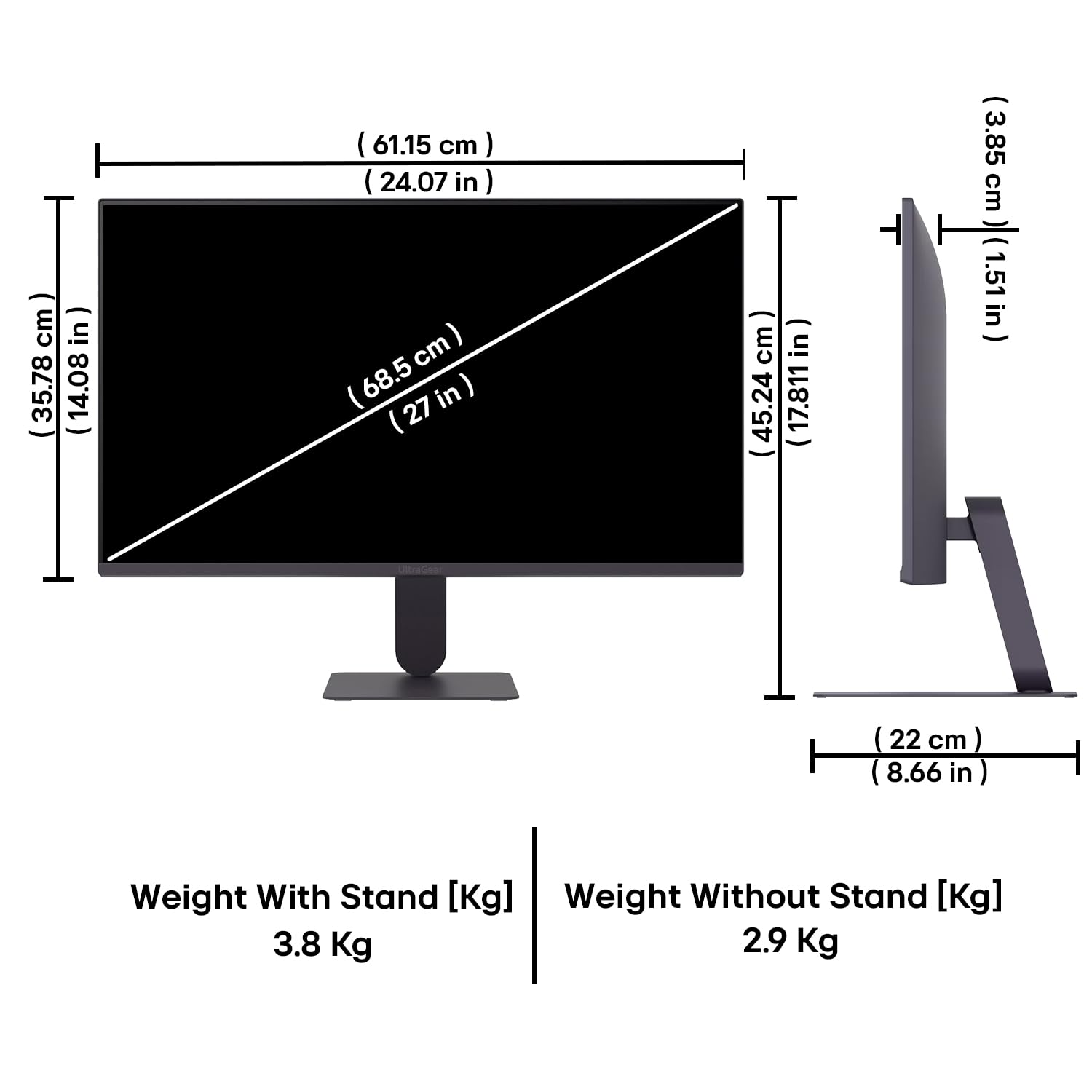
Figure 10: Physical dimensions and weight of the LG 27G411A monitor with and without the stand.
9. Інформація про гарантію
This LG 27G411A UltraGear Gaming Monitor comes with a 3 роки гарантії виробника covering parts and labor. Please retain your proof of purchase for warranty claims. For detailed terms and conditions, refer to the warranty card included in your product packaging or visit the official LG webсайт.
10. Підтримка клієнтів
Щоб отримати додаткову допомогу, технічну підтримку або звернутися до служби підтримки клієнтів LG, зверніться до служби підтримки клієнтів. Ви можете знайти контактну інформацію на офіційному веб-сайті LG. webсайті або в документації, що додається до вашого монітора.
LG Electronics India Pvt. ТОВ
PLOT NO. A-5, MIDC RANJANGAON.
TALUKA SHIRUR, PUNE, MAHRASHTRA (INDIA), 412220