
1. Вступ
The LAMTTO 2-in-1 Wireless CarPlay and Android Auto Adapter converts your vehicle's wired CarPlay or Android Auto system into a wireless solution. This device allows for convenient access to navigation, music, phone calls, and voice assistants like Siri or Google Assistant without the need for a physical cable connection to your smartphone.
Вміст упаковки:
- 1 x 2-in-1 Wireless CarPlay and Android Auto Adapter
- 1 x адаптер USB-A – USB-C
- 1 х посібник користувача
2. Інформація про безпеку
Важливі інструкції з безпеки:
- When operating this wireless adapter, interference with other nearby wireless devices may occur.
- Ensure compliance with battery handling instructions (if applicable to connected devices).
- Не піддавайте пристрій дії екстремальних температур або вологості.
3. Продукт закінчивсяview
The LAMTTO 2-in-1 adapter features a high-performance 5.8 GHz chip for faster processing and a stable connection. Its compact design allows for discreet installation, maintaining a tidy vehicle interior. The device supports both USB-A and USB-C ports for flexible connectivity.

Figure 3.1: Compact design of the LAMTTO adapter.

Figure 3.2: Internal components and connection speed.
4. Посібник із налаштування
The adapter offers a simple Plug & Play setup process. No applications or drivers are required.
- Підключіть адаптер: Plug the adapter into your car's USB data port (either USB-A or USB-C, using the provided adapter if necessary).
- Activate Bluetooth and Wi-Fi: На вашому смартфоні увімкніть Wi-Fi та Bluetooth.
- Сполучення через Bluetooth: Open your smartphone's Bluetooth interface, search for the adapter's Bluetooth name, and select "Connect."
- Автоматичне повторне підключення: After the initial connection, the device will automatically connect to your vehicle each time you start the car.
Примітка: The connection method for both CarPlay and Android Auto is identical.

Figure 4.1: Step-by-step setup and control methods.
5. Інструкція з експлуатації
Once connected, the adapter enables wireless access to your smartphone's features through your car's infotainment system. You can control functions using the car's original controls.
- Голосове керування: Використовуйте Siri або Google Assistant для керування без використання рук.
- Навігація: Access map applications like Waze or Apple Maps.
- Відтворення музики: Stream music from apps like Spotify.
- Телефонні дзвінки: Make and receive calls directly through the car's system.
- Елементи керування транспортним засобом: The adapter integrates seamlessly with your car's steering wheel buttons, touchscreen, and factory knobs.
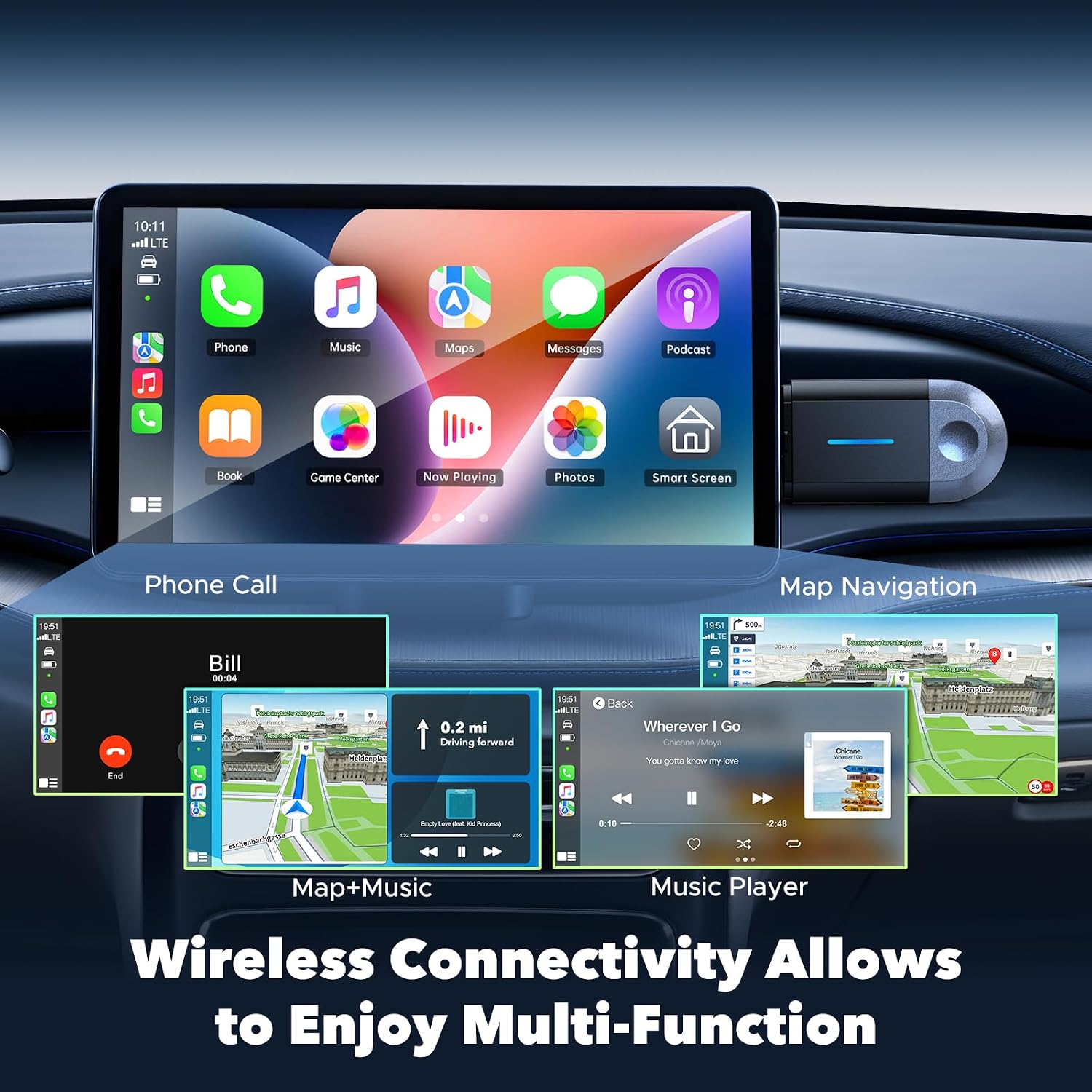
Figure 5.1: Wireless multi-function display on car screen.
6. Оновлення прошивки (OTA)
The adapter supports Over-The-Air (OTA) firmware updates to ensure optimal performance and compatibility. To update the firmware:
- Connect your smartphone to the adapter's Wi-Fi network.
- Open a mobile browser on your smartphone.
- Введіть адресу 192.168.1.101 in the browser's address bar.
- Дотримуйтесь інструкцій на екрані, щоб перевірити наявність та встановити будь-які доступні оновлення.

Figure 6.1: OTA firmware update interface.
7. Сумісність
The LAMTTO 2-in-1 Wireless CarPlay and Android Auto Adapter is designed for wide compatibility.
- Сумісність зі смартфонами: Supports iPhone 8 or newer (iOS 11+) and Android phones with Android 11+.
- Сумісність з автомобілем: Compatible with over 98% of vehicles equipped with factory-wired Apple CarPlay and Android Auto from the year 2016 onwards. This includes brands such as Ford, Audi, Toyota, VW, and more.
- Несумісні транспортні засоби: Not compatible with BM-W, Ben-z, or Tes-la vehicles. Not compatible with Huawei phones.

Figure 7.1: Device and vehicle compatibility overview.
8. Вирішення проблем
If the device experiences abnormal operation:
- Perform a restart by unplugging the adapter and then reinserting it into the car's USB port.
- Ensure your smartphone's Wi-Fi and Bluetooth are active and properly paired.
- Check for any available firmware updates as described in Section 6.
9. Технічні характеристики
| Особливість | Специфікація |
|---|---|
| Бренд | ЛАМТО |
| Назва моделі | carplay wireless adapter |
| Технологія підключення | Bluetooth, 802.11ac (5.8 GHz WLAN) |
| Джерело живлення | Corded Electric (via car's USB port) |
| матеріал | пластик |
| Вага продукту | 20 грамів |
| Колір | чорний |
| Сумісні пристрої | Smartphones with iOS 10+ and Android 11+ |
| Тип монтажу | Wall Mount (refers to compact, discreet placement) |
| Тип установки | Бездротовий |
| Тип роз'єму | USB Type C (with included USB-A adapter) |
| Спосіб контролю | Голос |
| Тип аудіовиходу | Bluetooth, допоміжний |
| Режим аудіовиходу | Стерео |
| Підтримувані формати | Bluetooth 5.3, IEEE 802.11ac |
| Підтримувані програми | Spotify, Waze, Apple Maps, other CarPlay/Android Auto compatible audio apps |
10. Гарантія та підтримка
The LAMTTO 2-in-1 Wireless CarPlay and Android Auto Adapter comes with a 24-month warranty. For any product inquiries or technical assistance, please contact customer support. Support is available 24/7.