
1. Вступ
The GOYOJO GH192 is a handheld thermal imaging camera designed for various inspection tasks, including mechanical maintenance, home HVAC, and electrical inspections. It features a 240x240 infrared resolution, a 2MP visual camera, and fusion imaging capabilities for detailed thermal analysis. With a 25Hz refresh rate, it provides smooth and clear thermal imagery.

Figure 1: GOYOJO GH192 Thermal Imaging Camera in operation.
2. Вміст упаковки
Перевірте наявність усіх елементів в упаковці:
- GH192 Thermal Camera Body
- Кабель USB-C
- Посібник користувача (цей документ)
3. Налаштування
3.1 Заряджання батареї
The device is equipped with a built-in 18650 lithium-ion battery (3.7V, 3500mAh).
- Connect the provided USB-C cable to the camera's USB-C port.
- Підключіть інший кінець кабелю USB-C до сумісного адаптера живлення USB (не входить до комплекту) або USB-порту комп’ютера.
- The charging indicator will illuminate. A full charge typically takes 3-4 hours.
- The battery provides up to 8 hours of continuous operation on a full charge.
3.2 Початкове ввімкнення
Press and hold the power button located on the device until the screen illuminates. The device will boot up and display the main interface.
4. Інструкція з експлуатації
4.1 Увімкнення/вимкнення живлення
- Щоб увімкнути: Натисніть і утримуйте кнопку живлення.
- Щоб вимкнути: Press and hold the power button until a shutdown prompt appears, then confirm.
4.2 Дисплей та навігація
The GH192 features a 2.8" 240x320 IPS display. Use the directional buttons and selection button to navigate through menus and settings.
4.3 режимів зображення
The device offers multiple image modes to suit different inspection needs:
- Тепловий режим: Відображає лише інфрачервоне теплове зображення.
- Visual Mode: Відображає лише зображення з 2-мегапіксельної візуальної камери.
- Режим злиття: Blends the thermal image with the visual image for enhanced detail and context. This mode helps in identifying the exact location of temperature anomalies.
- Режим PIP (картинка в картинці): Displays a smaller thermal image overlayed on the visual image.

Figure 2: Thermal and Visual Fusion for enhanced detail.
4.4 кольорових палітр
Select from 6 adjustable color palettes to visualize temperature differences effectively. Each palette highlights temperature variations in a distinct way.
- White Hot
- Чорний Гарячий
- Залізо червоний
- Веселка
- Червоний гарячий
- Fusion

Figure 3: Versatile Color Palettes and Temperature Units.
4.5 Temperature Measurement and Alarms
The GH192 provides accurate temperature measurements and tracking features:
- Automatic Center Spot: Відображає температуру в центрі екрана.
- Hot Spot Tracking: Automatically identifies and displays the highest temperature within the field of view.
- Cold Spot Tracking: Automatically identifies and displays the lowest temperature within the field of view.
- User-Defined Spots: Allows setting up to 3 custom measurement points.
- Діапазон температур: Measures temperatures from -4°F to 1022°F (-20°C to 550°C).
- Сигналізація температури: Configurable high and low-temperature alarms provide visual and audio alerts when temperatures exceed or fall below set thresholds.

Figure 4: Hotspot Tracking and High-Temperature Alarm.
4.6 Emissivity and Distance Adjustment
For accurate temperature readings, adjust the emissivity setting based on the material being inspected and set the object distance. Refer to the device's settings menu for these adjustments.
4.7 Захоплення та зберігання зображень
Press the capture button to save thermal images. The device has 16GB of eMMC flash storage, capable of storing over 90,000 images.
4.8 Передача даних
Щоб перенести зображення на комп’ютер:
- Connect the GH192 to your computer using the USB-C cable.
- On the camera, enable transfer mode (usually prompted on the screen or found in settings).
- The camera will appear as a removable storage device on your computer, allowing you to access and transfer images.
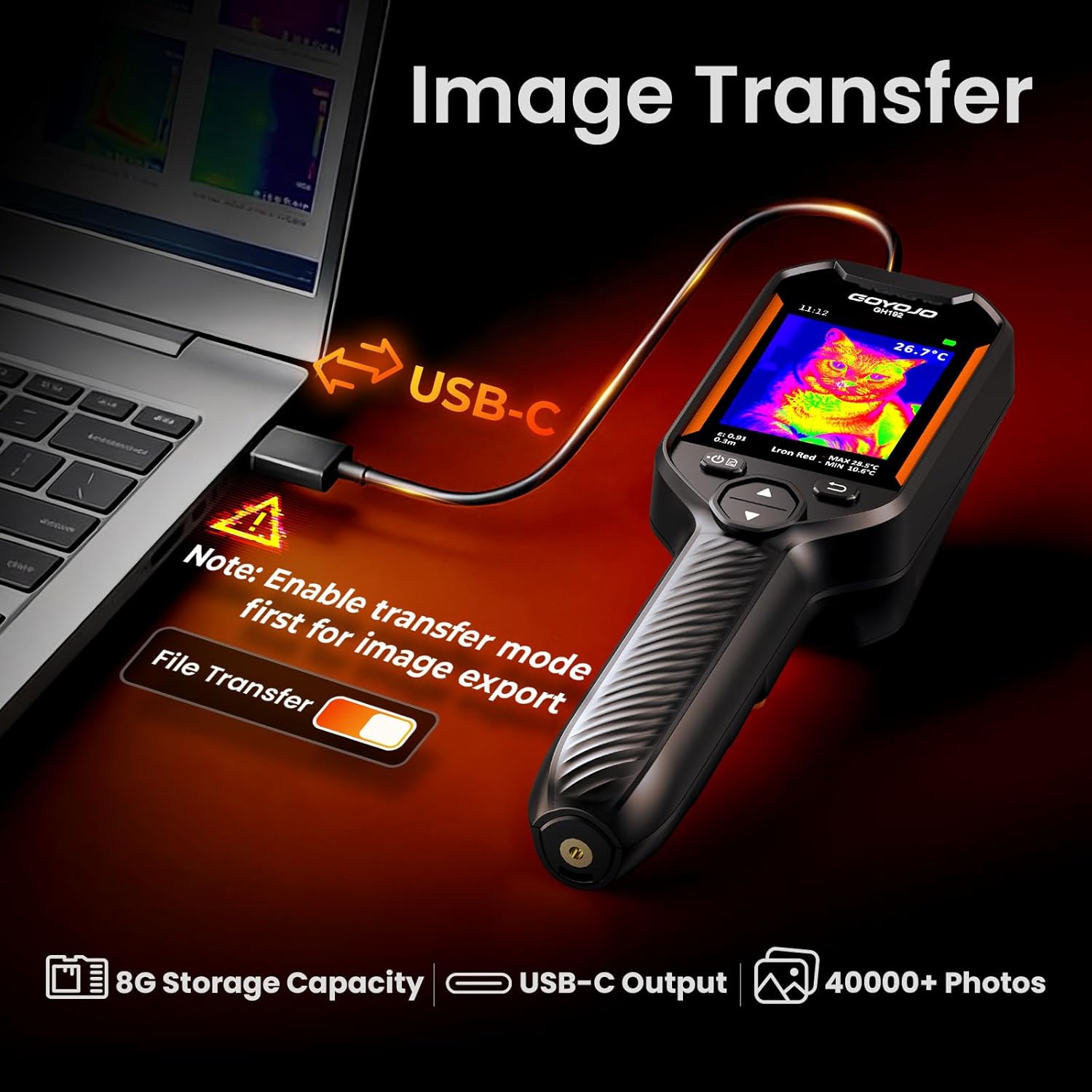
Figure 5: Image Transfer via USB-C.
5. Технічне обслуговування
5.1 Очищення пристрою
- Використовуйте м’яку суху тканину для очищення корпусу камери.
- For the lens and screen, use a lens cleaning cloth and solution specifically designed for optical surfaces.
- Не використовуйте абразивні засоби чи розчинники.
5.2 Догляд за акумулятором
- Регулярно заряджайте акумулятор, навіть якщо пристрій не використовується часто, щоб підтримувати його справність.
- Уникайте повного розряджання акумулятора протягом тривалого часу.
- Зберігайте пристрій у прохолодному сухому місці.
5.3 Зберігання
When not in use, store the GH192 in its protective packaging or a suitable case to prevent damage. Avoid exposing the device to extreme temperatures or high humidity. The device is IP54 rated for protection against dust and splashing water, and designed to withstand a 6.6ft (2 meter) drop.

Figure 6: Durability features: 6.6ft Drop-Proof and IP54 Protection.
6. Вирішення проблем
| проблема | Можлива причина | Рішення |
|---|---|---|
| Пристрій не включається. | Низький заряд батареї або несправність пристрою. | Charge the battery for at least 30 minutes. If the issue persists, contact customer support. |
| Неточні показання температури. | Incorrect emissivity setting or object distance. | Adjust emissivity based on the material. Ensure correct object distance is set. Calibrate if necessary (refer to advanced settings). |
| Екран завис або не реагує. | Збій програмного забезпечення. | Perform a soft reset by holding the power button for 10-15 seconds until the device restarts. |
| Cannot transfer images to computer. | Transfer mode not enabled or faulty USB-C cable. | Ensure transfer mode is enabled on the camera. Try a different USB-C cable or computer port. |
7. Технічні характеристики
| Особливість | Деталь |
|---|---|
| Модель | GH192 |
| Інфрачервона роздільна здатність | 240x240 пікселів |
| Візуальна камера | 2 МП |
| Дисплей | 2.8" 240x320 IPS |
| Частота оновлення | 25 Гц |
| Діапазон температур | Від -4°F до 1022°F (від -20°C до 550°C) |
| Точність температури | ±2°C або 2% |
| Теплова чутливість | <40 мК |
| Режими зображення | Thermal, Visual, Fusion, PIP |
| Кольорові палітри | White Hot, Black Hot, Iron Red, Rainbow, Red Hot, Fusion |
| Зберігання | 16GB eMMC (stores >90,000 images) |
| Підключення | USB-C |
| Тип батареї | 18650 Li-ion (3.7V, 3500mAh) |
| Термін служби батареї | До 8 годин безперервного використання |
| Час зарядки | 3-4 годин |
| Довговічність | IP54, 6.6ft (2m) drop resistance |
| Вага товару | 260 грамів |
8. Гарантія та підтримка
For warranty information and technical support, please refer to the documentation provided with your purchase or visit the official GOYOJO webсайт. Зберігайте чек про покупку для гарантійних претензій.