
1. Вступ
This manual provides essential information for the safe and efficient operation of your Coocaa 55Y74 Pro QLED Ultra Smart Google TV. Please read this manual thoroughly before using the product and retain it for future reference. Your Coocaa TV features a durable A+ Grade QLED panel and an ultra-bright screen designed for optimal picture quality.
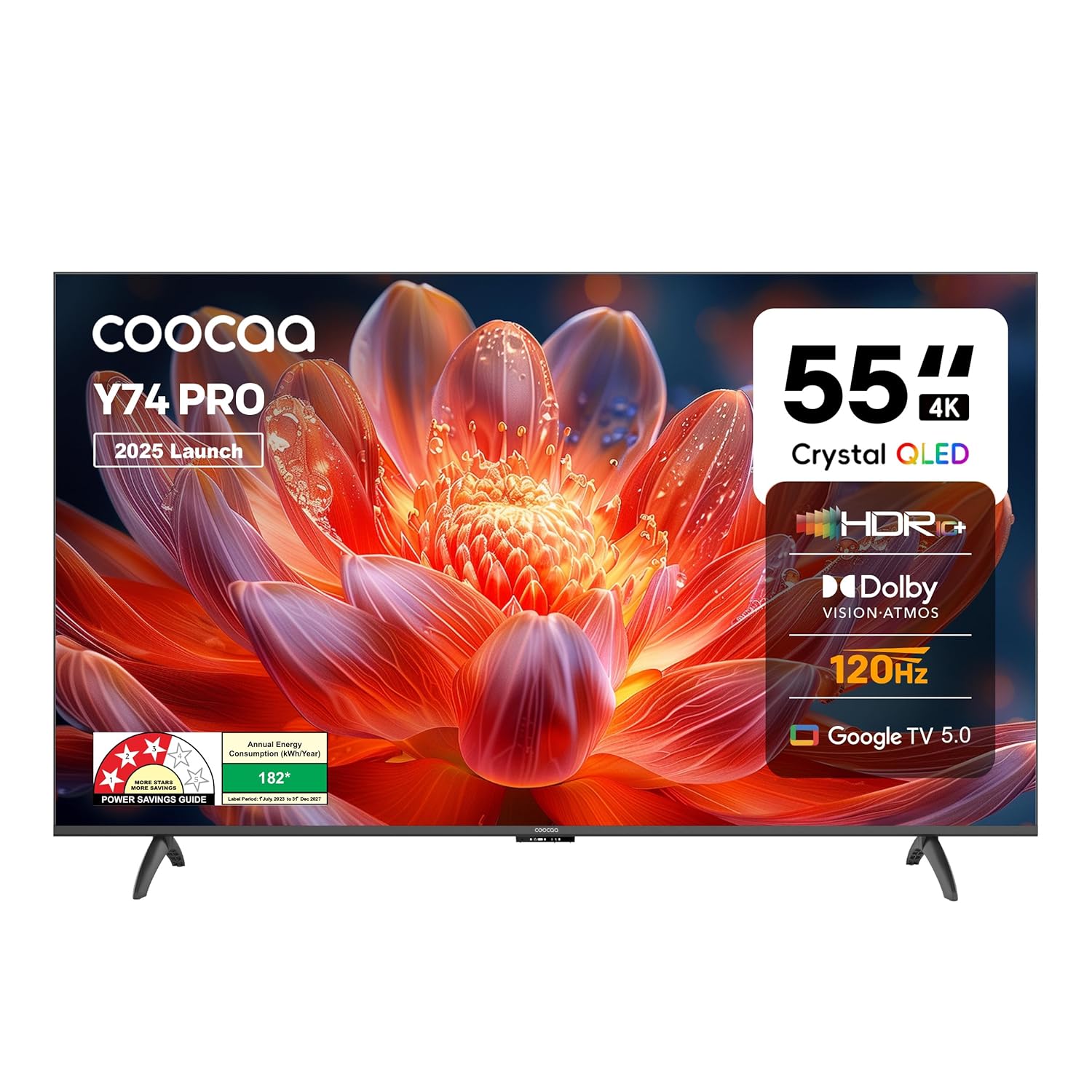
Малюнок 1.1: Спереду view of the Coocaa 55Y74 Pro QLED Ultra Smart Google TV.
2. Інформація про безпеку
Дотримуйтесь наступних запобіжних заходів, щоб запобігти пошкодженням та забезпечити безпечну експлуатацію:
- Не піддавайте телевізор дії дощу або вологи.
- Не перекривайте вентиляційні отвори.
- Забезпечте належне заземлення шнура живлення.
- Уникайте розміщення телевізора на нестійких поверхнях.
- Від’єднуйте шнур живлення під час грози або якщо пристрій не використовується протягом тривалого часу.
- Звертайтеся до кваліфікованого сервісного персоналу.
3. Що в коробці
Перевірте наявність усіх компонентів в упаковці:
- Телевізор (1N)
- Основи стійок (2N)
- Короткий посібник з початку роботи (1N)
- Гарантійний талон (1N)
- Пульт дистанційного керування (1N)
- Батарейки типу AAA (2N)
- Шнур живлення (1N)
- Гвинти (4N)
- AV-кабель-перетворювач (1N)

Figure 3.1: Contents included with your Coocaa 55Y74 Pro TV.
4. Налаштування
4.1 Розпакування
Обережно вийміть телевізор та всі аксесуари з упаковки. Рекомендується зберегти упаковку для подальшого транспортування або потреб обслуговування.
4.2 Встановлення підставки
If placing the TV on a table, attach the two stand bases to the bottom of the TV using the provided screws. Ensure the stands are securely fastened.
4.3 Настінне кріплення
The Coocaa 55Y74 Pro supports wall mounting. A compatible VESA wall mount kit (not included) is required. Follow the instructions provided with your wall mount kit and ensure professional installation for safety.
4.4 Підключення периферійних пристроїв
Підключіть свої пристрої до телевізора за допомогою доступних портів:
- Порти HDMI: Connect set-top boxes, Blu-ray players, gaming consoles, or other HDMI-enabled devices. The TV features 3 HDMI ports, including HDMI 2.1 with eARC support.
- Порти USB: Підключіть USB-накопичувачі для відтворення медіафайлів. Телевізор має 2 порти USB 2.0.
- Цифровий аудіовихід: Для підключення до зовнішніх аудіосистем.
- Порт LAN: Для дротового підключення до Інтернету.
- AV вхід: Для старіших пристроїв, що використовують композитне відео та стереоаудіо.
- Satellite Port: For satellite signal input.

Figure 4.1: Available connectivity ports on the Coocaa 55Y74 Pro TV.
4.5 Підключення живлення
Connect the power cord to the TV's power input and then to a suitable electrical outlet. The TV operates on 240 Volts AC.
5. Операційна
5.1 Перше налаштування
Upon first power-on, the TV will guide you through the initial setup process, including language selection, network connection (Wi-Fi or Ethernet), and Google account sign-in for Google TV features.
5.2 Пульт дистанційного керування
Insert the two AAA batteries into the remote control. The remote features dedicated buttons for popular streaming services like Netflix and Prime Video, a navigation key, and a voice assistant button for Google Assistant.

Figure 5.1: The Coocaa TV remote control.
5.3 Основні функції
- Потужність: Натисніть кнопку живлення на пульті дистанційного керування, щоб увімкнути або вимкнути телевізор.
- обсяг: Use the volume up/down buttons to adjust audio levels.
- Вибір входу: Use the input button to switch between connected devices (HDMI, AV, etc.).
5.4 Функції Smart TV (Google TV)
Your Coocaa TV runs on Google TV, providing access to a wide range of applications and features:
- Доступ до програми: Download and use apps like Netflix, YouTube, Prime Video, Zee5, and Sony LIV from the Google Play Store.
- Google Assistant: Use voice commands via the remote control for search, control, and information.
- Вбудований Chromecast: Cast content from compatible mobile devices directly to your TV.
- Display Mirroring: Mirror the screen of compatible devices to the TV.
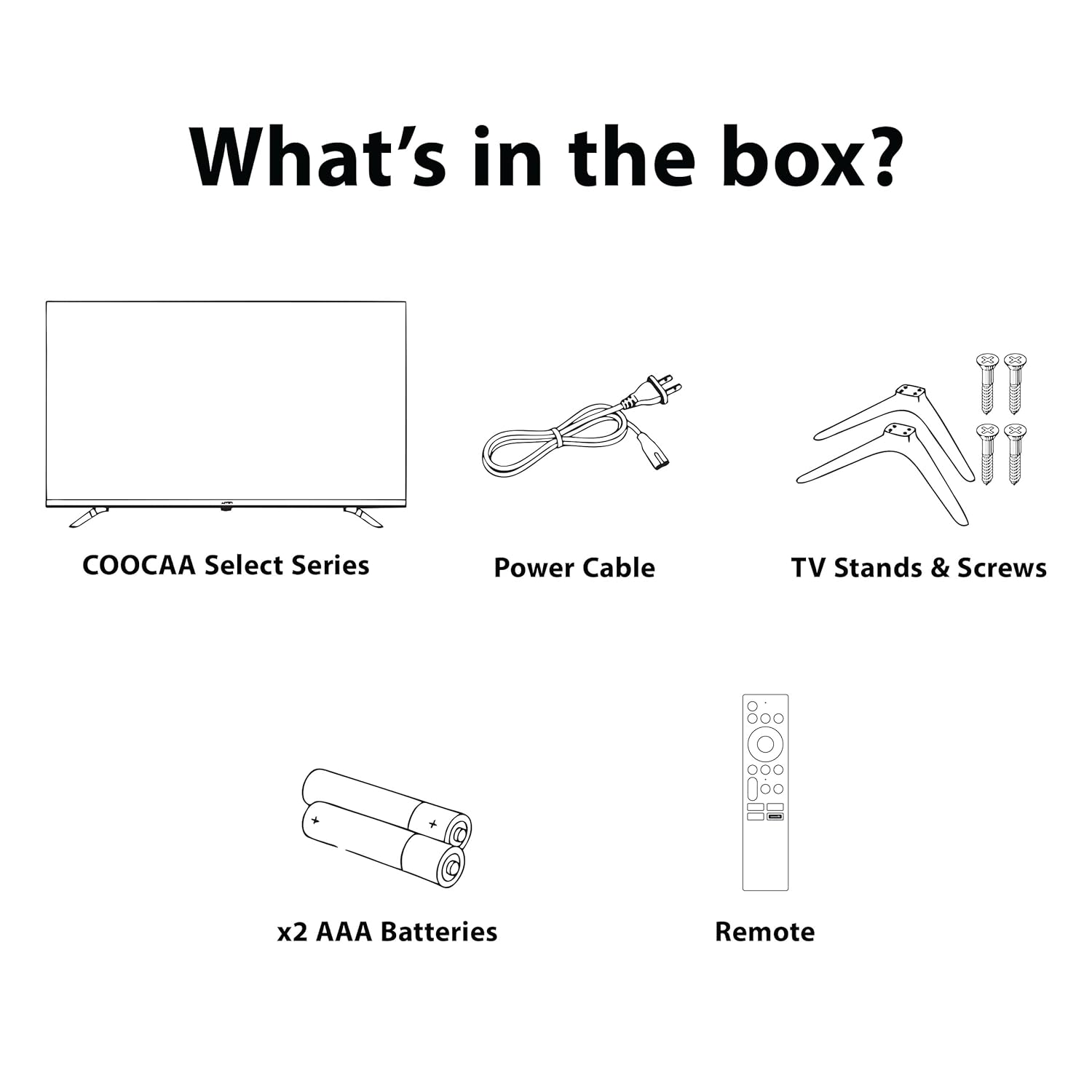
Figure 5.2: Key smart features of the Coocaa 55Y74 Pro TV.
6. Технічне обслуговування
6.1 Очищення
- екран: Обережно протріть екран м’якою тканиною без ворсу. Для стійких плям використовуйте засіб для чищення екранів, спеціально розроблений для телевізорів, наносячи його на тканину, а не безпосередньо на екран.
- Корпус телевізора: Wipe the TV frame and back panel with a soft, dry cloth. Avoid abrasive cleaners or solvents.
6.2 Оновлення програмного забезпечення
Your TV may receive software updates to improve performance and add new features. Ensure your TV is connected to the internet. You can usually check for updates in the TV's settings menu under 'System' or 'About'.
6.3 Зберігання
If storing the TV for an extended period, disconnect it from power, remove batteries from the remote, and store it in a cool, dry place, preferably in its original packaging.
7. Вирішення проблем
Зверніться до наступної таблиці, щоб знайти поширені проблеми та їх вирішення:
| проблема | Можлива причина | Рішення |
|---|---|---|
| Немає живлення | Шнур живлення відключено; проблема з розеткою | Перевірте підключення шнура живлення; протестуйте розетку за допомогою іншого пристрою. |
| Немає зображення, але звук є | Неправильне джерело вхідного сигналу; нещільно прикріплений кабель HDMI/AV | Select correct input source; Reconnect cables securely. |
| Звуку немає, але зображення є | Гучність вимкнена або занадто низька; Проблема зі зовнішньою аудіосистемою | Unmute volume or increase level; Check external audio connections. |
| Пульт не працює | Розряджені батарейки; Перешкода; Пульт дистанційного керування не сполучений | Replace batteries; Remove obstructions; Re-pair Bluetooth remote (refer to TV settings). |
| Проблеми з підключенням Wi-Fi | Неправильний пароль; Проблема з маршрутизатором; Перешкоди сигналу | Verify Wi-Fi password; Restart router; Move TV closer to router or use wired connection. |
Якщо проблема не зникає після спроби цих рішень, зверніться до служби підтримки клієнтів.
8. Технічні характеристики
Key technical specifications for the Coocaa 55Y74 Pro QLED Ultra Smart Google TV:
| Особливість | Специфікація |
|---|---|
| Модель | 55Y74 Pro |
| Розмір екрана | 55 дюймів (138 см) |
| Технологія дисплея | QLED, A+ Display Type |
| роздільна здатність | 4K UHD (3840 x 2160 пікселів) |
| Частота оновлення | HSR 120 Hz |
| Операційна система | Google TV |
| Процесор | A55 Chip |
| Графічний співпроцесор | Mali G52 MC1 |
| Пам'ять RAM | 2 ГБ |
| Ємність зберігання | 32 ГБ |
| Аудіовихід | 30 Watts, Dolby Atmos, 2.0 Sound Channel |
| Підключення | 3 HDMI ports (1x HDMI 2.1 eARC), 2 USB 2.0 ports, Ethernet, Wi-Fi (Dual band), Bluetooth |
| Особливості | Chromecast, Google Voice Assistant, Display Mirroring, Eye Care (Flicker Free, Night Mode, Automatic Brightness) |
| Розміри продукту (ДxШxВ) | 122.6 х 7.9 х 72 см |
| Вага товару | 9.4 кг |
| Джерело живлення | Змінний струм 240 вольт |
| Wattage | 120 Вт |

Figure 8.1: Dimensions of the Coocaa 55Y74 Pro TV.
9. Гарантія та підтримка
9.1 Інформація про гарантію
Your Coocaa 55Y74 Pro QLED Ultra Smart Google TV comes with a Гарантія 1 рік provided by the brand from the date of purchase. To avail warranty services, please retain your purchase invoice and the warranty card.
9.2 Підтримка клієнтів
For further assistance, technical support, or to access the latest user manual, please visit the official Coocaa brand website. Contact details for customer service can typically be found on the warranty card or the brand's webсайт.