
вступ
The KBEAR BT15 PRO is a Bluetooth 5.4 TWS (True Wireless Stereo) module designed to convert compatible wired In-Ear Monitors (IEMs) into wireless earphones. This adapter features a 2PIN plug for broad compatibility with various IEM models, offering enhanced connection stability and an immersive audio experience. It is ideal for users seeking to upgrade their existing wired earphones to a wireless setup.
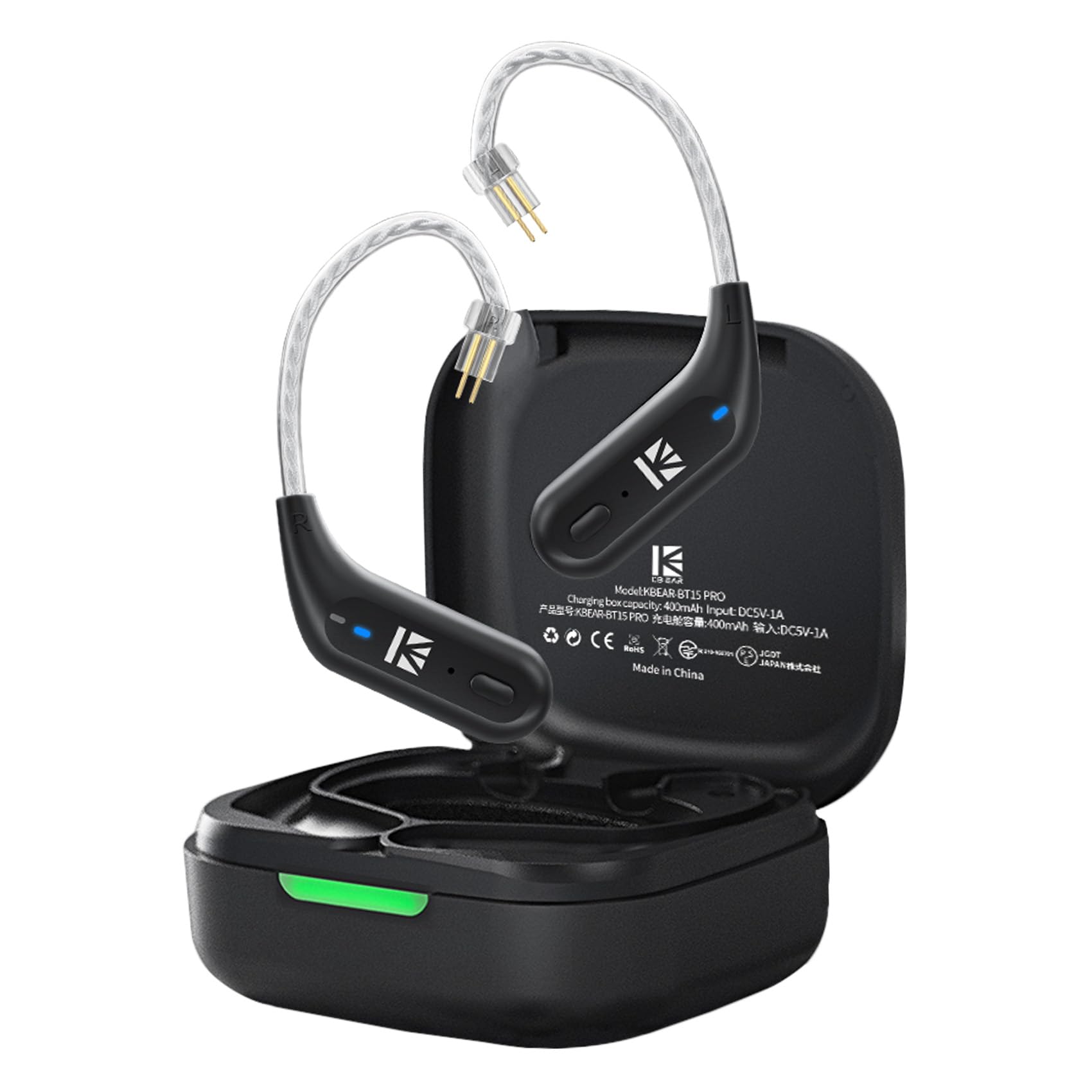
Image: The KBEAR BT15 PRO Bluetooth adapter modules connected to IEMs, placed in its charging case. The image highlights the product's ability to upgrade wired earphones to wireless.
Налаштування
Що в коробці
- KBEAR BT15 PRO Bluetooth Adapter (Left and Right modules)
- Зарядний футляр
- USB-кабель для заряджання (Type-C)
- Посібник користувача
Зарядка адаптера
Before first use, fully charge the KBEAR BT15 PRO adapter and its charging case. The adapter modules offer approximately 6 hours of usage on a full charge, and the charging case provides an additional 4 full recharges, extending total usage time significantly.
- Низька потужність: Red light flashes on the adapter modules.
- Зарядка: Red light illuminates on the charging case.
- Повністю заряджений: Green light illuminates on the charging case.

Image: Diagram illustrating the low-power and charging indicator lights (red and green) on the KBEAR BT15 PRO charging case, along with battery life information.
Video: An official product video demonstrating the charging process and indicator lights of the KBEAR BT15 PRO IEM Bluetooth Adapter, along with its battery life.
Connecting IEMs to the Adapter
The KBEAR BT15 PRO features a plug-in design with gold-plated 2PIN connectors. Ensure your IEMs are compatible with a 2PIN connection type.
- Distinguish Left and Right: Correctly identify the left (L) and right (R) earhooks. The 'L' logo applies to the left earhook, and 'R' applies to the right earhook.
- Підключення навушників: Connect the Bluetooth earhook to your earphone. Gently insert the earphone into the mouth of the ear canal, pushing it straight in.
- Налаштувати для комфорту: Place the earhook over the back of your ear and slightly rotate it to adjust the sealing and comfort of the earphone for an optimal audio experience.
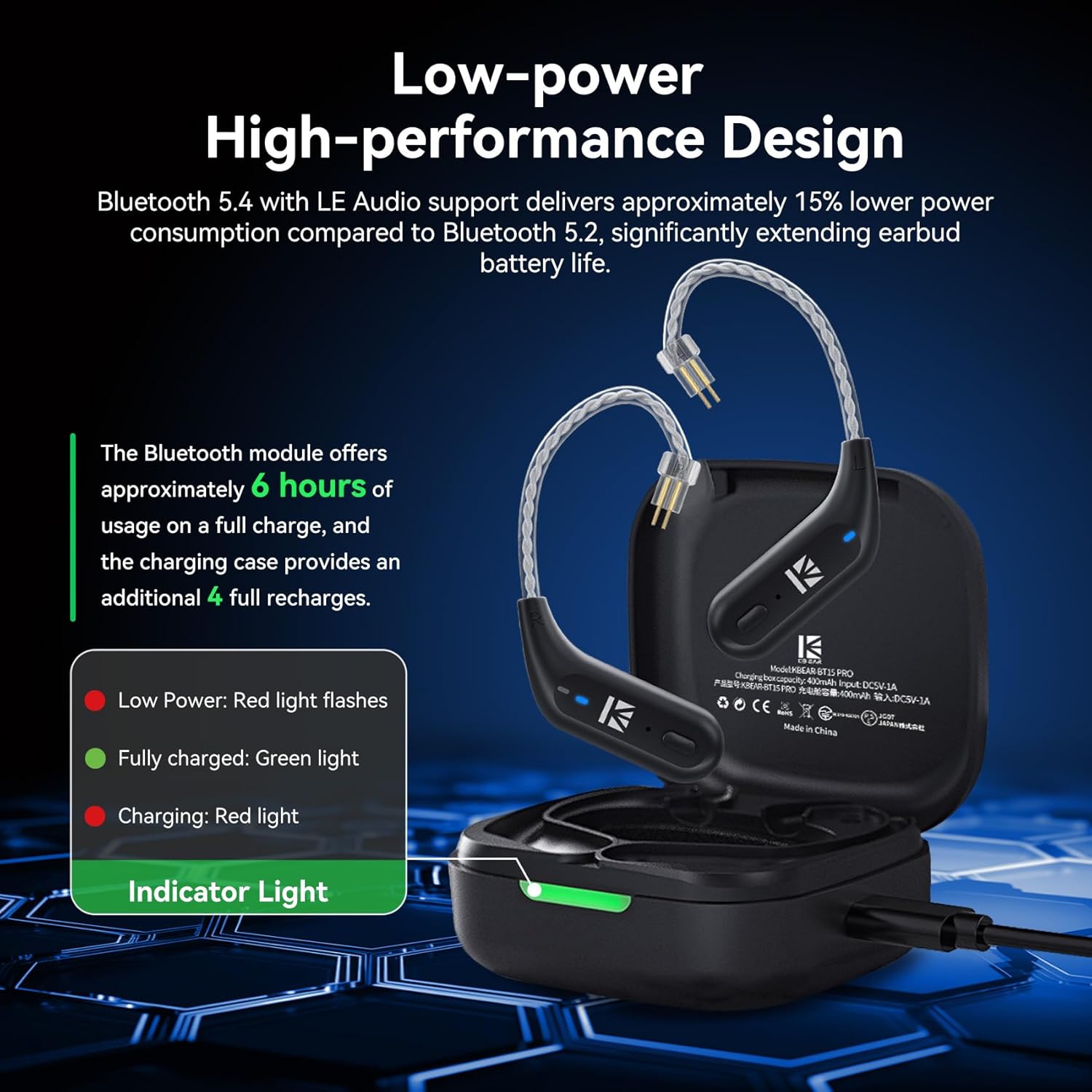
Image: Step-by-step visual guide on how to correctly attach IEMs to the KBEAR BT15 PRO Bluetooth earhooks and wear them for ergonomic fit and sound quality.
Інструкція з експлуатації
Сполучення з пристроєм
The KBEAR BT15 PRO utilizes Bluetooth 5.4 for stable and efficient wireless connectivity. It supports auto-connect functionality once initially paired.
- Увімкнення: Remove the adapter modules from the charging case. They will automatically power on and enter pairing mode.
- Увімкнути Bluetooth: На вашому пристрої (смартфоні, планшеті, комп’ютері) увімкніть Bluetooth.
- Виберіть пристрій: шукати available Bluetooth devices and select "BT15 PRO" from the list.
- Підтвердити підключення: Once connected, your device will indicate a successful pairing. The adapter will automatically reconnect to the last paired device when powered on.

Image: A smartphone displaying its Bluetooth settings, showing the 'BT15 PRO' device successfully connected, illustrating the pairing process.
Елементи керування
The KBEAR BT15 PRO features remote control functionality for managing audio playback and calls. Specific button functions (e.g., play/pause, volume, track skip, answer/end call) are typically detailed in the quick start guide included with the product. Refer to that guide for precise button operations.
Діапазон Bluetooth
The adapter provides a stable wireless connection up to 15 meters (approximately 49 feet) in an open environment. Performance may vary based on obstacles and interference.

Image: A visual comparison showing traditional wired earphones next to the KBEAR BT15 PRO adapter connected to IEMs, emphasizing the transition from wired to wireless audio.
Технічне обслуговування
Proper maintenance ensures the longevity and optimal performance of your KBEAR BT15 PRO adapter.
- Прибирання: Use a soft, dry cloth to clean the adapter modules and charging case. Avoid using harsh chemicals or abrasive materials.
- Зберігання: When not in use, store the adapter modules in their charging case to protect them from dust and damage. Store in a cool, dry place away from direct sunlight and extreme temperatures.
- Водонепроникність: While designed for daily use, avoid submerging the device in water. It is sweat-resistant but not waterproof.
Усунення несправностей
If you encounter issues with your KBEAR BT15 PRO, refer to the following common solutions:
| проблема | Можлива причина | Рішення |
|---|---|---|
| Не вдається підключитися до пристрою | Adapter not in pairing mode; Bluetooth off on device; device already paired with another device. | Ensure adapter is removed from case and indicator lights are flashing (pairing mode). Turn Bluetooth off and on again on your device. Forget previous Bluetooth connections on your device. |
| Audio cuts out or stutters | Поза зоною досяжності; перешкоди; низький заряд батареї. | Move closer to your connected device (within 15 meters). Avoid environments with strong Wi-Fi or other Bluetooth signals. Charge the adapter and case fully. |
| Ні звуку | Volume too low; incorrect audio output selected; IEMs not properly connected. | Increase volume on both the adapter and your device. Ensure your device's audio output is set to the BT15 PRO. Re-seat the IEMs firmly into the adapter's 2PIN connectors. |
| Адаптер не заряджається | Charging cable or power source issue; dirty charging contacts. | Try a different USB cable and power adapter. Ensure charging contacts on both the adapter and case are clean and free of debris. |
Технічні характеристики
| Особливість | Деталь |
|---|---|
| Бренд | EZ EAR |
| Номер моделі | KBEAR BT15 PRO |
| Версія Bluetooth | 5.4 |
| Діапазон Bluetooth | До 15 метрів (49 фути) |
| Battery Life (Adapter Modules) | Приблизно 6 годин |
| Ємність зарядного кейса | Provides 4 additional full recharges |
| Технологія підключення | Бездротовий (Bluetooth) |
| Розташування вуха | Вухо |
| Форм-фактор | Вухо |
| матеріал | пластик |
| Сумісні пристрої | Headphones (with 2PIN connectors) |
| Спосіб контролю | Дистанційний |
| Вбудований носій | Перехідник |
Інформація про гарантію
The KBEAR BT15 PRO IEM Bluetooth Adapter comes with a 1-year limited warranty from the date of purchase. This warranty covers manufacturing defects. Please retain your proof of purchase for warranty claims. For specific terms and conditions, refer to the warranty card included with your product or contact customer support.
Підтримка
For further assistance, technical support, or warranty inquiries, please contact EZ EAR customer service. You can also visit the official EZ EAR store on Amazon for more product information and support resources: