
вступ
The iLive Cinema Pop-up Movie Kit is a comprehensive portable entertainment solution designed to transform any space into a personal cinema. This kit includes a 720p projector, a 120-inch ultra-bright projector screen, an adjustable tripod, and a powerful Bluetooth 5.0 speaker system. Enjoy crisp images and rich audio for both indoor and outdoor movie nights.
Що включено
- Проектор 720p
- 120-inch Anti-Wrinkle Polyester Projector Screen (16:9 aspect ratio, 1.3 gain)
- Professional-Grade Tripod with integrated bubble level (360-degree pan, ±180-degree tilt, 41.73-inch max height, 4 kg capacity)
- Bluetooth 5.0 Speaker System (dual 4-inch full-range speakers, 16W peak output, LED light effects, rechargeable battery)
- Пульт дистанційного керування
- Кабель живлення
- Кабель HDMI
- Аудіокабель 3.5 мм
- USB кабель
- Чохол для транспортування
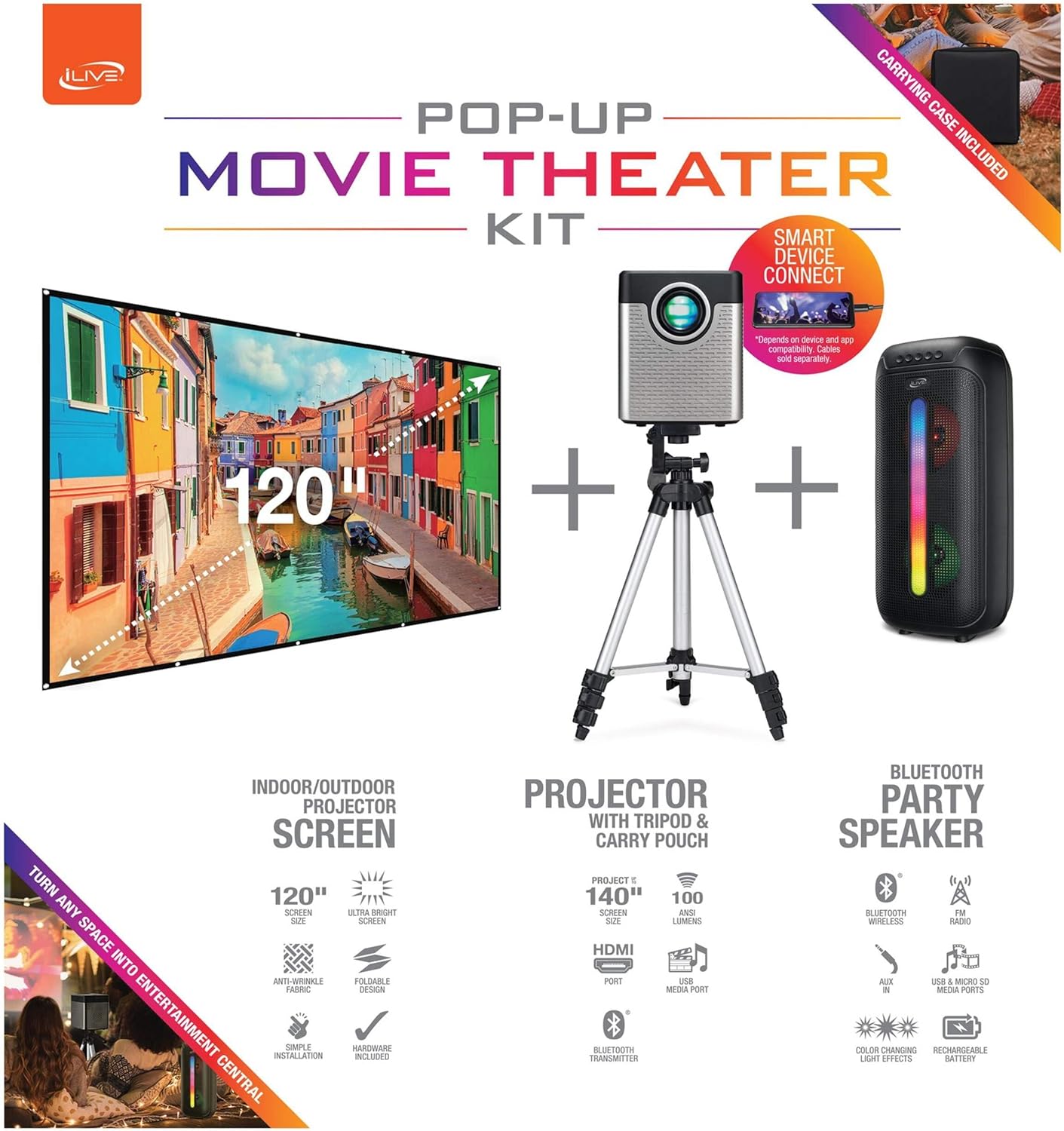
Figure 1: Diagram of the iLive Cinema Pop-up Movie Kit components.

Figure 2: The complete kit packed in its carrying case.
Налаштування
- Розпакуйте компоненти: Carefully remove all items from the carrying case.
- Збірка штатива: Extend the legs of the tripod and secure them. Adjust the height to your desired viewing level. The integrated bubble level assists in ensuring a stable and level base.
- Кріплення проектора: Securely attach the projector to the tripod mount. Ensure it is stable and facing the desired projection area.
- Set Up Screen: Unfold the 120-inch anti-wrinkle screen. If using the tripod, attach the screen to the tripod frame using the provided fasteners. Ensure the screen is taut and wrinkle-free for optimal viewing. For alternative mounting, use the grommets along the screen's edges with appropriate wall hooks (not included).
- Position Speaker: Place the Bluetooth speaker in a location that provides optimal sound distribution for your viewплощі.
- Підключіть живлення: Connect the power cable to the projector and a suitable power outlet.
- Підключення пристроїв (необов'язково): Connect your media source (e.g., laptop, gaming console, Blu-ray player) to the projector using an HDMI or USB cable. For external audio, use the 3.5mm audio input or connect wirelessly via Bluetooth to the speaker.

Figure 3: Projector mounted on the tripod.

Малюнок 4: Впрample outdoor setup with the projector and screen.
Інструкція з експлуатації
Робота проектора
- Увімкнення/вимкнення живлення: Натисніть кнопку живлення на проекторі або пульті дистанційного керування, щоб увімкнути або вимкнути пристрій.
- Джерело введення: Use the remote control to select the desired input source (HDMI, USB, etc.).
- Регулювання фокусу: Повертайте кільце фокусування на об'єктиві проектора, доки зображення не стане чітким.
- Корекція трапецеїдальних спотворень: If the projected image appears trapezoidal, use the keystone correction feature (manual or automatic, if available) to adjust the image to a rectangular shape. The projector supports vertical keystone correction.
- Співвідношення сторін: Select between 16:9 and 4:3 aspect ratios based on your content and preference.
- Відстань проекції: The projector has a flexible projection range of 2.6 to 12.5 feet. Adjust the distance to achieve the desired screen size.
Робота динаміка Bluetooth
- Увімкнення/вимкнення живлення: Press and hold the power button on the speaker to turn it on or off.
- Парування Bluetooth: Активуйте Bluetooth на своєму пристрої (наприклад, смартфоні, планшеті). шукати the iLive speaker in the list of available devices and pair.
- Регулювання гучності: Налаштуйте гучність за допомогою елементів керування на динаміку або підключеному пристрої.
- Світлодіодні світлові ефекти: The speaker features LED light effects. Refer to the speaker's specific controls for adjusting or disabling these effects.
- Справжнє бездротове стерео (TWS): If you have two iLive Bluetooth speakers, you can pair them together for a True Wireless Stereo experience. Follow the instructions provided with the speaker for TWS pairing.
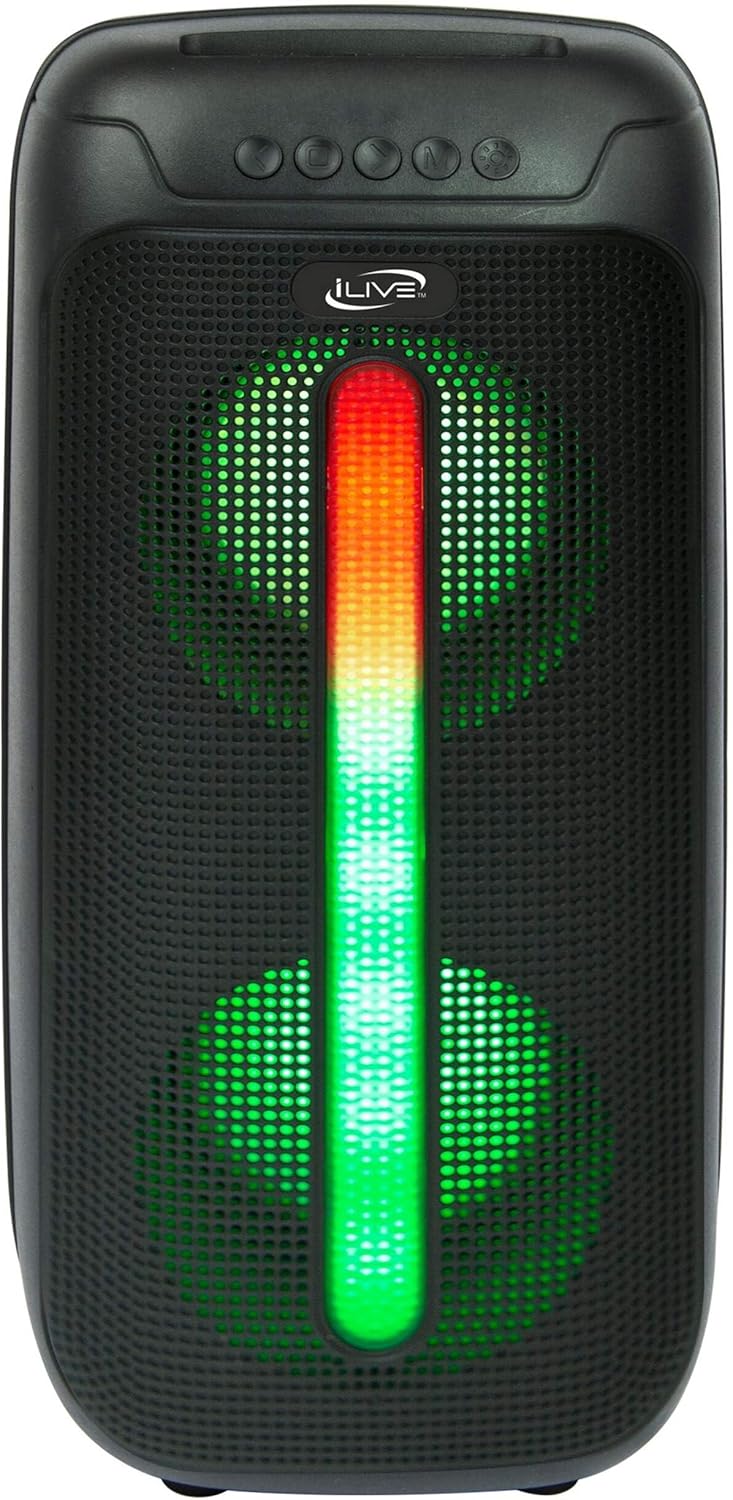
Figure 5: iLive Bluetooth 5.0 Speaker.
Технічне обслуговування
- Об'єктив проектора: Use a soft, lint-free cloth to gently clean the projector lens. Avoid abrasive materials or harsh chemicals.
- Projector Vents: Ensure the projector's ventilation openings are clear of dust and debris to prevent overheating.
- Очищення екрану: The anti-wrinkle polyester screen can be gently wiped with a damp cloth if necessary. Allow it to air dry completely before folding or storing.
- Догляд за динаміком: Keep the speaker dry and clean. Avoid exposing it to extreme temperatures or direct sunlight.
- Зберігання: When not in use, store all components in the provided carrying case in a cool, dry place to protect them from dust and damage.
Усунення несправностей
- Немає зображення на екрані:
- Переконайтеся, що проектор увімкнено, а кришку об'єктива знято.
- Перевірте, чи на проекторі вибрано правильне джерело вхідного сигналу.
- Check all cable connections (HDMI, USB) are secure.
- Розмите зображення:
- Відрегулюйте кільце фокусування на об’єктиві проектора.
- Ensure the projection distance is within the recommended range (2.6-12.5 ft).
- Distorted Image (Trapezoidal):
- Use the keystone correction feature to adjust the image geometry.
- Ensure the projector is placed on a level surface or the tripod is properly adjusted.
- Немає звуку з динаміка:
- Переконайтеся, що динамік увімкнено та заряджено.
- Verify Bluetooth pairing or 3.5mm audio cable connection.
- Check volume levels on both the speaker and the connected device.
- Проблеми зі сполученням Bluetooth:
- Переконайтеся, що динамік перебуває в режимі сполучення.
- Перемістіть динамік ближче до вашого пристрою.
- Disconnect and re-pair the device.
Технічні характеристики
| Особливість | Специфікація |
|---|---|
| Номер моделі | THE2024BDL |
| Роздільна здатність дисплея | 1280 x 720 (720p) |
| Тип дисплея | LED |
| Яскравість | 3000 люмен |
| Коефіцієнт контрастності | 1000:1 |
| Співвідношення сторін | 16:9, 4:3 |
| Життя джерела світла | 20,000 години |
| Діапазон проекції | 2.6 - 12.5 фути |
| Максимальний розмір зображення | 120 дюймів |
| Підключення | HDMI, USB, 3.5mm Audio, Bluetooth 5.0 |
| Вихід на динамік | 16W Peak (Dual 4-inch drivers) |
| Термін служби батареї динаміка | До 4 годин (при гучності 50%) |
| Особливості штатива | Integrated bubble level, 360-degree pan, ±180-degree tilt, 41.73-inch max height, 4 kg capacity |
| Підтримка кодування відео | H.264, H.265 |
| Спосіб контролю | Пульт дистанційного керування |
Офіційні відео про продукти
Наразі офіційних відео продавців для цього товару немає.
Гарантія та підтримка
For warranty information or technical support, please contact iLive customer service at 1-888-999-4215. Please have your model number (THE2024BDL) and proof of purchase ready when contacting support.