
1. Вступ
This manual provides detailed instructions for the setup, operation, maintenance, and troubleshooting of your GMKtec Nucbox G10 Mini PC. The Nucbox G10 is a compact and powerful desktop computer designed for various applications, from office tasks to multimedia entertainment, featuring an AMD Ryzen 5 3500U processor, 16GB DDR4 RAM, and a 1TB NVMe SSD.
2. Вміст упаковки
Перевірте, чи всі перелічені нижче предмети присутні у вашій упаковці:
- GMKtec Nucbox G10 AMD Ryzen 5 3500U Mini PC Computer
- Блок живлення та кабель
- Кабель HDMI
- Кріплення та гвинти VESA
- Посібник користувача (цей документ)

Image: Retail Boxed Packaging. This image displays the GMKtec Nucbox G10 Mini PC, power supply, HDMI cable, VESA mount, screws, and user manual, illustrating the complete contents of the product package.
3. Продукт закінчивсяview
3.1 Основні характеристики
- Процесор: AMD Ryzen 5 3500U (4 Cores, 8 Threads, up to 3.70GHz Turbo Boost)
- Графіка: Integrated AMD Radeon Vega 8 Graphics (1200 MHz)
- Пам'ять: 16GB Dual Channel DDR4 RAM (expandable up to 64GB)
- Зберігання: 1TB M.2 2280 NVMe SSD (expandable up to 16TB via dual M.2 2280 PCIe 3.0 slots)
- Мережа: 2.5GbE Ethernet, WiFi 5, Bluetooth 5.0
- Вихід дисплея: Triple 4K display support via HDMI 2.1, DisplayPort 1.4, and Full Function USB-C
- Охолодження: Silent Turbo Cooling Fan system

Image: Nucbox G10 Feature Overview. This image provides a visual summary of the mini PC's core components including the AMD Ryzen 5 3500U CPU, Radeon Vega 8 Graphics, DDR4 RAM, M.2 SSD, 2.5GbE LAN, WiFi 5, Bluetooth 5.0, triple display support, and cooling system.
3.2 Порти та роз’єми
The Nucbox G10 features a comprehensive set of ports for connectivity:
- Спереду: 1x CTIA Audio Jack, 2x USB 3.2 (5Gbps), 1x Power Button
- задній: 1x Type-C (PD Only), 1x USB 2.0, 1x 2.5G Giga LAN, 1x HDMI 2.1 (4K@60Hz), 1x DP 1.4 (4K@60Hz), 1x Full Function USB-C (PD/DP/Data), 1x Kensington Lock slot

Image: Front Panel Ports. This image shows the front of the Nucbox G10, highlighting the power button, two USB 3.2 ports, and the CTIA audio jack.

Image: Rear Panel Ports. This image illustrates the rear of the Nucbox G10, detailing the USB-C (PD Only), USB 2.0, 2.5G LAN, HDMI 2.1, DisplayPort 1.4, Full Function USB-C, and Kensington Lock slot.
4. Посібник із налаштування
4.1 Підключення периферійних пристроїв
- Монітор: Connect your monitor(s) to the Mini PC using the HDMI, DisplayPort, or USB-C ports. The Nucbox G10 supports up to three 4K displays simultaneously.
- Клавіатура та миша: Підключіть USB-клавіатуру та мишу до доступних USB-портів.
- Мережа: For a wired connection, connect an Ethernet cable from your router/modem to the 2.5GbE LAN port. For wireless, ensure your WiFi network is available.
- Аудіо: Connect speakers or headphones to the 3.5mm audio jack on the front panel if needed.
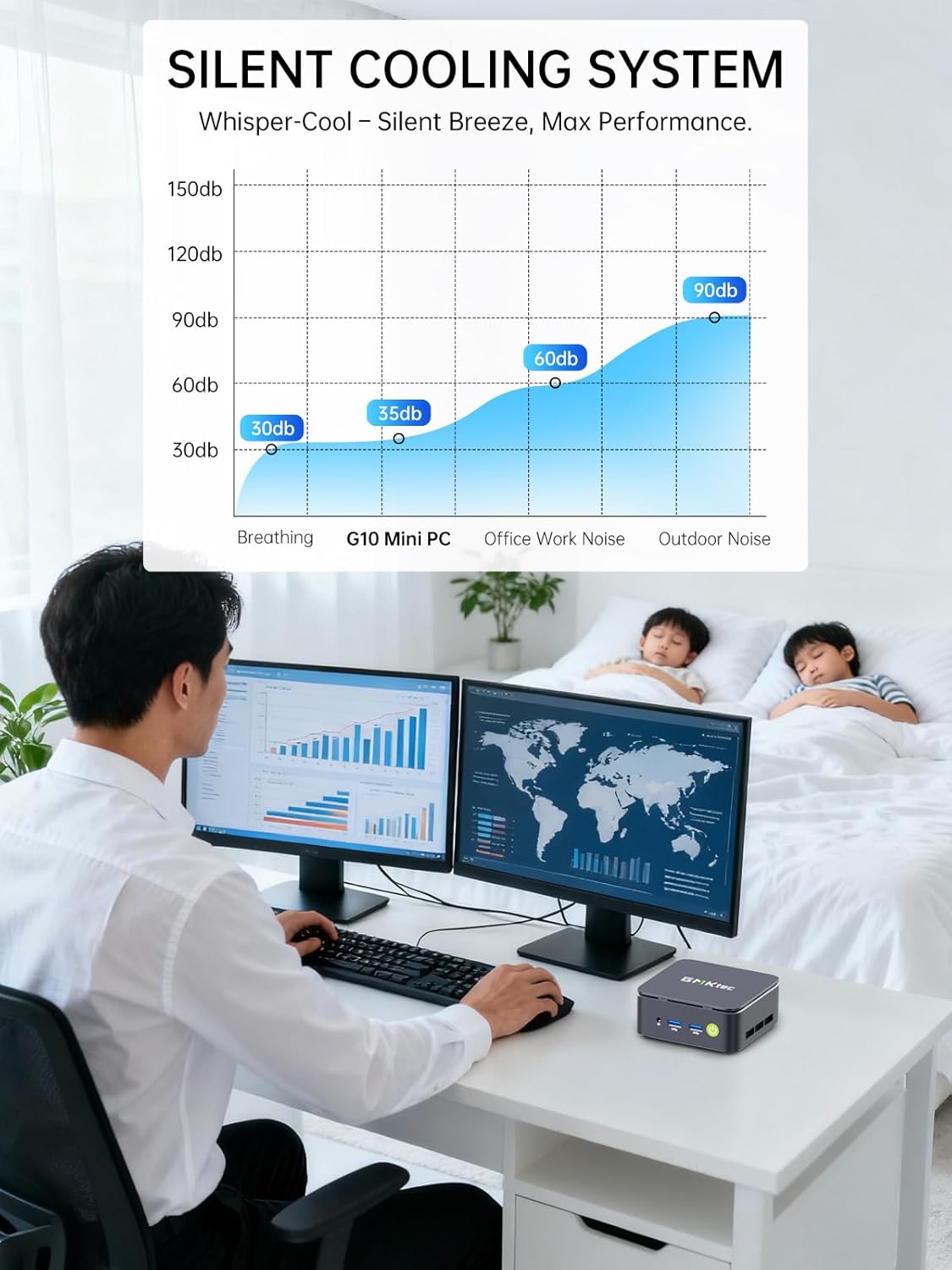
Image: Triple Display Setup. This image demonstrates the Nucbox G10 connected to two vertical monitors and a tablet, showcasing its triple display capability for enhanced productivity.
4.2 Підключення живлення
Connect the provided power adapter to the DC-in port on the Mini PC, then plug the power cable into a wall outlet. The Mini PC is designed for low power consumption.
4.3 Початкове завантаження
Press the power button on the front panel. The Mini PC will boot into the pre-installed Windows 11 Pro operating system. Follow the on-screen instructions for initial Windows setup.
5. Інструкція з експлуатації
5.1 Увімкнення/вимкнення живлення
- Увімкнення: Натисніть кнопку живлення один раз.
- Вимкнення живлення: У Windows перейдіть до меню Пуск > Живлення > Вимкнути комп’ютер. Або натисніть і утримуйте кнопку живлення протягом 5 секунд, щоб примусово вимкнути комп’ютер (використовуйте лише за необхідності).
5.2 Операційна система
Your Nucbox G10 comes with Windows 11 Pro pre-installed. Ensure you keep your operating system updated for optimal performance and security.
5.3 Підключення до мережі
- Дротове з’єднання (Ethernet): Once the Ethernet cable is connected, the system should automatically detect the network.
- Бездротовий зв'язок (Wi-Fi): In Windows, click the Wi-Fi icon in the taskbar, select your network, enter the password, and connect.
- Bluetooth: Щоб підключити пристрої Bluetooth, перейдіть до меню Налаштування Windows > Bluetooth та пристрої та з’єднайте свій пристрій.
6. Технічне обслуговування
6.1 Очищення
Regularly clean the exterior of the Mini PC with a soft, dry cloth. Ensure ventilation openings are free from dust to maintain optimal cooling performance. Do not use liquid cleaners directly on the device.

Image: Ultra Efficient Cooling System. This image provides an internal view of the Nucbox G10, highlighting the silent turbo cooling fan designed for efficient heat dissipation.
6.2 Оновлення програмного забезпечення
Keep your Windows operating system and drivers updated to ensure system stability, security, and performance. Windows Update can be accessed via Settings > Windows Update.
6.3 Розширення пам'яті та обсягу пам'яті
The Nucbox G10 supports memory expansion up to 64GB DDR4 RAM and storage expansion up to 16TB via its dual M.2 2280 PCIe 3.0 slots. Consult a qualified technician for hardware upgrades to avoid voiding your warranty or damaging the device.
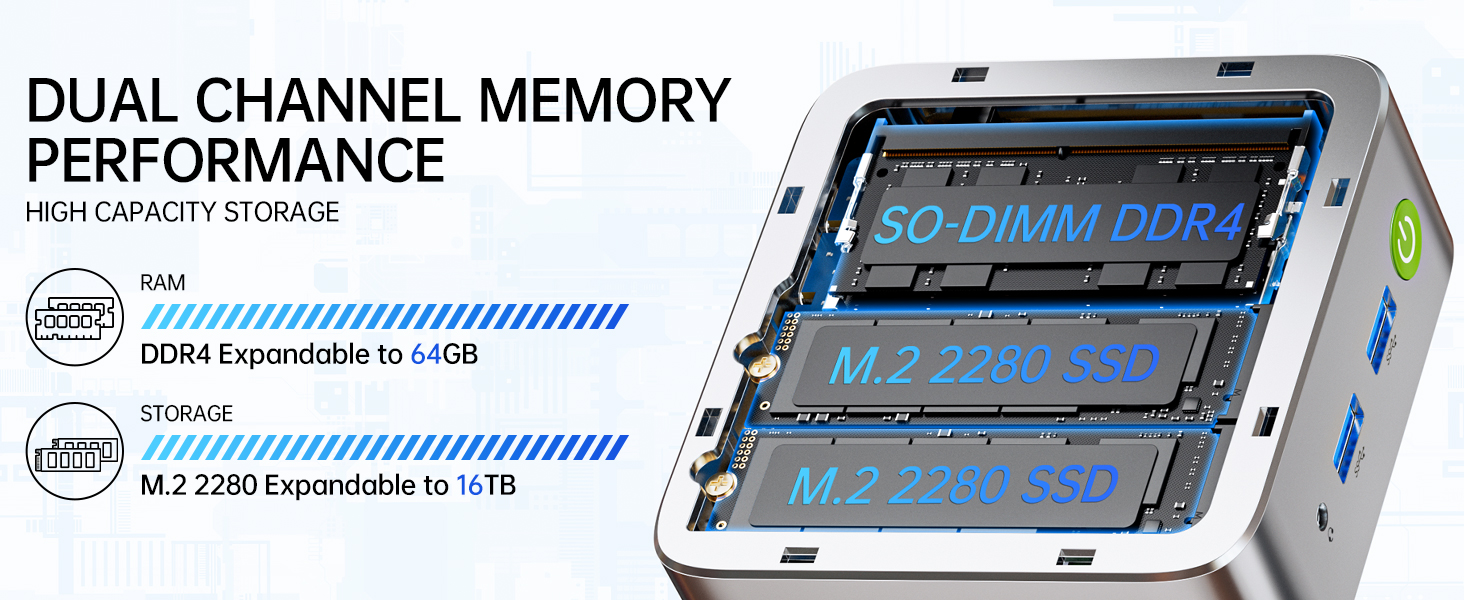
Image: Dual Channel Memory Performance and High Capacity Storage. This diagram illustrates the internal layout for SO-DIMM DDR4 RAM and M.2 2280 SSDs, indicating their expandability.
7. Вирішення проблем
Якщо у вас виникли проблеми з вашим міні-ПК, зверніться до наступних поширених проблем та рішень:
- Немає живлення:
- Переконайтеся, що адаптер живлення надійно підключений як до міні-ПК, так і до справної розетки.
- Перевірте справність розетки, підключивши інший пристрій.
- Немає дисплея:
- Check that the HDMI, DisplayPort, or USB-C cable is firmly connected to both the Mini PC and the monitor.
- Переконайтеся, що монітор увімкнено та налаштовано на правильне джерело вхідного сигналу.
- Спробуйте підключитися до іншого дисплея або використати інший кабель.
- Проблеми з підключенням до мережі:
- Провідний: Перевірте підключення кабелю Ethernet. Перезавантажте маршрутизатор/модем.
- Бездротовий: Ensure Wi-Fi is enabled in Windows settings. Verify your Wi-Fi password. Restart your router.
- Повільна продуктивність:
- Закрийте непотрібні програми, що працюють у фоновому режимі.
- Переконайтеся, що система має достатню вентиляцію та не перегрівається.
- Перевірте та встановіть будь-які оновлення Windows або оновлення драйверів, що очікують на оновлення.
- Виконайте очищення диска, щоб звільнити місце на диску.
8. Технічні характеристики
| Особливість | Специфікація |
|---|---|
| Бренд | GMKtec |
| Назва моделі | G10 |
| Операційна система | Windows 11 Pro |
| Модель процесора | AMD Ryzen 5 3500U |
| Швидкість ЦП | 3.7 GHz (Boost) |
| Кількість процесорів | 4 |
| Графічний співпроцесор | AMD Radeon Vega 8 Graphics 1200 MHz |
| Встановлена оперативна пам'ять | 16 ГБ DDR4 |
| Максимальний розмір оперативної пам'яті | 64 ГБ |
| Швидкість пам'яті | 2400 МТ/с |
| Ємність пам'яті | Твердотільний накопичувач NVMe на 1 ТБ |
| Опис жорсткого диска | Dual Slot M.2 2280 PCIE Max. 16TB |
| Технологія підключення | HDMI 2.1, RJ45 2.5GbE LAN, USB 3.2, USB-C (DP/DATA/PD), WIFI5/ BT 5.0 |
| Бездротова сумісність | 802.11a/b/g/n/ac (WiFi 5), Bluetooth 5.0 |
| Відеовихід | HDMI 2.1, DisplayPort, Type-C (Triple Display) |
| Максимальна роздільна здатність дисплея | 4096 × 2160 Pixels (4K) |
| Загальна кількість портів USB | 4 (2x USB 3.2, 1x USB 2.0, 1x USB-C Full Function) |
| Споживана потужність | 25 Watts (Typical) |
| Розміри предмета | 4.1 x 3.8 x 1.7 дюймів |
| Вага товару | 0.95 кілограма |
| Спосіб охолодження | Подвійний вентилятор охолодження |
| Додаткові функції | RTC Wake, Auto Power On, Wake On LAN, PXE Boot |
9. Гарантія та підтримка
9.1 Інформація про гарантію
GMKtec пропонує 1 рік обмеженої гарантії для кожного міні-ПК, починаючи з дати покупки. Ця гарантія поширюється на дефекти, спричинені конструкцією та виготовленням. Будь ласка, збережіть підтвердження покупки для пред'явлення гарантійних претензій.
9.2 Підтримка клієнтів
For technical assistance, warranty claims, or any questions regarding your GMKtec Nucbox G10 Mini PC, please contact GMKtec customer support. You can typically find contact information on the official GMKtec website or through the seller's contact page where you purchased the product (e.g., GMKtec-Direct on Amazon).