1. Вступ
Дякуємо за покупкуasing the MangoKit SR-L WiFi Internet Radio. This device offers a versatile listening experience, combining WiFi Internet Radio, FM Radio, a Podcast Player, and Bluetooth streaming capabilities. It also features an alarm clock and can be powered by mains or batteries for portability. This manual provides detailed instructions for setup, operation, and maintenance to ensure optimal performance and enjoyment of your radio.
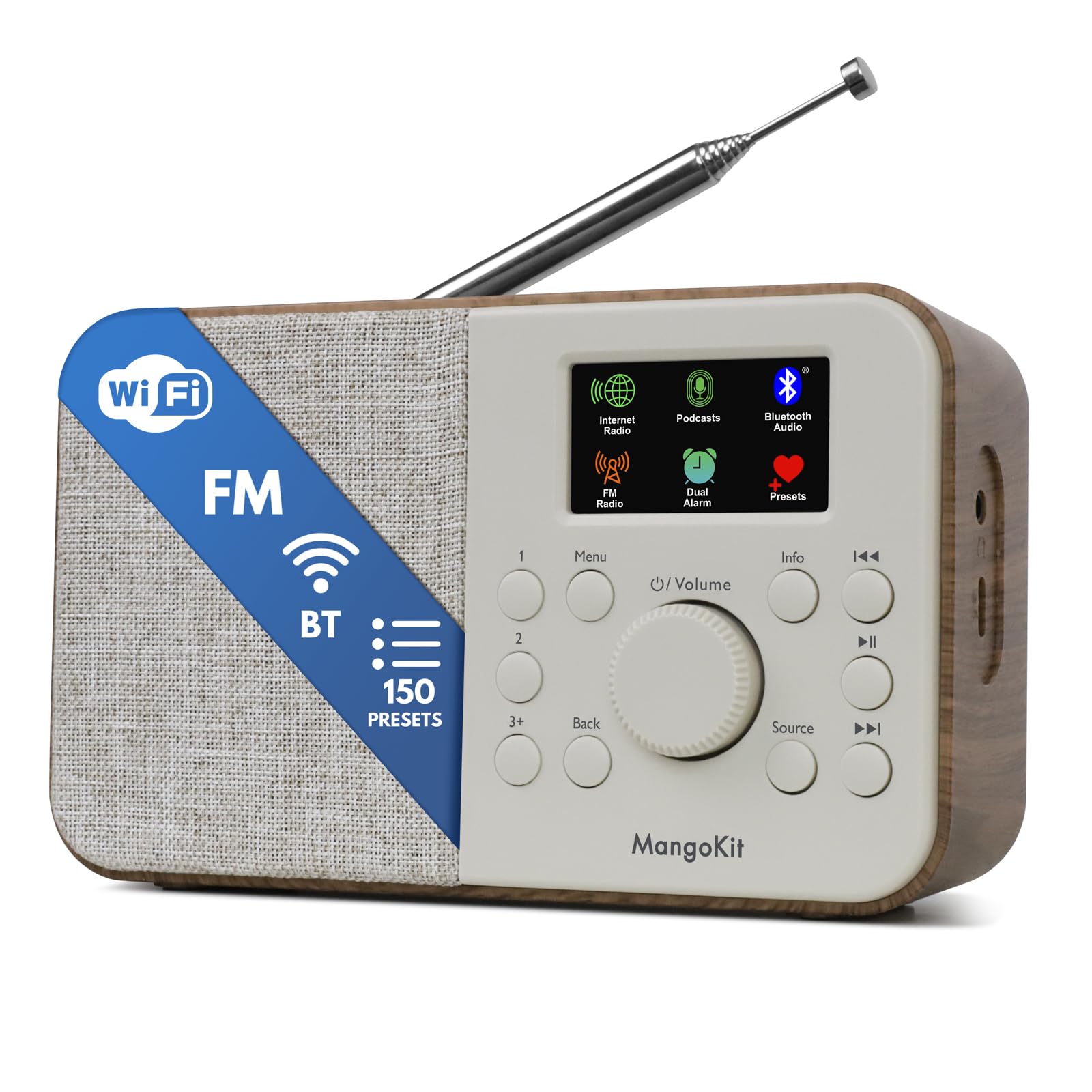
Image 1.1: The MangoKit SR-L WiFi Internet Radio in Walnut finish, showcasinйого компактний дизайн.
2. Важлива інформація з безпеки
Будь ласка, прочитайте всі інструкції з безпеки перед використанням пристрою. Зберігайте цей посібник для подальшого використання.
- Не піддавайте пристрій впливу дощу, вологи або екстремальних температур.
- Уникайте розміщення пристрою поблизу джерел тепла або під прямими сонячними променями.
- Забезпечте належну вентиляцію; не блокуйте вентиляційні отвори.
- Використовуйте лише наданий адаптер живлення.
- Не намагайтеся розбирати або модифікувати пристрій. Звертайтеся до кваліфікованого персоналу для проведення будь-яких технічних робіт.
- Утилізуйте батарейки відповідально згідно з місцевими правилами.
3. Вміст упаковки
Перевірте наявність усіх елементів в упаковці:
- MangoKit SR-L WiFi Internet Radio
- Адаптер живлення
- Інструкція з експлуатації
4. Продукт закінчивсяview
The MangoKit SR-L features an intuitive control panel and a full-color display for easy navigation and information display.

Зображення 4.1: Крупний план view of the MangoKit SR-L's front panel, highlighting the display, rotary knob, and control buttons.
Елементи керування та дисплей:
- Full Colour Display: Відображає інформацію про станцію, час та пункти меню.
- Rotary Knob (Volume/Select): Turn to adjust volume or navigate menus; press to confirm selections.
- Кнопка меню: Доступ до головного меню.
- Кнопка Назад: Повернення до попереднього екрана або меню.
- Кнопка джерела: Switches between Internet Radio, FM, Bluetooth, and Podcast modes.
- Кнопки попередньо встановлених налаштувань (1, 2, 3+): Швидкий доступ до збережених улюблених станцій.
- Інформаційна кнопка: Відображає додаткову інформацію про поточну трансляцію.
- Кнопки пропуску/налаштування: Навігація по треках або налаштування радіочастот.
- Кнопка живлення: Вмикає/вимикає пристрій.
5. Джерело живлення
The MangoKit SR-L can be powered by the included mains adapter or by batteries for portable use.
5.1 Живлення від мережі
Підключіть наданий адаптер живлення до порту DC IN на задній панелі радіоприймача, а потім підключіть його до стандартної розетки.
5.2 Живлення батареї
For portable operation, insert 4 AA batteries (not included) into the battery compartment on the back of the unit. Ensure correct polarity. The radio can provide up to 10 hours of portable listening on batteries.

Image 5.1: The MangoKit SR-L radio used outdoors, demonstrating its portability with battery power.
6. Початкове налаштування
Upon first power-on, the radio will guide you through the initial setup process.
- Вибір мови: Use the rotary knob to select your preferred language and press to confirm.
- Час і дата: Set the current time and date. This can often be synchronized automatically via the internet once connected.
- Мережеве з'єднання (Wi-Fi):
- Радіоприймач скануватиме доступні мережі Wi-Fi.
- Виберіть свою мережу зі списку.
- Enter your Wi-Fi password using the rotary knob to select characters and press to confirm each character.
- Після підключення радіостанція підтвердить з'єднання.
7. Режими роботи
The MangoKit SR-L offers multiple listening modes. Press the Джерело кнопку для перемикання між ними.
7.1 Інтернет-радіо
Access thousands of radio stations worldwide via your Wi-Fi connection.
- Select 'Internet Radio' from the source menu.
- Browse stations by location, genre, or use the search function.
- Use the rotary knob to navigate and select a station.
- Збереження пресетів: To save a station, press and hold one of the preset buttons (1, 2, or 3+). To recall a preset, simply press the corresponding button. The radio supports up to 150 presets.
Video 7.1: An official product video demonstrating the features of the MangoKit SR-L, including Internet Radio, FM, and Bluetooth functionality.
7.2 FM-радіо
Слухайте місцеві FM-трансляції.
- Select 'FM Radio' from the source menu.
- Розсуньте телескопічну антену для найкращого прийому.
- Use the skip/tune buttons to manually tune or auto-scan for stations.
- Save and recall FM stations using the preset buttons as described for Internet Radio.
7.3 Потокове передавання через Bluetooth
Connect your smartphone or tablet to play audio wirelessly.
- Select 'Bluetooth' from the source menu. The radio will enter pairing mode.
- On your device, enable Bluetooth and search for 'MangoKit SR-L'.
- Виберіть радіо для сполучення. Після підключення ви можете транслювати аудіо зі свого пристрою.
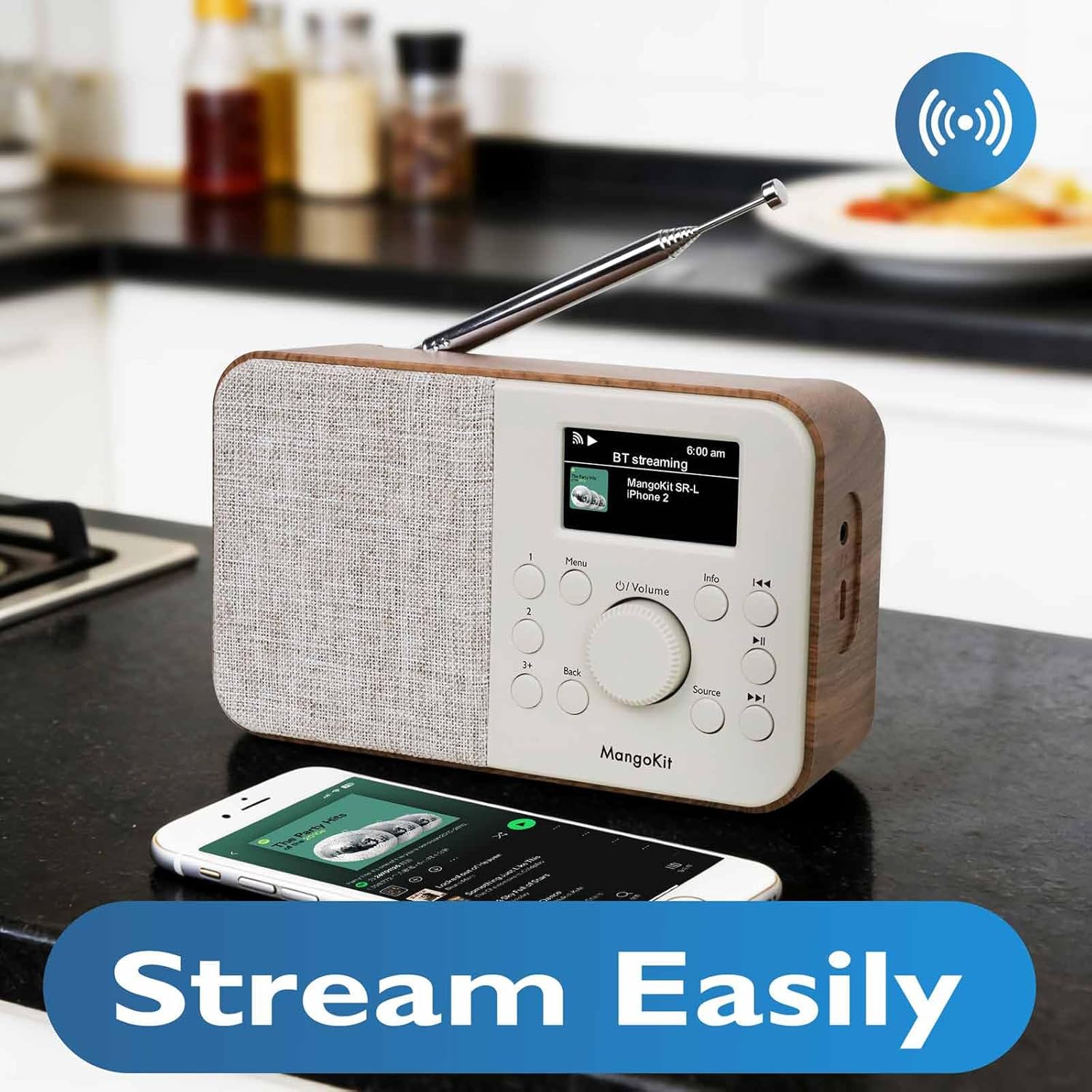
Image 7.2: The MangoKit SR-L radio connected via Bluetooth to a smartphone, demonstrating wireless audio streaming.
7.4 Podcast Player
Browse and listen to podcasts directly on the radio.
- Select 'Podcast' from the source menu.
- Browse podcasts by category, search, or view recently played.
- Select an episode to play. The player allows you to save and return to favorite episodes.
8. Будильник і таймер сну
The MangoKit SR-L includes an alarm clock and a sleep timer function.
8.1 Налаштування будильника
- Access the 'Alarm' option from the main menu.
- Налаштуйте до двох незалежних будильників.
- Configure alarm time, source (FM, Internet Radio, or buzzer), and volume.
- Enable or disable the alarm. When an alarm sounds, press any button to snooze or the power button to turn it off.
8.2 Таймер сну
Таймер сну дозволяє радіо автоматично вимикатися після встановленого періоду часу.
- Access the 'Sleep Timer' option from the main menu.
- Виберіть потрібну тривалість (наприклад, 15, 30, 60 хвилин).
- The radio will count down and automatically switch off.
9. Технічне обслуговування
To ensure the longevity and optimal performance of your MangoKit SR-L radio, follow these maintenance guidelines:
- Прибирання: Використовуйте м’яку суху тканину для очищення зовнішньої частини радіо. Не використовуйте абразивні засоби для чищення, віск або розчинники.
- Антена: Обережно поводьтеся з телескопічною антеною, щоб уникнути її погнуття або поломки.
- Зберігання: Якщо радіо зберігатиметься протягом тривалого часу, вийміть батарейки, щоб запобігти витіканню.
10. Вирішення проблем
Якщо у вас виникли проблеми з радіо, зверніться до наступних поширених проблем та способів їх вирішення:
| проблема | Можлива причина | Рішення |
|---|---|---|
| Немає живлення | Power adapter not connected; batteries depleted or incorrectly inserted. | Check power adapter connection; replace batteries or ensure correct polarity. |
| No Internet Radio connection | Incorrect Wi-Fi password; Wi-Fi signal too weak; router issue. | Re-enter Wi-Fi password; move radio closer to router; restart router. |
| Поганий FM -прийом | Антена не висунута; перешкоди. | Fully extend the telescopic antenna; reposition the radio. |
| Помилка з’єднання Bluetooth | Радіоприймач не в режимі сполучення; пристрій занадто далеко; пристрій уже сполучено з іншим пристроєм. | Ensure radio is in Bluetooth mode; bring devices closer; unpair from other devices. |
| Ні звуку | Volume too low; mute activated; headphones connected. | Increase volume; check if mute is active; disconnect headphones if not needed. |
11. Технічні характеристики
| Особливість | Деталь |
|---|---|
| Номер моделі | SR-L |
| Розміри продукту | 7 x 3 x 2.5 дюймів |
| Вага товару | 1 фунт |
| Технологія підключення | Bluetooth, WiFi |
| Технологія тюнера | Internet Radio, FM |
| Джерело живлення | Corded Electric, Battery (4 AA, not included) |
| Особливість | Portable, Alarm Clock, Podcast Player, 150 Presets |
| Дисплей | Full Colour Display |
| Гніздо для навушників | так |
12. Гарантія та підтримка
MangoKit products are designed for reliability and performance. This product comes with a standard manufacturer's warranty. Please refer to the warranty card included in your package for specific terms and conditions.
Підтримка клієнтів:
For technical assistance, troubleshooting, or warranty inquiries, please contact MangoKit customer support through the retailer where you purchased the product or visit the official MangoKit webсайт для контактної інформації.