
вступ
This manual provides essential instructions for the safe operation, setup, and maintenance of your DEERC M66 1080P Drone. Designed for beginners, teenagers, and families, this drone features a 4.3-inch screen remote control, a 1080P camera for close-up aerial photography, a brushless motor for stable flight, and 5G transmission for a smooth live view. Please read this manual thoroughly before operating the drone to ensure proper use and to prevent damage or injury.
Інформація про безпеку
УВАГА: Використовувати лише під безпосереднім наглядом дорослих.
- Завжди керуйте дроном на відкритих майданчиках, подалі від людей, тварин та перешкод.
- Перед польотом переконайтеся, що всі пропелери надійно закріплені.
- Не літайте поблизу аеропортів або обмеженого повітряного простору.
- Уникайте польотів за сильного вітру або несприятливих погодних умов.
- Тримайте пальці та волосся подалі від обертових пропелерів.
- Do not touch the motors immediately after flight as they may be hot.
- Always turn off the drone and remote control when not in use.
- Дотримуйтесь усіх місцевих правил та законів щодо експлуатації дронів.
Вміст упаковки
Перевірте, чи всі перелічені нижче предмети входять до вашої упаковки:
- 1 x DEERC M66 Drone
- 1 x Remote Control with 4.3-inch Screen
- 2 x Drone Batteries (Lithium-polymer)
- 4 запасних пропелера
- 1 x USB-кабель для зарядки
- 1 х викрутка
- 1 x карта пам'яті
- 1 х Сумка
- Посібник користувача (цей документ)

зображення: A visual representation of all components included in the DEERC M66 drone package, laid out neatly. This includes the folded drone, the remote control, two batteries, spare propellers, a USB charging cable, a screwdriver, a memory card, and a carrying bag.
Налаштування
1. Встановлення та зарядка акумулятора
The DEERC M66 drone comes with two Lithium-polymer batteries, providing up to 40 minutes of total flight time. Ensure batteries are fully charged before each flight.
- Акумулятор Drone: Insert the drone battery into the battery compartment on the rear of the drone until it clicks into place. To charge, connect the USB charging cable to the battery and a suitable USB power source (e.g., computer, USB adapter). The charging indicator will show the charging status.
- Акумулятор пульта дистанційного керування: The remote control requires 2 D batteries (not included). Open the battery compartment on the back of the remote control and insert the batteries, observing the correct polarity.
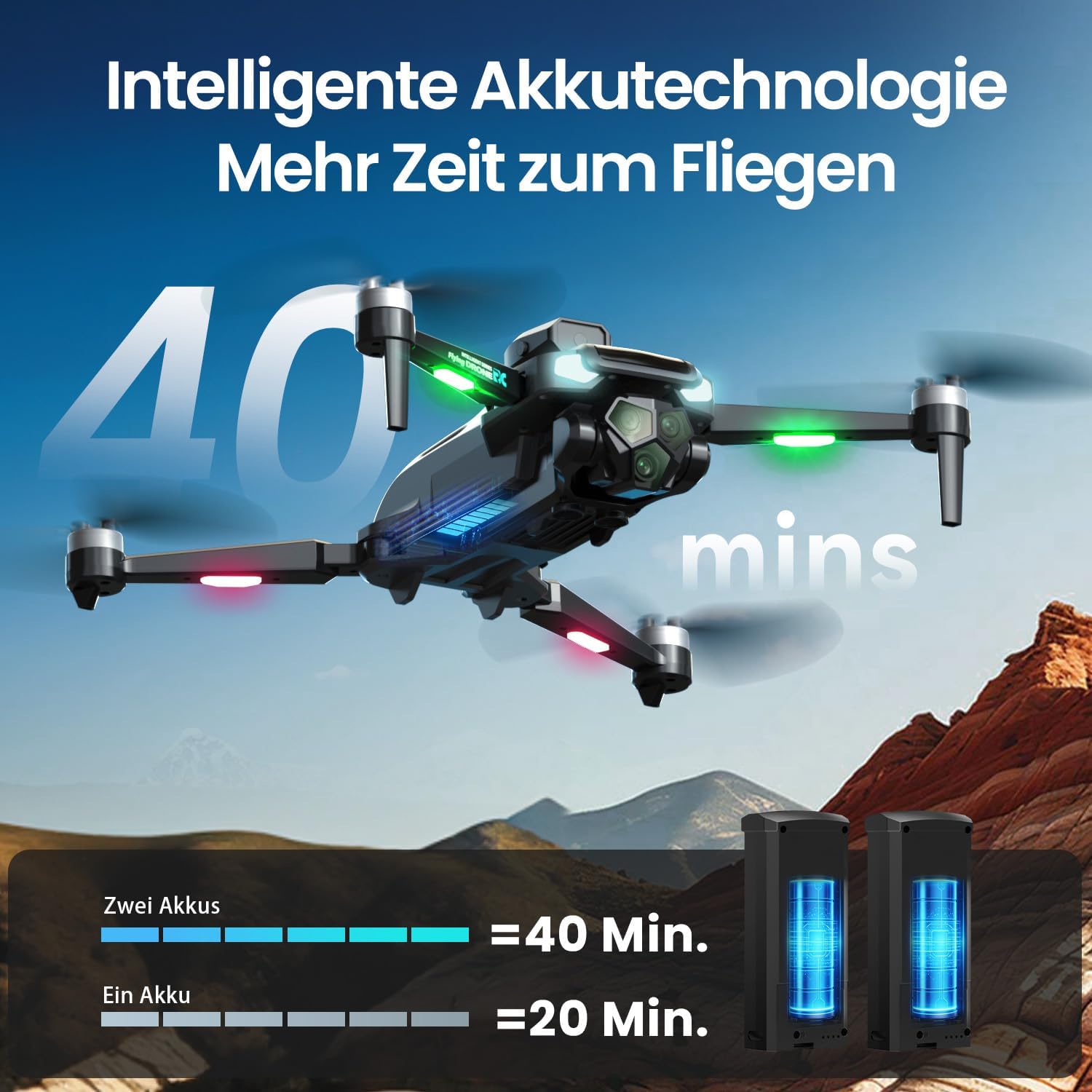
зображення: The DEERC M66 drone in flight, with an overlay indicating "40 mins" flight time. Below, two drone batteries are shown, illustrating that two batteries provide 40 minutes of flight, while one provides 20 minutes. This highlights the extended flight capability.
2. Встановлення пропелера
The drone's propellers are designed for easy replacement. If a propeller is damaged, replace it with a spare from the package.
- Identify the correct propeller type (A or B) for each motor arm.
- Align the propeller with the motor shaft and press down firmly until it is securely attached.
- Ensure all propellers spin freely without obstruction.
3. Налаштування дистанційного керування
The remote control features an integrated 4.3-inch screen, eliminating the need for a smartphone.
- Unfold the remote control's screen and antennas.
- Натисніть кнопку живлення, щоб увімкнути пульт дистанційного керування.
- Power on the drone. The remote control and drone will automatically pair. A successful connection will be indicated by a stable light on the drone and a live video feed on the remote's screen.
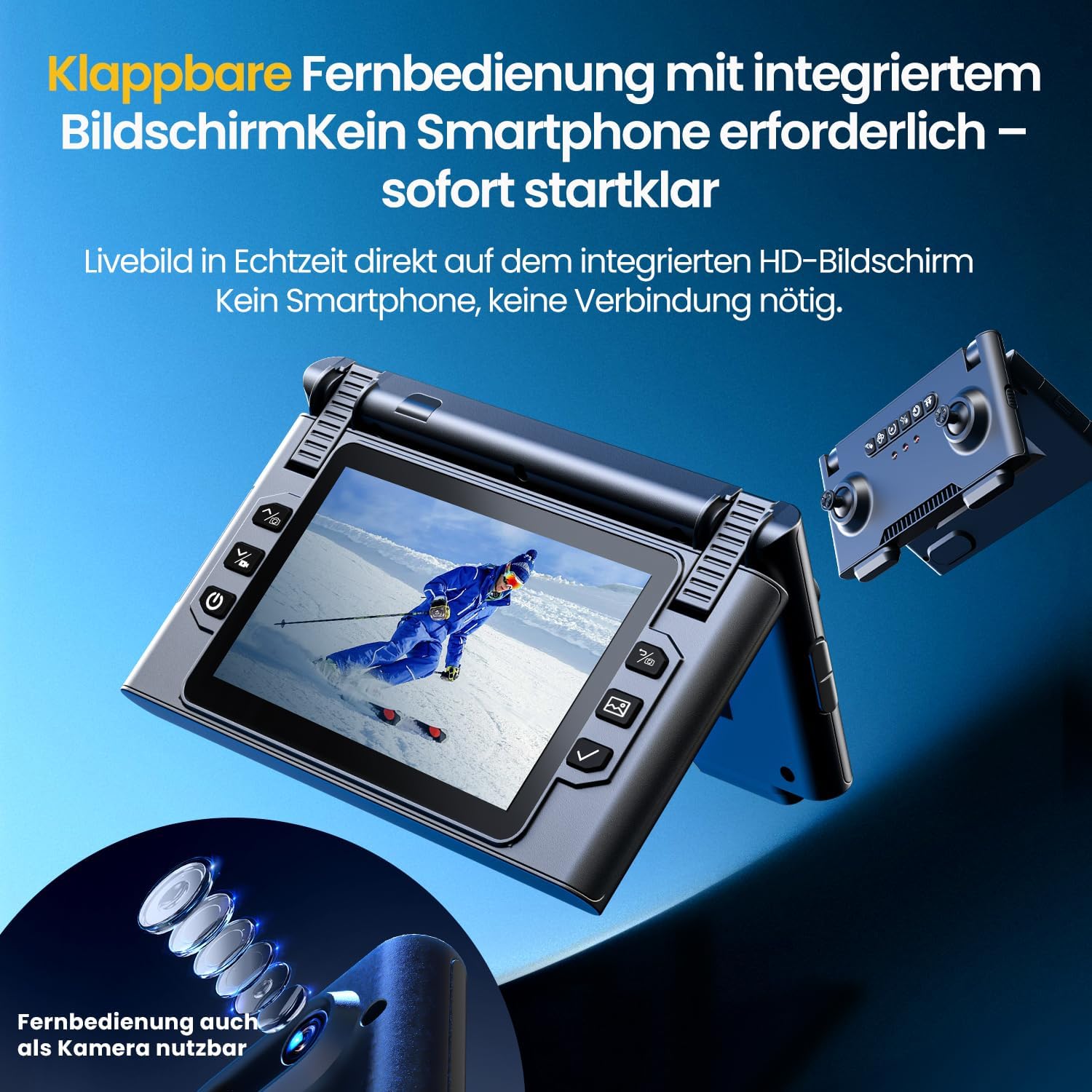
зображення: Крупний план view of the DEERC M66 drone's foldable remote control, showcasing its integrated 4.3-inch HD screen. The screen displays a live feed, and the remote's buttons and joysticks are visible. This design allows for immediate flight without a smartphone connection.
Інструкція з експлуатації
1. Основні елементи керування польотом
- Зліт/посадка однією клавішею: Press the dedicated button on the remote control for automatic takeoff or landing.
- Безголовий режим: Activate Headless Mode to simplify flight orientation. In this mode, the drone's front will always be the direction the remote control is facing, regardless of the drone's actual orientation.
- Аварійна зупинка: У разі надзвичайної ситуації натисніть кнопку аварійної зупинки, щоб негайно відключити живлення двигунів.

зображення: Three distinct panels illustrating beginner-friendly flight features. The first shows the drone taking off from a landing pad, representing one-button start and landing. The second depicts the drone in headless mode, with arrows indicating simplified directional control. The third shows the drone descending rapidly, symbolizing the emergency stop function.
2. Flight Modes and Tricks
- Регулювання швидкості: The drone offers 3 speed levels (Slow, Medium, Fast) to accommodate different skill levels and flying environments. Adjust the speed using the dedicated button on the remote control.
- Переворот на 360°: Perform impressive aerial stunts with a single button press. Ensure sufficient altitude and clear surroundings before attempting flips.

зображення: Two panels demonstrating advanced flight capabilities. The top panel shows the drone performing a 360-degree flip with a single button press, illustrating an aerial trick. The bottom panel displays three drones at different speeds (Slow, Medium, Fast), indicating the adjustable speed settings for varied flight experiences.
3. Робота та функції камери
The integrated 1080P camera is designed for clear close-up shots and everyday scenes.
- 1080P HD камера: Capture high-definition photos and videos. The camera features a 90° adjustable lens for flexible wide-angle shots.
- Управління жестами: Initiate photo and video recording with simple hand gestures, making it easy to capture moments without touching the remote.
- Передача 5G: Enjoy a stable live image feed on the remote control's screen up to approximately 100 meters, providing real-time visual feedback for precise control.

зображення: Детальний view of the DEERC M66 drone, highlighting its 1080P HD camera with a 90-degree adjustable lens. The image also shows a comparison between 1080P and 720P resolution, emphasizing the clarity of the 1080P camera for aerial views.
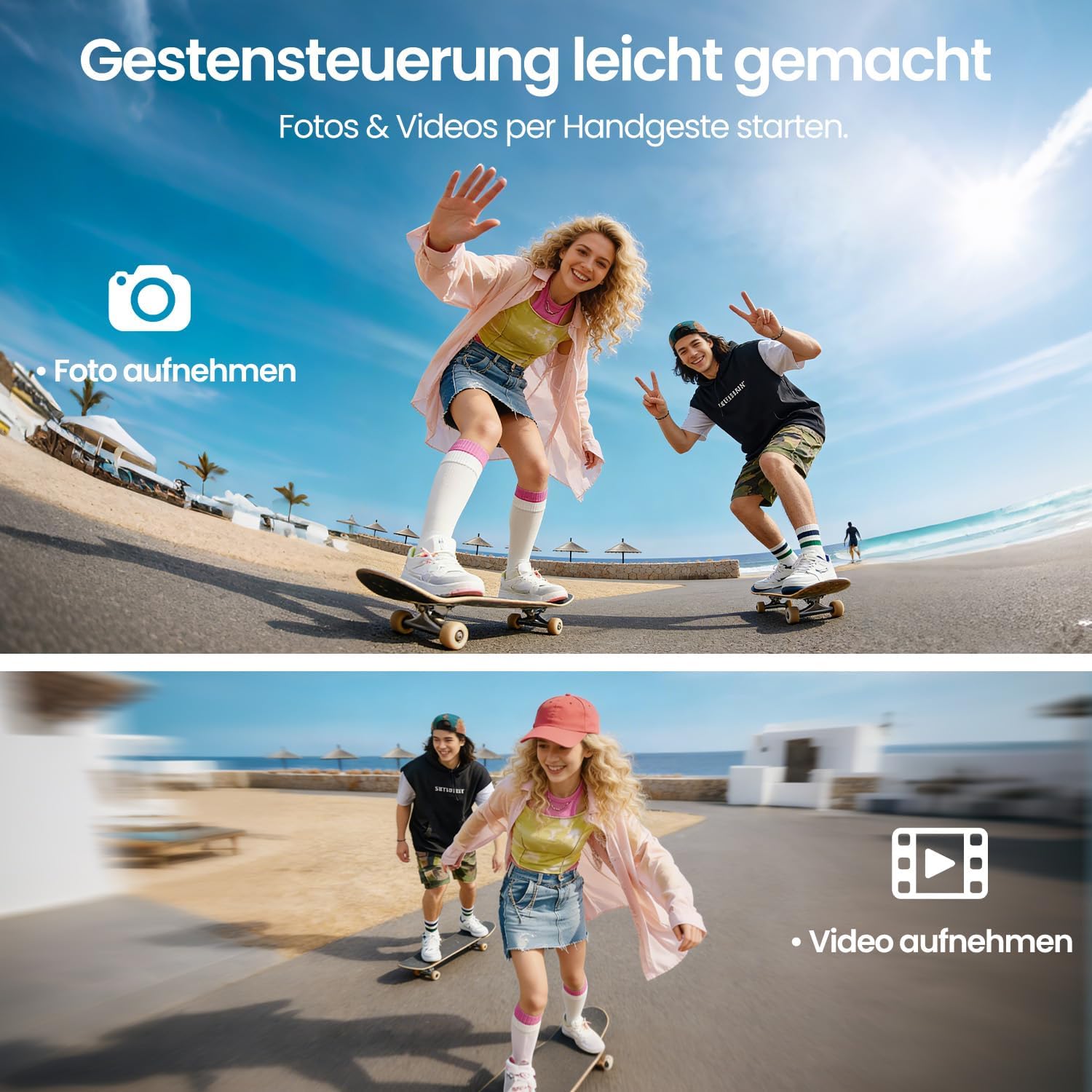
зображення: Two panels demonstrating gesture control. The top panel shows a person making a hand gesture to take a photo, indicated by a camera icon. The bottom panel shows another person making a different hand gesture to record a video, indicated by a video camera icon. This illustrates the ease of capturing media hands-free.
4. Obstacle Avoidance and Stability
- Уникнення перешкод на 360°: The drone is equipped with 360° obstacle avoidance to help reduce collisions, making it safer for beginners.
- Позиціонування оптичного потоку: Optical flow sensors ensure stable positioning at low altitudes, contributing to a calm and uniform flight experience, especially indoors or in confined outdoor spaces.
- Безщеточний двигун: The brushless motor provides quiet and stable flight performance, enhancing durability and efficiency.

зображення: The DEERC M66 drone flying near a rocky surface, with visual cues indicating obstacle avoidance sensors and stable flight. An inset shows a brushless motor, emphasizing its quiet and uniform operation. This image highlights the drone's stability features and collision prevention.
Технічне обслуговування
- Прибирання: Regularly clean the drone body, propellers, and camera lens with a soft, dry cloth. Avoid using liquids or solvents.
- Заміна гвинта: Inspect propellers for damage before each flight. Replace any bent, cracked, or chipped propellers immediately using the provided screwdriver and spare propellers.
- Догляд за акумулятором: Store batteries in a cool, dry place. Do not overcharge or over-discharge batteries. If the drone will not be used for an extended period, charge batteries to approximately 50% before storage.
- Огляд двигуна: Periodically check the brushless motors for any debris or obstructions. Ensure they spin freely.
Усунення несправностей
| проблема | Можлива причина | Рішення |
|---|---|---|
| Дрон не вмикається. | Акумулятор не заряджений або неправильно вставлений. | Ensure drone battery is fully charged and correctly inserted. Check remote control batteries. |
| Пульт дистанційного керування не підключається до дрона. | Drone and remote are not paired or too far apart. | Ensure both devices are powered on and within range. Restart both devices and try pairing again. |
| Дрон нестабільний під час польоту. | Damaged propellers, uncalibrated sensors, or strong winds. | Check and replace damaged propellers. Perform sensor calibration (refer to advanced settings in the remote control). Avoid flying in windy conditions. |
| Poor camera image quality or no live feed. | Weak 5G signal, dirty lens, or memory card issue. | Ensure drone is within 5G transmission range (approx. 100m). Clean the camera lens. Check if the memory card is properly inserted and has free space. |
| Drone drifts during hover. | Uncalibrated gyroscope or optical flow sensor. | Perform gyroscope and optical flow sensor calibration as per remote control instructions. |
Технічні характеристики
| Особливість | Деталь |
|---|---|
| Номер моделі | M66 |
| Бренд | DEERC |
| Розміри (Д x Ш x В) | 15 x 8 x 7.5 см (у складеному вигляді) |
| Вага товару | 148 грамів |
| Роздільна здатність камери | 1080p (Video Capture) |
| Екран дистанційного керування | 4.3 дюймів |
| Час польоту | До 40 хвилин (з 2 батареями) |
| Тип двигуна | Безщітковий двигун |
| Технологія передачі | 5G Wi-Fi |
| Особливості | Optical Flow Positioning, 360° Obstacle Avoidance, 360° Flip, Headless Mode, 3 Speed Levels |
| Склад батареї | Літій-полімерний |
| Батарея пульта дистанційного керування | 2 батарейки типу D (не входять до комплекту) |
| Віковий діапазон (опис) | 12 років і старше |
Гарантія та підтримка
For warranty information and technical support, please refer to the contact details provided with your purchase or visit the official DEERC webсайт. Зберігайте чек про покупку для гарантійних претензій.
- Політика повернення: 30-day refund/replacement policy (as per Amazon.com.be).
- Виробник: DEERC
- Продавець: HOLYTON (fulfilled by Amazon)