
1. Продукт закінчивсяview
The RENASSER Raphael H520C is a versatile hybrid stylus pen designed for seamless use across multiple platforms. It supports both Microsoft Pen Protocol (MPP 2.0) and USI 2.0 technology, making it compatible with a wide range of devices including Microsoft Surface models, Fire Max 11 Tablet, and Pixel Tablet. This stylus offers 4096 levels of pressure sensitivity and tilt recognition for a natural writing and drawing experience.

Image 1.1: The RENASSER Raphael H520C Hybrid Stylus Pen, showcasinйого елегантний дизайн.

Image 1.2: Visual representation of the Raphael Hybrid Pen's multi-device compatibility, combining Surface Stylus and AMZ Fire Max 11/Google Pixel functionalities.
2. Налаштування та перше використання
The Raphael H520C stylus is designed for immediate use without complex pairing. Simply ensure the pen is charged, and it will automatically connect to compatible devices upon contact with the screen.
2.1 Заряджання стилуса
Before first use, or when the battery is low, charge the stylus using a standard USB-C cable. The charging port is located on the side of the pen. A full charge takes approximately 1 hour and provides over 110 hours of use. A quick 20-minute charge can provide up to 50 hours of use.
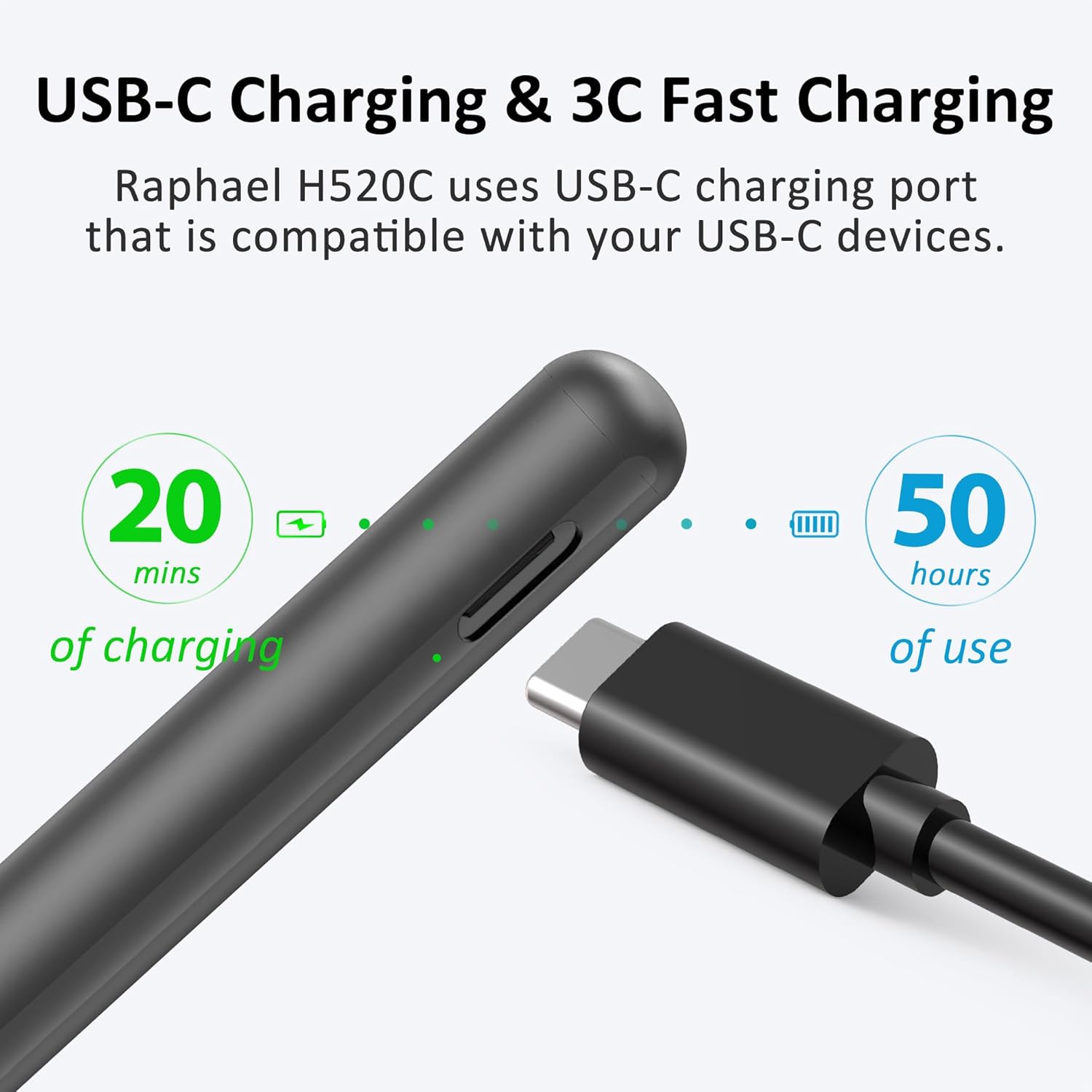
Image 2.1: Diagram illustrating the USB-C charging port and charging times for the Raphael H520C stylus.
2.2 Початкове підключення
No pairing is required. Once charged, simply touch the stylus tip to your compatible device's screen to begin using it. The stylus will automatically detect the device and protocol (MPP 2.0 or USI 2.0).

Image 2.2: The stylus features instant use, requiring no pairing for immediate functionality.
3. Інструкція з експлуатації
3.1 Основні функції
The Raphael H520C features two side buttons for enhanced functionality:
- Кнопка правого клацання миші: Used for selection or context-menu functions, similar to a mouse right-click.
- Eraser Button: Activates the eraser function in compatible applications.

Image 3.1: The Raphael H520C stylus highlighting the right-click and erase buttons.
3.2 Додаткові функції
- 4096 Pressure Sensitivity: The stylus responds to 4096 levels of pressure, allowing for precise control over line thickness and opacity in drawing and writing applications.
- Чутливість до нахилу: Supports tilt recognition, enabling shading effects similar to a traditional pencil when the stylus is angled. Note: Tilt sensitivity compatibility may vary depending on the application and brush settings.
- Відмова від долоні: Rest your hand comfortably on the screen while writing or drawing without causing unintended marks or interference.

Image 3.2: Illustration of 4096 levels of pressure sensitivity for detailed strokes.

Image 3.3: Demonstrates natural tilt recognition for shading and varied line thickness.
4. Сумісність
The Raphael H520C Hybrid Stylus is compatible with devices supporting Microsoft Pen Protocol (MPP 2.0) and USI 2.0 technology. Below is a list of commonly supported devices:
4.1 MPP 2.0 Compatible Devices (Microsoft Surface)
- Microsoft Surface Pro 12/11/10/9/X/8/7+/7/6/5/4/3
- Microsoft Surface Laptop 5/4/3/2/1
- Microsoft Surface Book 3/2/1
- Microsoft Surface Go 4/3/2/1
- Microsoft Surface Studio 2+/2/1
4.2 USI 2.0 Compatible Devices
- Amazon Fire Max 11 Tablet
- Google Pixel Tablet
4.3 Other Compatible Devices
- HP Envy x360 series (various models)
- HP Spectre x360 series (various models)
- HP Pavilion x360 series (various models)
- Kobo Sage, Kobo Elipsa, Kobo Elipsa 2E, Kobo Libra Colour
For specific model verification, please refer to the manufacturer's webсайту або зв’яжіться зі службою підтримки клієнтів.

Image 4.1: Detailed compatibility list for the H520C stylus, including Microsoft Surface, HP, Kobo, and USI 2.0 devices.
5. Технічне обслуговування
5.1 Очищення
Wipe the stylus body with a soft, dry cloth. Avoid using harsh chemicals or abrasive materials, which can damage the finish.
5.2 Заміна наконечника
The stylus comes with one replacement tip (MU1). If the tip becomes worn or damaged, gently pull out the old tip and insert the new one. Replacement tips are available for purchase separately.
5.3 Зберігання
Store the stylus in a safe place to prevent damage. While the stylus is durable, avoid dropping it or exposing it to extreme temperatures.
6. Вирішення проблем
6.1 Стилус не реагує
- Перевірте батарею: Ensure the stylus is sufficiently charged. Connect it to a USB-C charger for at least 20 minutes.
- Wake Up Stylus: If the stylus has been inactive for 10 minutes, it will automatically turn off. Press either side button to wake it up.
- Сумісність пристрою: Verify that your device is listed as compatible with MPP 2.0 or USI 2.0.
- Перезавантажте пристрій: Sometimes, restarting your tablet or laptop can resolve connectivity issues.
- Перевірте пораду: Ensure the stylus tip is securely in place and not damaged. Replace if necessary.
6.2 Inaccurate Input or Jitter
- Чистота екрану: Ensure your device screen is clean and free of smudges or debris.
- Налаштування програми: Check the settings within your drawing or writing application for stylus calibration or sensitivity adjustments.
- Перешкоди: Move away from strong electromagnetic fields that might interfere with stylus performance.
6.3 Кнопки не працюють
- Підтримка програми: Ensure the application you are using supports the right-click and eraser functions of the stylus.
- Оновлення мікропрограми: Check the RENASSER website for any available firmware updates for the stylus.
7. Технічні характеристики
| Номер моделі | Raphael H520C |
| Розміри продукту | 5.87 x 0.35 x 0.35 дюйма (149 x 9 x 9 мм) |
| Вага товару | 0.374 унції (10.6 грама) |
| Чутливість до тиску | 4096 рівня |
| Чутливість до нахилу | Підтримується |
| Відхилення долоні | Підтримується |
| Підключення | MPP 2.0, USI 2.0 |
| Порт зарядки | USB-C |
| Час зарядки | 1 Hour (for 110+ hours use) |
| Швидка зарядка | 20 minutes for 50 hours use |
| Автоматичне вимкнення | Через 10 хвилин невикористання |
| Батарейки в комплекті | 1 літій-іонний (в комплекті) |
8. Гарантія та підтримка
8.1 Інформація про гарантію
RENAISSER offers a 12-month worry-free warranty for the Raphael H520C Hybrid Stylus Pen from the date of purchase. This warranty covers manufacturing defects and ensures attentive customer service.
8.2 Підтримка клієнтів
For any questions regarding compatibility, troubleshooting, or warranty claims, please contact RENASSER customer service at service@renaisser.com. When contacting support, please provide your model number and a detailed description of the issue.