
1. Вступ
The Radioddity X1 Walkie Talkies are designed for reliable two-way communication in various environments. Featuring an IP67 waterproof and dustproof rating, durable construction, and advanced noise reduction, these FRS radios are suitable for outdoor adventures, professional use, and emergency situations. They offer a long communication range and include essential features like NOAA weather alerts and voice-activated transmission (VOX).

Image: The Radioddity X1 Walkie Talkie, showcasinйого міцна конструкція.
2. Що в коробці
Upon opening your Radioddity X1 package, you should find the following items:
- 2 x Radioddity X1 Walkie Talkies
- 2 х акумуляторні батареї
- 1 x зарядний кабель 2-в-1 USB-C
- 2 затискачі для пояса
- 2 х ремінці для рук
- 1 адаптери
- 1 x Посібник користувача (цей документ)

Image: All components included in the Radioddity X1 package, including two radios, batteries, charging cable, belt clips, hand straps, and adapters.
3. Налаштування
3.1. Встановлення батареї
- Переконайтеся, що рація вимкнена.
- Знайдіть відсік для батарейок на задній панелі пристрою.
- Зіставте батарейку з контактами та обережно вставте її у відсік, доки вона не зафіксується почутим клацання.
3.2. Зарядка батареї
The Radioddity X1 features a 2500mAh rechargeable lithium battery. For optimal performance, fully charge the battery before first use.
- Підключіть наданий зарядний кабель USB-C до зарядного порту рації.
- Connect the other end of the USB-C cable to the adapter, and then plug the adapter into a standard power outlet. Alternatively, you can connect the USB-C cable to a compatible USB power source (e.g., computer, power bank).
- Індикатор батареї на дисплеї показуватиме стан заряджання. Повне заряджання зазвичай триває кілька годин.
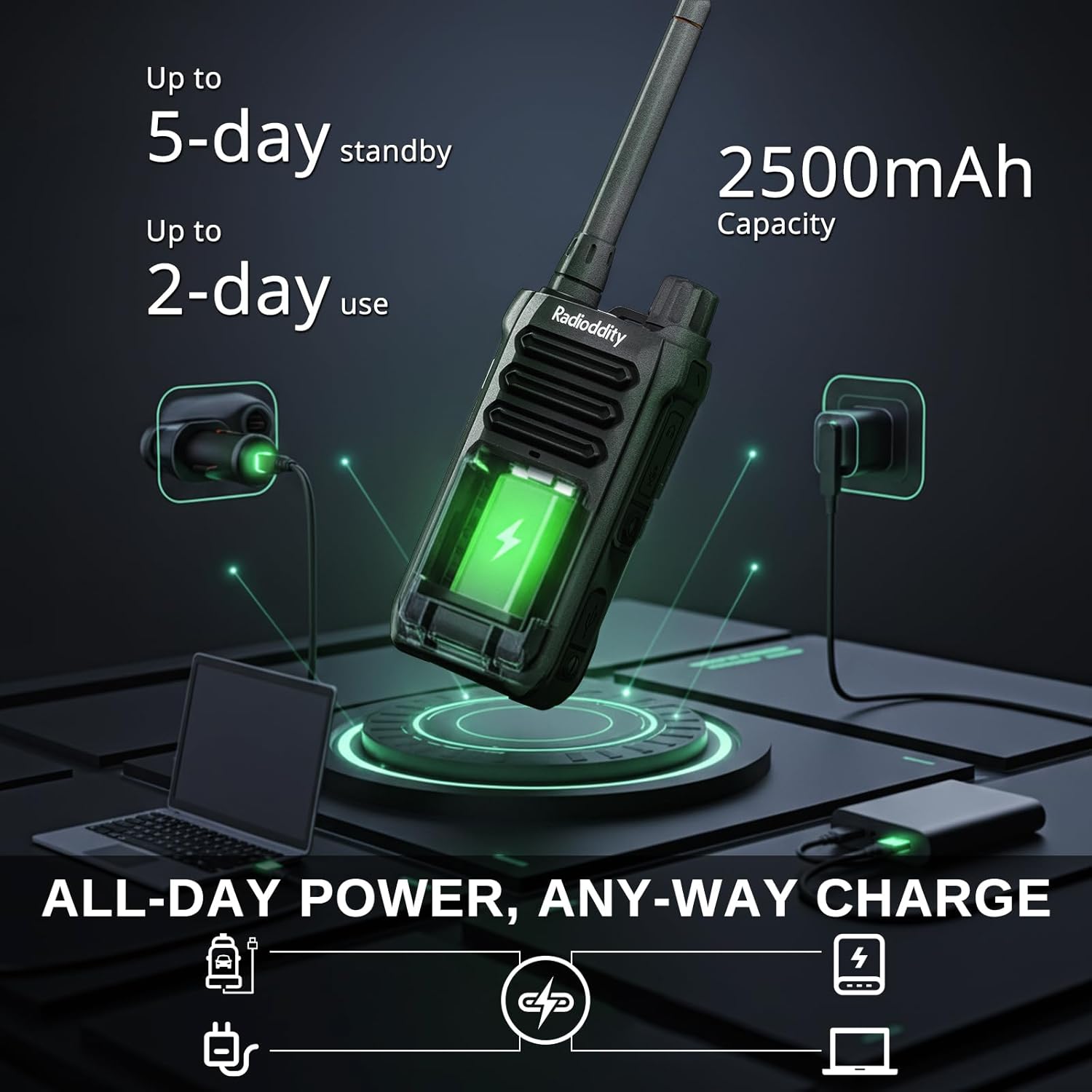
Image: The Radioddity X1 Walkie Talkie connected to a USB-C charger, illustrating the charging process.
3.3. Прикріплення аксесуарів
- Кліпса для пояса: Secure the belt clip to the designated slot on the back of the walkie talkie.
- Ремінець на руку: Thread the hand strap through the loop on the top or side of the walkie talkie for added security.
3.4. Увімкнення/вимкнення живлення
To power on or off the device, rotate the power/volume knob located on the top of the unit clockwise to turn on, and counter-clockwise until it clicks to turn off.
4. Інструкція з експлуатації
4.1. Вибір каналу
The Radioddity X1 comes pre-programmed with 22 FRS channels. To select a channel:
- Натисніть МЕНЮ кнопку для входу в меню.
- Використовуйте Стрілка вгору/вниз кнопки для переходу до налаштувань каналу.
- Прес OK для підтвердження, а потім скористайтеся Стрілка вгору/вниз кнопки, щоб вибрати потрібний канал (1-22).
- Прес OK again to save the selection and МЕНЮ щоб вийти.
4.2. Коди конфіденційності (CTCSS/DCS)
The radio supports 155 privacy codes (CTCSS/DCS) to filter out unwanted conversations on a channel. While not providing true privacy, these codes ensure you only hear transmissions from radios set to the same channel and code.
- Натисніть МЕНЮ кнопку.
- Navigate to the CTCSS or DCS setting using the Стрілка вгору/вниз кнопки.
- Прес OK, then select your desired code.
- Прес OK зберегти і МЕНЮ to exit. Ensure all radios in your group use the same channel and privacy code.
4.3. Натискай і говори (НІГ)
Щоб передати, натисніть і утримуйте велику PTT button on the side of the radio. Speak clearly into the microphone. Release the PTT кнопку для прослуховування.
4.4. Функція VOX (голосове керування передачею)
The VOX function allows for hands-free operation. When activated, the radio transmits automatically when it detects your voice.
- Натисніть МЕНЮ кнопку.
- Перейдіть до VOX налаштування.
- Прес OK, then select an appropriate sensitivity level (higher numbers for lower sensitivity).
- Прес OK зберегти і МЕНЮ щоб вийти.

Image: Icon representing the Voice Operated Transmission (VOX) function.
4.5. Погодні сповіщення NOAA
Stay informed with 10 built-in NOAA weather channels providing real-time alerts.
- Натисніть МЕНЮ кнопку.
- Перейдіть до NOAA налаштування.
- Прес OK, then select the desired NOAA channel or activate weather alerts.
- Прес OK зберегти і МЕНЮ щоб вийти.

Image: Icon representing the NOAA Scan & Alert feature.
4.6. Recording Playback
The Radioddity X1 features a unique recording playback function for up to 20 messages.
- To record, press and hold the dedicated ЗАПИС button (if available, or refer to specific menu options).
- To play back recorded messages, press the ПОВТОР кнопку.

Image: The Radioddity X1 display showing the recording and replay functions, highlighting its audio safety net capability.

Image: Icon representing the Recording function.
4.7. Зменшення шуму
The dual-way noise reduction feature ensures clear communication even in noisy environments.

Image: The Radioddity X1 in a construction setting, illustrating its noise reduction capabilities for clear communication.
5. Технічне обслуговування
5.1. IP67 Waterproof and Dustproof Care
The Radioddity X1 is rated IP67, meaning it is dustproof and can withstand submersion in up to 1 meter of water for 30 minutes. To maintain its integrity:
- Ensure all port covers (e.g., charging port, accessory port) are securely closed before exposure to water or dust.
- After exposure to water, wipe the radio dry with a clean cloth. Do not charge the radio if the charging port is wet.
- Avoid prolonged submersion beyond the specified depth and time.

Image: The Radioddity X1 Walkie Talkie submerged in clear water, demonstrating its IP67 waterproof capability.

Image: The Radioddity X1 Walkie Talkie partially covered in sand, highlighting its dustproof design.
5.2. Догляд за акумулятором
The 2500mAh battery provides up to 48 hours of average use. To prolong battery life:
- Уникайте регулярного повного розряду акумулятора.
- Зберігайте радіоприймач у прохолодному, сухому місці, коли він не використовується.
- Використовуйте лише наданий зарядний кабель та адаптер.
5.3. прибирання
Протріть радіо м’якою, damp тканина. Не використовуйте агресивні хімікати або абразивні засоби для чищення.
6. Вирішення проблем
| проблема | Можлива причина | Рішення |
|---|---|---|
| Немає живлення | Батарейка низький заряд або встановлена неправильно. | Зарядіть акумулятор або перевстановіть його. |
| Не вдається передавати або приймати | Incorrect channel or privacy code. Out of range. | Verify channel and privacy code settings. Move closer to the other radio. |
| Погана якість звуку | Weak signal, interference, or volume too low. | Adjust volume. Move to an area with less obstruction. Check for interference sources. |
| Коротка дальність зв'язку | Obstructions (buildings, terrain), low power channel. | Move to an open area. Use channels 1-7 or 15-22 for higher power output. |
7. Технічні характеристики
| Особливість | Деталь |
|---|---|
| Бренд | Рентгенологічність |
| Номер моделі | X1 |
| Колір | чорний |
| Кількість каналів | 22 (FRS) |
| Діапазон частот | FRS |
| Максимальний діапазон розмови | 5 Miles (open areas), 2 Miles (urban settings) |
| Рівень водонепроникності | IP67 Водонепроникний |
| Особливості | Dust Proof, Emergency Alarm (SOS), Long Range, Shockproof, Voice Operated Transmission (VOX), Noise Reduction, NOAA Weather Alerts, Recording Playback |
| Ємність акумулятора | 2500mAh літій |
| Середній термін служби батареї | 48 години |
| Зарядка | USB-C |
| Розміри продукту (Д x Ш x В) | 1.1 см x 2.4 см x 7.1 см |
| ID FCC | 2AN62-X1 |

Image: Visual representation of the Radioddity X1's communication range, showing up to 5 miles in open areas and 2 miles in urban settings.

Image: The Radioddity X1 Walkie Talkie on the ground at a construction site, illustrating its durability and shockproof design after 1,000+ drop tests.
8. Гарантія та підтримка
8.1. Інформація про гарантію
The Radioddity X1 Walkie Talkies come with an Гарантія 18 місяців from the date of purchase. This warranty covers manufacturing defects and ensures your product is free from material and workmanship flaws under normal use. Please retain your proof of purchase for warranty claims.
8.2. Підтримка клієнтів
For technical assistance, troubleshooting, or warranty inquiries, please visit the official Radioddity website or contact their customer support team. You can find contact information and additional resources on their webсайт: www.radioddity.com.
9. Відео про продукти
Radioddity X1 | Built for Harsh Conditions
Video: This official Radioddity video demonstrates the X1's robust features, including its IP67 dustproof and waterproof capabilities, drop resistance, car-crush resistance, long-range communication, and noise-cancelling audio, highlighting its suitability for challenging environments.