
вступ
Thank you for choosing the HUANUO Ergonomic Office Chair. This manual provides essential information for the safe assembly, operation, and maintenance of your chair. Please read these instructions carefully before use and retain them for future reference.
Інформація про безпеку
- Не перевищуйте максимальну рекомендовану вагу 136 кг (300 фунта).
- Read and follow all assembly instructions carefully to prevent injuries.
- Перед використанням крісла переконайтеся, що всі гвинти та болти надійно затягнуті. Періодично перевіряйте та за потреби підтягуйте.
- Не допускайте дітей і домашніх тварин під час збирання.
- Використовуйте стілець на рівній поверхні, щоб запобігти перекиданню.
- Уникайте стояння на стільці або використання його як сходинки.
- Не використовуйте крісло, якщо будь-які деталі пошкоджені або відсутні. Зверніться до служби підтримки клієнтів для отримання запасних частин.
Вміст упаковки
Перед складанням перевірте наявність усіх компонентів та їхню неушкодженість. Детальний перелік деталей та кріпильних елементів дивіться в доданому посібнику зі складання.
- Backrest with mesh
- Подушка для сидіння
- Підголівник
- Підлокітники (2)
- Газовий ліфтовий циліндр
- Основа з колесами
- Механізм пластини
- Монтажне обладнання та інструменти
Налаштування та збірка
Assembly is required for this chair. For detailed, step-by-step instructions, please refer to the separate assembly manual included in your package. Ensure you have adequate space and follow the instructions carefully to ensure proper and safe assembly.
Етапи загального складання:
- Attach the wheels to the chair base.
- Вставте циліндр газового підйомника в центр основи.
- Attach the mechanism plate to the underside of the seat cushion.
- З'єднайте спинку з подушкою сидіння.
- Прикріпіть підлокітники до сидіння та спинки.
- Встановіть зібране сидіння та спинку на циліндр газового підйомника.
- Встановіть підголівник на спинку.
Експлуатація та налаштування
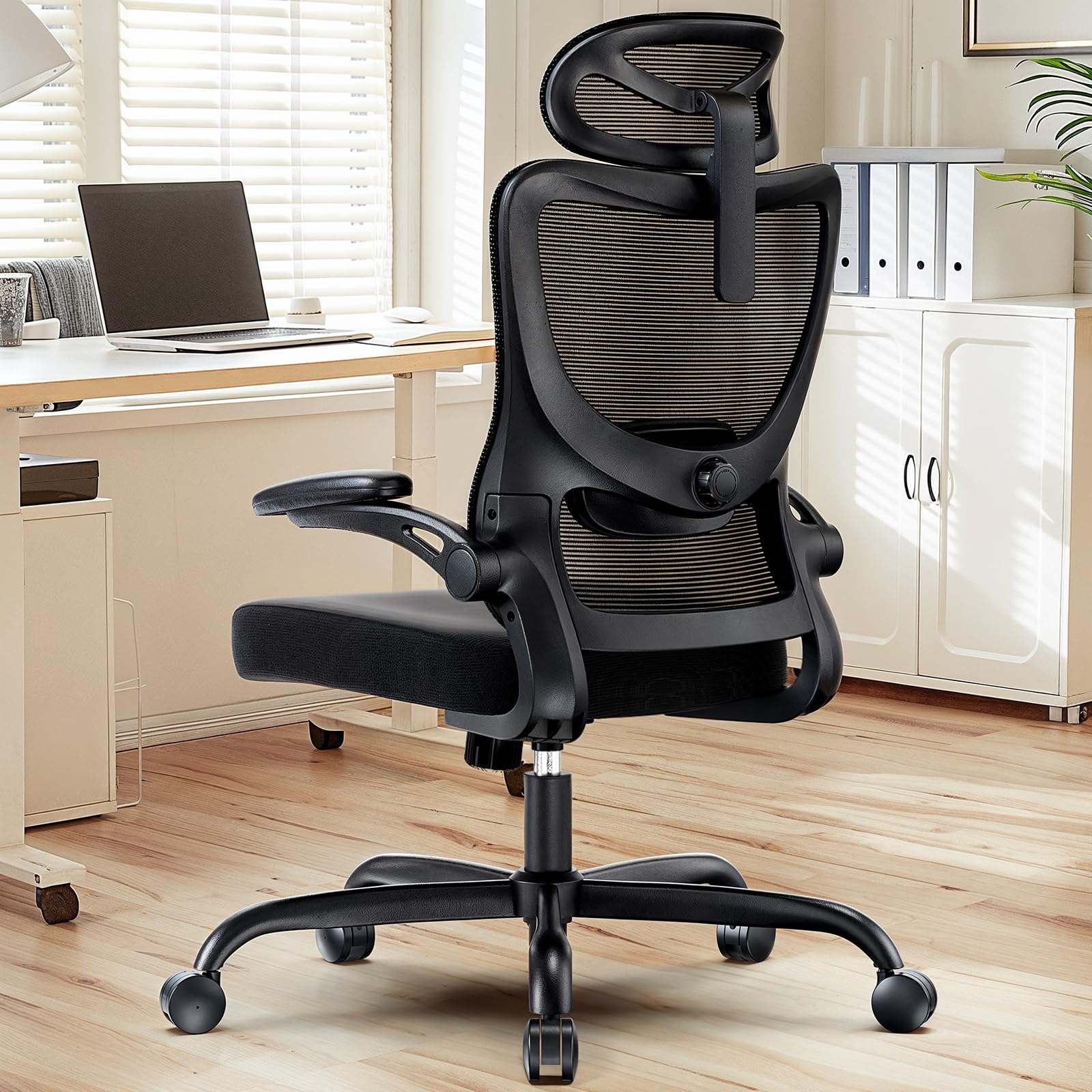
The HUANUO Ergonomic Office Chair offers multiple adjustment options to customize your seating experience for optimal comfort and support.

зображення: закінченоview of the chair's adjustable components, highlighting the 2D headrest, 2D lumbar support, and 3D armrests.
1. Регулювання підголівника
The 2D adjustable headrest allows you to position it for optimal neck and head support.
- Регулювання висоти: Grasp the headrest and slide it up or down to your desired height. It offers approximately 10.1 inches of vertical adjustment.
- Регулювання кута: Tilt the headrest forward or backward to find the most comfortable angle for your head and neck.

зображення: Visual guide for adjusting the 2D headrest, demonstrating its range of motion.
2. Backrest Recline and Tilt
The backrest can recline and tilt to suit various working or resting postures.
- Кут нахилу: The backrest can be reclined between 90° and 120°. Use the lever located on the right side under the seat to adjust and lock the recline angle.
- Натяг нахилу: Adjust the round knob under the seat to increase or decrease the tension required to recline the backrest. Turn clockwise to increase tension, counter-clockwise to decrease.

зображення: Instructions for adjusting backrest recline and tilt, including the tilt tension knob and lock lever.
3. Регулювання поперекової опори
The flexible lumbar support system adapts to your body shape, promoting optimal posture.
- Регулювання глибини: The lumbar support can move 3 cm (1.2 inches) forward and backward. Use the knob on the side of the lumbar support to adjust its depth.
- Регулювання висоти: The lumbar support can move 5.5 cm (2.2 inches) up and down. Grasp the lumbar support and slide it vertically to align with the natural curve of your lower back.

зображення: Детальний view of the flexible 2D lumbar support, illustrating how to adjust its depth and height.
4. Регулювання підлокітників
The 3D armrests provide versatile support for your arms and can be folded away for convenience.
- Регулювання висоти: Press the button on the side of the armrest and slide it up or down. It offers approximately 10.1 inches of vertical adjustment.
- Регулювання глибини: Slide the armrest pad forward or backward by up to 5 cm (1.96 inches).
- Регулювання повороту: Rotate the armrest pad left or right by up to 15°.
- Функція відкидання: The armrests can be folded up 90° to allow the chair to slide closer to a desk or for more freedom of movement.

зображення: Visual guide for adjusting the 3D armrests, demonstrating flip-up, depth, and swivel functions.

зображення: The armrests folded up 90 degrees, illustrating how they can be moved out of the way.
5. Регулювання висоти сидіння
Adjust the seat height to ensure your feet are flat on the floor and your knees are at a 90-degree angle.
- Raise Seat: While seated, pull the lever on the left side of the seat upwards. The seat will rise. Release the lever at the desired height.
- Lower Seat: While seated, pull the lever on the left side of the seat upwards and apply weight to the seat. The seat will lower. Release the lever at the desired height.

зображення: Detail of the seat cushion, showing its 3.14-inch thickness for comfort and support.
Технічне обслуговування
Regular maintenance will help prolong the life and appearance of your HUANUO office chair.
- Прибирання: Протріть стілець м’якою, damp cloth. For mesh areas, use a mild soap solution if necessary, and allow to air dry. Avoid harsh chemicals or abrasive cleaners.
- Огляд: Periodically check all bolts and screws to ensure they are tight. Re-tighten as needed to maintain stability and safety.
- Ролики: Регулярно очищуйте ролики, щоб видалити пил та сміття, які можуть перешкоджати плавному руху.
Усунення несправностей
Якщо у вас виникли проблеми зі своїм кріслом, зверніться до наступних поширених рішень:
- Стілець хитається: Check all assembly bolts and screws. Ensure they are fully tightened. Verify the chair is on a flat, even surface.
- Gas lift not working: Ensure the height adjustment lever is fully engaged or disengaged. If the issue persists, the gas lift cylinder may need replacement. Contact customer support.
- Ролики не обертаються плавно: Clean any hair or debris from the caster wheels. Lubricate with a silicone-based spray if necessary.
- Спинка не відкидається/не фіксується: Check the recline lock lever and tilt tension knob. Ensure they are correctly positioned.
Технічні характеристики
зображення: Detailed product dimensions and maximum load capacity.
| Особливість | Деталь |
|---|---|
| Номер моделі | MSOC10B-US |
| Бренд | ХУАНУО |
| Колір | чорний |
| матеріал | Metal and Plastic (Frame), Foam (Seat), Mesh (Backrest) |
| Максимальна вантажопідйомність | 136 кг (300 фунта) |
| Headrest Width | 13.2 дюймів |
| Регулювання висоти підголівника | 10.1 дюймів |
| Висота спинки | 24.1 дюймів |
| Ширина сидіння | 20.1 дюймів |
| Глибина сидіння | 20.1 дюймів |
| Товщина сидіння | 3.14 дюймів |
| Діапазон регулювання висоти сидіння | 14.5 дюйма до 18.5 дюйма |
| Регулювання підлокітника | 3D (Height, Depth, Swivel), 90° Flip-up |
| Регулювання поперекової опори | 2D (Height, Depth) |
| Нахил спинки | від 90° до 120° |
| Потрібна збірка | так |
| UPC | 840478843729 |
Гарантія та підтримка
For warranty information, technical support, or to order replacement parts, please refer to the warranty card included with your product or visit the official HUANUO website. Please have your model number (MSOC10B-US) and purchase date available when contacting support.