
Продукт закінченийview
The pTron Studio Pro are wireless over-ear headphones designed for extended listening and clear communication. They feature an ergonomic design with soft earpads and an adjustable headband for comfortable wear. Key features include long battery life, advanced audio drivers, and versatile connectivity options.
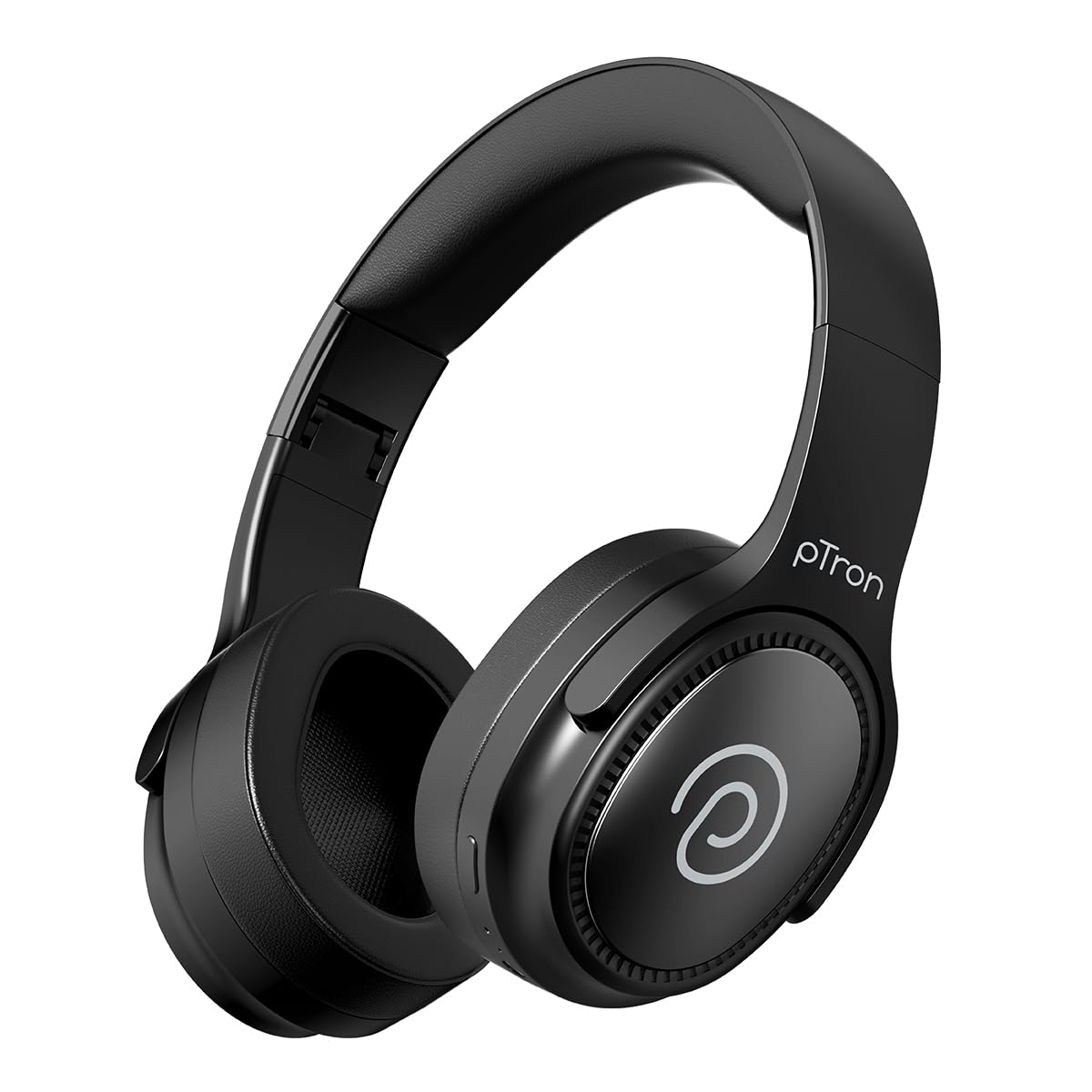
Image: pTron Studio Pro Wireless Over-Ear Headphones in Jet Black, showcasinелегантний дизайн.
Ключові характеристики
- Розширений час відтворення: Up to 65 hours of music playback on a single full charge.
- Швидка зарядка: 2.5 hours for a full charge via Type-C. A 10-minute charge provides approximately 4 hours of playtime.
- Високоякісний звук: Equipped with 40mm Neody Drivers for pristine stereo sound.
- Очистити виклики: Built-in HD Microphone with TruTalk AI-ENC (Environmental Noise Cancellation) for crystal-clear calls.
- Розширене підключення: Fast Bluetooth v5.4 for instant pairing and stable connection.
- Сполучення двох пристроїв: Seamlessly connect and switch between two devices simultaneously.
- Універсальні режими: Dedicated Low-Latency Gaming Mode and Music Mode.
- Водонепроникність: IPX4 rating, making them resistant to water splashes and sweat.
- Comfort & Portability: Ergonomic, lightweight, and foldable design with soft earpads and an adjustable headband for a perfect fit and easy storage.
- Легке керування: Multi-functional buttons for managing music, calls, and activating voice assistant.

Image: Infographic detailing the main features of the pTron Studio Pro headphones, including battery life, drivers, and connectivity.
Що в коробці
Upon unboxing your pTron Studio Pro headphones, you will find the following items:
- pTron Studio Pro Wireless Over-Ear Headphones
- Зарядний кабель (тип C)
- Посібник користувача
Video: An official product video demonstrating the unboxing and key features of the pTron Studio Pro headphones.
Макет та елементи керування продуктом
Familiarize yourself with the physical components and control buttons of your pTron Studio Pro headphones.

Зображення: Детальне view of the multi-function control buttons located on the ear cup, including power, volume, and track controls.
Функції кнопок керування:
| Кнопка/Дія | функція |
|---|---|
| Кнопка живлення (тривале натискання) | Увімкнення/вимкнення живлення, вхід у режим сполучення |
| Play/Pause Button (Single Press) | Відтворення/пауза музики, відповідь/завершення дзвінка |
| Play/Pause Button (Long Press) | Відхилити виклик, активувати голосового помічника |
| Збільшення гучності (+) (Одинарне натискання) | Збільшити гучність |
| Зменшення гучності (-) (один раз) | Зменшити гучність |
| Збільшення гучності (+) (Довге натискання) | Наступний трек |
| Зменшення гучності (-) (довге натискання) | Попередній трек |
| Mode Button (Single Press) | Перемикання між ігровим режимом та музичним режимом |
Налаштування
1. Зарядка навушників
- Підключіть наданий зарядний кабель Type-C до зарядного порту на навушниках.
- Connect the other end of the cable to a USB power source (DC5V-1A max.).
- Світлодіодний індикатор показуватиме стан заряджання. Повне заряджання триває приблизно 2.5 години.
- A 10-minute charge can provide up to 4 hours of playtime.

Image: The pTron Studio Pro headphones highlighting the Type-C charging port and emphasizing the 65-hour playtime.
2. Підключення Bluetooth
- Переконайтеся, що навушники повністю заряджені.
- Натисніть і утримуйте кнопку живлення, доки світлодіодний індикатор не почне блимати червоним і синім кольором по черзі, що вказує на режим сполучення.
- На вашому пристрої (смартфоні, планшеті, ноутбуці) увімкніть Bluetooth та знайдіть доступні пристрої.
- Select "pTron Studio Pro" from the list of devices.
- Після підключення світлодіодний індикатор почне постійно світитися синім світлом або перестане блимати.
3. Dual Device Pairing
- Сполучіть навушники з першим пристроєм, як описано вище.
- Вимкніть Bluetooth на першому пристрої. Навушники знову перейдуть у режим сполучення.
- З’єднайте навушники з другим пристроєм.
- Знову ввімкніть Bluetooth на першому пристрої. Навушники повинні автоматично підключитися до обох пристроїв.
- Тепер ви можете перемикати відтворення аудіо між двома підключеними пристроями.

Image: The headphones connected to both a laptop and a smartphone, demonstrating the dual device pairing feature.
4. Wired Connection (3.5mm Aux-in)
- Insert one end of a 3.5mm audio cable (not included) into the Aux-in port on the headphones.
- Connect the other end of the cable to your audio source's 3.5mm jack.
- Навушники автоматично перемикаються в дротовий режим.

Image: The headphones connected to a smartphone using a 3.5mm Aux-in cable, illustrating wired music playback.
Інструкція з експлуатації
Увімкнення/вимкнення живлення
- Увімкнення: Натисніть і утримуйте кнопку живлення приблизно 3 секунди, доки не засвітиться світлодіодний індикатор.
- Вимкнення живлення: Натисніть і утримуйте кнопку живлення приблизно 5 секунди, доки світлодіодний індикатор не згасне.
Елементи керування музикою
- Відтворення/пауза: Одне натискання кнопки відтворення/паузи.
- Наступний трек: Тривале натискання кнопки збільшення гучності (+).
- Попередній трек: Тривало натисніть кнопку зменшення гучності (-).
- Збільшення гучності: Single press the Volume Up (+) button.
- Зменшення гучності: Single press the Volume Down (-) button.
Контроль дзвінків
- Відповісти/закінчити виклик: Одне натискання кнопки відтворення/паузи.
- Відхилити виклик: Утримуйте кнопку відтворення/паузи.
Голосовий помічник
- Активувати голосового помічника: Long press the Play/Pause button (after rejecting a call, if applicable, or when not on a call).
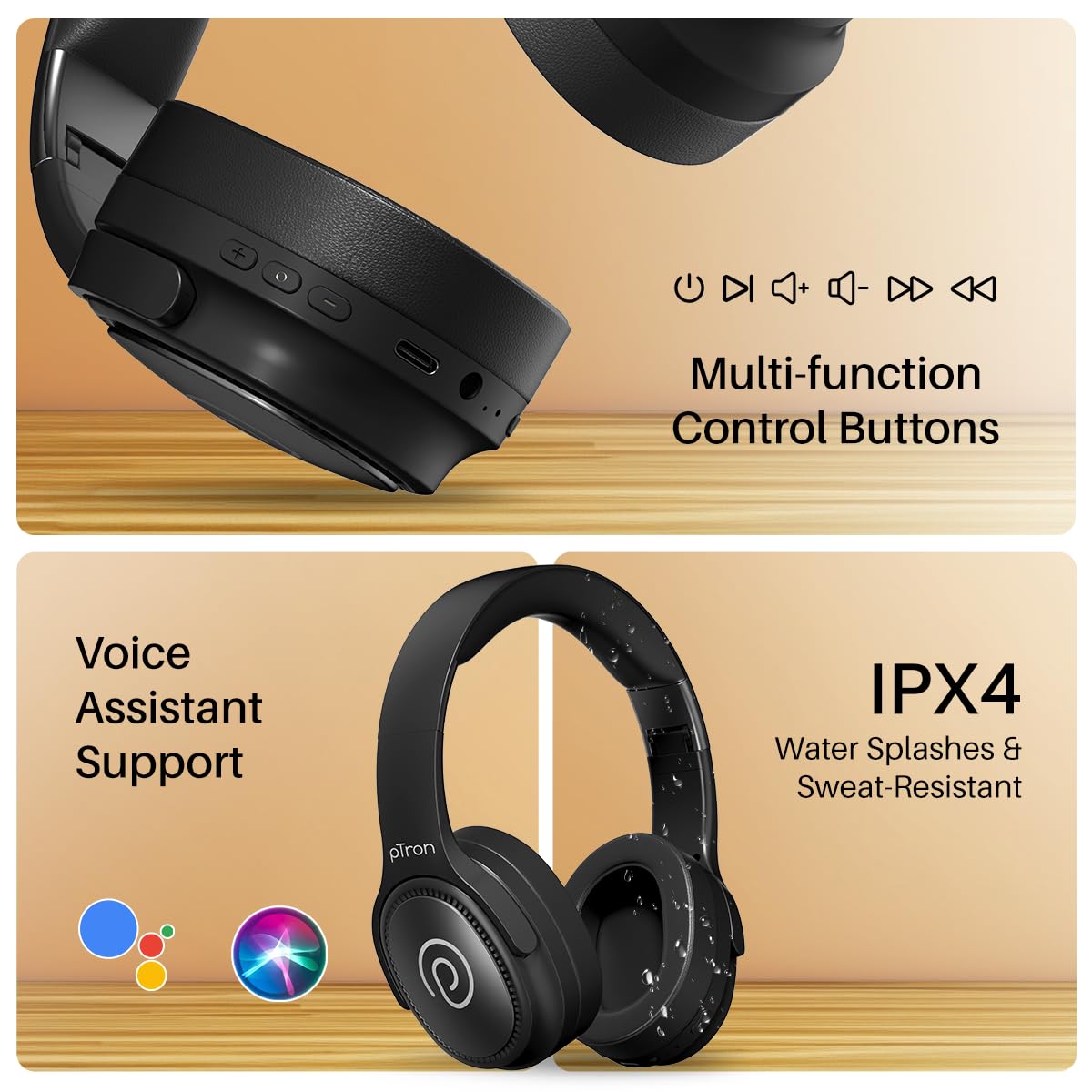
Image: The headphones illustrating support for voice assistants like Google Assistant and Siri, along with their IPX4 water-resistant rating.
Game & Music Modes
- Перемикання режимів: Single press the Mode button to toggle between Low-Latency Gaming Mode and standard Music Mode.
Технічне обслуговування
To ensure the longevity and optimal performance of your pTron Studio Pro headphones, follow these maintenance guidelines:
- Прибирання: Використовуйте м’яку суху тканину для очищення навушників. Не використовуйте абразивні засоби для чищення або розчинники.
- Зберігання: Коли навушники не використовуються, зберігайте їх у прохолодному сухому місці. Складана конструкція забезпечує компактне зберігання.
- Вплив води: While rated IPX4 for water splashes and sweat resistance, avoid submerging the headphones in water or exposing them to heavy rain. Dry them thoroughly if they get wet.
- Зарядка: Use only the provided Type-C cable and a compatible power adapter (DC5V-1A max.) for charging.
- Уникайте екстремальних температур: Не піддавайте навушники впливу надзвичайно високих або низьких температур.
Усунення несправностей
If you encounter any issues with your pTron Studio Pro headphones, refer to the following common troubleshooting steps:
| проблема | Рішення |
|---|---|
| Навушники не вмикаються. | Переконайтеся, що навушники повністю заряджені. Підключіть їх до джерела живлення та перевірте індикатор заряджання. |
| Не вдається підключитися до пристрою. | Make sure Bluetooth is enabled on your device and the headphones are in pairing mode (LED flashing red/blue). Move closer to the device. Forget previous pairings on your device and try again. |
| Немає звуку або гучність низька. | Check the volume levels on both the headphones and your connected device. Ensure the headphones are correctly paired. If using Aux-in, ensure the cable is fully inserted. |
| Якість дзвінків погана. | Ensure the microphone is not obstructed. Move to an area with less environmental noise. Check your device's network signal. |
| Навушники часто відключаються. | Ensure there are no obstacles between the headphones and your device. Keep within the Bluetooth range (10 meters). Avoid strong electromagnetic interference. |
Технічні характеристики
| Особливість | Деталь |
|---|---|
| Бренд | pTron |
| Назва моделі | Студія |
| Розташування вуха | Над вухом |
| Версія Bluetooth | 5.4 |
| Діапазон Bluetooth | 10 метрів |
| Розмір звукового драйвера | 40 міліметрів |
| Імпеданс | 32 Ом |
| Середній термін служби батареї | 65 години |
| Час зарядки батареї | 2.5 години |
| Порт зарядки | Тип-C |
| Рівень водонепроникності | IPX4 (водонепроникність) |
| мікрофон | Built-in HD Mic with AI-ENC |
| Гніздо для навушників | 3.5 мм джек |
| Тип управління | Керування дзвінками, кнопка |
| Особливості продукту | Fast Charging, Foldable, Microphone Included, Noise Isolation, Surround Sound |
| Вага товару | 200 грамів |
| матеріал | Акрилонітрилбутадієнстирол (АБС) |
| Сумісні пристрої | Мобільні телефони, настільні комп'ютери, ноутбуки, планшети |
Гарантія та підтримка
Your pTron Studio Pro headphones come with a manufacturer's warranty and dedicated customer support.
- Гарантія: 6 Months Manufacturer Warranty from the Date of Purchase on Manufacturing Defects Only.
- Контактна особа виробника: Building A1, Red Box Creative Park, No. 3 Huancheng South Road, Bantian Street, Longgang District, Shenzhen City, China 518116.
- Customer Care Contact Details: 40-67138888 / Support@ptron.in
- Контакт імпортера: PALRED ELECTRONICS PVT. LTD., SY.NO 56, 1-Й ПОВЕРХ, ҐАНДЛАПОЧAMPСЕЛИЩЕ АЛЛІ, ТЕХНОЛОГІЧНИЙ ПАРК MTP, TSIIC-IALA NACHARAM, ХАЙДЕРАБАД - 500076, ТЕЛАНГАНА, ІНДІЯ.