
1. Продукт закінчивсяview
This manual provides essential information for the SGIN 15.6 Inch Laptop Computer, Model SGIN-Y101. It covers initial setup, operation, maintenance, and troubleshooting to ensure optimal performance and longevity of your device.
Ключові характеристики:
- Powerful Core i3 Processor: Equipped with an i3 (4-thread) CPU up to 3.9GHz for multitasking.
- Ample Storage and Speed: Features 16GB RAM and 1024GB SSD for quick application loading and smooth operation. Storage is expandable with a TF card up to 1TB.
- 15.6 Inch FHD IPS Display: Full HD 1920×1080 IPS screen with 180° viewing angles for vivid colors and sharp details.
- Клавіатура з підсвічуванням: White backlit keyboard for improved typing accuracy in low-light conditions. Activate with "FN" + "F5".
- All-Day Battery and Connectivity: 53.2Wh battery (7000mAh) providing up to 8 hours of battery life. Includes USB 3.0, HDMI, Micro SD slot, Kensington lock, and a headphone jack. Features WiFi 6.
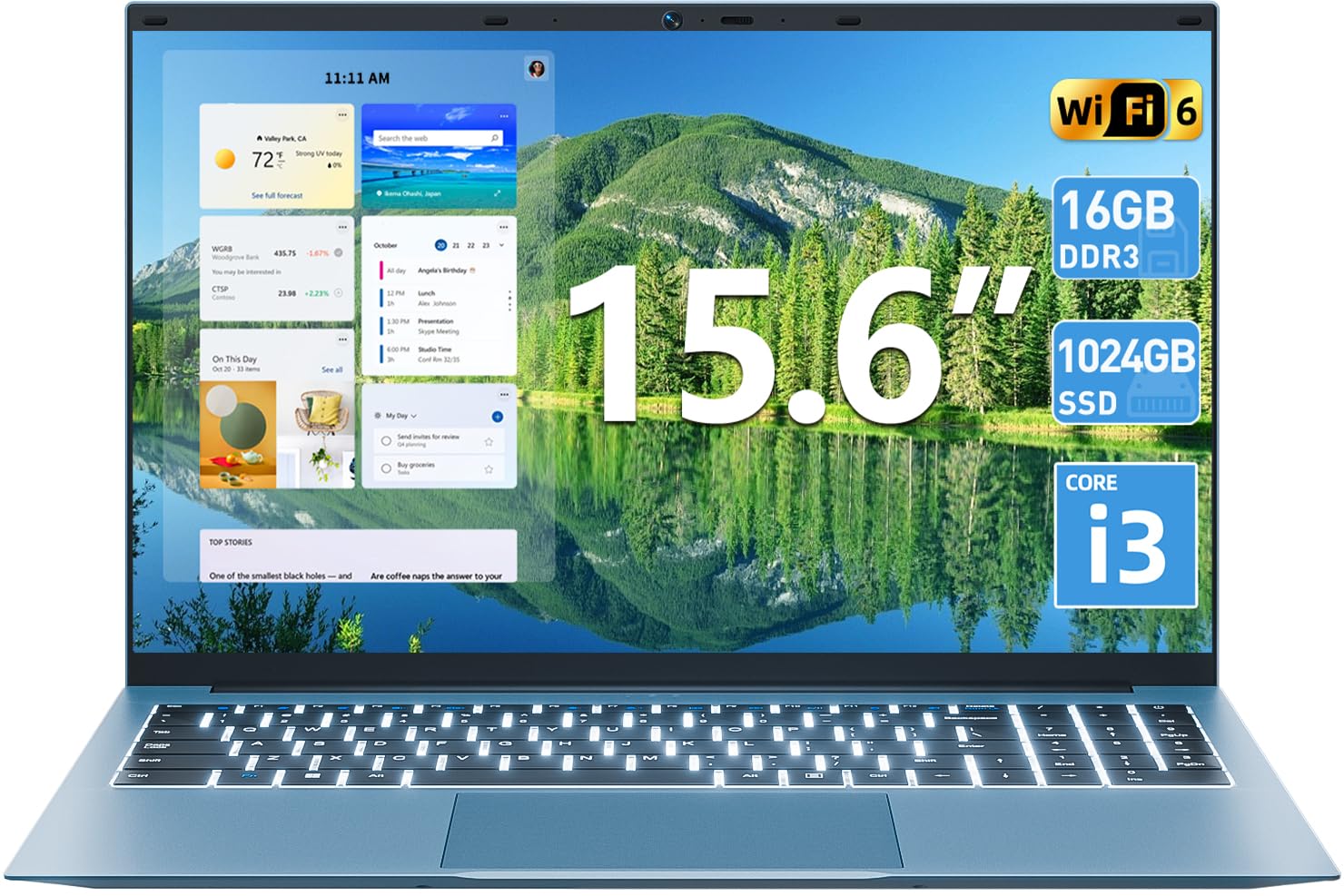
Зображення 1.1: закінченоview of the SGIN 15.6 Inch Laptop Computer, highlighting its main features like RAM, SSD, Core i3 processor, Windows 11, battery, backlit keyboard, and WiFi 6.
2. Початкове налаштування
2.1 Розпакування ноутбука
Обережно вийміть усі компоненти з упаковки. Переконайтеся, що є такі предмети:
- SGIN 15.6 Inch Laptop
- Адаптер живлення
- Посібник користувача

Image 2.1: The SGIN laptop, power adapter, and user manual as typically found in the package.
2.2 Заряджання батареї
Before first use, fully charge the laptop battery.
- Підключіть адаптер живлення до порту зарядки на ноутбуці.
- Підключіть адаптер живлення до настінної розетки.
- Дайте ноутбуку зарядитися, поки індикатор батареї не покаже повний заряд.
Важливо: Use only the provided power adapter to avoid damage to the laptop.
2.3 Увімкнення та початкове налаштування Windows
- Відкрийте кришку ноутбука.
- Натисніть кнопку живлення, розташовану на клавіатурі.
- Дотримуйтесь інструкцій на екрані, щоб завершити початкове налаштування Windows 11, включаючи вибір мови, мережеве підключення та створення облікового запису користувача.
3. Керування ноутбуком
3.1 Клавіатура та сенсорна панель
The laptop features a full-size keyboard with a numeric keypad and a large touchpad for navigation.
- Клавіатура з підсвічуванням: Щоб увімкнути підсвічування клавіатури, натисніть FN клавішу одночасно з F5 ключ.
- Жести на сенсорній панелі: Refer to Windows 11 settings for customizable touchpad gestures.

Image 3.1: The laptop's backlit keyboard and numeric keypad, shown illuminated for use in low-light conditions.
3.2 Підключення периферійних пристроїв
Ноутбук пропонує різні порти для підключення зовнішніх пристроїв.
- Порти USB: Підключіть USB-пристрої, такі як миші, клавіатури або зовнішні накопичувачі.
- Порт HDMI: Підключіть до зовнішнього монітора або телевізора для розширеного відображення.
- Порт типу C: For data transfer and potentially charging (check specific adapter compatibility).
- Слот Micro SD: Insert a Micro SD card for additional storage.
- Роз'єм для навушників: Підключіть навушники або зовнішні динаміки.
- Слот замка Kensington: Use a compatible security cable to secure your laptop.

Image 3.2: The left side of the laptop displaying the power input, Type-C port, HDMI port, and a USB port.
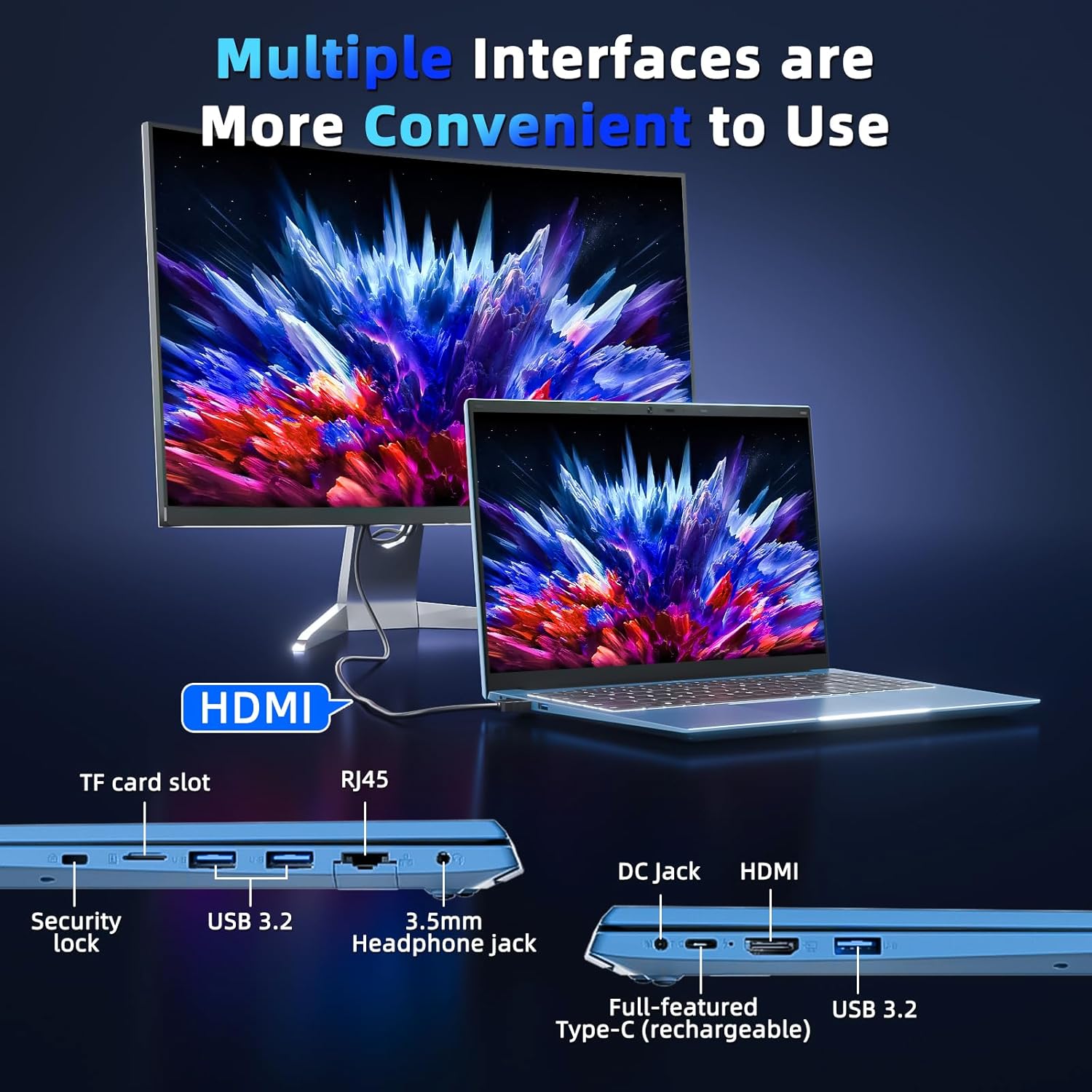
Image 3.3: The right side of the laptop displaying the Kensington lock slot, Micro SD card slot, two USB ports, and the headphone jack.
3.3 Підключення до Wi-Fi
The laptop supports Wi-Fi 6 for fast wireless internet access.
- Клацніть значок Wi-Fi на панелі завдань.
- Виберіть потрібну мережу зі списку.
- Введіть пароль мережі, якщо буде запропоновано, і натисніть «Підключитися».
For wired internet connection, use the Ethernet port.
4. Технічне обслуговування та догляд
4.1 Очищення ноутбука
- Використовуйте м’яку тканину без ворсу для очищення екрана та зовнішньої поверхні.
- Уникайте використання агресивних хімікатів або абразивних матеріалів.
- Для стійких плям злегка протрітьampпротріть тканину водою або розчином для очищення екрану.
4.2 Догляд за акумулятором
- Уникайте частого повного розряджання акумулятора.
- Зберігайте ноутбук у прохолодному, сухому місці, якщо він не використовується протягом тривалого часу.
- If the laptop will not be used for a long time, charge the battery to about 50-60% before storage.
4.3 Webcam Privacy
The laptop includes a physical webcam switch for privacy. Slide the switch to cover or uncover the webcam lens as needed.
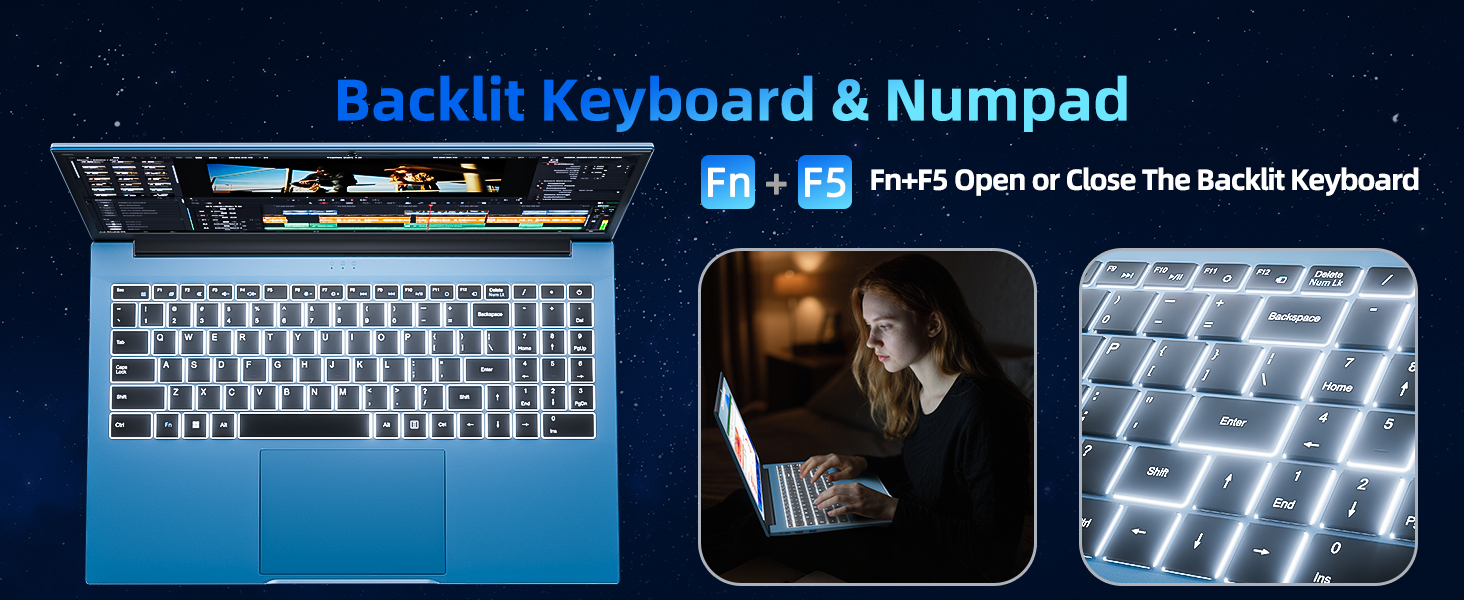
Image 4.1: Illustration of the physical webcam cover, demonstrating how to open and close it for privacy.
5. Вирішення проблем
5.1 Проблеми з живленням
- Ноутбук не вмикається: Переконайтеся, що адаптер живлення надійно підключений як до ноутбука, так і до справної розетки. Перевірте, чи заряджений акумулятор.
- Акумулятор не заряджається: Verify the power adapter connection. If the issue persists, contact customer support.
5.2 Проблеми з дисплеєм
- Екран порожній: Ensure the laptop is powered on. Try adjusting the screen brightness using the function keys. If connected to an external monitor, disconnect it.
- Спотворене зображення: Restart the laptop. Update display drivers if necessary.
5.3 Проблеми з підключенням
- Немає з’єднання Wi-Fi: Check if Wi-Fi is enabled in Windows settings. Restart your router and the laptop. Ensure you are within range of a Wi-Fi network.
- Пристрій Bluetooth не підключається: Ensure Bluetooth is enabled on both the laptop and the device. Make sure the device is in pairing mode.
6. Технічні характеристики
| Особливість | Деталь |
|---|---|
| Бренд | SGIN |
| Номер моделі | SGIN-Y101 |
| Розмір екрана | 15.6 дюймів |
| Роздільна здатність дисплея | 1920 x 1080 пікселів (Full HD IPS) |
| Модель процесора | Core i3 (10th Gen, Intel Core i3-10100) |
| CPU Speed (Max) | 3.9 ГГц |
| ОЗУ | 16 ГБ DDR3 SDRAM |
| Зберігання | 1024GB SSD (Expandable with TF card up to 1TB) |
| Операційна система | Windows 11 |
| Ємність акумулятора | 53.2 Wh (7000mAh) |
| Бездротове підключення | Wi-Fi 6 (802.11ax), Bluetooth |
| Порти | USB 3.0, HDMI, Micro SD slot, Kensington lock, Headphone jack, Type-C |
| Клавіатура | Підсвічування |
| Webкулачок | Yes (with physical privacy switch) |
| вага | 2.52 кілограма |
7. Гарантія та підтримка
The SGIN 15.6 Inch Laptop Computer comes with a 1-year limited protection warranty.
For technical assistance, troubleshooting, or warranty claims, please contact SGIN customer support. They offer 24/7 instant help. Refer to the contact information provided with your product packaging or visit the official SGIN webдеталі підтримки.
8. Відео про продукт
Video 8.1: An official product video demonstrating the SGIN 15.6 Inch Laptop Computer, including its physical features and some operational aspects. This video is provided by the seller, SGIN Lap US.