
1. Продукт закінчивсяview
The MONTECH HyperFlow Digital 240 CPU Liquid Cooler is an all-in-one (AIO) liquid cooling solution designed for efficient heat dissipation in computer systems. It features a powerful pump, two 120mm E28 ARGB fans, and a real-time digital display for monitoring CPU and GPU temperatures. This cooler is compatible with various Intel and AMD platforms.
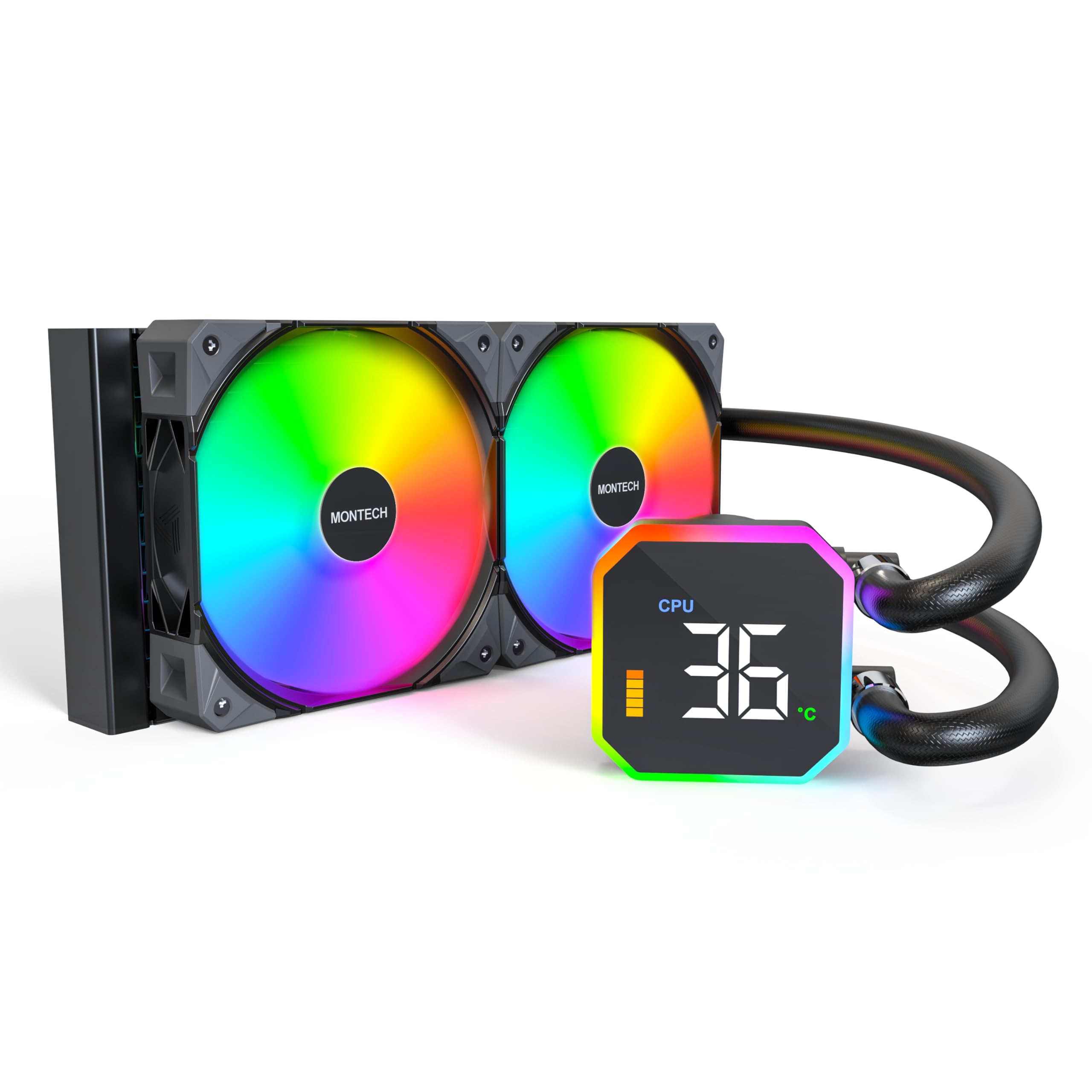
Image: The MONTECH HyperFlow Digital 240 CPU Liquid Cooler, showcasing the radiator, fans, pump, and digital display.
2. Вміст упаковки
Перш ніж продовжувати встановлення, переконайтеся, що всі компоненти присутні в упаковці.
- MONTECH HyperFlow Digital 240 AIO Liquid Cooler (Radiator, Pump with Digital Display, Pre-installed Fans)
- Mounting Hardware for Intel Sockets (1151/1200/1700/1851/20XX)
- Mounting Hardware for AMD Sockets (AM3/AM4/AM5)
- Cables (Fan power, ARGB, USB for display)
- Посібник користувача (цей документ)

Зображення: Оверview diagram illustrating the main components and features of the HyperFlow Digital AIO cooler.
3. Технічні характеристики
| Особливість | Специфікація |
|---|---|
| Розміри продукту | 11.08 см (Д) x 1.07 см (Ш) x 4.8 см (В) |
| Спосіб охолодження | вода |
| Швидкість насоса | 3100 об/хв (±10%) |
| Тип вентилятора | E28 ARGB Fans |
| Розмір вентилятора | 120 мм |
| Максимальна швидкість обертання вентилятора | 2200 об/хв (±10%) |
| Потужність повітряного потоку | 96.27 кубічних футів за хвилину (CFM) |
| Статичний тиск | 4.13 мм H₂O |
| Рівень шуму | 36.25 децибелів (макс.) |
| Radiator Thickness | 27 мм |
| Radiator FPI | 20 FPI (Fins Per Inch) |
| Тип роз'єму живлення | 4-Pin PWM |
| томtage | 12 вольт |
| матеріал | Алюміній (радіатор) |
| Сумісні пристрої | CPU, Desktop |
| Підтримка сокетів Intel | 1151/1200/1700/1851/20XX |
| Підтримка сокетів AMD | AM3/AM4/AM5 |
| Вага товару | 4.6 фунта |
4. Посібник із встановлення
The MONTECH HyperFlow Digital 240 is designed for hassle-free installation with pre-installed fans and pre-applied thermal paste.
4.1. Підготуйте свою систему
- Вимкніть комп’ютер і від’єднайте всі кабелі.
- Відкрийте корпус комп'ютера, щоб отримати доступ до материнської плати та процесора.
- Remove any existing CPU cooler. Clean the CPU surface if necessary.
4.2. Встановіть радіатор та вентилятори
The fans are pre-installed on the radiator. Determine the optimal mounting location in your case (e.g., top, front) ensuring adequate clearance.

Image: Illustration of radiator and fan dimensions (27mm radiator, 28mm fan thickness) to ensure proper fit within a PC case.

Image: A visual guide demonstrating how the radiator and fans fit into a computer case, highlighting the total thickness of 55mm.
4.3. Install the Pump/Cold Plate
The cold plate has pre-applied thermal paste. Select the appropriate mounting brackets for your CPU socket (Intel or AMD).

Зображення: Крупний план view of the pump and cold plate, showing the pre-applied thermal paste for convenience.

Image: Visual representation of the different mounting brackets for Intel (1151/1200/1700/1851/20XX) and AMD (AM3/AM4/AM5) sockets.

Image: A detailed diagram showing the compatibility of the cooler with various Intel and AMD CPU sockets.
4.4. Підключіть кабелі
Connect the pump's USB cable to a Motherboard USB 2.0 header. Connect the fan and ARGB cables to appropriate headers on your motherboard or a compatible controller.

Image: Step-by-step guide for connecting the pump to the motherboard's USB 2.0 header and installing the necessary software.
5. Інструкція з експлуатації
5.1. Digital Display Monitoring
The integrated digital display provides real-time monitoring of your CPU and GPU temperatures. This allows for quick assessment of your system's thermal performance.
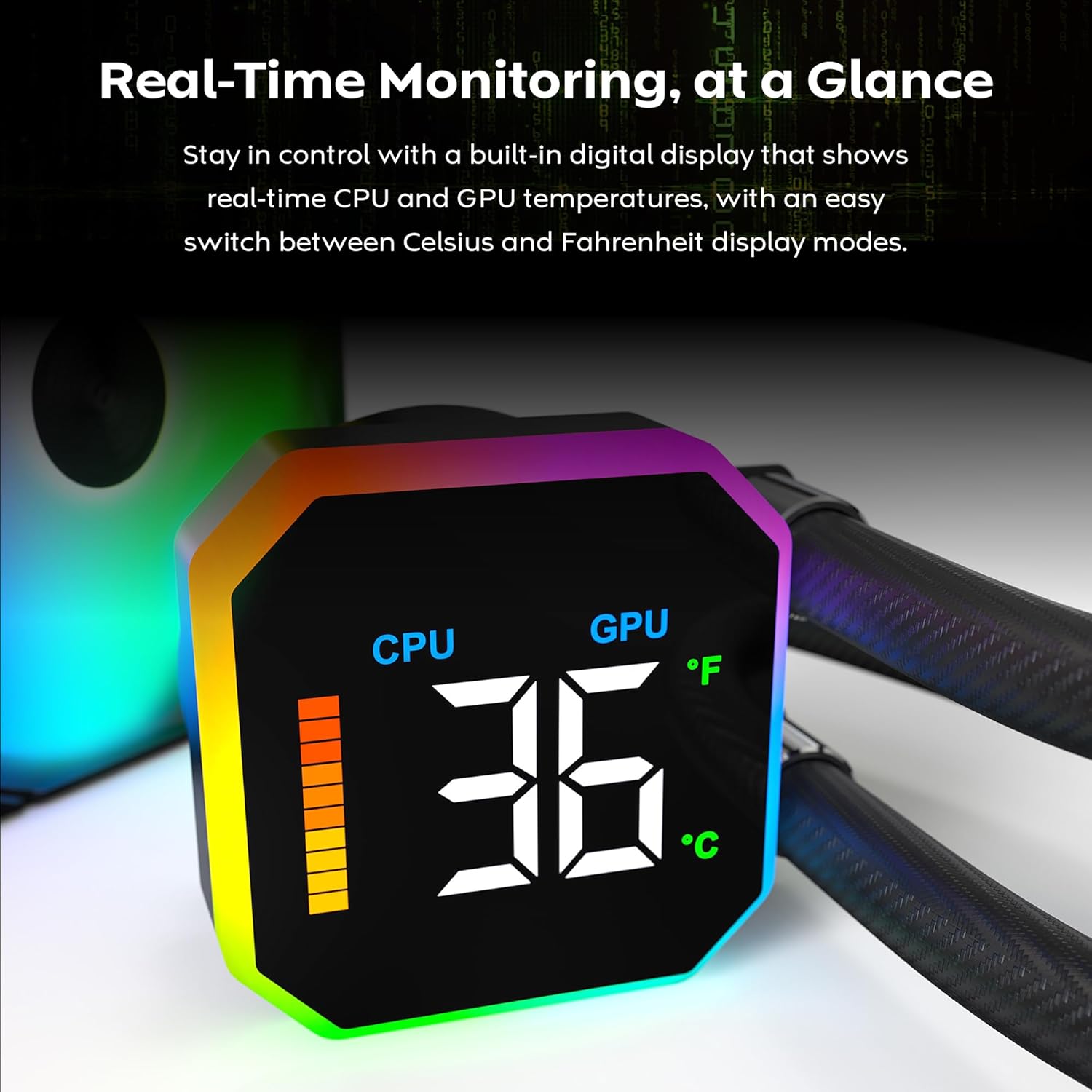
Image: The digital display on the pump head showing real-time CPU temperature and a temperature bar graph.

Зображення: Крупний план view of the digital display, clearly showing the CPU temperature reading.
5.2. Перемикання одиниць вимірювання температури
The display allows for quick switching between Celsius (°C) and Fahrenheit (°F) temperature units. Refer to the software interface for this setting.

Image: The software interface demonstrating the options to switch between CPU/GPU temperature display and Celsius/Fahrenheit units.
5.3. Fan Performance
The E28 performance fans operate up to 2200 RPM, providing strong airflow and static pressure for efficient heat dissipation. Fan speeds are typically controlled via PWM signals from the motherboard or dedicated fan controller.

Image: Details of the E28 ARGB Performance Fan, highlighting its fan speed, static pressure, and airflow capabilities.

Image: A visual representation of the fan's operational speed range (800-2200 RPM) and its 28mm thickness.
6. Технічне обслуговування
Регулярне технічне обслуговування допомагає забезпечити оптимальну продуктивність та довговічність вашого рідинного охолоджувача.
- Очищення від пилу: Періодично очищайте пил з ребер радіатора та лопатей вентилятора за допомогою стисненого повітря. Переконайтеся, що вентилятори не обертаються під час очищення, щоб запобігти пошкодженню.
- Візуальний огляд: Regularly check the tubing for any signs of kinks, leaks, or damage. Inspect the pump block for secure mounting.
- Термопаста: The cooler comes with pre-applied thermal paste. If you need to remount the cold plate, clean off the old thermal paste from both the CPU and cold plate, and apply a new layer of high-quality thermal paste.
7. Вирішення проблем
If you encounter issues with your MONTECH HyperFlow Digital 240, refer to the following common troubleshooting steps:
- No Display/Incorrect Temperature Readings:
- Ensure the USB 2.0 cable from the pump is securely connected to a motherboard header.
- Verify that the MONTECH software is correctly installed and running.
- Check for any software updates for the cooler.
- Високі температури процесора/графічного процесора:
- Confirm that the pump is running (you may feel a slight vibration or hear a low hum).
- Check that the fans are spinning correctly and are not obstructed.
- Ensure the cold plate is making proper contact with the CPU. Re-seat the cooler if necessary, applying new thermal paste.
- Verify that the radiator is free of dust and has adequate airflow.
- Надмірний шум вентилятора:
- Check if any cables are interfering with the fan blades.
- Переконайтеся, що вентилятори надійно закріплені та не вібрують відносно корпусу.
- Adjust fan curves in your motherboard's BIOS or fan control software to reduce speeds at lower temperatures.
- ARGB-підсвічування не працює:
- Ensure all ARGB cables are correctly connected to the motherboard's ARGB header or a dedicated controller.
- Check your motherboard's ARGB software or dedicated controller software for lighting settings.
8. Гарантія та підтримка
The MONTECH HyperFlow Digital 240 CPU Liquid Cooler comes with a Гарантія 6 рік з дати покупки. Ця гарантія поширюється на дефекти матеріалів і виготовлення за нормального використання.
For technical support, warranty claims, or further assistance, please visit the official Montech webсайт або зверніться до їхнього відділу обслуговування клієнтів. Ви також можете відвідати Montech Store on Amazon для отримання інформації про продукт та ресурсів підтримки.
9. Офіційне відео продукту
Відео: Офіційна відеопрезентація продуктуasing the features and functionality of the MONTECH HyperFlow Digital Liquid AIO CPU Cooler. This video demonstrates the real-time temperature display, fan performance, and overall design.