
1. Вступ
This manual provides detailed instructions for the installation, configuration, and operation of the D-Link Guardian 700 Pro Multi-Gig Business Router (DBR-700). The DBR-700 is designed to provide enterprise-level networking capabilities for small and medium businesses, offering high-speed connectivity, robust security features, and simplified management.
Key features include a 2.5GbE WAN port, six 2.5GbE LAN ports, a 2.5GbE SFP uplink for flexible fiber connections, Multi-WAN failover, SPI Firewall, VPN support (IPSec, WireGuard, OpenVPN), and centralized management for up to 15 D-Link Guardian Wi-Fi 6 Smart Access Points (DBR-X3000-AP, sold separately).

Image: The D-Link Guardian 700 Pro Multi-Gig Router (DBR-700) designed for small and medium business environments.
2. Вміст упаковки
Переконайтеся, що ваш пакет містить такі елементи:
- D-Link Guardian 700 Pro Multi-Gig Business Router (DBR-700)
- Адаптер живлення
- Посібник із швидкої установки (QIG)
Якщо будь-які елементи відсутні або пошкоджені, зверніться до місцевого дилера D-Link.
3. Закінчилося обладнанняview
3.1. Передня панель
The front panel of the DBR-700 features status indicators and network ports.

Зображення: спереду view of the DBR-700 router, showing LED indicators, Console port, LAN ports, WAN port, and LAN/WAN SFP port.
- Світлодіод SYS: Показує стан системи.
- Світлодіод SFP: Indicates status of the SFP port.
- Кнопка скидання: Used to reset the device or restore factory defaults.
- Порт консолі: For command-line interface access.
- Порти LAN (1-6): Six 2.5GbE LAN ports for connecting local network devices.
- Порт LAN/WAN: A 2.5GbE port configurable as either a LAN or WAN interface.
- WAN порт: A dedicated 2.5GbE WAN port for internet connectivity.
- LAN/WAN SFP Port: A 2.5GbE/1GbE SFP port for fiber or copper connections, configurable as LAN or WAN.
3.2. Задня панель
На задній панелі розташовані вхід живлення та вимикач живлення.

Зображення: Задня частина view of the DBR-700 router, showing the DC 12V/2A power input and On/Off switch.
- Постійний струм 12 В/2 А: Вхідний роз'єм живлення.
- Вмикання/вимкнення: Регулювання потужності пристрою.
4. Монтаж
Follow these steps for the initial setup of your DBR-700 router:
- Підключення живлення: Connect the provided power adapter to the DC 12V/2A port on the rear panel of the router and plug it into a power outlet. Turn on the router using the On/Off switch.
- Підключення до глобальної мережі: Connect your internet service provider's modem or main network line to the WAN port on the router using an Ethernet cable. If using fiber, insert the SFP module (sold separately) into the LAN/WAN SFP port and connect the fiber cable.
- Підключення до локальної мережі: Connect your local network devices (e.g., computers, switches, access points) to the LAN ports (1-6) or the configurable LAN/WAN port using Ethernet cables.
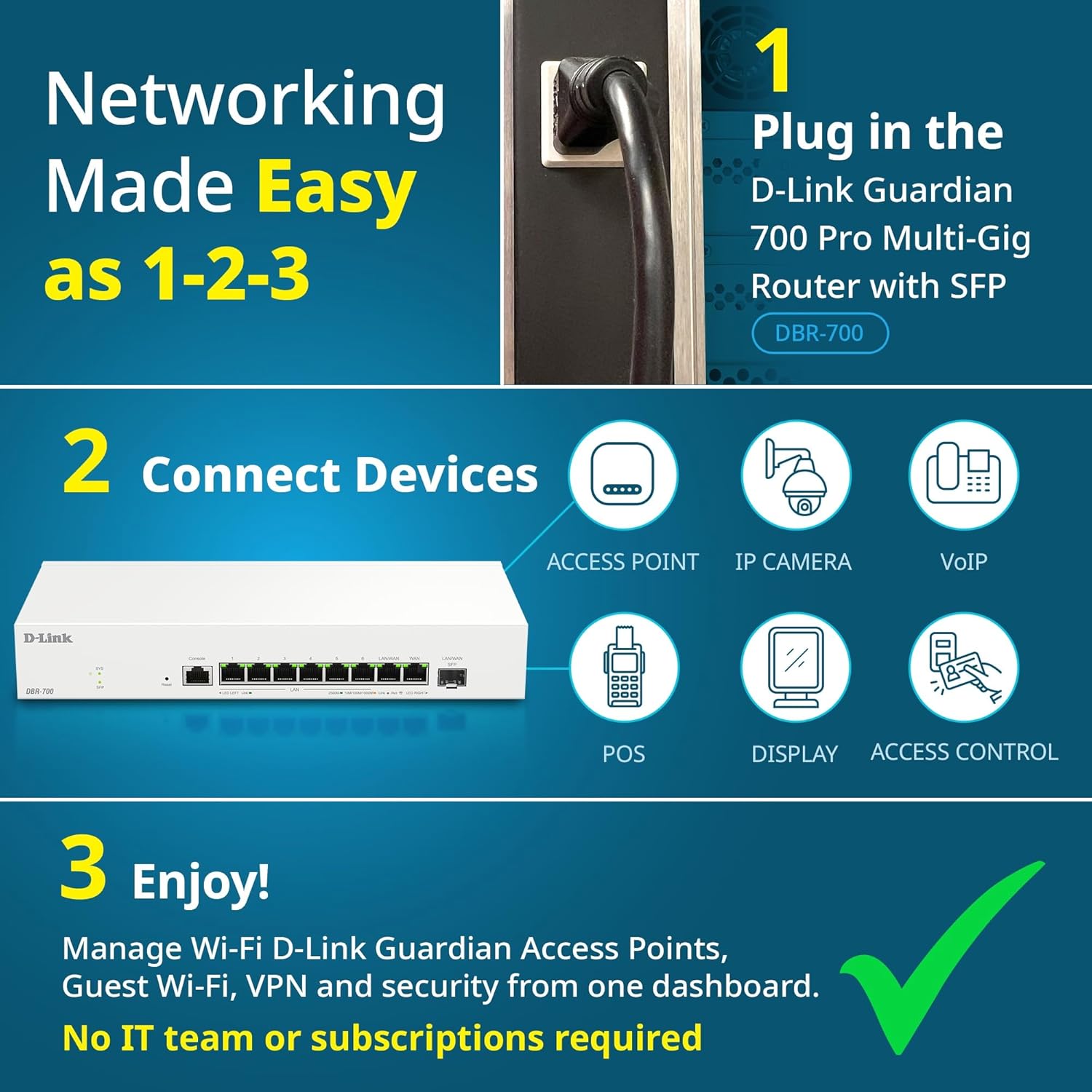
Image: Visual guide for router installation: 1. Plug in the DBR-700 router. 2. Connect devices like access points, IP cameras, VoIP, POS, displays, and access control. 3. Enjoy managed Wi-Fi, Guest Wi-Fi, VPN, and security from one dashboard.
5. Конфігурація
5.1. Доступ до Web Інтерфейс
To configure the DBR-700, access its webінтерфейс управління на основі:
- Переконайтеся, що ваш комп'ютер підключено до одного з портів локальної мережі маршрутизатора.
- Відкрийте a web браузер (наприклад, Chrome, Firefox, Edge).
- Enter the router's default IP address (typically
192.168.1.1or similar, refer to the Quick Installation Guide for the exact address) into the address bar and press Enter. - Enter the default username and password when prompted. (Refer to the Quick Installation Guide for default credentials).
5.2. Basic Network Settings
Once logged in, you can configure basic network settings:
- Налаштування WAN: Configure your internet connection type (e.g., DHCP, Static IP, PPPoE) as provided by your ISP.
- Налаштування локальної мережі: Adjust the router's internal IP address, subnet mask, and DHCP server settings for your local network.
- Параметри часу: Set the correct time zone and synchronize the router's clock.
6. Розширені функції
6.1. Multi-WAN Failover
The DBR-700 supports Multi-WAN with intelligent failover, ensuring business continuity by providing redundant internet connections. If the primary WAN link fails, the router automatically switches to a secondary WAN link.

Image: The DBR-700's ports, illustrating the Primary 2.5GbE WAN, Secondary 2.5GbE LAN/WAN, and SFP Uplink for Multi-WAN failover capabilities.
6.2. Налаштування VPN
The router includes built-in VPN support for IPSec, WireGuard, and OpenVPN, enabling secure remote access for employees and branch office connectivity. It supports up to 100 VPN tunnels.
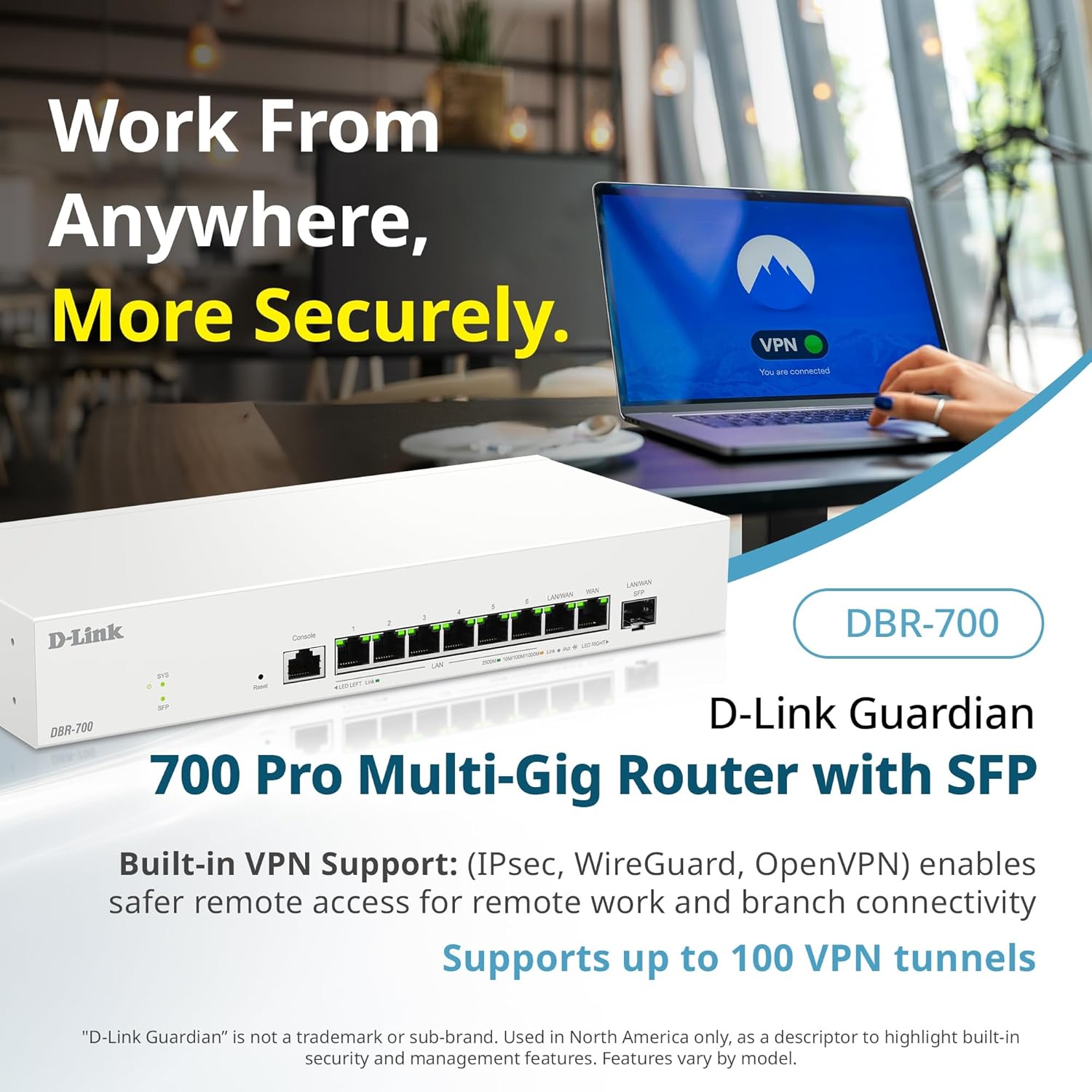
Image: A laptop displaying a 'VPN Connected' status, with the DBR-700 router in the foreground, illustrating secure remote access.
6.3. Centralized Access Point Management
The DBR-700 can discover and manage up to 15 D-Link Guardian Wi-Fi 6 Smart Access Points (DBR-X3000-AP, sold separately) from a single intuitive dashboard. This simplifies Wi-Fi network deployment and management.

Image: A tablet showing the D-Link Wi-Fi management dashboard, demonstrating centralized control over D-Link Guardian Access Points, with the DBR-700 router and a DBR-X3000-AP in the background.
6.4. Guest Wi-Fi Management
Set up and manage guest Wi-Fi networks with a Captive Portal. This allows for branded sign-in pages for guests while keeping business systems separate and secure. Configuration and management are done from the router dashboard.

Image: A smartphone screen showing a customizable guest Wi-Fi login portal, highlighting the DBR-700's ability to manage and customize guest networks.
7. Технічне обслуговування
7.1. Оновлення мікропрограми
Regularly check for and install firmware updates to ensure optimal performance, security, and access to new features. Firmware updates can typically be found on the D-Link support webсайт для вашої конкретної моделі.
7.2. Скидання до заводських налаштувань
If you encounter persistent issues or wish to clear all configurations, you can perform a factory reset. To do this, locate the Reset button on the front panel. With the router powered on, use a paperclip or similar pointed object to press and hold the Reset button for approximately 5-10 seconds until the SYS LED blinks. Release the button, and the router will restart with factory default settings.
8. Вирішення проблем
This section addresses common issues you might encounter with your DBR-700 router.
8.1. Немає підключення до Інтернету
- Перевірте кабелі: Переконайтеся, що всі кабелі Ethernet надійно підключені до правильних портів (WAN, LAN).
- Статус модему: Verify that your internet service provider's modem is working correctly and has an active internet connection.
- Конфігурація WAN: Увійдіть у маршрутизатор web interface and verify that the WAN settings (e.g., IP address, DNS) are correctly configured according to your ISP's requirements.
- Перезавантаження пристроїв: Вимкніть і знову ввімкніть модем, потім маршрутизатор, а потім підключені пристрої.
8.2. Немає доступу Web Інтерфейс
- IP-адреса: Ensure your computer is configured to obtain an IP address automatically (DHCP) or has a static IP address within the router's subnet.
- IP маршрутизатора: Double-check the router's default IP address. It might be printed on a label on the router itself or in the Quick Installation Guide.
- Брандмауер/Антивірус: Тимчасово вимкніть будь-який брандмауер або антивірусне програмне забезпечення на вашому комп’ютері, які можуть блокувати доступ.
- Кеш браузера: Очистіть свій web кеш і файли cookie браузера або спробуйте інший браузер.
8.3. Slow Network Speeds
- Якість кабелю: Ensure you are using high-quality Ethernet cables (Cat5e or Cat6) for multi-gig connections.
- Сумісність пристрою: Verify that connected devices and network adapters support 2.5GbE speeds.
- Швидкість інтернет-провайдера: Confirm your internet service plan provides the expected speeds.
- Управління трафіком: Check router settings for any Quality of Service (QoS) or bandwidth limits that might be affecting performance.
9. Технічні характеристики
| Особливість | Специфікація |
|---|---|
| Бренд | D-Link |
| Номер моделі | ДБР-700 |
| Порти WAN | 1x 2.5GbE WAN, 1x 2.5GbE/1GbE SFP (configurable as WAN) |
| Порти LAN | 6x 2.5GbE LAN, 1x 2.5GbE (configurable as LAN) |
| Підтримка VPN | IPSec, WireGuard, OpenVPN (up to 100 tunnels) |
| Управління AP | Manages up to 15 D-Link Guardian Wi-Fi 6 Smart Access Points |
| Функції безпеки | SPI Firewall, WPA3 encryption, VLANs |
| Розміри (ДxШxВ) | 11.02 x 1.73 x 4.96 дюймів |
| Вага товару | 2 фунта |
| томtage | 120 вольт (перемінний струм) |
| Колір | Білий |
10. Гарантія та підтримка
Щоб отримати детальну інформацію про гарантію, технічну підтримку та додаткові ресурси, відвідайте офіційний веб-сайт D-Link. website. You can find product registration, FAQs, firmware downloads, and contact information for customer service.
Офіційний D-Link Webсайт: www.dlink.com
Please have your product model number (DBR-700) and serial number ready when contacting support.