
1. Вступ
This manual provides comprehensive instructions for the installation, operation, and maintenance of your Ossuret 7-inch Android 13 Carplay Autoradio. Please read this manual thoroughly before using the device to ensure proper functionality and safety. This unit is designed to enhance your driving experience with advanced multimedia and navigation features.
2. Вміст упаковки
Перевірте, чи всі перелічені нижче предмети входять до вашої упаковки. Якщо будь-які предмети відсутні або пошкоджені, зверніться до служби підтримки клієнтів.
- Main Autoradio Unit
- Кабель живлення
- USB-кабель (4-контактний)
- USB-кабель (6-контактний)
- GPS антена
- RCA кабель
- Зовнішній мікрофон
- Rear Camera Input RCA Cable
- Canbus Decoder (if applicable)
- Кабель-адаптер радіоантени

3. Сумісні моделі транспортних засобів
This Ossuret Autoradio is compatible with the following Opel/Vauxhall/Holden models:
- Opel/Vauxhall/Holden Antara (from 2005)
- Opel/Vauxhall/Holden Astra H (from 2004)
- Opel/Vauxhall/Holden Corsa C (2004-2006)
- Opel/Vauxhall/Holden Corsa D (from 2006)
- Opel/Vauxhall/Holden Meriva (from 2004)
- Opel/Vauxhall/Holden Signum (from 2003)
- Opel/Vauxhall/Holden Tigra Twintop (from 2004)
- Opel/Vauxhall/Holden Vectra C (from 2004)
- Opel/Vauxhall/Holden Vivaro 6
- Opel/Vauxhall/Holden Zafira (from 2005)
4. Налаштування та встановлення
Installation of this autoradio requires technical knowledge and experience with car electronics. It is highly recommended to seek professional installation to avoid damage to the unit or your vehicle.
4.1 Перевірка перед встановленням
- Перед початком встановлення переконайтеся, що запалювання автомобіля вимкнено, а акумулятор від’єднано.
- Confirm compatibility with your vehicle model and year.
- Identify the existing wiring harness and dashboard opening.
4.2 Підключення проводів
- Кабель живлення: Connect the provided power cable to the vehicle's power supply, ensuring correct polarity (ACC, B+, GND).
- USB кабелі: Connect the 4-pin and 6-pin USB cables to the corresponding ports on the autoradio. These can be routed to a convenient location for external USB devices.
- GPS антена: Встановіть GPS-антену в місці з чітким view неба, зазвичай на приладовій панелі або під лобовим склом, та підключіть його до пристрою.
- Кабелі RCA: Підключіть кабелі RCA для аудіовиходу (наприклад, до зовнішнього amplifiers) or video input/output as needed.
- Зовнішній мікрофон: Connect the external microphone for improved call quality and route it to a suitable position (e.g., near the sun visor).
- Вхід для задньої камери: Якщо встановлюється задня view camera, connect its video output to the dedicated RCA input on the autoradio.
- Декодер CANbus: If your vehicle requires a Canbus decoder for steering wheel controls or other vehicle data integration, connect it according to the vehicle-specific wiring diagram.
- Радіоантена: Connect the vehicle's radio antenna using the provided adapter cable if necessary.
4.3 Встановлення пристрою
Carefully insert the autoradio into the dashboard opening, securing it with the appropriate mounting brackets. Ensure all cables are properly routed and not pinched.

5. Інструкція з експлуатації
5.1 Увімкнення/вимкнення живлення
The unit will typically power on automatically with the vehicle's ignition. To manually power off, press and hold the power button (if available) or turn off the vehicle's ignition.
5.2 Бездротовий Carplay / Android Auto
This autoradio supports wireless Apple Carplay and Android Auto via the pre-installed Zlink application. This allows seamless integration with your smartphone for navigation, music, calls, and other apps.
- Переконайтеся, що на вашому смартфоні увімкнено Wi-Fi та Bluetooth.
- On the autoradio, open the Zlink application.
- Follow the on-screen prompts to connect your phone via Bluetooth first, then confirm the Wi-Fi connection.
- Once connected, your phone's Carplay or Android Auto interface will appear on the autoradio screen.

5.3 Функціональність Bluetooth
The unit features Bluetooth for hands-free calling and audio streaming.
- Сполучення: Go to the Bluetooth settings on the autoradio and your smartphone. шукати available devices on your phone and select the autoradio (e.g., "Ossuret Car"). Confirm the pairing code if prompted.
- Дзвінок без використання рук: Once paired, you can make and receive calls directly from the autoradio screen. The built-in microphone captures your voice.
- Bluetooth Music (A2DP): Stream audio from your phone to the autoradio wirelessly.
- Phonebook Download: The unit supports downloading your phone's contacts for easy access.

5.4 Підключення USB
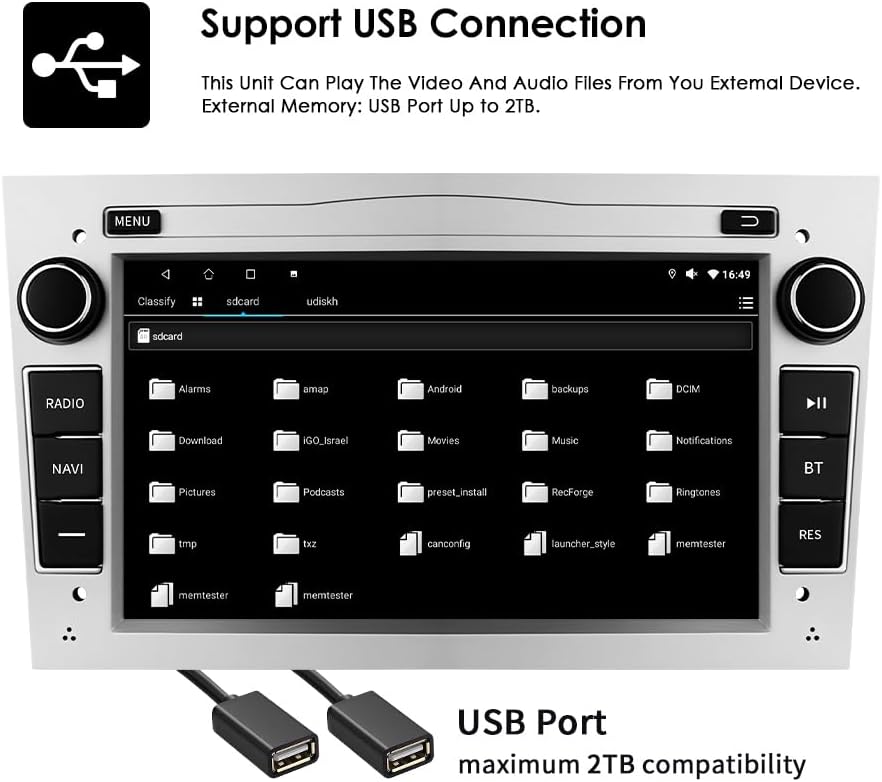
Connect external USB devices to play audio and video files or access other data. The unit supports USB storage up to 2TB.
- Insert your USB drive into one of the provided USB ports.
- Перейдіть до file explorer or media player application on the autoradio.
- Select the USB device to browse and play your media files.
5.5 Відтворення мультимедіа
The autoradio supports various audio and video formats for local playback.
- Музичні формати: MP3, WMA, AAC, RM, FLAC, etc.
- Формати відео: MPEG-1/2/4, H.264, H.263, VC1, RV, RMVB, DivX, Sorenson Spark, VP8, AVS Stream, etc.

5.6 GPS-навігація
The unit comes with preloaded European maps and supports both online and offline navigation.
- Отримайте доступ до навігаційної програми з головного меню.
- Enter your destination to receive turn-by-turn voice guidance.
- Connect to Wi-Fi for online map updates and real-time traffic information.
5.7 Кермове керування
The autoradio is compatible with your vehicle's factory steering wheel controls, allowing you to manage volume, change tracks, and answer calls without taking your hands off the wheel. Configuration may be required in the unit's settings menu.
5.8 Задня частина View Вхід з камери
Коли сумісний задній view camera is connected, the display will automatically switch to the camera feed when the vehicle is put into reverse gear, providing a clear view перешкод позаду автомобіля.
6. Технічне обслуговування
To ensure the longevity and optimal performance of your Ossuret Autoradio, follow these maintenance guidelines:
- Очищення екрану: Використовуйте м’яку тканину без ворсу, щоб обережно протерти сенсорний екран. Для стійких плям злегкаampПротріть тканину водою або засобом для чищення екранів. Уникайте агресивних хімікатів або абразивних матеріалів.
- Генеральне прибирання: Тримайте пристрій чистим від пилу та сміття. Використовуйте м’яку щітку або стиснене повітря для очищення вентиляційних отворів та щілин між кнопками.
- Оновлення програмного забезпечення: Періодично перевіряйте наявність оновлень програмного забезпечення від виробника, щоб переконатися, що у вас є найновіші функції та виправлення помилок.
- Уникайте екстремальних температур: Do not expose the unit to extreme heat or cold, as this can affect performance and lifespan.
7. Вирішення проблем
Якщо у вас виникли проблеми з автомагнітолою, зверніться до наступних поширених проблем та способів їх вирішення:
| проблема | Можлива причина | Рішення |
|---|---|---|
| Немає живлення | Incorrect wiring, blown fuse, vehicle battery issue | Check power connections, inspect fuses, ensure vehicle battery is charged. |
| Ні звуку | Volume too low, incorrect audio settings, speaker wiring issue | Збільште гучність, перевірте налаштування аудіовиходу, перевірте підключення динаміків. |
| Сигнал GPS втрачено/слабкий | Antenna obstruction, poor antenna placement | Переконайтеся, що GPS-антена має чіткий сигнал view неба, за потреби перемістіть його. |
| Bluetooth не підключається | Bluetooth off, incorrect pairing, interference | Ensure Bluetooth is enabled on both devices, re-pair, move away from other wireless devices. |
| Сенсорний екран не реагує | Software glitch, screen damage | Перезавантажте пристрій. Якщо проблема не зникає, зверніться до служби підтримки. |
If the problem persists after attempting these solutions, please contact Ossuret customer support for further assistance.
8. Технічні характеристики
Below are the technical specifications for the Ossuret Autoradio Model B0FPLCMTNZ:
| Особливість | Специфікація |
|---|---|
| Бренд | Оссурет |
| Номер моделі | B0FPLCMTNZ |
| Операційна система | Android 13 |
| ОЗУ | 2 ГБ |
| ROM | 32 ГБ |
| ЦП | 4Core*A53 1.5Ghz |
| Розмір екрана | 7 дюймів |
| Роздільна здатність екрана | 1024 х 600 |
| Тип сенсорного екрана | Ємнісні |
| Технологія підключення | Bluetooth, USB, Wi-Fi |
| Особливості | Wireless Carplay/Android Auto, GPS Navigation, DSP Support |
| Сумісні пристрої | Смартфон |
| Загальна кількість портів HDMI | 1 |
| Режим аудіовиходу | Стерео |
| Кодування відео | H.264, H.265/HEVC, MPEG-4 |
| Кількість каналів | 4 |
| Спосіб контролю | Дотик, голос |
| Походження | Китай |
9. Гарантія та підтримка
9.1 Інформація про гарантію
This Ossuret Autoradio comes with a 1-річна гарантія виробництва з дати покупки. Ця гарантія поширюється на дефекти матеріалів та виготовлення за умов нормального використання. Вона не поширюється на пошкодження, спричинені неправильним встановленням, аварією, неправильним використанням, зловживанням, недбалістю, несанкціонованою модифікацією або нормальним зносом.
9.2 Підтримка клієнтів
For technical assistance, warranty claims, or any questions regarding your Ossuret Autoradio, please contact your retailer or the Ossuret customer support team. Have your model number (B0FPLCMTNZ) and proof of purchase ready when contacting support.