
1. Продукт закінчивсяview
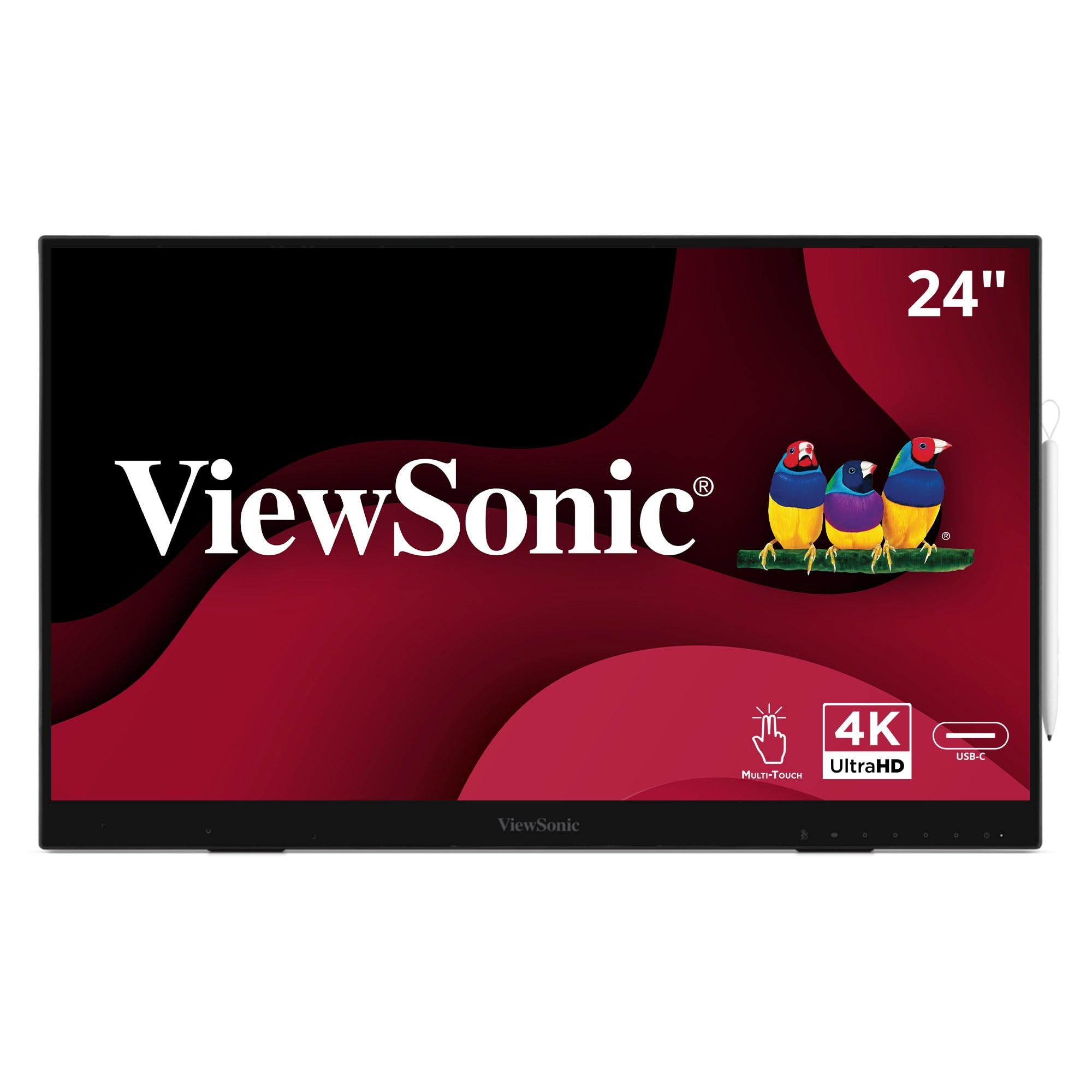
The ViewSonic ID2456-4K is a 24-inch (23.8-inch viewable) 4K UHD interactive pen display designed for dynamic presentations and interactive work. It features PCAP 10-point touch technology and supports an MPP2.0 active stylus for precise writing and annotation. The display includes a built-in kickstand for ergonomic adjustment, a USB hub, HDMI, DisplayPort, and USB-C inputs for versatile connectivity.
Ключові особливості:
- Premium Display: 24-inch UHD (3840x2160p) IPS touch monitor with thin bezels and 60Hz refresh rate.
- Цифровий стилус: An active stylus with 8192 levels of pressure sensitivity for detailed input.
- Cross-Platform Touch Support: Compatible with Windows, Android, and Mac OS (vTouch software required on Apple platforms).
- Plug & Play: Simple connection for synchronized screen mode.
- Підключення USB-C: Single-cable solution for video, audio, data, and power delivery.
2. Посібник із налаштування
2.1 Розпакування та вміст упаковки
Обережно вийміть усі компоненти з упаковки. Переконайтеся, що є такі предмети:
- ViewSonic ID2456-4K Display
- Кабель живлення (1.8м)
- Type-C cable (1.8m)
- Кабель HDMI (1.8 м)
- USB A/B cable (1.8m)
- MPP2.0 ACP Pen
- Ремінець ручки
- Wireless pen charger
- Короткий посібник
2.2 Фізичне налаштування
Place the display on a stable, flat surface. The integrated ergonomic kickstand allows for tilt adjustment from 15 to 70 degrees for comfortable viewі взаємодії.

2.3 Підключення до пристроїв
The ID2456-4K offers multiple connectivity options:
- USB-C: For a single-cable solution, connect your laptop, tablet, mobile device, or Chromebook using the provided USB-C cable. This cable transmits video, audio, data (for touch functionality), and power.
- HDMI/DisplayPort: Connect your computer to the display using an HDMI or DisplayPort cable for video input.
- USB A/B: If using HDMI or DisplayPort for video, connect the USB A/B cable from your computer to the display to enable touch functionality.
- USB-концентратор: Utilize the integrated USB ports on the display to connect peripherals such as a keyboard, mouse, or external storage.


This video demonstrates the connectivity and interactive features of the ViewSonic ID2456-4K, showcasing its use in educational and presentation environments.
3. Інструкція з експлуатації
3.1 Увімкнення/вимкнення живлення
Press the power button located on the display's bezel to turn the unit on or off. A blue LED indicator will show the power status.
3.2 Using the Active Stylus and Touch Functionality
The ID2456-4K features a highly responsive PCAP 10-point touch screen and an MPP2.0 active stylus. The stylus offers 8192 levels of pressure sensitivity and ±50° tilt for natural writing and drawing. Palm rejection technology ensures accurate input by ignoring accidental touches from your hand.


3.3 Cross-Platform Compatibility
The display supports touch functionality across various operating systems, including Windows, Android, and Mac OS. For Mac OS, ensure the vTouch software is installed for full touch capabilities.

3.4 Screen Mirroring and Extension
The built-in HDMI output allows you to mirror or extend your desktop to larger front-of-room displays, such as ViewSonic Direct View LED video walls, ViewBoard interactive displays, commercial displays, or projectors. This enables presenters to face their audience while interacting with content on the ID2456-4K.
4. Технічне обслуговування
4.1 Очищення дисплея
To clean the display, power it off and disconnect the power cable. Use a soft, lint-free cloth lightly dampened with a non-abrasive, ammonia-free glass cleaner. Do not spray cleaner directly onto the screen. Avoid using harsh chemicals or abrasive materials that could damage the screen surface.
4.2 Догляд за стилусом
Store the active stylus in its wireless charger or a safe place when not in use. Avoid dropping the stylus or exposing it to extreme temperatures. Ensure the stylus tip is clean and free of debris for optimal performance.
5. Вирішення проблем
5.1 No Display/Black Screen
- Ensure the power cable is securely connected to both the display and a working power outlet.
- Verify that the display is powered on (check the power LED indicator).
- Check the video cable (USB-C, HDMI, or DisplayPort) connection between the display and your computer. Try reconnecting or using a different cable.
- Confirm your computer's display settings are configured to output to the external display.
5.2 Touch Functionality Not Working
- If using HDMI or DisplayPort for video, ensure the USB A/B cable is connected from your computer to the display to enable touch data transmission.
- If using USB-C, ensure the cable supports data transfer and is properly connected.
- For Mac OS, verify that the vTouch software is installed and running.
- Restart both the display and your connected device.
5.3 Стилус не реагує
- Ensure the stylus is charged. Place it in the wireless pen charger.
- Check for any physical damage to the stylus tip.
- Restart the display and your connected device.
6. Технічні характеристики
| Бренд | ViewСоник |
| Номер моделі | ID2456-4K |
| Розмір екрана | 24 дюймів (23.8 дюйма) viewздатний) |
| роздільна здатність | 4K UHD 3840x2160p |
| Частота оновлення | 60 Гц |
| Тип дисплея | IPS LCD with LED backlight |
| Технологія Touch | PCAP 10-точкове дотик |
| Stylus Pressure Sensitivity | 8192 рівнів |
| Підключення | DisplayPort, HDMI (x2), USB Type-A (x4), USB Type-B (x1), USB Type-C (x1) |
| Розміри (Д x Ш x В) | 1.7 см x 21.44 см x 13.11 см |
| вага | 9.7 фунта |
| Додаткові функції | Frameless design, Tilt Adjustment, Touchscreen, USB Hub |
7. Гарантія та підтримка
7.1 Інформація про гарантію
The ViewSonic ID2456-4K comes with a 3-Year limited warranty on parts, labor, and backlight. Please refer to the official ViewСоник webповні гарантійні умови див. на сайті або в документації до покупки.
7.2 Підтримка клієнтів
For technical assistance, product registration, or further inquiries, please visit the official ViewПідтримка Sonic website or contact their customer service department. Keep your product model number (ID2456-4K) and serial number ready when seeking support.