
1. Вступ
Thank you for choosing the THOMSON COSMO 500W Wi-Fi Connected Fluid-Free Electric Towel Dryer. This appliance is designed to provide rapid and uniform heat, ensuring warm towels and a comfortable bathroom environment. Its elegant design and smart connectivity features offer both performance and convenience.
This manual provides essential information for the safe installation, operation, and maintenance of your new towel dryer. Please read it thoroughly before use and retain it for future reference.
2. Техніка безпеки
УВАГА: Недотримання цих інструкцій з безпеки може призвести до пожежі, ураження електричним струмом або травмування.
- Прочитайте всі інструкції перед встановленням або використанням цього приладу.
- Цей прилад призначений лише для побутового використання. Не використовуйте його для комерційних або промислових цілей.
- Переконайтеся, що блок живлення обtage відповідає етикетці з характеристиками на приладі.
- Do not operate the appliance with a damaged cord or plug, or if it has malfunctioned or been dropped.
- Тримайте шнур живлення подалі від нагрітих поверхонь.
- Не занурюйте прилад, шнур або вилку у воду чи інші рідини.
- Завжди вимикайте прилад з розетки, коли він не використовується та перед чищенням.
- Do not allow children to operate or play with the appliance. Close supervision is necessary when the appliance is used near children.
- Install the towel dryer in a location where it is not accessible to persons in the bath or shower.
- Ensure proper ventilation around the appliance. Do not cover the towel dryer.
- Цей прилад оснащений захистом від перегріву. У разі перегріву він автоматично вимкнеться.
- Монтаж повинен виконувати кваліфікований електрик відповідно до місцевих правил електромонтажу.
3. Продукт закінчивсяview
The THOMSON COSMO towel dryer features a sleek design and advanced fluid-free heating technology for rapid and even heat distribution. It includes a digital control panel and Wi-Fi connectivity for remote management.
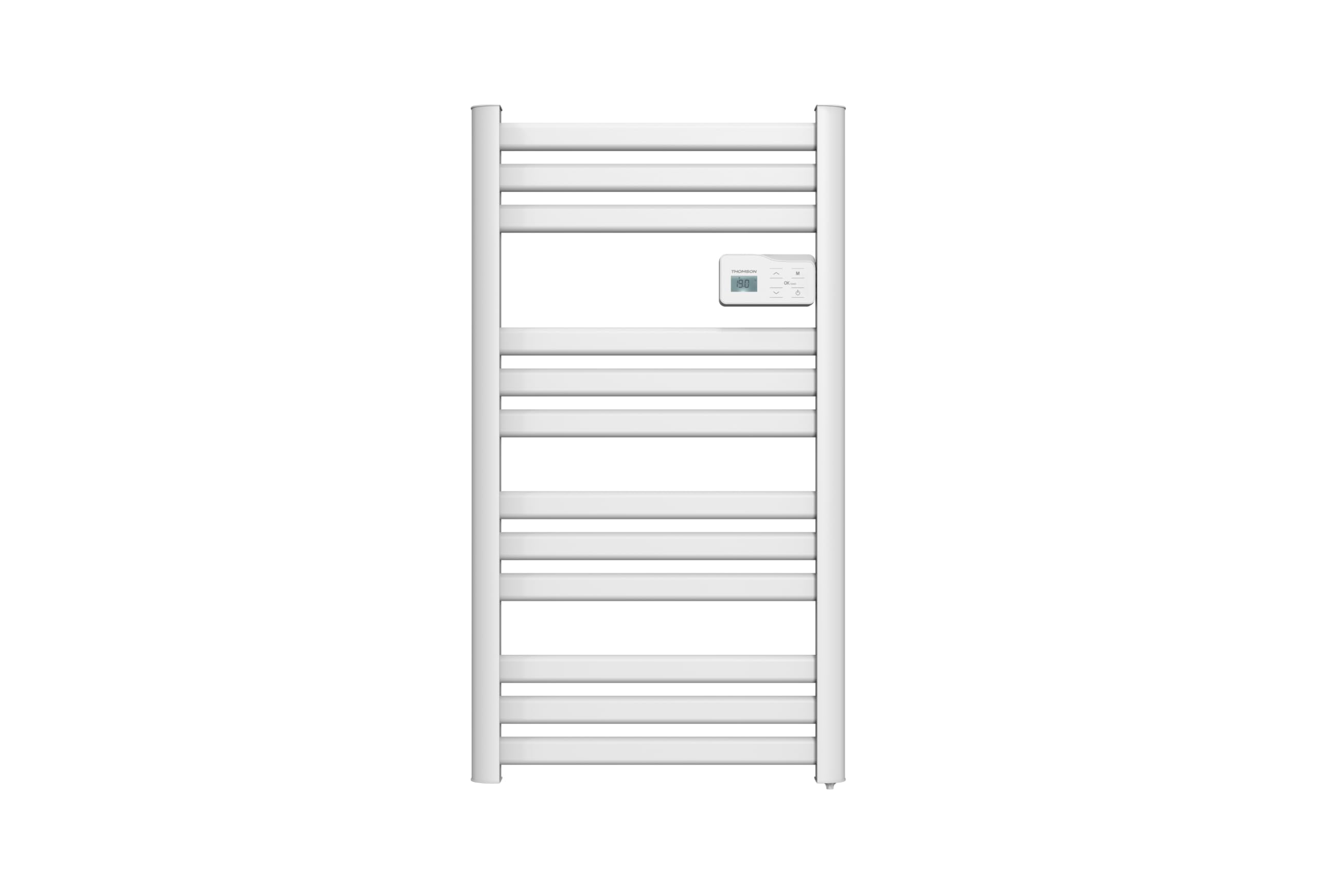
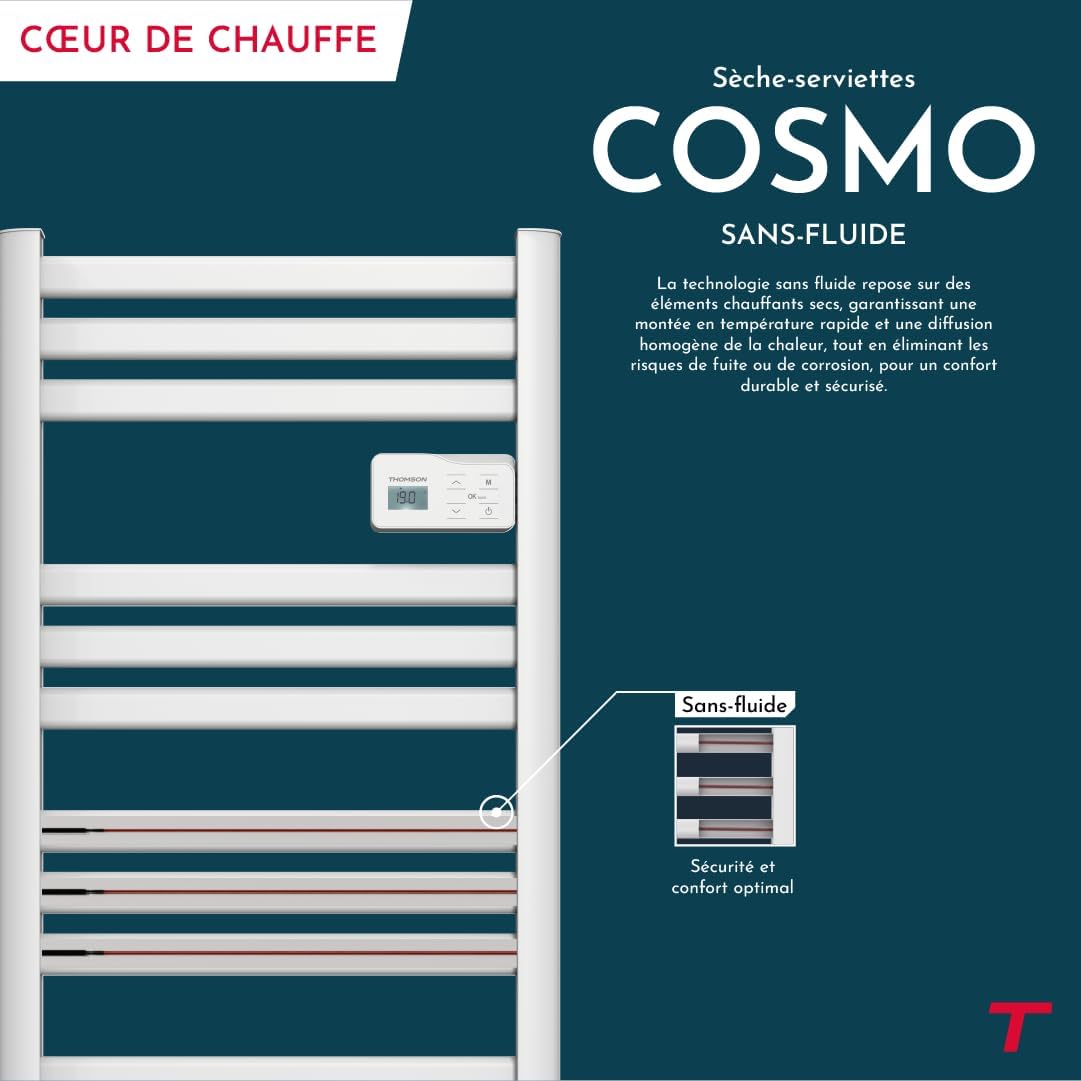
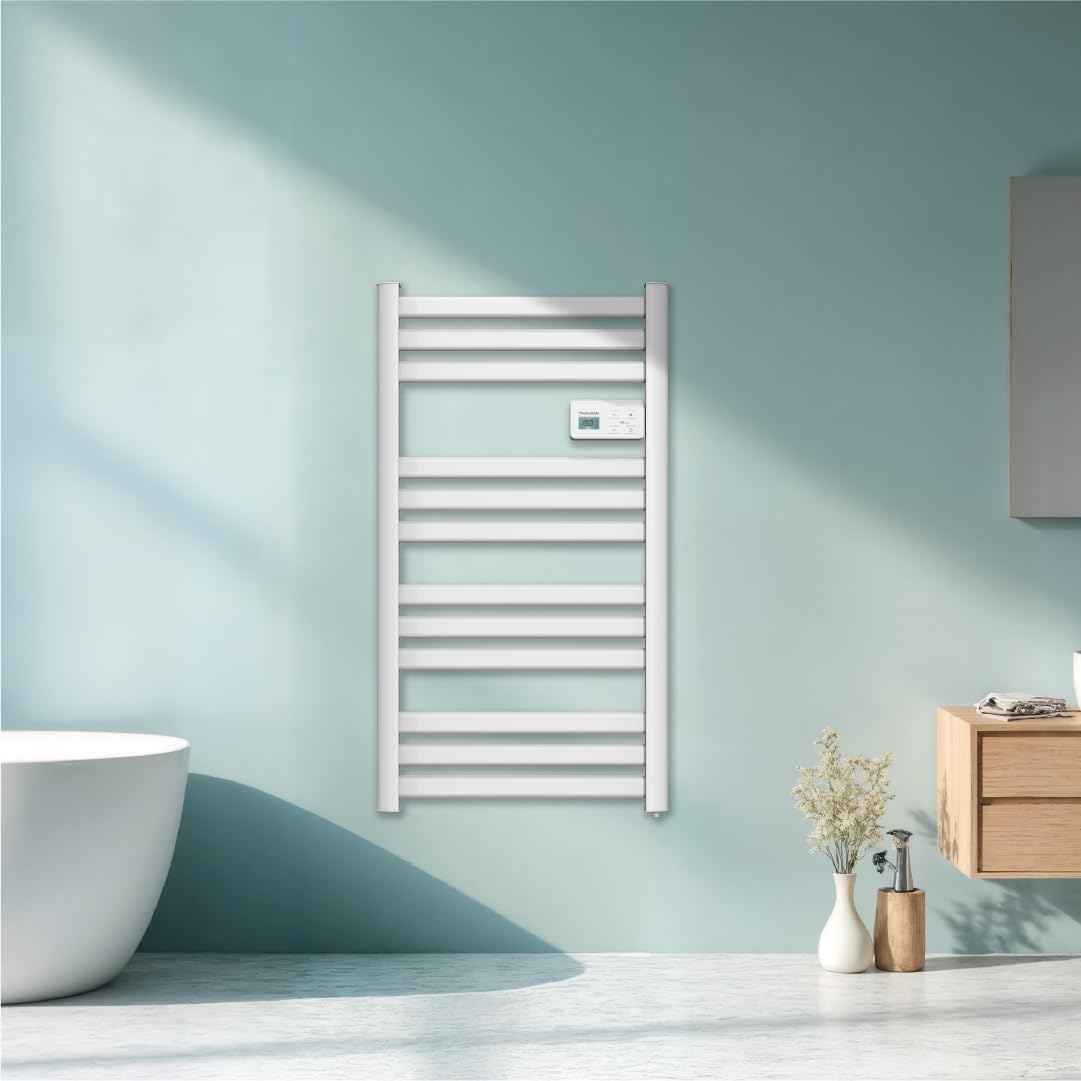
зображення: Фронт view of the THOMSON COSMO electric towel dryer, white, wall-mounted, showcasing its design in a bathroom.
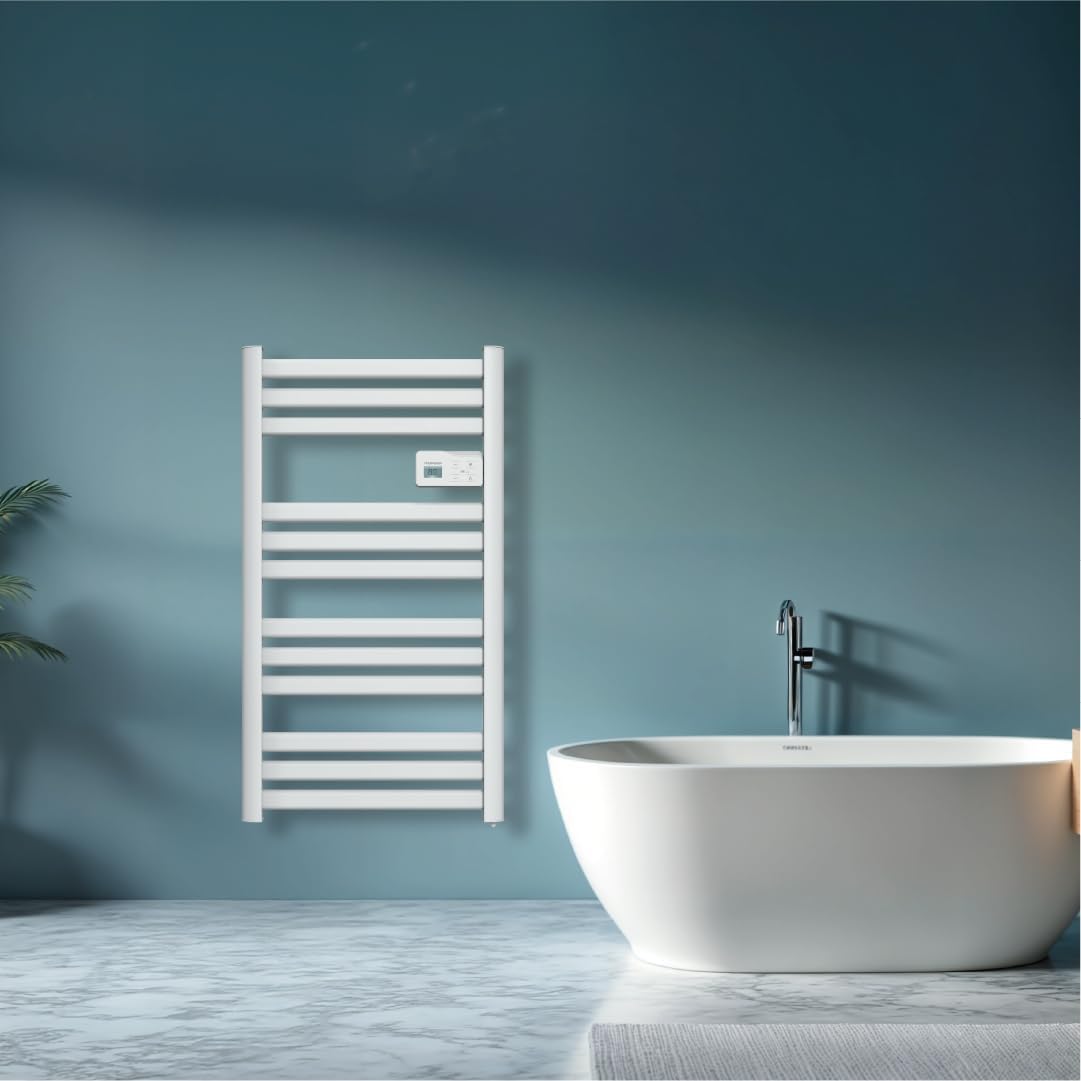
зображення: Diagram illustrating the internal fluid-free heating elements, highlighting rapid and homogeneous heat distribution and programmable thermostat.
Ключові характеристики:
- 500 Вт Потужність: Efficient heating for towels and bathroom.
- Fluid-Free Technology: Ensures quick heat-up and uniform temperature across the surface.
- З'єднання Wi-Fi: Compatible with Tuya Smart and Smart Life applications for remote control.
- Цифрова панель керування: Intuitive LCD display for direct temperature and mode adjustments.
- Програмований термостат: 7 daily pre-recorded and customizable programs.
- Виявлення відкритого вікна: Automatically cuts heating to save energy if a sudden temperature drop is detected.
- Блокування від дітей: Запобігає ненавмисним змінам налаштувань.
4. Налаштування та встановлення
The THOMSON COSMO towel dryer is designed for wall-mounted installation. Professional installation is recommended.
4.1. Розпакування
- Carefully remove the towel dryer and all accessories from the packaging.
- Перевірте наявність пошкоджень під час транспортування. У разі пошкодження не встановлюйте та зверніться до продавця.
- Зберігайте упаковку для подальшого транспортування або зберігання.
4.2. Місце встановлення
- Choose a suitable wall in your bathroom, ensuring it is structurally sound to support the weight of the unit (approximately 3.9 kg).
- Ensure the location complies with local electrical safety regulations, especially regarding proximity to water sources (baths, showers, sinks).
- Maintain adequate clearance around the unit for air circulation and access.

зображення: Product dimensions and weight for installation planning.
4.3. Настінне кріплення
- Mark the drilling points on the wall using the provided mounting template or by measuring the bracket positions.
- Drill holes of appropriate size for the wall plugs (e.g., Molly anchors for plasterboard, as suggested by a user review).
- Insert the wall plugs and secure the mounting brackets to the wall.
- Carefully hang the towel dryer onto the secured brackets.
- Ensure the unit is level and securely fastened to the wall.
4.4. Електричне підключення
- The appliance connects via an electrical cable. Ensure the power supply is switched off at the main circuit breaker before making any connections.
- Connect the towel dryer to a suitable electrical outlet or junction box according to local electrical codes.
- Once connected, switch on the power supply.
5. Інструкція з експлуатації
The THOMSON COSMO towel dryer features an intuitive digital control panel for easy operation.
зображення: Digital control panel with LCD display and buttons for temperature adjustment and mode selection, shown with a hand pressing the power button.
5.1. Панель керування завершеноview
- РК-дисплей: Shows current temperature, mode, and other settings.
- Кнопка живлення (⏻): Вмикає/вимикає пристрій.
- Стрілки вгору/вниз (⌃ / ⌄): Налаштуйте параметри температури або переміщуйтесь по меню.
- Кнопка режиму (M): Cycles through different operating modes (e.g., Comfort, Eco, Boost, Program).
- Menu/Confirm Button (≡): Accesses menu options or confirms selections.
5.2. Основна операція
- Увімкнення/вимкнення живлення: Натисніть кнопку живлення (⏻) to turn the towel dryer on or off.
- Встановити температуру: When the unit is on, use the Up/Down arrows (⌃ / ⌄) to adjust the desired temperature. The display will show the set temperature.
- Змінити режим: Press the Mode button (M) to cycle through available operating modes. Refer to the full product manual for detailed descriptions of each mode (e.g., Comfort, Eco, Boost, Frost Protection).
5.3. Програмування
The towel dryer offers 7 daily pre-recorded and customizable programs. Access the programming menu via the Menu/Confirm button (≡) and follow the on-screen instructions to set your desired heating schedules.
For a visual guide on programming, you can refer to the official video tutorial playlist:
Відео: Official video tutorial playlist for THOMSON COSMO towel dryer programming and features. This playlist provides step-by-step instructions on how to set up and use various functions of your device.
6. Wi-Fi Connectivity & Smart Features
The THOMSON COSMO towel dryer can be controlled remotely via Wi-Fi using the Tuya Smart or Smart Life mobile applications.
зображення: A graphic indicating the towel dryer's Wi-Fi connectivity and compatibility with the Tuya Smart application.
6.1. Встановлення та сполучення програм
- Завантажте додаток «Tuya Smart» або «Smart Life» з магазину додатків вашого смартфона (Google Play Store для Android, Apple App Store для iOS).
- Зареєструйтесь або увійдіть у свій обліковий запис.
- Ensure your towel dryer is powered on and your smartphone is connected to a 2.4 GHz Wi-Fi network.
- У додатку натисніть «Додати пристрій» або значок «+».
- Select the appropriate device category (e.g., "Heater" or "Towel Warmer").
- Follow the in-app instructions to put your towel dryer into pairing mode (usually by pressing and holding a button on the control panel until an indicator light flashes).
- Complete the pairing process within the app.
6.2. Функції дистанційного керування
Після підключення ви можете використовувати додаток для:
- Turn the towel dryer ON/OFF.
- Відрегулюйте температуру.
- Змінити режими роботи.
- Set and customize heating schedules.
- Monitor energy consumption (if supported by the app and device).

зображення: The Tuya Smart app interface demonstrating energy monitoring and scheduling features for connected devices.
6.3. Інтеграція голосового керування
The THOMSON COSMO towel dryer is compatible with voice assistants like Amazon Alexa and Google Home via the Tuya Smart/Smart Life app integration.

зображення: Logos of Amazon Alexa and Google Home, signifying that the towel dryer can be controlled using voice commands through these platforms.
- Увімкніть навичку/сервіс «Tuya Smart» або «Розумне життя» у вашому додатку Alexa або Google Home.
- Зв’яжіть свій обліковий запис Tuya/Smart Life з обліковим записом голосового асистента.
- Discover devices. Your towel dryer should appear as a controllable device.
- Тепер ви можете використовувати голосові команди, такі як:
- "Alexa, turn on the bathroom heater."
- "Hey Google, set the bathroom heater to 22 degrees."
7. Технічне обслуговування
Regular maintenance ensures the longevity and efficient operation of your THOMSON COSMO towel dryer.
7.1. прибирання
- Завжди відключайте прилад від мережі та дайте йому повністю охолонути перед чищенням.
- Протріть зовнішні поверхні м’якою, damp тканиною. Не використовуйте абразивні засоби для чищення, розчинники або агресивні хімікати, оскільки вони можуть пошкодити покриття.
- Переконайтеся, що вода не потрапляє на панель керування або електричні компоненти.
- Do not use water jets or immerse the appliance in water.
7.2. Зберігання
If storing the towel dryer for an extended period, ensure it is clean and dry. Store it in a cool, dry place, preferably in its original packaging to protect it from dust and damage.
8. Вирішення проблем
If you encounter issues with your THOMSON COSMO towel dryer, refer to the following common problems and solutions:
| проблема | Можлива причина | Рішення |
|---|---|---|
| Прилад не вмикається. | Немає живлення; Кнопка живлення не натиснута; Активовано захист від перегріву. | Check power outlet and circuit breaker; Press the Power button; Unplug, let cool, then plug back in. |
| Appliance is not heating. | Temperature setting too low; Incorrect mode selected; Window open detection activated. | Increase temperature setting; Select Comfort or Boost mode; Close windows/doors. |
| Збій підключення до Wi-Fi. | Incorrect Wi-Fi password; Not connected to 2.4 GHz network; Router too far; Device not in pairing mode. | Verify password; Connect to 2.4 GHz Wi-Fi; Move router closer or use extender; Re-enter pairing mode as per app instructions. |
| Голосове керування не працює. | App not linked to voice assistant; Device not discovered; Incorrect commands. | Ensure Tuya/Smart Life skill is enabled and linked; Re-discover devices in Alexa/Google Home app; Use correct voice commands. |
Якщо проблема не зникає після спроби цих рішень, зверніться до служби підтримки клієнтів.
9. Технічні характеристики
| Особливість | Деталь |
|---|---|
| Модель | КОСМО |
| Бренд | THOMSON (Bestherm) |
| Вихідна потужність | 500 Вт |
| Спосіб нагрівання | Radiant, Fluid-Free Electric |
| Розміри (В x Ш x Г) | 98 см x 54 см x 9.2 см (38.6 дюйма x 21.3 дюйма x 3.6 дюйма) |
| вага | 3.9 кілограмів (8.6 фунта) |
| Колір | Білий |
| Тип монтажу | Настінні |
| Особливості | Wi-Fi Compatible, Overheat Protection, Programmable Thermostat, Electronic Thermostat, Child Lock, Window Open Detection |
| Сумісність із Smart Home | Tuya Smart, Smart Life, Amazon Alexa, Google Home |
| ASIN | B0FP2KJNLQ |
10. Гарантія та підтримка
10.1. Інформація про гарантію
Your THOMSON COSMO towel dryer comes with a manufacturer's warranty. Please refer to the warranty card included with your product for specific terms, conditions, and duration. Keep your proof of purchase for warranty claims.
10.2. Підтримка клієнтів
For technical assistance, troubleshooting beyond this manual, or warranty inquiries, please contact your retailer or the manufacturer's customer service. Contact details can typically be found on the product packaging or the manufacturer's official webсайт.
Інтернет-ресурси: For additional support and video tutorials, visit the official THOMSON website or the YouTube playlist provided in this manual.