
1. Вступ
This manual provides essential information for setting up, operating, and maintaining your ASUS ROG Strix XG34WCDMTG 34-inch OLED Curved Ultrawide Gaming Monitor. The ROG Strix OLED XG34WCDMTG is a 34-inch, 240Hz ultra-wide QD-OLED gaming monitor designed for immersive gaming and entertainment. It features a Neo Proximity Sensor within the ROG OLED Care Pro suite to prevent burn-in by transitioning to a black screen when no user is detected. Additionally, the monitor integrates Google TV, offering direct access to a wide range of streaming applications, movies, and shows without requiring external devices.
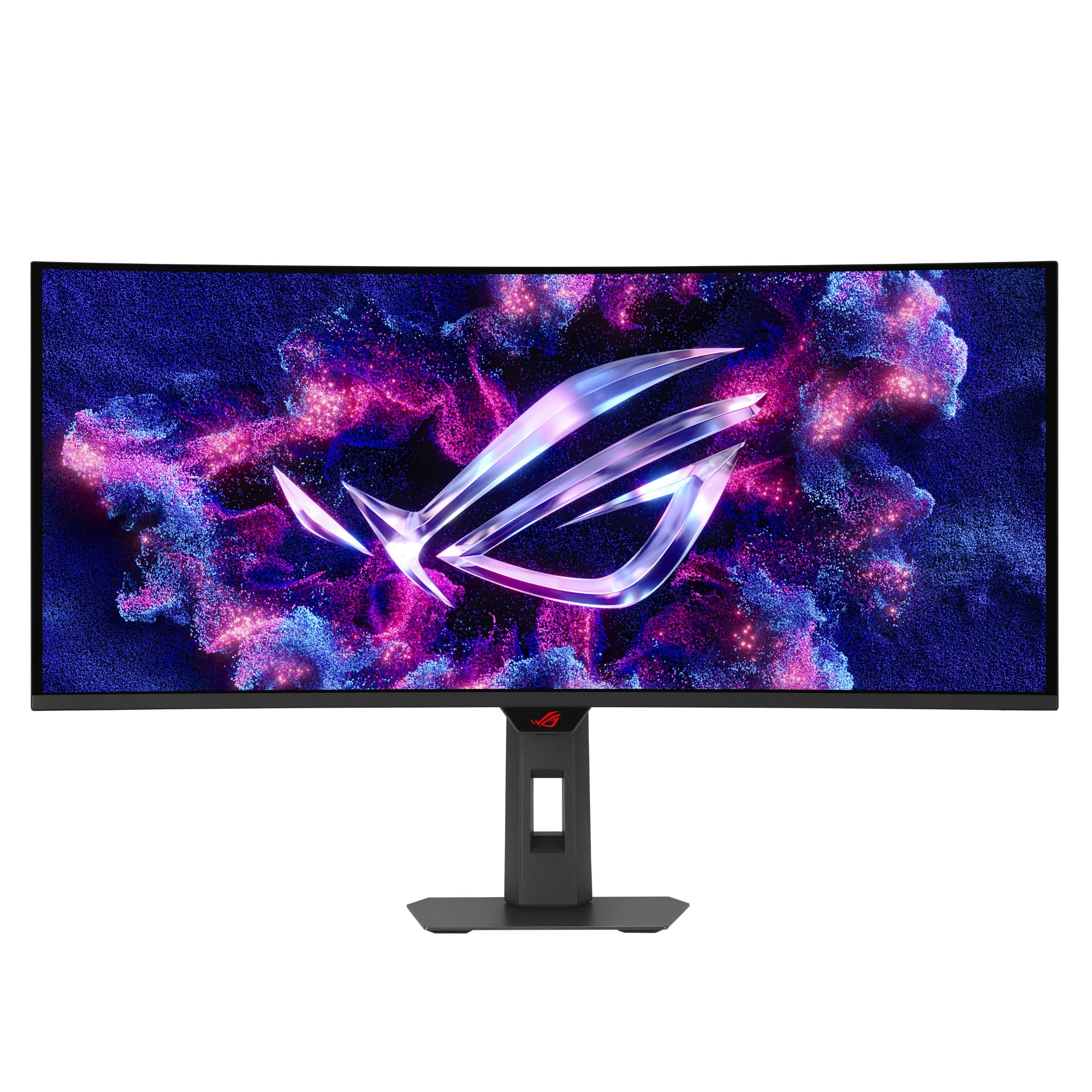
Figure 1.1: ASUS ROG Strix XG34WCDMTG Monitor Front View
2. Що в коробці
Обережно розпакуйте коробку та переконайтеся, що всі предмети присутні та у належному стані. Якщо будь-які предмети відсутні або пошкоджені, негайно зверніться до продавця.
- XG34WCDMTG Monitor
- Remote Controller (with 2x AAA Batteries)
- Кабель DisplayPort
- Кабель HDMI
- Шнур живлення
- Кабель USB-C
- Серветка з мікрофібри
- Комплект кріплення VESA
- Сумка ROG
- Короткий посібник
- Гарантійний талон

Рисунок 2.1: Комплектуючі
3. Налаштування
3.1 Збірка підставки
- Покладіть панель монітора екраном вниз на м’яку, чисту поверхню, щоб запобігти подряпинам.
- Прикріпіть основу підставки до шиї підставки, закріпивши її наданим гвинтом.
- Attach the assembled stand to the back of the monitor panel until it clicks into place.
3.2 З'єднувальні кабелі
Підключіть необхідні кабелі до задніх портів монітора. Переконайтеся, що всі з’єднання надійно закріплені.
- Кабель живлення: Підключіть шнур живлення до входу живлення монітора, а потім до розетки.
- Відео вхід: Connect either the DisplayPort cable to a DisplayPort 1.4 port on your computer or an HDMI cable to one of the two HDMI 2.1 ports on your computer/device.
- USB-C: For compatible devices, connect the USB-C cable for video, data, and 90W power delivery.
- USB-концентратор: Connect the USB upstream cable (if applicable) to enable the monitor's USB hub for peripherals.

Рисунок 3.1: Порти підключення монітора
3.3 Початкове ввімкнення
Press the power button on the monitor or use the remote control to turn on the display. Follow any on-screen prompts for initial setup, including network connection for Google TV features.
4. Інструкція з експлуатації
4.1 Екранне меню (OSD)
The OSD menu allows you to adjust various monitor settings. Use the joystick or buttons on the monitor's rear/bottom edge, or the included remote control, to navigate the menu.
- Ігри: Adjust refresh rate, response time, FreeSync/G-SYNC compatibility, and gaming-specific enhancements like GamePlus (crosshair, timer, FPS counter).
- зображення: Control brightness, contrast, color temperature, and HDR settings.
- Вибір входу: Switch between DisplayPort, HDMI 1, HDMI 2, and USB-C inputs.
- Налаштування системи: General settings including language, OSD timeout, and power-saving options.
4.2 Google TV Functionality
The integrated Google TV provides a smart TV experience. Use the remote control to navigate the Google TV interface.
- Головний екран: Доступ до рекомендованого контенту, встановлених програм і налаштувань.
- Програми для потокового передавання: Download and use popular streaming services like Netflix, Disney+, HBO Max, and YouTube.
- Голосове керування: Utilize Google Assistant via the remote control for hands-free operation and content search.
- NVIDIA GeForce NOW: Access cloud gaming directly through the pre-installed NVIDIA GeForce NOW app.

Рисунок 4.1: Інтерфейс Google TV
4.3 MultiScreen Feature
The MultiScreen feature allows seamless cross-platform entertainment and control of multiple devices using a single keyboard and mouse. Refer to the monitor's OSD menu for specific MultiScreen configuration options.

Figure 4.2: MultiScreen Functionality
5. Ключові характеристики
The ASUS ROG Strix XG34WCDMTG monitor incorporates several advanced technologies for an enhanced user experience.

Figure 5.1: Monitor Highlighted Features
5.1 QD-OLED Display Technology
Experience vibrant colors, true blacks, and exceptional contrast with the 34-inch WQHD (3440x1440) QD-OLED curved screen. The 1800R curvature provides an immersive viewing experience, drawing you into the content.

Figure 5.2: 1800R Curved Display
5.2 Висока частота оновлення та час відгуку
With a 240Hz refresh rate and an ultra-fast 0.03ms response time, the monitor delivers smooth, tear-free visuals, crucial for fast-paced gaming. It supports both AMD FreeSync Premium Pro and G-SYNC Compatible technologies for adaptive synchronization.
5.3 OLED Care Pro with Neo Proximity Sensor
The ROG OLED Care Pro suite includes features designed to protect the OLED panel from burn-in. The Neo Proximity Sensor automatically detects user presence and can transition the screen to black when no user is detected, extending the panel's lifespan. Other features include Pixel Cleaning, Pixel Move, Screen Save, Boundary Detection, Taskbar Detection, Outer Dimming Detection, and Global Dimming Detection.

Figure 5.3: OLED Care Pro Features
5.4 Advanced Cooling Solution
The monitor features an advanced custom heatsink and graphene film to efficiently dissipate heat, ensuring stable performance and contributing to the longevity of the OLED panel.

Figure 5.4: Custom Heatsink Design
5.5 Uniform Brightness
The Uniform Brightness setting helps maintain consistent brightness levels across the entire screen, improving viewing comfort and accuracy, especially for tasks requiring precise color and luminance.

Figure 5.5: Uniform Brightness Comparison
5.6 Audio and HDR
Enjoy stunning HDR visuals with VESA DisplayHDR 400 True Black certification and 99% DCI-P3 color gamut. The monitor also features built-in 5W x2 speakers with Dolby Vision and Dolby Atmos support for immersive cinematic sound.
5.7 Функції догляду за очима
The monitor incorporates eye care technologies to reduce eye strain during prolonged use. These include a Blue Light Filter, Flicker-Free technology, and an Anti-glare Screen. The ergonomic design allows for tilt, swivel, and height adjustments to find the most comfortable viewположення.
Video 5.1: ASUS Eye Care Monitor Features. This video demonstrates general eye care features such as anti-glare screens, blue light filters, flicker-free technology, and ergonomic design, which are also present in the XG34WCDMTG monitor.
6. Технічне обслуговування
6.1 Очищення монітора
- Завжди вимикайте монітор та від’єднуйте шнур живлення від мережі перед чищенням.
- Use a soft, lint-free cloth (like the included microfiber cloth) to gently wipe the screen and exterior surfaces.
- Для стійких плям злегка протрітьampПротріть тканину водою або м’яким неабразивним засобом для чищення екранів. Не розпилюйте рідину безпосередньо на екран.
- Avoid using alcohol, ammonia, or abrasive cleaners, as these can damage the screen coating.
6.2 OLED Care Pro Maintenance
The OLED Care Pro features are designed to automatically maintain the panel. Ensure the monitor is powered off or in standby mode regularly to allow features like Pixel Cleaning to run. The Neo Proximity Sensor will help prevent burn-in by turning off the display when you step away.
7. Вирішення проблем
| проблема | Можлива причина | Рішення |
|---|---|---|
| На екрані немає зображення | Кабель живлення відключено, відеокабель нещільно прикріплений, вибрано неправильний вхід. | Check power and video cable connections. Ensure the correct input source is selected via the OSD menu or remote. |
| Зображення розмите або спотворене | Неправильна роздільна здатність, несправний відеокабель. | Встановіть роздільну здатність дисплея на 3440x1440. Спробуйте інший відеокабель. |
| Немає звуку з динаміків | Volume too low, audio output not set to monitor, faulty audio cable (if external). | Increase monitor volume. Ensure the audio output on your device is set to the monitor. |
| Google TV not connecting to Wi-Fi | Неправильний пароль Wi-Fi, проблеми з маршрутизатором, перешкоди сигналу. | Verify Wi-Fi password. Restart your router. Move the monitor closer to the router or reduce interference. |
| Burn-in concerns | Статичні зображення, що відображаються протягом тривалого часу. | Utilize OLED Care Pro features (Pixel Cleaning, Screen Save, Neo Proximity Sensor). Avoid displaying static images for very long durations. |
8. Технічні характеристики
| Особливість | Деталь |
|---|---|
| Бренд | ASUS |
| Номер моделі | XG34WCDMTG |
| Розмір екрана | 34 дюймів |
| Тип дисплея | QD-OLED |
| роздільна здатність | 3440 x 1440 (WQHD Ultrawide) |
| Співвідношення сторін | 21:9 |
| Кривизна | 1800R |
| Частота оновлення | 240 Гц |
| Час відгуку | 0.03 Milliseconds (GtG) |
| Яскравість | 1000 Candela per Square Meter (Peak) |
| Коефіцієнт контрастності | 1,500,000:1 |
| Колірна гамма | 99% DCI-P3 |
| Підтримка HDR | VESA DisplayHDR 400 True Black, Dolby Vision |
| Адаптивна синхронізація | AMD FreeSync Premium Pro, сумісний з G-Sync |
| Підключення | DisplayPort 1.4, HDMI 2.1 x2, USB-C (90W PD), USB Hub |
| Аудіо | 5W x2 Speakers (Dolby Atmos), Earphone Jack |
| Розумні функції | Google TV (Android 14), WiFi 6, NVIDIA GeForce NOW |
| Ергономіка | Tilt (+20° ~ -5°), Swivel (+25° ~ -25°), Height Adjustment (0~110mm) |
| Розміри (Д x Ш x В) | 4.6" Г x 31.9" Ш x 21.5" В |
| вага | 19.4 фунта |
| Споживана потужність | 41.5 Вт |
9. Гарантія та підтримка
9.1 Гарантія на виріб
This ASUS ROG Strix XG34WCDMTG monitor comes with a 3-річна обмежена гарантія. Please refer to the included Warranty Card for detailed terms and conditions, including coverage specifics and limitations.
9.2 Підтримка клієнтів
For technical assistance, troubleshooting, or warranty claims, please visit the official ASUS support website or contact ASUS customer service in your region. Keep your purchase receipt and product serial number handy when contacting support.
Інтернет-підтримка: www.asus.com/support/