
1. Вступ
This manual provides essential information for the safe and efficient operation of your VEVOR CDI-D02 Digital Fuel Nozzle. This device is designed for precise fuel transfer with a digital display and automatic shut-off feature, suitable for various fuel types including gasoline, diesel, and kerosene. Please read this manual thoroughly before use and retain it for future reference.
2. Техніка безпеки
- Always wear appropriate personal protective equipment (PPE) such as gloves and eye protection when handling fuel.
- Ensure the fueling area is well-ventilated and free from ignition sources, open flames, or sparks.
- Do not smoke while operating the fuel nozzle.
- Verify all connections are secure before beginning fuel transfer to prevent leaks.
- This nozzle requires a pump to operate. Ensure the pump is compatible and functioning correctly.
- Do not attempt to bypass or modify the automatic shut-off mechanism.
- In case of a spill, follow local regulations for containment and cleanup.
- Зберігати в недоступному для дітей місці.
3. Компоненти продукту
The VEVOR CDI-D02 Digital Fuel Nozzle package includes the following items:
- 1 x Fuel Nozzle (with digital display)
- 1 x Barb Connector (1 inch)
- 1 x Посібник користувача (цей документ)

малюнок 3.1: Included components and overall dimensions of the VEVOR CDI-D02 Digital Fuel Nozzle. The image shows the red fuel nozzle with its digital display, the spout, and a separate 1-inch barb connector. Dimensions are indicated as 16.54 inches (420 mm) in length and the outlet diameter as 13/16 inch (20 mm).
4. Налаштування та встановлення
Follow these steps to properly set up your digital fuel nozzle:
- Огляньте компоненти: Before installation, carefully inspect all components for any damage or defects.
- Підключити шланг: Attach the 1-inch barb connector to your fuel hose. Ensure a tight and leak-free connection using appropriate clamps (не входить в комплект).
- Приєднати насадку: Securely connect the fuel nozzle to the barb connector. The nozzle features a 1-inch barb inlet for high compatibility.
- Перевірка системи: Before first use, ensure the entire fueling system (pump, hose, and nozzle) is free from leaks and properly assembled.

малюнок 4.1: Детальний view of the nozzle's inlet and outlet connections. The image highlights the 1-inch (25.4 mm) barb inlet and the 13/16 inch (20 mm) outer diameter spout, emphasizing the high compatibility and large-diameter flow channel for efficient fuel transfer.
5. Інструкція з експлуатації
The VEVOR CDI-D02 Digital Fuel Nozzle is designed for straightforward operation.
5.1 Функції цифрового дисплея
The built-in electronic display provides real-time information during fueling:
- Real-time Refueling Volume: Shows the amount of fuel dispensed.
- Unit Price Display: Allows for tracking of unit cost (if configured).
- Перетворення кількох одиниць вимірювання: Supports Liters (L), Gallons (GAL), Quarts (QT), and Pints (PT). Refer to the display's internal settings for unit adjustment.

малюнок 5.1: The digital meter display provides accurate flow output and real-time data. The image contrasts the VEVOR nozzle with its clear electronic fuel meter showing volume and unit price, against a generic nozzle without a display.
5.2 Fueling Process
- Підготуйте: Ensure the fuel nozzle is securely connected to the hose and the pump is ready.
- Вставити сопло: Insert the nozzle spout into the vehicle or container's fuel inlet.
- Початок потоку: Squeeze the trigger to begin dispensing fuel. The digital display will show the volume.
- Автоматичне відключення: The nozzle will automatically shut off when the tank is full, preventing overfilling and spills.
- Зняти насадку: Once fueling is complete and the nozzle has shut off, carefully remove it from the fuel inlet.
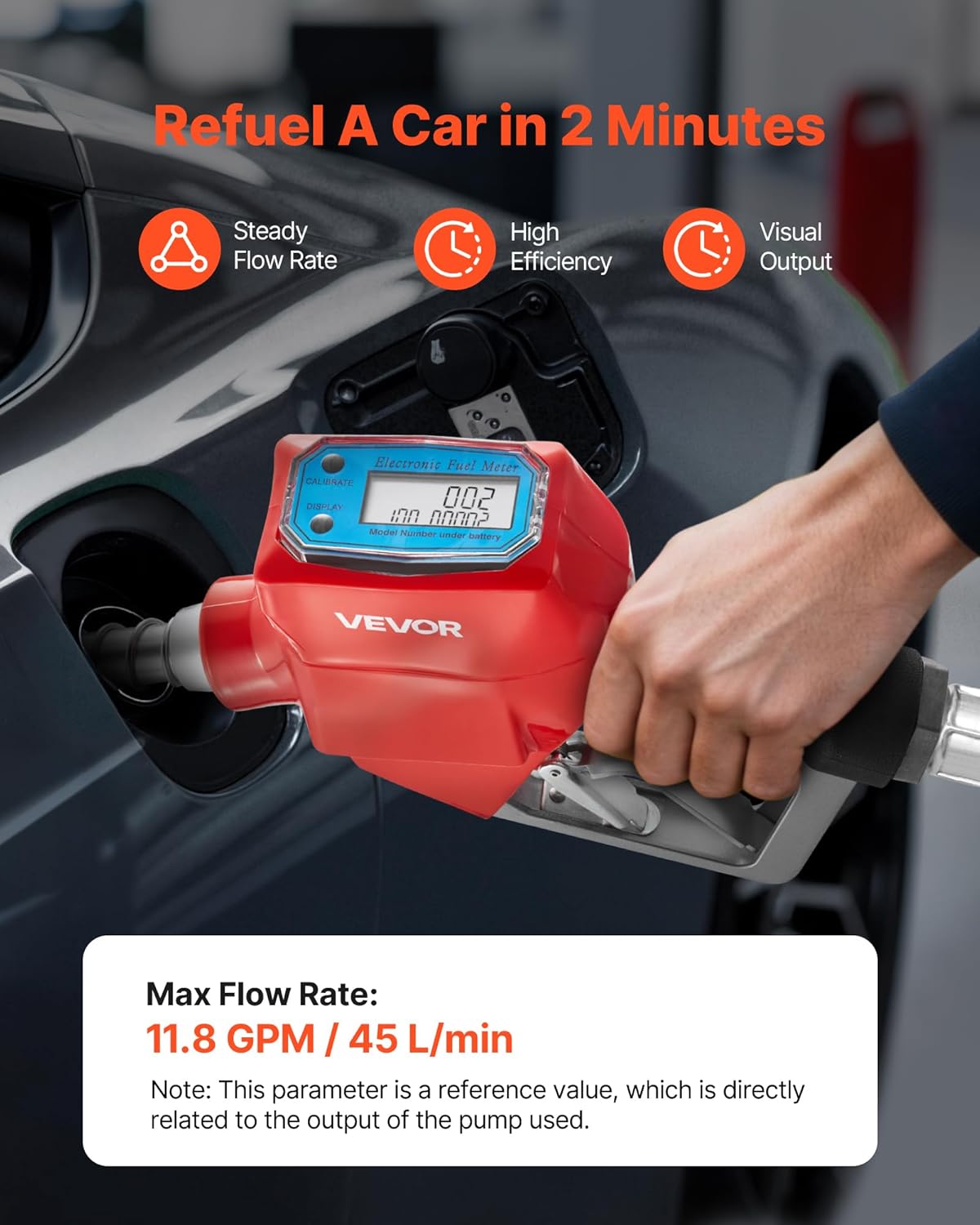
малюнок 5.2: Demonstrates the nozzle in use, refueling a car. The image highlights the steady flow rate, high efficiency, and visual output provided by the digital display. A note indicates the max flow rate of 11.8 GPM (45 L/min) is a reference value dependent on the pump output.
5.3 Automatic Shut-off Feature
The integrated automatic shut-off mechanism is designed to enhance safety and prevent fuel waste. It activates when the fuel level reaches the sensor at the tip of the spout, stopping the flow instantly.

малюнок 5.3: Illustrates the automatic shut-off function. The image shows a cutaway view of the nozzle, highlighting the internal mechanism that prevents leaks and spills by automatically stopping fuel flow when the tank is full.
5.4 Compatible Fuel Types
This nozzle is compatible with:
- Дизель
- гас
- Бензин
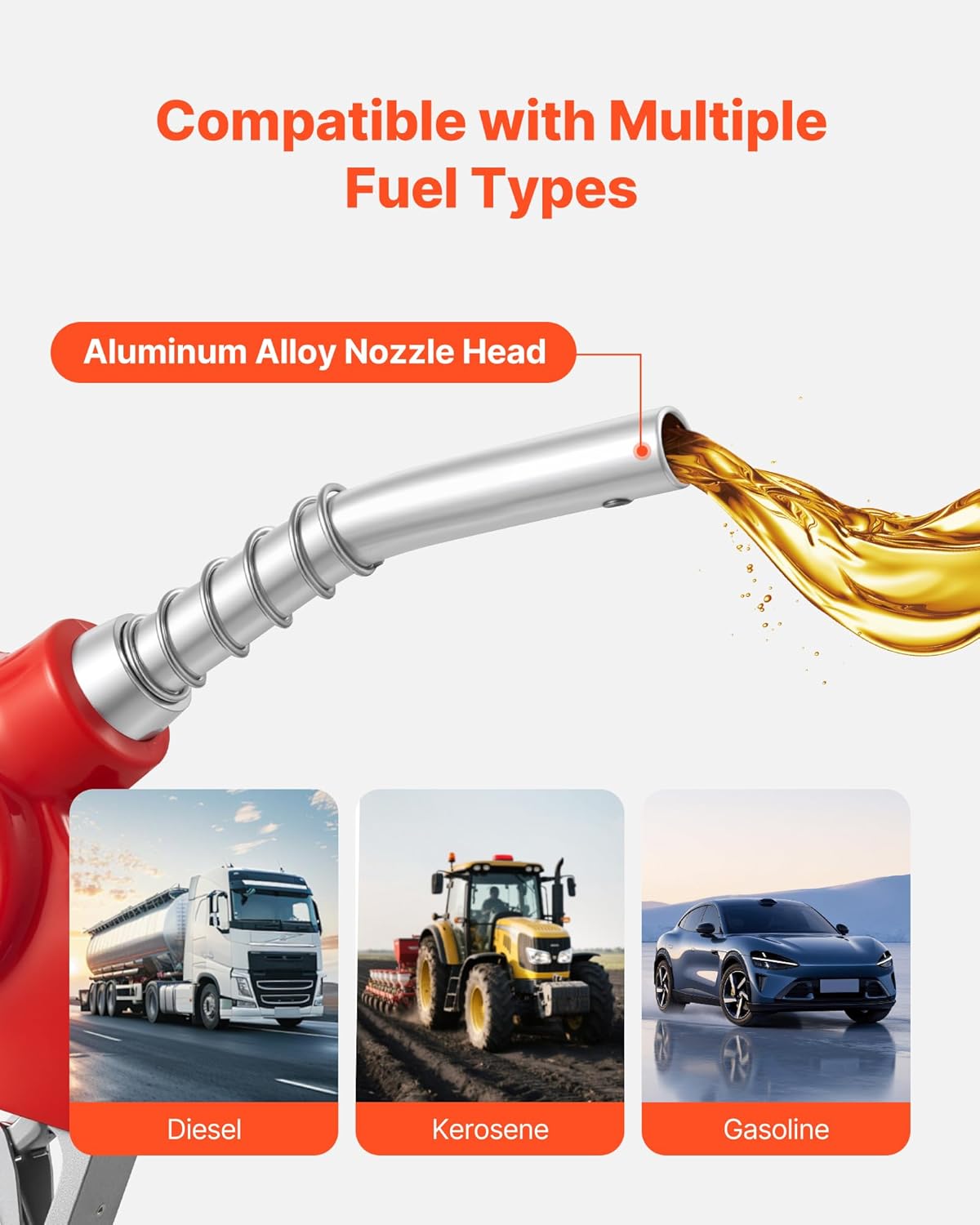
малюнок 5.4: Shows the nozzle's compatibility with multiple fuel types. The image displays the aluminum alloy nozzle head and icons representing diesel, kerosene, and gasoline applications, suitable for farm equipment, construction fleets, and general vehicle refueling.
6. Технічне обслуговування
Regular maintenance ensures the longevity and optimal performance of your fuel nozzle.
- Прибирання: After each use, wipe the exterior of the nozzle with a clean cloth to remove any fuel residue. Avoid using harsh chemicals that may damage the finish or seals.
- Огляд: Periodically inspect the nozzle spout, trigger, and connections for signs of wear, damage, or leaks. Replace any worn or damaged parts immediately.
- Зберігання: Store the fuel nozzle in a clean, dry place away from direct sunlight and extreme temperatures when not in use.
- Цифровий дисплей: Ensure the digital display is clean and readable. If the display becomes dim or unresponsive, check the battery compartment (usually located under the display cover) and replace batteries as needed.
7. Вирішення проблем
If you encounter issues with your VEVOR CDI-D02 Digital Fuel Nozzle, refer to the following common problems and solutions:
| проблема | Можлива причина | Рішення |
|---|---|---|
| No fuel flow or reduced flow rate |
|
|
| Fuel leak from connections |
|
|
| Digital display not working or dim |
|
|
| Automatic shut-off not engaging |
|
|
8. Технічні характеристики
Detailed technical specifications for the VEVOR CDI-D02 Digital Fuel Nozzle:
| Особливість | Специфікація |
|---|---|
| Номер моделі | CDI-D02 |
| матеріал | Metal (Aluminum Alloy exterior finish) |
| Розмір вхідного з'єднання | 1 Inch (Barb) |
| Розмір розетки | 3/16 inch (OD=20 mm) |
| Максимальна швидкість потоку | 12.6 GPM (48 L/min) - Note: Reference value, depends on pump output. |
| Розміри предмета (Д x Ш x В) | 16.54 x 7.87 x 2.36 дюйма (420 x 200 x 60 мм) |
| Вага товару | 2.71 фунтів (1.23 кг) |
| Кількість портів | 2 |
| Тип клапана | Паливна форсунка |
| Сумісність | Gasoline, Diesel, Kerosene |
9. Гарантія та підтримка
Продукція VEVOR розроблена для довговічності та продуктивності. Щоб отримати інформацію про гарантію, технічну підтримку або звернутися до офіційного веб-сайту VEVOR. website or contact their customer service department. Please have your model number (CDI-D02) and purchase details ready when contacting support.
Офіційний VEVOR Webсайт: www.vevor.com