
1. Вступ
This manual provides essential information and instructions for the QONBINK M91 Smart Watch. Please read this manual thoroughly before using your device to ensure proper operation and to maximize its features. Keep this manual for future reference.
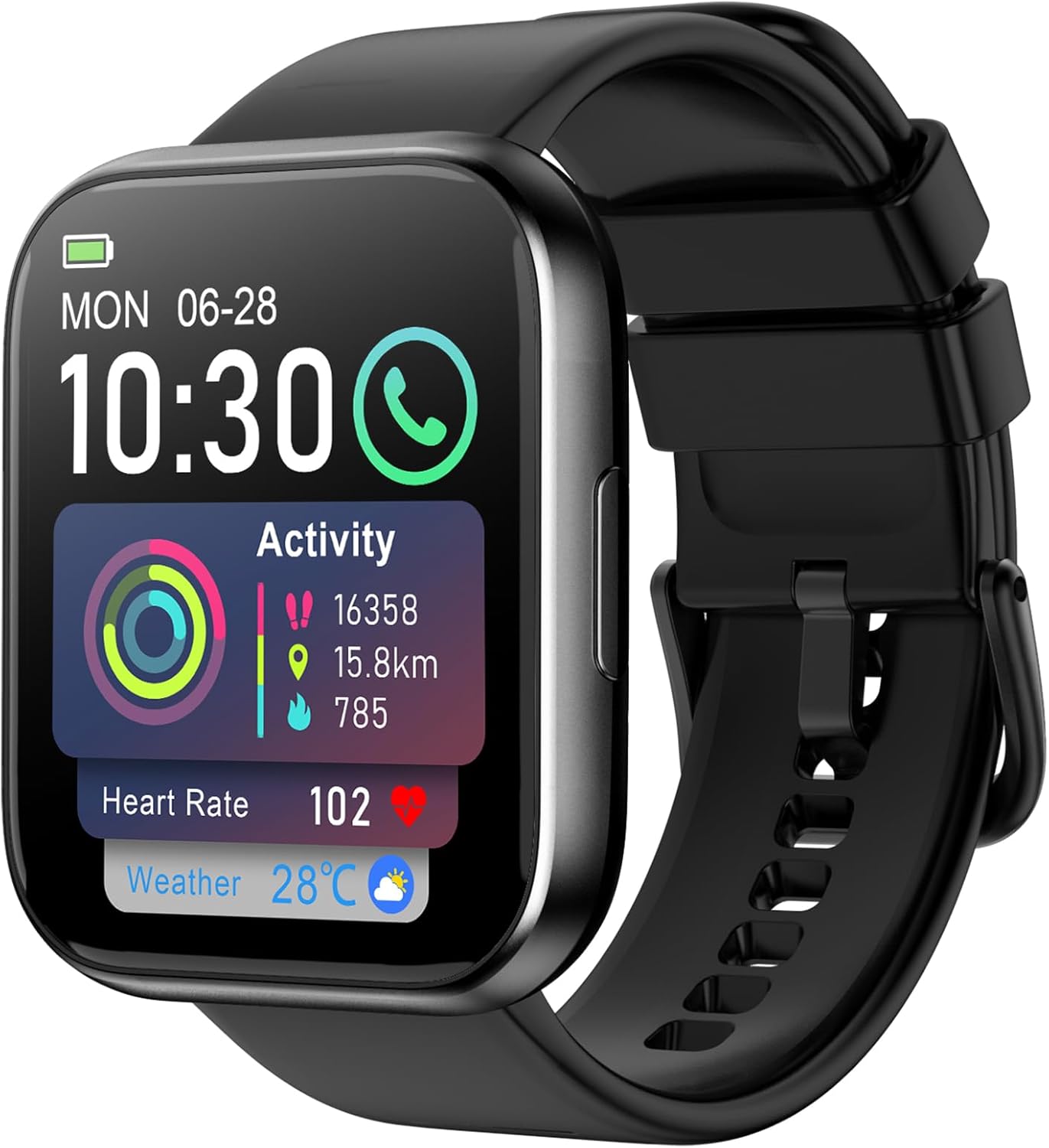
Image: The QONBINK M91 Smart Watch, displaying its main interface with various health and activity metrics.
2. Що в коробці
Upon opening your QONBINK M91 Smart Watch package, you should find the following items:
- QONBINK M91 Smart Watch
- Посібник користувача (цей документ)
- Зарядний кабель
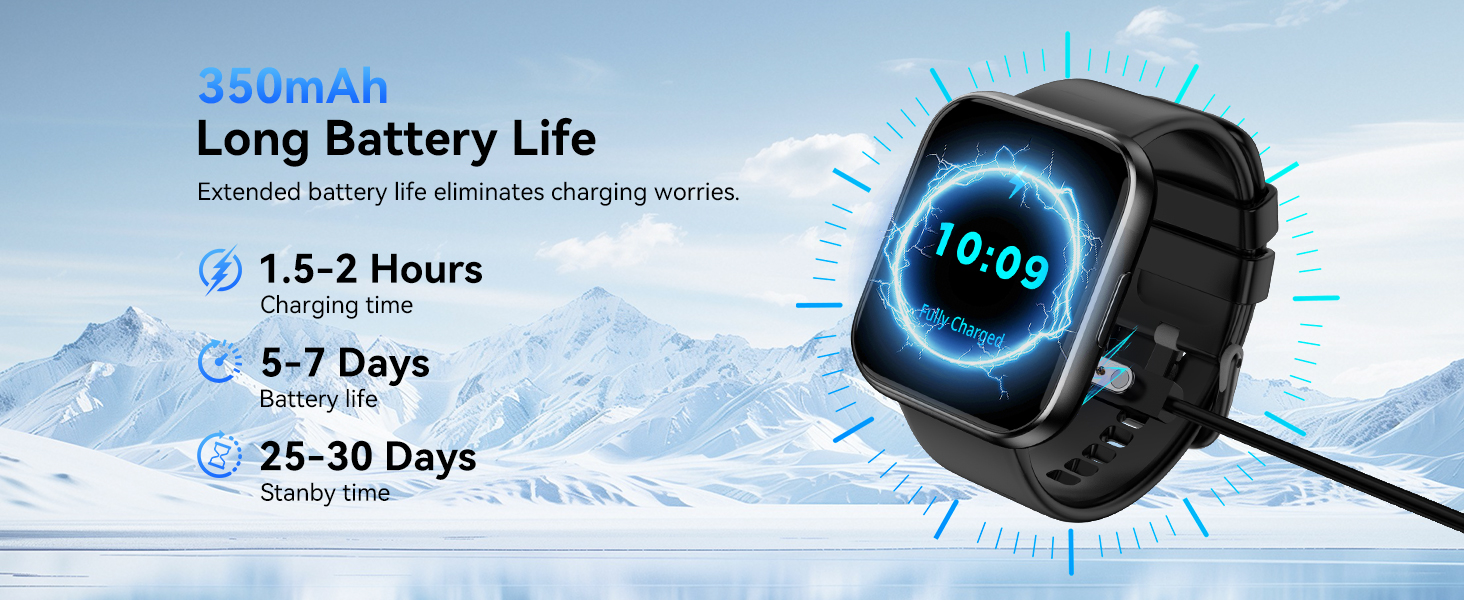
Image: Visual representation of the QONBINK M91 Smart Watch package contents, including the watch, charging cable, and user manual.
3. Продукт закінчивсяview
The QONBINK M91 Smart Watch features a 1.85-inch HD full-touch display and a durable design suitable for daily wear and various activities.
Ключові компоненти:
- Дисплей: 1.85-inch HD full-touch color screen.
- Бічна кнопка: Used for power on/off, screen wake/sleep, and menu navigation.
- Датчики: Located on the back for heart rate, blood oxygen, and sleep monitoring.
- Контакти для зарядки: Магнітні контакти на задній панелі для зарядки.
- Динамік/мікрофон: Integrated for Bluetooth calling.

Image: The 1.85-inch full-touch screen of the QONBINK M91 Smart Watch, highlighting its display capabilities and customizable watch faces.
4. Налаштування
4.1 Зарядка пристрою
Before first use, fully charge your QONBINK M91 Smart Watch.
- Підключіть магнітний зарядний кабель до зарядних контактів на задній панелі годинника.
- Підключіть USB-кінець кабелю до стандартного USB-адаптера живлення (не входить до комплекту) або USB-порту комп’ютера.
- Дисплей годинника показуватиме стан заряджання.
A full charge typically takes 1.5-2 hours. The watch offers 5-7 days of typical use and up to 25-30 days of standby time.
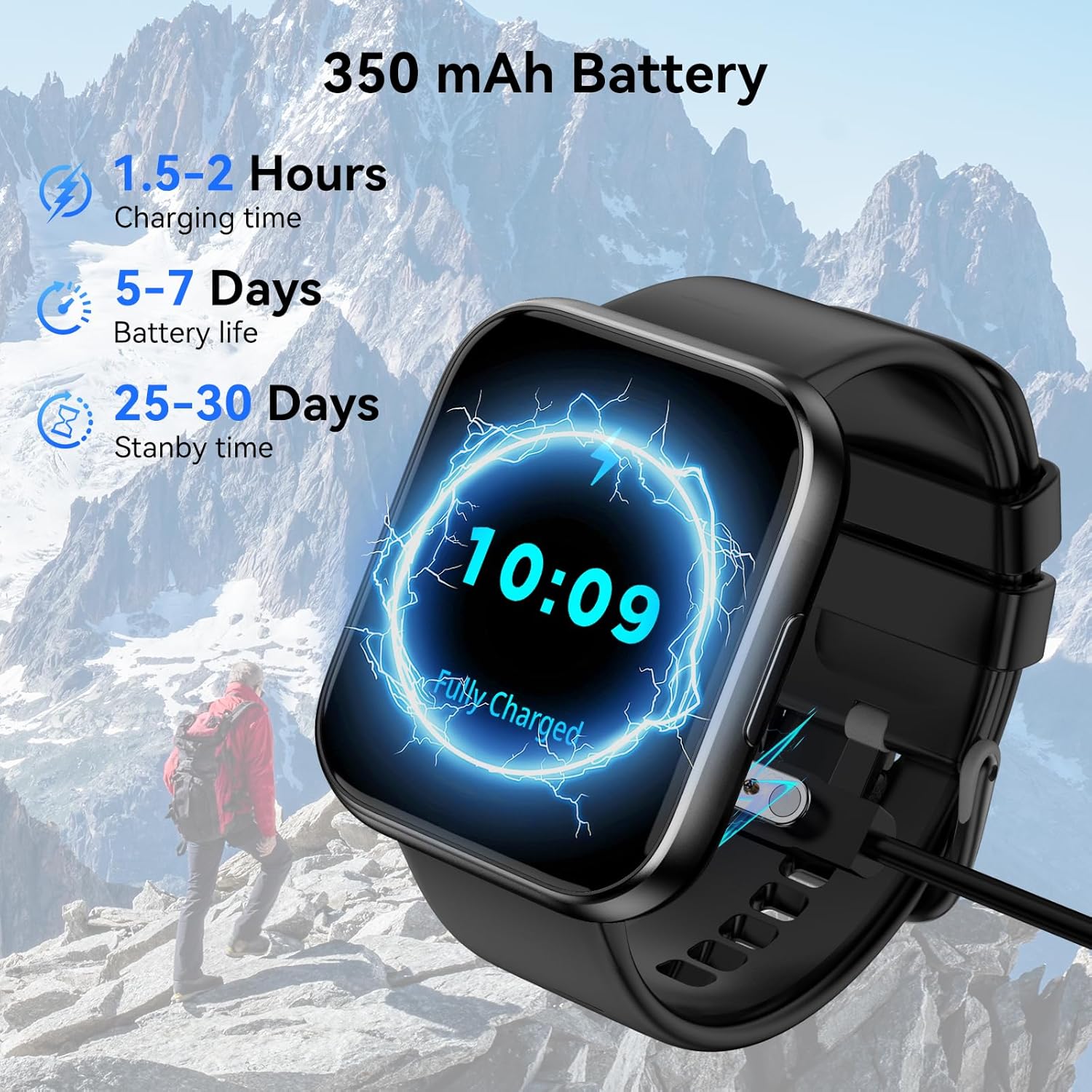
Image: The QONBINK M91 Smart Watch being charged, illustrating its battery capacity and charging specifications.
4.2 Встановлення програми
To unlock the full potential of your smart watch, download and install the 'Da Fit' app on your smartphone.
- Scan the QR code provided in the watch's interface or the quick start guide, or visit http://plus.crrepa.com/app-download/dafit to download the 'Da Fit' app.
- The app is compatible with iOS 10.0 or higher and Android 4.4 or higher.
4.3 Сполучення зі смартфоном
Follow these steps to pair your QONBINK M91 Smart Watch with the 'Da Fit' app:
- Переконайтеся, що ваш годинник заряджений та увімкнений.
- Увімкніть Bluetooth на своєму смартфоні.
- Open the 'Da Fit' app and follow the on-screen instructions to add a new device.
- Select 'M91' from the list of available devices.
- Підтвердьте запит на сполучення як на телефоні, так і на годиннику.
- Надайте необхідні дозволи для сповіщень та синхронізації даних.
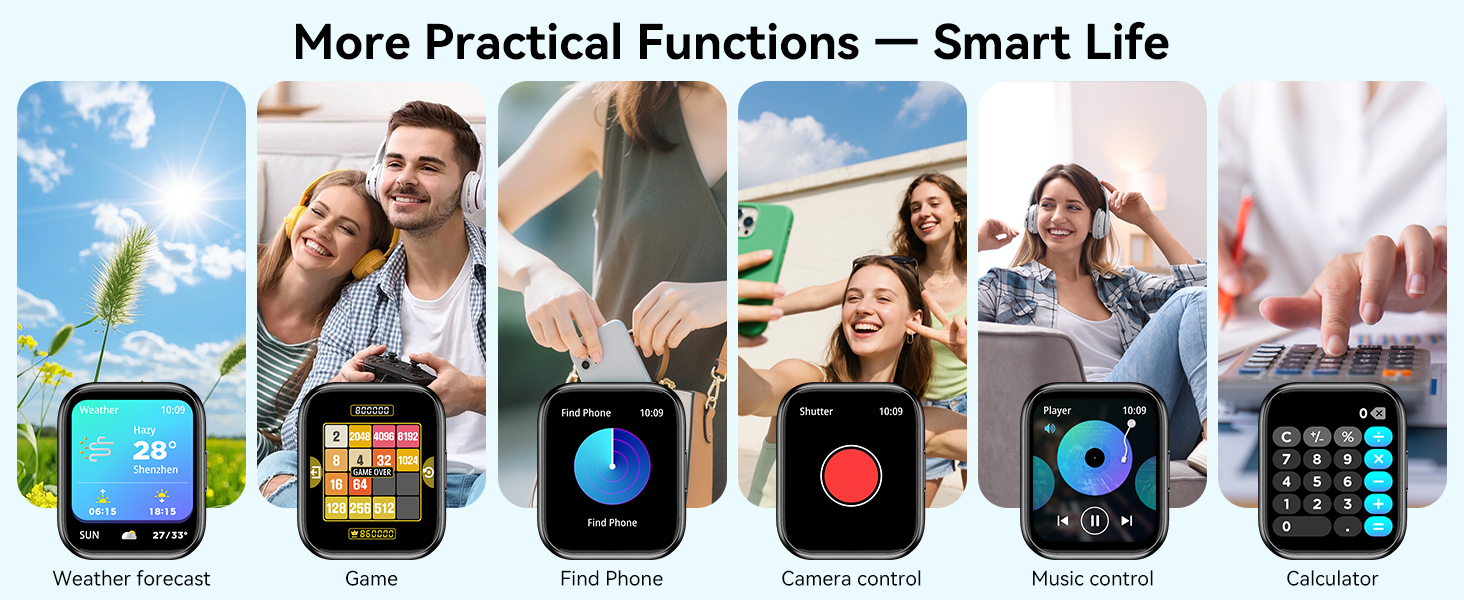
Image: A visual guide demonstrating the process of connecting the QONBINK M91 Smart Watch to a smartphone via the Da Fit application.
5. Інструкція з експлуатації
5.1 Основна навігація
- Проведіть вгору/вниз: Прокручуйте меню та сповіщення.
- Проведіть вліво/вправо: Доступ до швидких функцій або віджетів.
- Торкніться: Виберіть елемент або підтвердіть дію.
- Натисніть бічну кнопку: Повернення на головний екран або увімкнення/вимкнення живлення.
5.2 Налаштування циферблатів годинника
The QONBINK M91 Smart Watch offers over 200 built-in watch face designs. You can also upload custom images via the 'Da Fit' app for personalization.
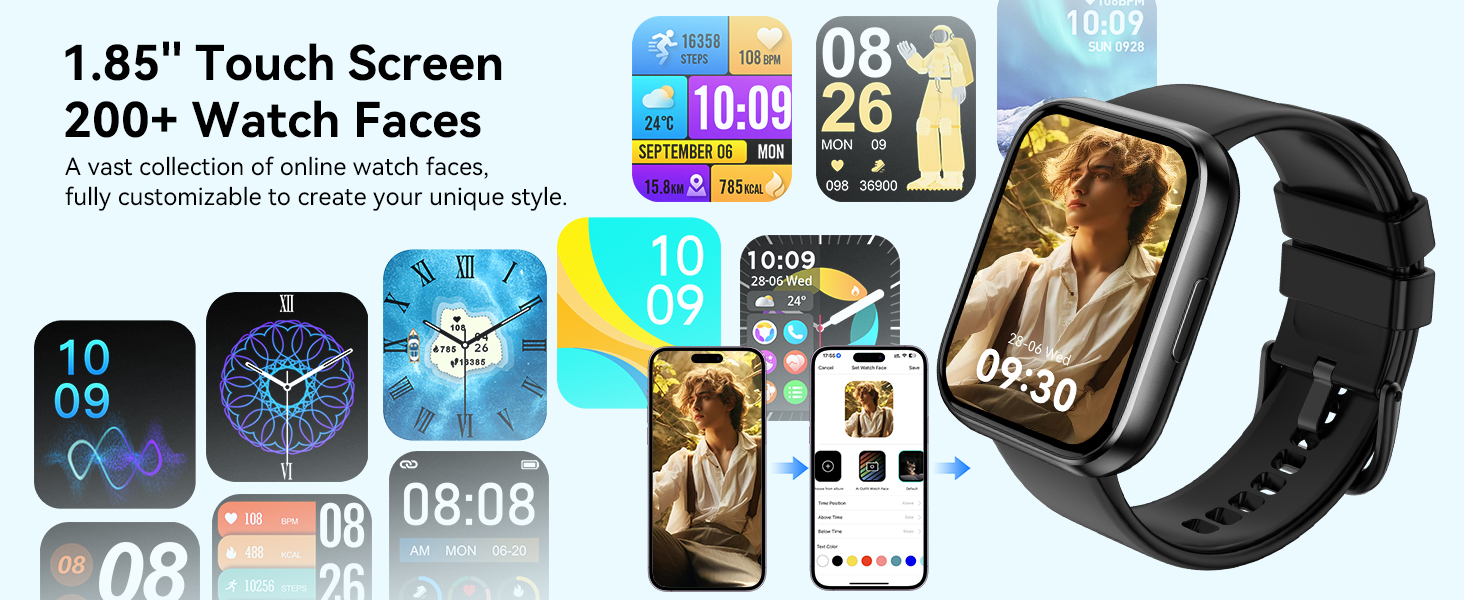
Image: A collection of watch faces available for the QONBINK M91 Smart Watch, demonstrating customization options through the Da Fit app.
5.3 Виклики та сповіщення через Bluetooth
Once paired, the watch allows you to make and receive calls directly from your wrist using its built-in speaker and microphone. You will also receive notifications for SMS, social media messages, and other app alerts (replying to messages is not supported).

Image: The QONBINK M91 Smart Watch showing an incoming call and a text message, highlighting its Bluetooth communication capabilities.
5.4 Голосовий помічник
Utilize the intelligent voice assistant for hands-free commands such as checking weather, making calls, playing music, or setting alarms.
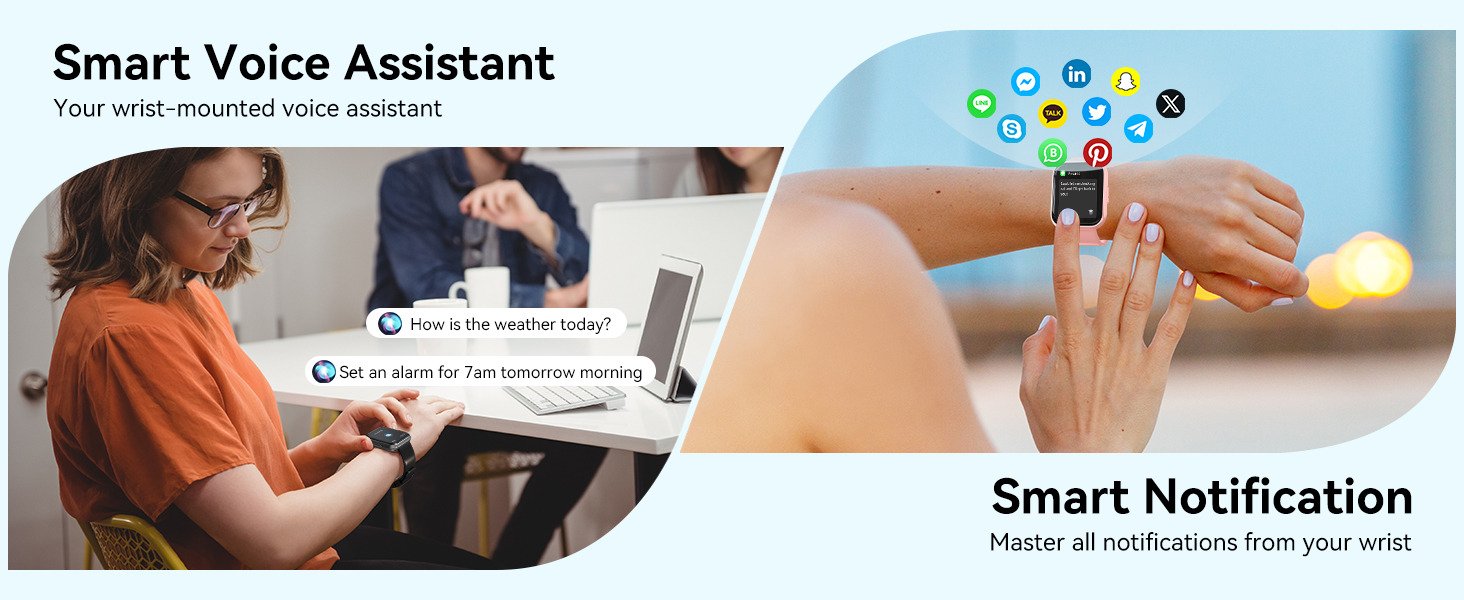
Image: The QONBINK M91 Smart Watch demonstrating its smart voice assistant and notification features.
5.5 Спортивні режими
The watch supports over 120 sport modes, including walking, hiking, yoga, and more. Real-time data such as calories burned, distance, and duration are recorded and synchronized with the 'Da Fit' app.

Image: The QONBINK M91 Smart Watch showcasing its extensive range of over 120 sport modes.
5.6 Моніторинг здоров'я
The M91 Smart Watch provides 24/7 health monitoring for key indicators.
- ЧСС: Continuous measurement of heart rate, with data synchronized to the mobile app.
- Якість сну: Monitors sleep patterns, including restful, light, and REM sleep, providing a sleep quality score.
- Кисень крові: Precise real-time monitoring of blood oxygen levels.
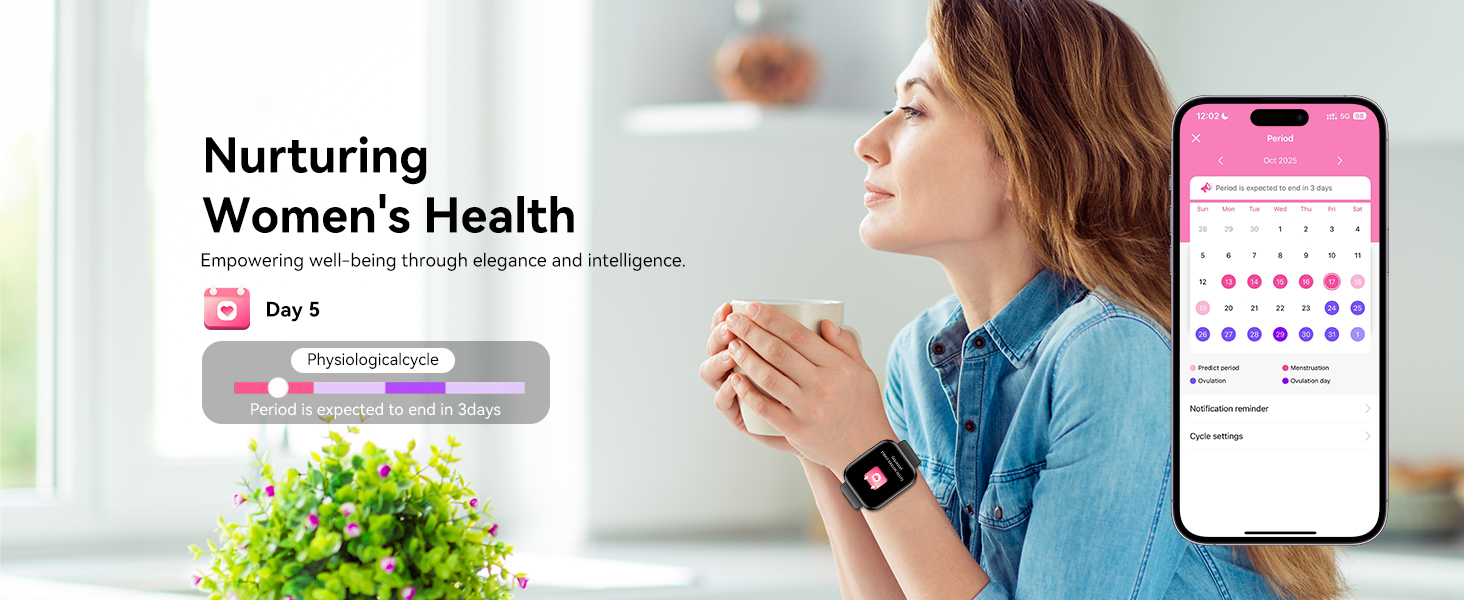
- Жіноче здоров'я: Features for tracking menstrual cycles and physiological periods.

Image: The QONBINK M91 Smart Watch displaying 24/7 health monitoring data for heart rate, blood oxygen, and sleep.
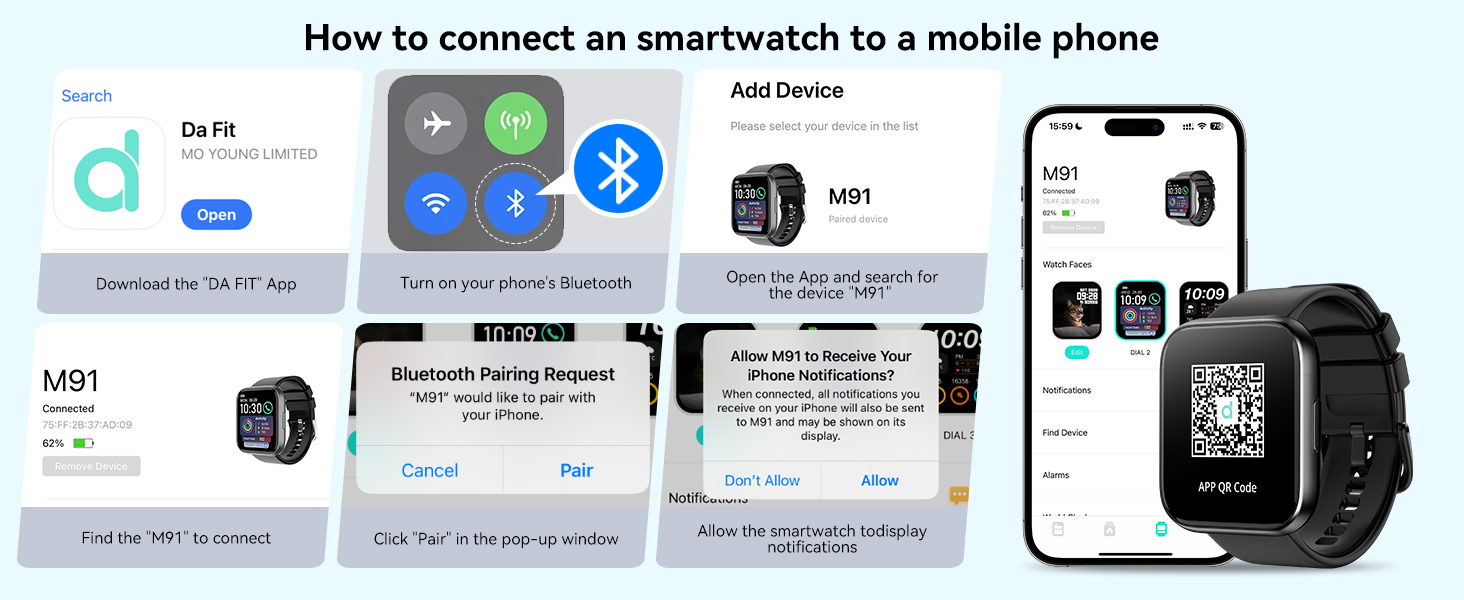
Image: The QONBINK M91 Smart Watch monitoring heart rate during physical activity.
Image: The QONBINK M91 Smart Watch providing scientific sleep monitoring and analysis.
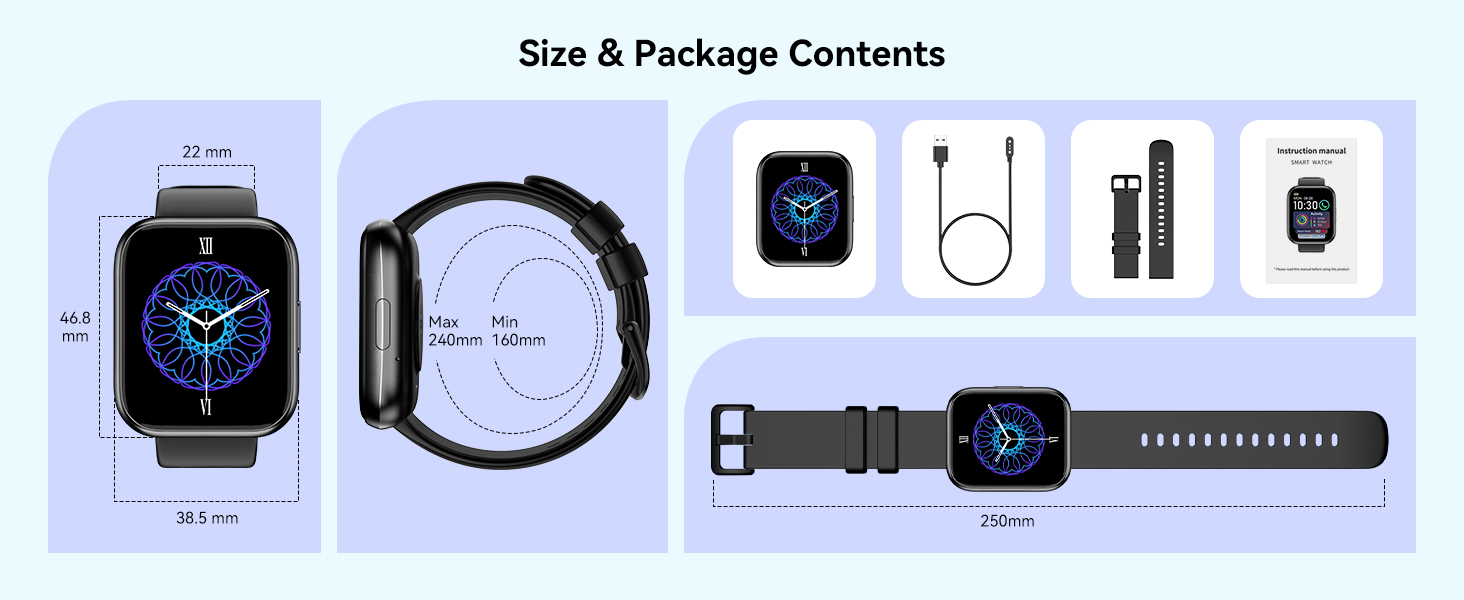
Image: The QONBINK M91 Smart Watch performing blood oxygen monitoring.

Image: The QONBINK M91 Smart Watch assisting with women's health tracking.
5.7 Інші функції
The QONBINK M91 Smart Watch includes a variety of practical features:
- Будильник
- Секундомір
- Таймер
- Відображення погоди
- Керування камерою (дистанційний затвор)
- Керування музикою
- Функція пошуку телефону
- Сидячий нагадування
- Калькулятор
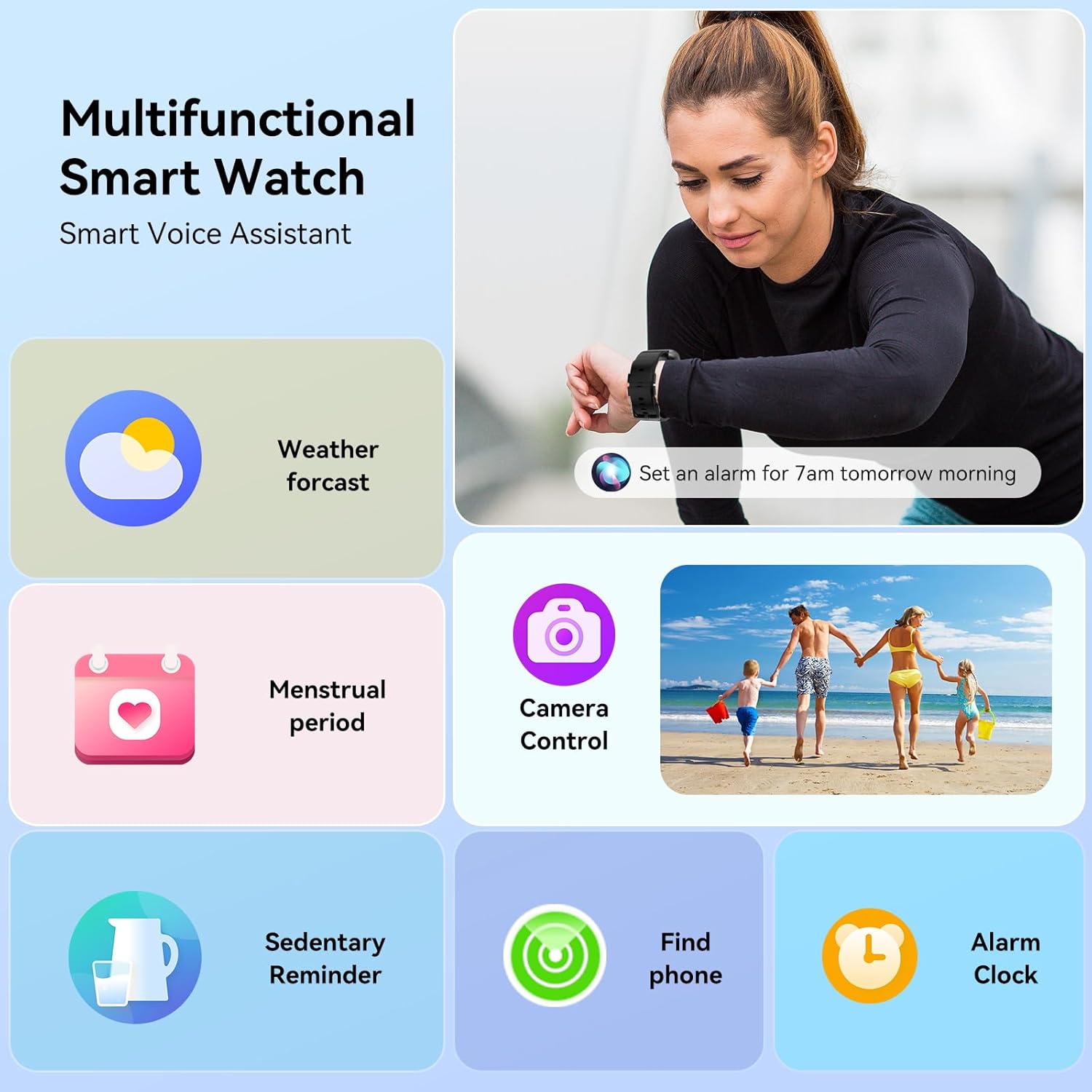
Image: The QONBINK M91 Smart Watch showcasinг його багатофункціональні можливості.
Зображення: Візуальний фрагмент зверхуview of additional practical functions available on the QONBINK M91 Smart Watch.
6. Технічне обслуговування
6.1 Водонепроникність (IP68)
The QONBINK M91 Smart Watch is IP68 waterproof, meaning it is resistant to dust and can withstand immersion in water up to 1.5 meters for 30 minutes. It is suitable for daily use, including hand washing, rain, and swimming. However, it is not recommended for hot showers, saunas, or diving due to steam and high-pressure water which may compromise the seal.
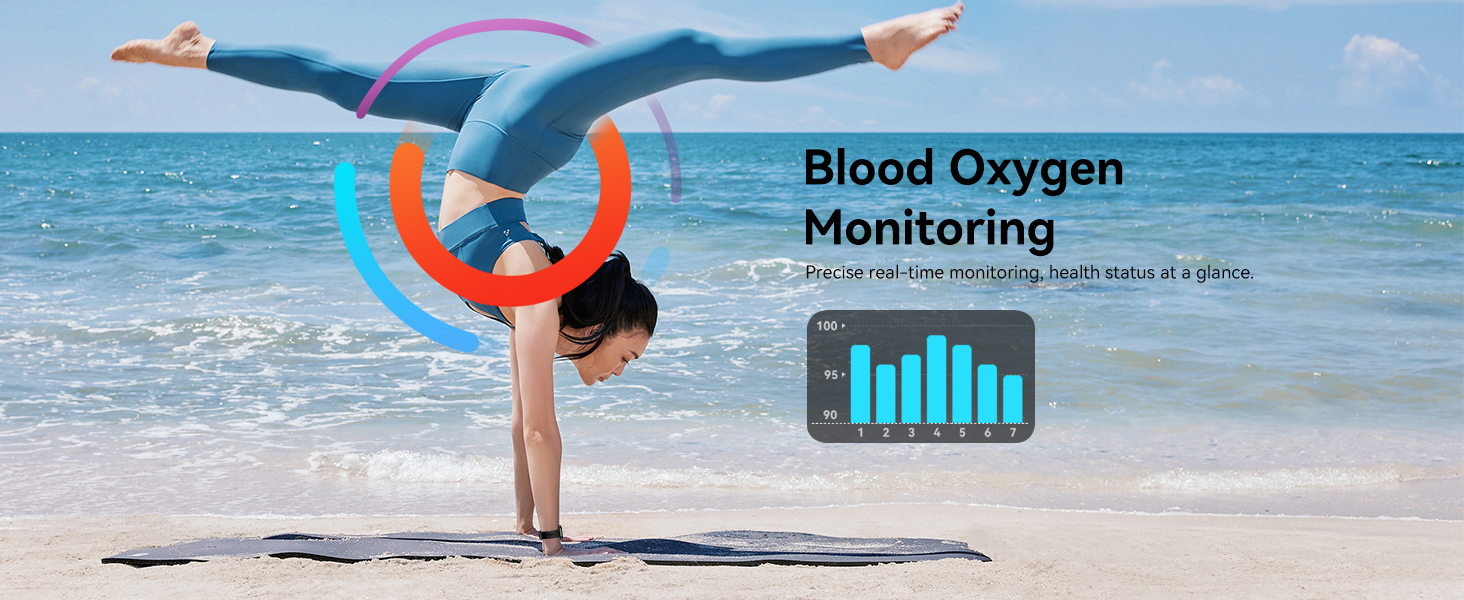
Image: The QONBINK M91 Smart Watch demonstrating its IP68 waterproofing capabilities during water activities.
6.2 Очищення
To maintain the watch's appearance and sensor accuracy:
- Регулярно протирайте годинник і ремінець м’якою губкоюamp тканина.
- Перед заряджанням переконайтеся, що зарядні контакти чисті та сухі.
- Уникайте використання агресивних хімікатів або абразивних матеріалів.
6.3 Зберігання
Store the watch in a cool, dry place when not in use. Avoid extreme temperatures and direct sunlight.
7. Вирішення проблем
If you encounter issues with your QONBINK M91 Smart Watch, please refer to the following common solutions:
- Годинник не вмикається: Переконайтеся, що годинник повністю заряджений. Підключіть його до зарядного кабелю та джерела живлення.
- Не вдалося підключитися до телефону:
- Переконайтеся, що на вашому телефоні ввімкнено Bluetooth.
- Переконайтеся, що годинник знаходиться в межах досяжності Bluetooth (зазвичай 10 метрів).
- Перезавантажте і телефон, і годинник.
- Очистіть кеш Bluetooth на телефоні (якщо є) та спробуйте знову підключитися.
- Ensure the 'Da Fit' app has all necessary permissions.
- Не отримано сповіщень:
- Check if notifications are enabled in the 'Da Fit' app settings.
- Ensure your phone's notification settings allow the 'Da Fit' app to display alerts.
- Перевірте, чи годинник підключено через Bluetooth.
- Неточні дані про стан здоров'я:
- Переконайтеся, що годинник щільно прилягає до зап'ястя, не надто туго і не надто вільно.
- Тримайте ділянку датчика на задній панелі годинника чистою.
- Note that smart watch health data is for reference only and not intended for medical diagnosis.
- Короткий час автономної роботи:
- Зменшити яскравість екрана.
- Обмежте часті пробудження екрана.
- Вимкніть постійний моніторинг серцевого ритму, якщо він не потрібен.
- Закрийте невикористовувані фонові програми на годиннику (якщо такі є).
Якщо проблеми не зникають, зверніться до служби підтримки клієнтів.
8. Технічні характеристики
| Особливість | Специфікація |
|---|---|
| Номер моделі | M91 |
| Розмір дисплея | 1.85 дюймів |
| Сумісність операційної системи | Android 4.4+, iOS 10.0+ |
| Технологія підключення | Bluetooth 5.3 |
| Ємність акумулятора | 350 мАг |
| Термін служби батареї (типове використання) | 5-7 дні |
| Час очікування | 25-30 дні |
| Час зарядки | 1.5-2 годин |
| Рейтинг водонепроникності | IP68 |
| Моніторинг здоров'я | Heart Rate, Sleep Quality, Blood Oxygen |
| Спортивні режими | 120+ |
| Голосовий помічник | так |
| GPS | Через смартфон |
| Вага товару | 3.52 унції |
| Розміри упаковки | 7.24 x 3.31 x 0.75 дюймів |
9. Гарантія та підтримка
QONBINK is committed to providing quality products and customer service. Your M91 Smart Watch comes with the following support:
- Обслуговування клієнтів: Inquiries are typically responded to within 24 hours.
- Політика повернення: 30-денна політика повернення без пояснення причини.
- Гарантія: 1-year free replacement for manufacturing defects.
For any questions, concerns, or support needs, please contact QONBINK customer service through your purchase platform.

Зображення: Оверview of QONBINK's customer service commitments, including response time, return policy, and warranty.