
вступ
Thank you for choosing the SuperRC M23 Mini RC Drone. This manual provides essential information for the safe operation, setup, maintenance, and troubleshooting of your drone. Please read this manual thoroughly before operating the drone to ensure proper function and to avoid damage or injury. This drone is designed for adult beginners and features a lightweight, portable design with an HD camera and intelligent flight functions.
Що в коробці
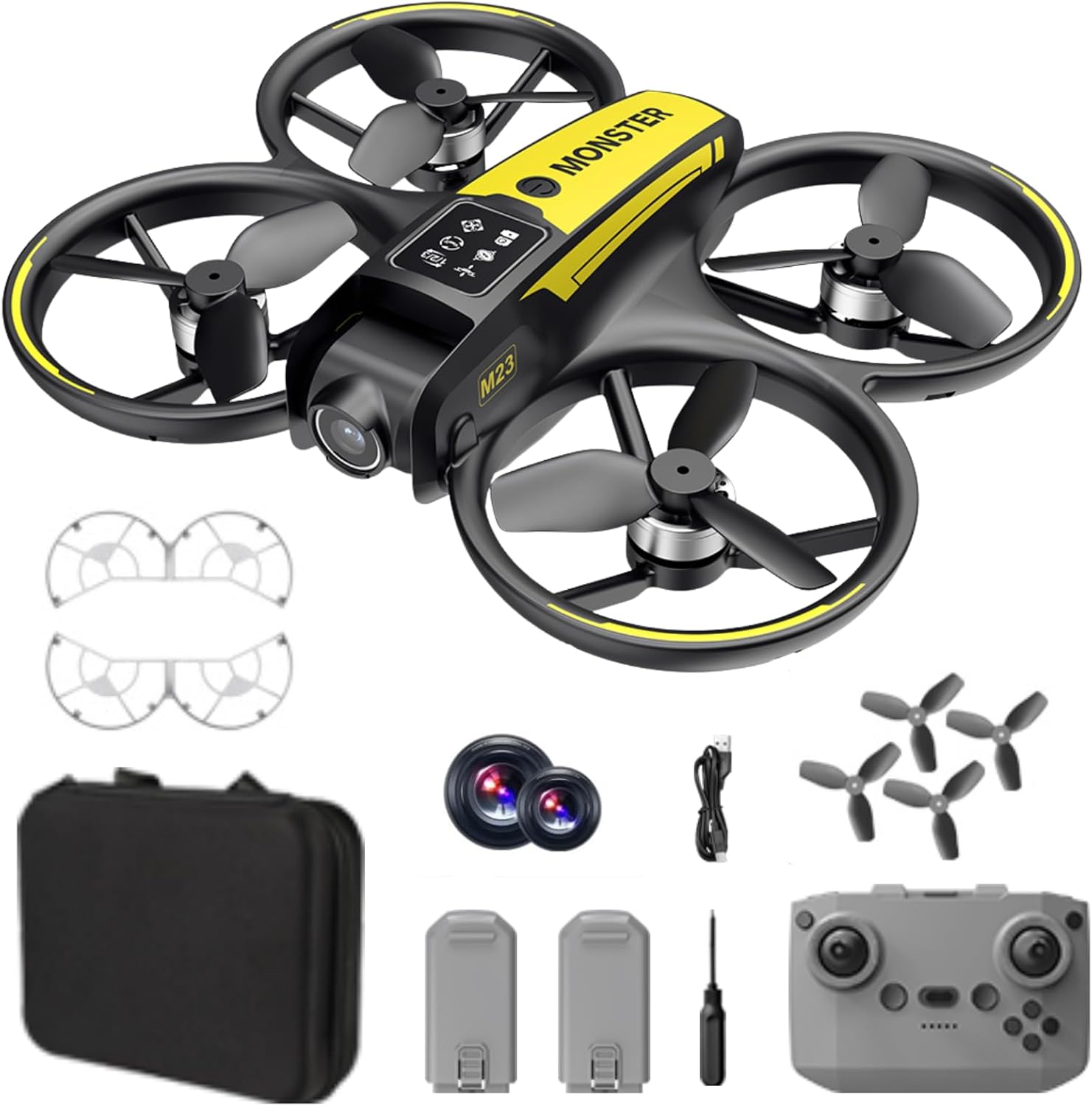
The SuperRC M23 drone package includes the following components:
- M23 Дрон
- Пульт дистанційного керування
- 2 акумуляторні батареї 3.7 В 1050 мАг
- 4 запасних пропелера
- 2 x Propeller Guards
- Карта пам'яті
- Зчитувач карток
- Викрутка
- USB-кабель для зарядки
- Сумка для зберігання
- Посібник користувача (цей документ)

Продукт закінченийview
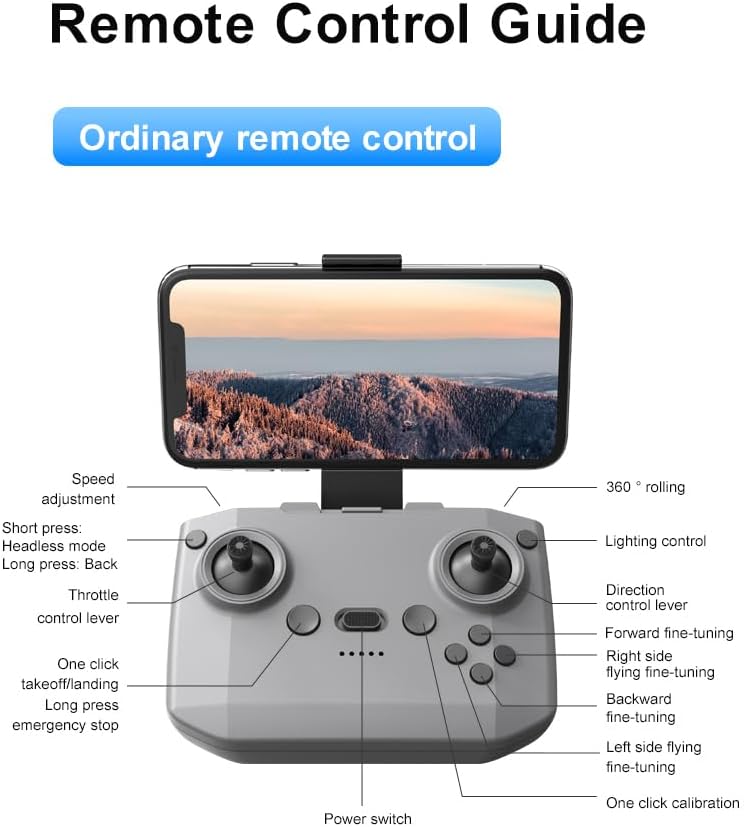
Макет пульта дистанційного керування
Familiarize yourself with the remote control buttons and their functions before flight.
Налаштування
1. Встановлення батареї
- Переконайтеся, що дрон і пульт дистанційного керування вимкнені.
- Знайдіть батарейний відсік на дроні.
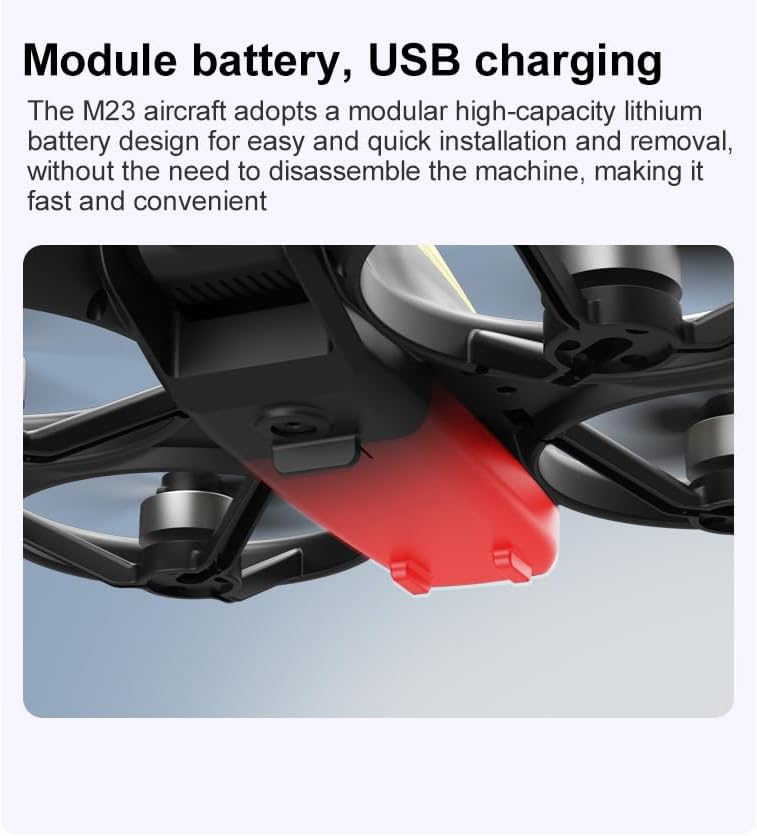
- Insert a charged 3.7V 1050mAh battery into the compartment until it clicks securely into place.
- For the remote control, open the battery cover and insert the required batteries (not specified in product data, assume standard AA/AAA, user should refer to physical manual for exact type).
2. Встановлення пропелера
The drone comes with propellers pre-installed. If replacement is needed:
- Identify the 'A' and 'B' markings on the propellers and the corresponding motor arms.
- Attach 'A' propellers to 'A' motor shafts and 'B' propellers to 'B' motor shafts. Ensure they are firmly secured.
3. Встановлення захисту гвинта
For added safety, attach the propeller guards:
- Align each propeller guard with the designated slots on the drone's motor arms.
- Gently push until they snap into place.
4. Зарядка
Charge the drone batteries using the provided USB charging cable.
- Підключіть USB-кабель для заряджання до акумулятора дрона.
- Plug the other end into a USB power source (e.g., computer, USB wall adapter).
- The indicator light on the cable will show charging status (refer to physical manual for specific light indications).
- Час повної зарядки становить приблизно 60-90 хвилин.
Інструкція з експлуатації
Передполітний контрольний список
- Переконайтеся, що батареї дрона та пульта дистанційного керування повністю заряджені.
- Пропелери правильно встановлені та надійно закріплені.
- Propeller guards are attached (recommended for beginners).
- Choose an open, clear area free from obstacles, people, and animals.
- Перед польотом перевірте місцеві правила щодо дронів.
Основні польотні операції
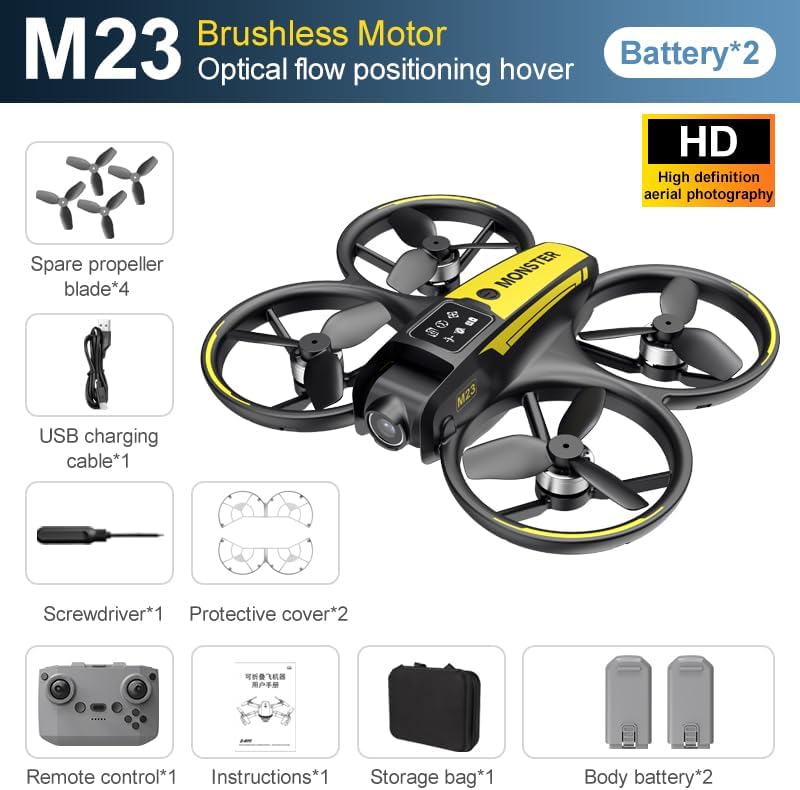
The following video demonstrates key flight features including one-key takeoff, optical flow positioning, 360-degree roll, and speed switching.
One-Key Takeoff and Landing
- Зліт: Place the drone on a flat surface. Press the One-Key Takeoff button on the remote control. The drone will automatically ascend and hover at a stable altitude.
- посадка: Press the One-Key Landing button. The drone will slowly descend and land automatically.
Flight Modes and Features
- Безголовий режим: Press the Headless Mode button. In this mode, the drone's orientation is relative to the pilot, making it easier to control without worrying about the drone's front direction.
- Регулювання швидкості: Use the speed adjustment button (or switch) on the remote control to cycle through low, medium, and high speeds. This allows for adaptable flight control based on skill level and environment.
- Крен 360°: Press the 360° Roll button and then move the right joystick in any direction to perform an aerial flip. Ensure sufficient altitude before attempting.
- Позиціонування оптичного потоку: The drone utilizes a bottom camera for optical flow positioning, which helps maintain stable hovering, especially indoors or in areas with good ground texture. This feature assists in precise altitude hold.
- Траєкторія польоту: Through the mobile application, you can draw a desired flight path on your screen. The drone will then follow this trajectory automatically.

Робота камери
The M23 drone is equipped with an HD camera with a 90-degree adjustable lens for capturing photos and videos.

- Фото/відеозапис: Use the dedicated buttons on the remote control or the mobile app to start/stop video recording or take photos.
- Передача зображення в режимі реального часу: Підключіть свій смартфон до мережі Wi-Fi дрона, щоб view foo в режимі реального часуtage from the drone's camera on your device.
Технічне обслуговування
прибирання
- Regularly clean the drone body with a soft, dry cloth.
- Ensure propellers are free from dust, dirt, or debris.
- Clean the camera lens gently with a microfiber cloth to maintain image quality.
Зберігання
- Store the drone and its components in the provided storage bag to protect them from dust and physical damage.
- Keep the drone in a cool, dry place, away from direct sunlight and extreme temperatures.
Догляд за акумулятором
- Не перезаряджайте та не перерозряджайте акумулятори.
- Якщо акумулятори зберігаються протягом тривалого часу, зарядіть їх приблизно до 50-60% ємності.
- Avoid exposing batteries to high temperatures or direct sunlight.
Усунення несправностей
If you encounter issues with your SuperRC M23 drone, refer to the following common problems and solutions:
| проблема | Можлива причина | Рішення |
|---|---|---|
| Drone does not respond to remote control | Low battery on drone or remote; Not paired correctly; Interference | Charge batteries; Re-pair drone and remote (refer to physical manual for pairing steps); Move to an area with less interference |
| Дрон дрейфує під час польоту | Not calibrated; Wind interference; Damaged propeller | Perform calibration (refer to physical manual); Fly in calm conditions; Replace damaged propellers |
| Погана якість зображення з камери | Dirty lens; Low light conditions; Wi-Fi interference | Clean camera lens; Fly in well-lit areas; Ensure strong Wi-Fi connection |
| Короткий час польоту | Акумулятор не повністю заряджений; Старий акумулятор; Агресивний політ | Ensure battery is fully charged; Consider replacing old batteries; Practice smoother flight maneuvers |
Технічні характеристики
Key technical specifications for the SuperRC M23 Mini RC Drone:
| Особливість | Деталь |
|---|---|
| Назва моделі | M23-Drone |
| Бренд | СуперRC |
| Вага товару | 0.2 Kilograms (Under 250g) |
| Розміри предмета (Д x Ш x В) | 7 дюймів Д x 6 дюйма Ш x 2 дюйма В (приблизно 18 x 15 x 5 см) |
| матеріал | пластик |
| Рівень майстерності | Початківець |
| Віковий діапазон (опис) | Дорослий |
| Камера | HD Camera with 90° Adjustable Lens |
| Роздільна здатність захоплення відео | 720p |
| Роздільна здатність відеосигналу | 720 XNUMX XNUMX пікселів |
| Формат захоплення відео | MP4 |
| Підтримуваний формат зображення | JPEG |
| Технологія оптичного датчика | CMOS |
| Технологія підключення | Wi-Fi, радіочастотний зв'язок |
| Тип управління | Пульт дистанційного керування |
| Ємність акумулятора | 1050 мАг (на один акумулятор) |
| Склад батареї | Літій-іонний |
| Особливості | Adjustable, One Button Return, One Key Rotation, Rechargeable, Speed Adjustment, Headless Mode, Optical Flow Positioning |
Гарантія та підтримка
SuperRC provides a standard warranty for the M23 Mini RC Drone against manufacturing defects. Please retain your proof of purchase for warranty claims.
Інформація про гарантію
- The warranty period typically covers defects in materials and workmanship under normal use.
- Damage resulting from misuse, accidents, unauthorized modifications, or improper maintenance is not covered.
- For specific warranty terms and conditions, please refer to the warranty card included in your product packaging or contact SuperRC customer service.
Підтримка клієнтів
If you require further assistance, have questions, or need to report an issue, please contact SuperRC customer support through the following channels:
- Інтернет-підтримка: Visit the official SuperRC webсайт із поширеними запитаннями, ресурсами підтримки та контактними формами.
- Підтримка електронною поштою: Refer to your product packaging or the SuperRC webсайт для адреси електронної пошти служби підтримки клієнтів.
- Підтримка роздрібних продавців: If purchased from a retailer, you may also contact their customer service for assistance.
When contacting support, please provide your product model (M23) and a detailed description of the issue.