
1. Вступ
This manual provides essential instructions for the safe and efficient use of your AGM M10 Basic Flip Phone. Please read this manual thoroughly before operating the device and retain it for future reference.
The AGM M10 is a rugged 4G LTE flip phone designed for durability and essential communication. It features IP68/IP69K water and dust resistance, MIL-STD-810G drop protection, large buttons, and a loud speaker.
2. Вміст упаковки
Перевірте наявність усіх предметів у вашій упаковці:
- 1 x AGM M10 Phone
- 1 x зарядний пристрій
- 2 х акумулятор
- 1 х шнурок
- 1 x Посібник користувача (цей документ)
Video: Unboxing the AGM M10 Basic Flip Phone and its accessories. This video demonstrates the contents of the package and provides a first look at the device.
3. Пристрій закінчивсяview
Ознайомтеся з фізичними компонентами вашого телефону AGM M10.

Image: Front, side, and back views of the AGM M10 Basic Flip Phone. This image shows the phone in its closed and open states, highlighting its robust design.
Ключові характеристики:
- Великі кнопки та шрифт: Designed for ease of use, especially for users who prefer larger interfaces.
- 98dB Speaker: Ensures clear audio even in noisy environments.
- Зовнішній дисплей: Shows incoming calls, messages, and battery status without opening the phone.
- Кнопка SOS: Для контактів у разі надзвичайної ситуації.
- Ліхтарик: Інтегровано для зручності.
4. Налаштування
4.1 Встановлення батареї
The AGM M10 comes with two replaceable batteries. Before first use, ensure the battery is properly installed and any protective stickers are removed from the battery contacts.
- Зніміть задню кришку телефону.
- Знайдіть батарейний відсік.
- If present, peel off the yellow protective sticker from the battery's metal contacts.
- Вставте батарейку у відсік, сумістивши контакти.
- Встановіть задню кришку назад, переконавшись, що вона надійно зафіксувалася, щоб забезпечити захист від води та пилу.

Image: The AGM M10 phone with its back cover removed, revealing the battery compartment and slots for SIM and SD cards. This illustrates where to insert the battery and cards.
4.2 Встановлення SIM-картки та SD-картки
The AGM M10 supports dual Nano SIM cards and expandable memory via an SD card (up to 128GB, sold separately).
- With the back cover and battery removed, locate the SIM card slots. The phone supports two Nano SIM cards.
- Insert your Nano SIM card(s) into the designated slot(s) with the gold contacts facing down.
- If using an SD card for additional storage, insert it into the dedicated SD card slot.
- Встановіть назад акумулятор і задню кришку.

Image: A close-up of the AGM M10's internal components, specifically highlighting the dual Nano SIM card slots. This image helps users identify where to insert their SIM cards.
4.3 Заряджання телефону
Charge your phone using the provided USB Type-C charger or a compatible charging dock (available separately).
- Підключіть кабель USB Type-C до порту зарядки телефону.
- Підключіть інший кінець кабелю до адаптера живлення, а потім увімкніть адаптер у розетку.
- Alternatively, place the phone into a compatible charging dock.
- The phone will indicate charging status on its display.

Image: The AGM M10 Basic Flip Phone placed in its charging dock. This image demonstrates how to charge the phone using the optional dock.
5. Інструкція з експлуатації
5.1 Увімкнення/вимкнення живлення
- Щоб увімкнути живлення: натисніть і утримуйте кнопку живлення/завершення виклику, доки екран не засвітиться.
- Щоб вимкнути живлення: натисніть і утримуйте кнопку живлення/завершення виклику, потім виберіть «Вимкнути живлення» зі списку опцій.
5.2 Здійснення та отримання дзвінків
- Щоб зателефонувати: Введіть номер телефону за допомогою клавіатури та натисніть зелену кнопку виклику.
- Щоб прийняти дзвінок: When the phone rings, press the Green Call button to answer.
- Щоб завершити дзвінок: Натисніть червону кнопку завершення виклику.

Image: The AGM M10 Basic Flip Phone open, showcasing its large, easy-to-read buttons and clear display. This highlights the user-friendly interface for dialing and texting.
5.3 Sending and Receiving Text Messages
- Перейдіть до меню «Повідомлення».
- Виберіть «Нове повідомлення» або «Створити повідомлення».
- Введіть номер одержувача та надрукуйте повідомлення за допомогою клавіатури.
- Натисніть опцію «Надіслати».
5.4 Кнопка екстреного виклику SOS
The dedicated SOS button can be configured to dial emergency contacts in critical situations.
- Access the phone's settings to set up emergency contacts for the SOS function.
- In an emergency, press and hold the SOS button (typically located on the back or side of the phone) to activate.
- The phone will automatically dial the pre-set emergency numbers.
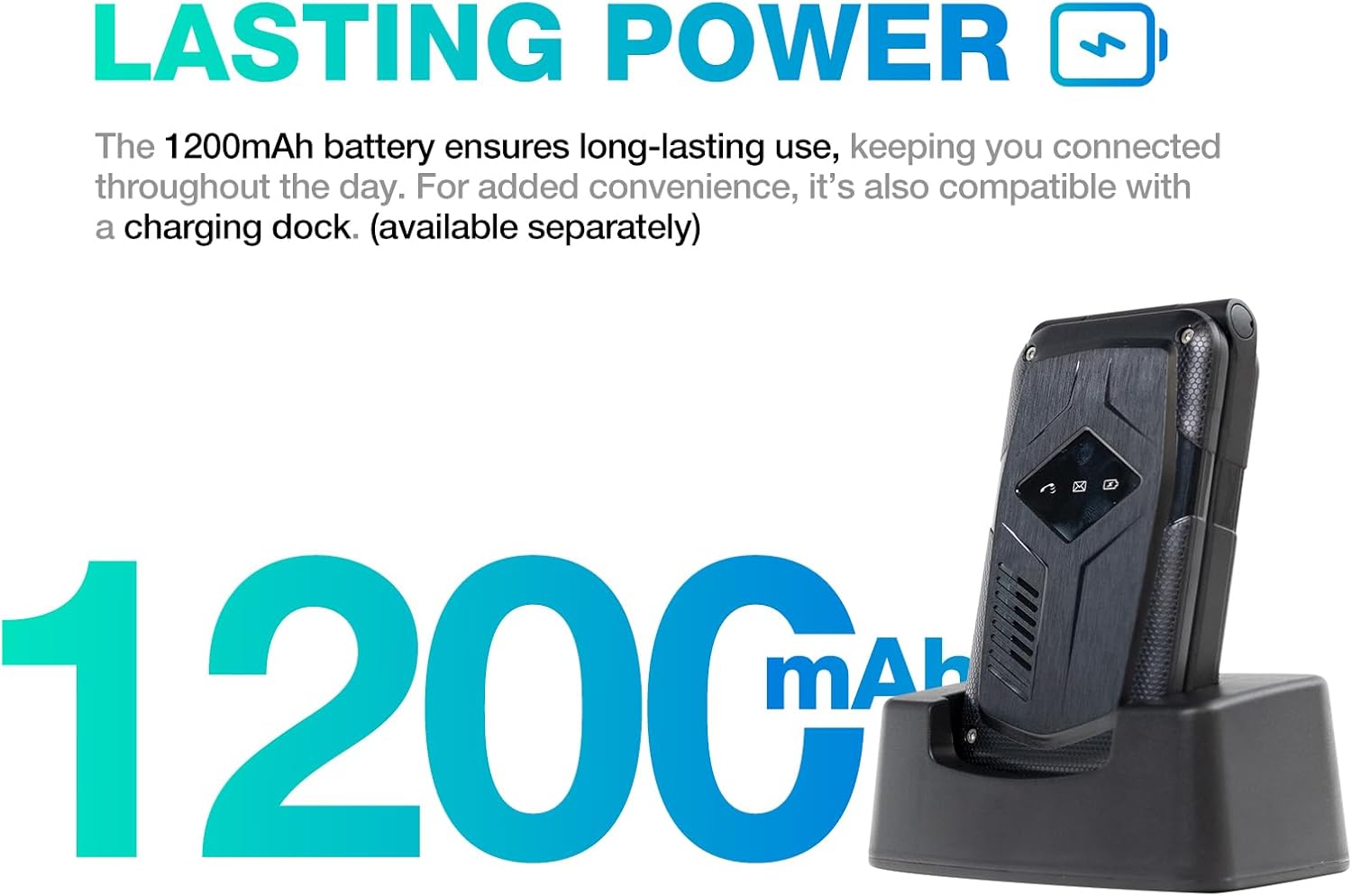
Image: A close-up of the AGM M10's keypad, with visual indicators pointing to the SOS button, FM radio function, and flashlight. This helps users locate these essential features.
5.5 Ліхтарик
To activate the built-in flashlight, locate the dedicated flashlight button or access it through the phone's menu, as indicated in the device overview.
5.6 FM-радіо
The AGM M10 includes an FM radio function. Access it through the main menu. Headphones may be required to act as an antenna for optimal reception (if the phone has a 3.5mm jack, otherwise it might use internal antenna).
5.7 Підключення Bluetooth
The phone supports Bluetooth 5.0 for connecting to compatible wireless accessories such as headsets or car kits.
- Go to "Settings" and then "Bluetooth".
- Увімкніть Bluetooth.
- шукати доступні пристрої та виберіть пристрій, з яким ви хочете встановити пару.
- Дотримуйтеся вказівок на екрані, щоб завершити створення пари.
6. Технічне обслуговування та догляд
6.1 Характеристики довговічності
The AGM M10 is engineered for rugged use with IP68/IP69K water and dust resistance and MIL-STD-810G drop protection. This means it can withstand:
- Занурення у воду: Up to 1.5 meters for 30 minutes.
- Dust Ingress: Fully protected against dust.
- краплі: Resistant to drops from a certain height onto hard surfaces.
To maintain these protections, ensure all port covers are securely closed and the back cover is properly sealed after battery or SIM card installation.

Image: The AGM M10 Basic Flip Phone partially submerged in water, demonstrating its waterproof capability.
6.2 Загальний догляд
- Clean the phone with a soft, damp тканина. Уникайте агресивних хімікатів.
- Do not expose the phone to extreme temperatures for prolonged periods.
- Avoid disassembling the phone, as this may void the warranty and compromise its rugged features.
7. Вирішення проблем
7.1 Проблеми з підключенням до мережі
The AGM M10 is designed to be T-Mobile compatible in the US. However, some users may experience limited network access, reduced coverage, or slower data speeds depending on specific network configurations or regional variations.
- Переконайтеся, що ваша SIM-картка правильно вставлена та активована.
- Check your network settings to confirm the correct network is selected.
- If issues persist, contact your network provider for assistance.
7.2 Phone Not Powering On
- Переконайтеся, що акумулятор встановлено правильно та повністю заряджено.
- Verify that the protective sticker has been removed from the battery contacts.
- Attempt to charge the phone for at least 30 minutes before trying to power it on again.
7.3 Інші питання
For other operational difficulties, refer to the detailed user manual included in your package or contact AGM customer support.
8. Технічні характеристики
| Особливість | Деталь |
|---|---|
| Бренд | AGM |
| Назва моделі | M10A |
| Операційна система | ОСРВ |
| Розмір встановленої оперативної пам'яті | 48 Мб |
| Ємність пам'яті | 0.12 ГБ (розширюється до 128 ГБ за допомогою SD-карти) |
| Розмір екрана | 4.33 дюймів |
| Бездротовий оператор | T-Mobile (US), Global (outside US) |
| Стільникові технології | 4G LTE |
| Колір | чорний |
| Кількість слотів для SIM-карт | Dual SIM (Nano) |
| Тип роз'єму | USB типу C |
| Форм-фактор | Складаний чохол (телефон-розкладачка) |
| Рівень водонепроникності | Waterproof (IP68/IP69K) |
| Гніздо для навушників | Немає роз'єму для навушників |
| Додаткові функції | Basic Phone, Dual SIM, Expandable Memory, Rugged Body, SOS Button, Flashlight, FM Radio, Bluetooth 5.0 |
| Живлення батареї | 1200 міліamp години |
| Тип дисплея | ЖК |
| Розміри | 4.33 × 2.22 × 0.98 дюймів |
| вага | 4.9 унції |
9. Гарантія та підтримка
9.1 Інформація про гарантію
The AGM M10 Basic Flip Phone comes with a Гарантія 2 рік з дати покупки. Ця гарантія поширюється на виробничі дефекти за умови нормального використання. Будь ласка, збережіть чек про покупку для пред'явлення претензій по гарантії.
Note: Some third-party retailers may state a 1-year warranty; however, the manufacturer's stated warranty is 2 years.
9.2 Підтримка клієнтів
For technical assistance, troubleshooting, or warranty claims, please contact AGM customer support. AGM is committed to providing dedicated after-sales support and a straightforward replacement process for quality issues.
Відвідайте офіційні загальні збори webсайт або зверніться до контактної інформації, зазначеної на упаковці продукту, щоб отримати інформацію про підтримку.