
вступ
Дякуємо за покупкуasing the UPERFECT 23.8-inch 120Hz Portable Touch Monitor. This device is designed to enhance your productivity and entertainment experience with its large display, high refresh rate, and versatile connectivity. Please read this manual carefully before use to ensure proper operation and to maximize the monitor's potential.
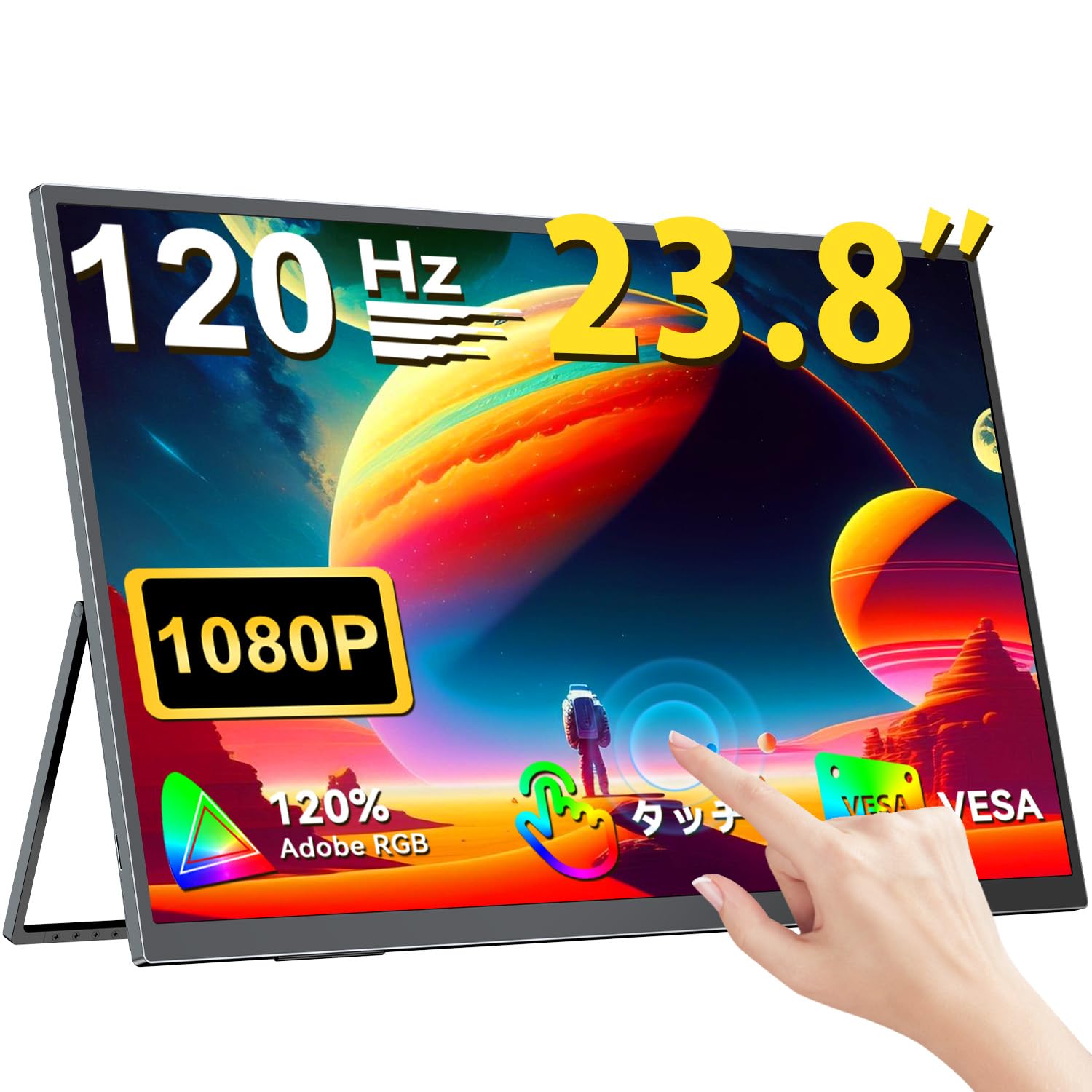
The UPERFECT 23.8-inch 120Hz Portable Touch Monitor.
Інформація про безпеку
Щоб запобігти пошкодженням та забезпечити безпечну експлуатацію, дотримуйтесь наступних запобіжних заходів:
- Не піддавайте монітор впливу дощу, вологи або екстремальних температур.
- Уникайте розміщення важких предметів на моніторі.
- Використовуйте лише надані адаптер живлення та кабелі.
- Do not attempt to disassemble or repair the monitor yourself. Contact customer support for assistance.
- Забезпечте належну вентиляцію навколо монітора, щоб запобігти перегріванню.
- When adjusting the stand, ensure the monitor is stable to prevent tipping.

Recommended ergonomic viewing angles for comfortable use. Avoid upward viewing angles to prevent tipping and eye strain.
Вміст упаковки
Перевірте наявність усіх елементів в упаковці:
- UPERFECT 23.8-inch Portable Touch Monitor
- Адаптер живлення
- USB Type-C Cable (Full-featured)
- Міні -кабель HDMI -HDMI
- USB-A to USB-C Cable (for power/OTG)
- Посібник користувача
Продукт закінченийview
Особливості монітора
- 23.8-inch IPS Panel: Large display with 178° wide viewкути.
- Частота оновлення 120 Гц: Provides smooth visuals, ideal for gaming and fast-paced content.
- 10-Point Multi-Touch: Intuitive interaction with supported devices.
- 120% колірної гами sRGB: Delivers vibrant and accurate colors.
- Вбудована підставка: Adjustable from 0° to 180° for flexible viewпозиції.
- Сумісність з кріпленням VESA: Supports 75x75mm VESA standard for alternative mounting options.
- Non-Glare Screen: Reduces reflections for comfortable long-term use.
- Вбудовані динаміки: Для виведення звуку.
Порти та кнопки

закінченоview портів та кнопок керування монітора.
- Роз'єм для навушників: Аудіо вихід 3.5 мм.
- Кнопка меню: Доступ до екранного меню (OSD).
- Кнопки Плюс/Мінус: Navigate OSD menu, adjust volume/brightness.
- Індикатор живлення: Показує стан живлення.
- Кнопка живлення/повернення: Powers the monitor on/off, or returns to previous OSD menu.
- Type-C Ports (x2): Full-featured USB-C for power, video, and touch signal.
- Порт Mini HDMI: Відео вхід.
- Micro USB-B OTG Port: For connecting peripherals like mouse or keyboard.
Налаштування
Підключення до пристроїв
The monitor supports various devices including laptops, desktops, smartphones, and gaming consoles (PS4, PS5, Xbox, Nintendo Switch).

The monitor can be connected to various devices using a single Type-C cable for power and display, provided the device supports DP Alt Mode.
- Підключення USB Type-C: Connect a full-featured USB Type-C cable from your device (laptop, smartphone, Switch) to one of the monitor's Type-C ports. If your device supports DP Alt Mode, a single cable can transmit video, audio, touch, and power. If your device does not support DP Alt Mode, or for stable power delivery, connect the included power adapter to the other Type-C port.
- Підключення Mini HDMI: Connect a Mini HDMI to HDMI cable from your device (PC, game console) to the monitor's Mini HDMI port. For power, connect the included power adapter to one of the monitor's Type-C ports.
- Порт OTG: Use the Micro USB-B OTG port to connect a mouse or keyboard for enhanced control, especially when using the monitor with a smartphone in desktop mode.
Важлива примітка:
- For optimal performance, especially when increasing contrast, brightness, or color saturation, always connect the monitor to an external power source using the provided power adapter.
- If your device's USB-C port does not support DP Alt Mode, a Type-C cable alone cannot transmit video. Refer to your device's specifications for compatibility.
Stand Adjustment and VESA Mounting

The monitor features a smart integrated stand for flexible positioning and VESA compatibility for arm mounts.
- Вбудована підставка: The monitor features a durable aluminum alloy integrated stand. Adjust the viewing angle freely within a 0° to 180° range. The base includes anti-slip rubber pads for stability.
- Монтаж VESA: The monitor is compatible with VESA 75x75mm mounts (M4*4mm screw holes). This allows for attachment to monitor arms or wall brackets for a customized setup.
Інструкція з експлуатації
Увімкнення/вимкнення живлення
Press the Power/Return button to turn the monitor on or off.
Екранне меню (OSD).
Press the Menu button to access the OSD menu. Use the Plus/Minus buttons to navigate and adjust settings such as brightness, contrast, color temperature, and input source.
Торкніться Функціональність

The monitor supports 10-point multi-touch gestures for intuitive control. For MacBook connections, 2-point gestures (pinch zoom/rotate) are supported.
The monitor supports 10-point multi-touch for Windows and Android devices. For MacBook connections, 2-point gestures (pinch zoom/rotate) are fully supported. This allows for direct interaction with the screen for tasks like sketching, document navigation, and presentations.
Режими відображення

Easily switch between horizontal (landscape) and vertical (portrait) display modes to suit your content and workflow. Portrait mode settings are configured on your PC.
The monitor supports various display modes to suit your needs:
- Розширений режим: Extend your PC desktop across both screens for increased workspace.
- Режим дублювання: Mirror your PC screen for presentations or shared viewінж.
- Портретний режим: Rotate the monitor vertically for document review or coding. (Settings for portrait mode are typically configured on the connected PC).
Ігрові особливості

The monitor supports FreeSync technology to eliminate screen tearing and stuttering during gaming.
- Частота оновлення 120 Гц: Experience smoother gameplay and action sequences compared to standard 60Hz displays.
- Підтримка FreeSync: Compatible with FreeSync technology to reduce screen tearing and stuttering, providing a more fluid gaming experience.
- Швидкий час відгуку: Enjoy a quick response time of 1ms, minimizing motion blur.
Технічне обслуговування
Follow these guidelines to maintain your monitor:
- Очищення екрану: Обережно протріть екран м’якою тканиною без ворсу. Для стійких плям злегка протрітьampЗмочіть тканину водою або розчином для очищення екрану. Не розпилюйте рідину безпосередньо на екран.
- Очищення Casing: Використовуйте м’яку суху тканину для очищення монітора casing. Уникайте абразивних засобів для чищення або розчинників.
- Зберігання: Якщо монітор не використовується протягом тривалого часу, зберігайте його в прохолодному, сухому місці, подалі від прямих сонячних променів та екстремальних температур.
- Fingerprint Resistance: The screen features an anti-fingerprint coating to help maintain cleanliness in business environments.
Усунення несправностей
Якщо у вас виникли проблеми, зверніться до наступних поширених проблем та способів їх вирішення:
| проблема | Можлива причина | Рішення |
|---|---|---|
| Немає дисплея/немає сигналу | Incorrect input source selected; Cable not connected properly; Device not outputting signal; Insufficient power. | Check cable connections; Select correct input source via OSD; Ensure device is powered on and configured to output to external display; Connect external power adapter to monitor. |
| Сенсорна функція не працює | USB-C cable not full-featured; Device does not support touch output; Driver issue (Windows); Cable connection issue. | Ensure a full-featured USB-C cable is used; Verify device compatibility with touch output; Reconnect USB-C cable; For Windows, ensure touch drivers are installed (usually automatic). |
| Screen flickering/Unstable image | Cable issue; Graphics card issue; Refresh rate mismatch; Insufficient power. | Try a different cable; Update graphics drivers; Adjust refresh rate in device settings; Ensure external power is connected. |
| Немає звуку з динаміків монітора | Занадто низька гучність; Звук вимкнено; На пристрої вибрано неправильний аудіовихід. | Adjust monitor volume via OSD; Check device's audio output settings. |
| Monitor keeps restarting | Недостатня потужність. | Ensure the monitor is connected to the provided power adapter for stable power delivery. |
Технічні характеристики
| Особливість | Специфікація |
|---|---|
| Бренд | НАДОСВІТНІ |
| Номер моделі | M238T02 |
| Розмір екрана | 23.8 дюймів |
| роздільна здатність | FHD 1080p (1920 x 1080) |
| Співвідношення сторін | 16:9 |
| Тип панелі | IPS LCD |
| Поверхня екрана | Невідблиск |
| Коефіцієнт контрастності | 1000:1 |
| Частота оновлення | 120 Гц |
| Час відгуку | 1 мс |
| Viewкут нахилу | 178 градусів |
| Кольорова гамма вартість | 120% sRGB |
| Підключення | 2x USB Type-C (Full-featured), 1x Mini HDMI, 1x Micro USB-B (OTG), 1x 3.5mm Audio Jack |
| Сумісність VESA | 75x75mm (M4*4mm screws) |
| Розміри (Д x Ш x В) | 1.7 х 54.5 х 32.7 см |
| Адаптивна синхронізація | FreeSync |
Гарантія та підтримка
UPERFECT provides comprehensive support for your product:
- Гарантія виробника: На цей продукт надається гарантія виробника терміном 2 рік.
- 90-денна гарантія задоволення: If you are not completely satisfied within 90 days, a full refund is available.
- Виділена підтримка: Contact our dedicated support team for any questions or issues.
- Free Accessory Replacement: Genuine cables and adapters are provided free of charge for life.
- PSE Certified: The product is PSE certified, ensuring safety standards.
For any inquiries or if you encounter an initial defect within the warranty period, please contact us through your order history. We are committed to providing the best possible assistance.