
1. Вступ
Thank you for choosing the AODSK 88-Key Weighted Hammer Action Digital Piano and Storage Bench. This manual provides essential information for the safe and efficient use of your new instrument. Please read it thoroughly before assembly and operation, and retain it for future reference.

Image 1.1: The AODSK 88-Key Digital Piano and accompanying white storage bench.
2. Техніка безпеки
- Джерело живлення: Використовуйте лише зазначений адаптер живлення. Переконайтеся, що гучністьtage відповідає вимогам вашого регіону.
- Вода і вологість: Do not expose the instrument to rain, moisture, or excessive humidity. Avoid placing objects filled with liquids on or near the piano.
- Вентиляція: Забезпечте належну вентиляцію. Не блокуйте вентиляційні отвори.
- Джерела тепла: Keep the instrument away from heat sources such as radiators, heat registers, stoves, or other heat-producing appliances.
- Прибирання: Протирайте лише сухою ганчіркою. Не використовуйте рідкі засоби для чищення або аерозолі.
- діти: Supervise children when they are near the instrument. Small parts could be a choking hazard.
- Moving the Instrument: When moving the piano, ensure it is unplugged and handled carefully to prevent damage or injury.
3. Вміст упаковки
Будь ласка, перевірте, чи всі перелічені нижче предмети входять до вашої упаковки:
- AODSK 88-Key Digital Piano Unit
- White Storage Bench
- Потрійний педальний блок
- Furniture Stand Components
- Розсувна кришка для клавіш
- Адаптер живлення
- Навушники
- Пилозахисний чохол
- Складальні інструменти та обладнання
- Посібник користувача (цей документ)
- Online Lesson Access Information
4. Налаштування
4.1. Digital Piano Assembly
Follow these steps to assemble the digital piano and its stand:
- Розпакуйте всі компоненти та розкладіть їх на м’якій, чистій поверхні, щоб запобігти подряпинам.
- Attach the side panels of the furniture stand to the main piano body using the provided screws and tools. Ensure all connections are secure.
- Install the triple pedal unit into its designated slot on the stand. Connect the pedal cable to the corresponding port on the piano.
- Carefully place the assembled piano unit in its desired location.
- Slide the key cover into its tracks above the keyboard.
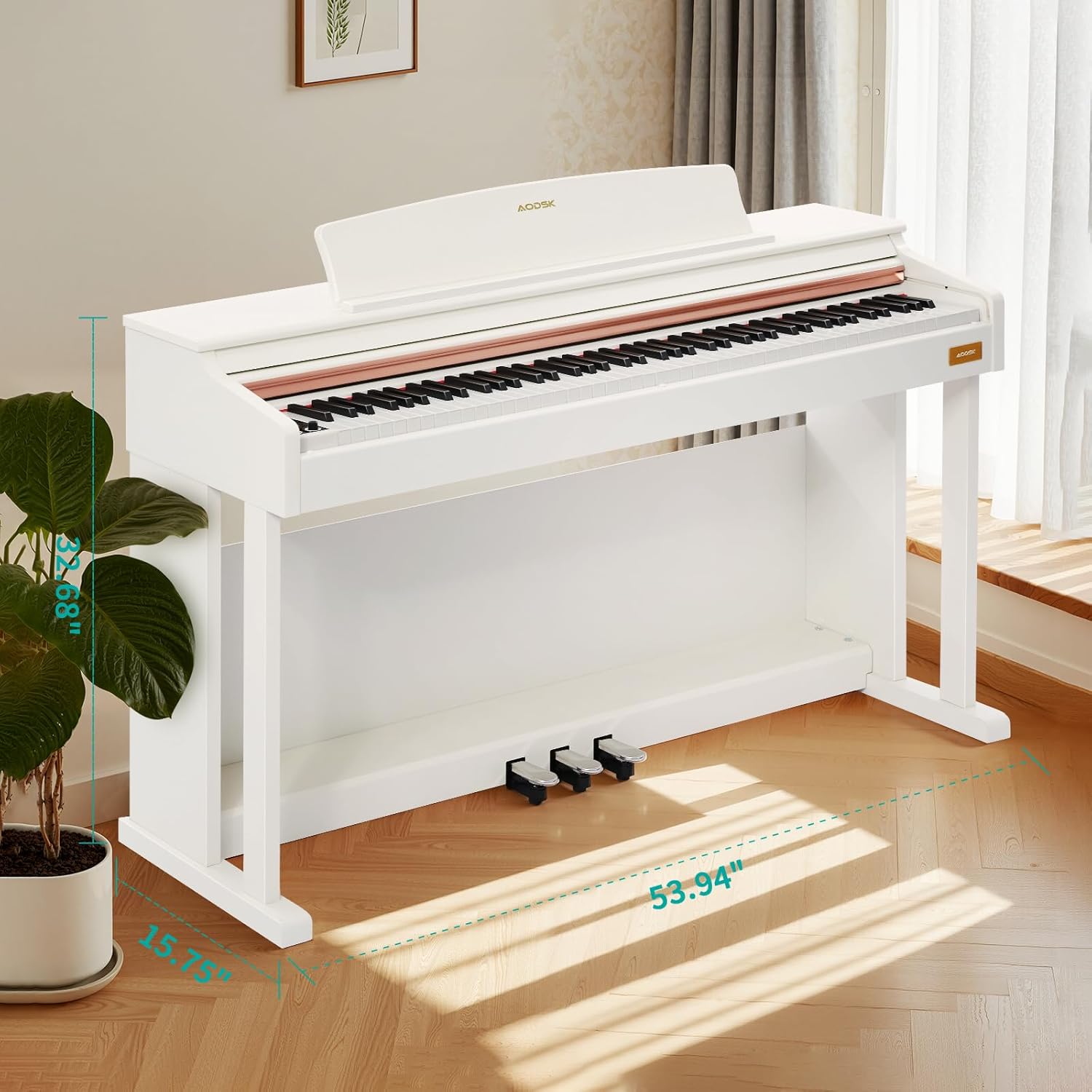
Image 4.1: Digital piano dimensions for placement planning. (Approx. 53.94" W x 15.75" D x 32.68" H)
4.2. Storage Bench Assembly
The storage bench is designed for quick, tool-free assembly:
- Remove the bench legs and hardware from the storage compartment under the seat.
- Screw each leg firmly into the designated corner mounts on the underside of the bench seat. No tools are typically required for this step.
- Ensure all legs are stable and the bench is level before use.

Image 4.2: The storage bench with its lid open, revealing the internal compartment.
5. Компоненти Overview
5.1. Панель керування
The control panel provides access to various functions and settings of the digital piano.

Зображення 5.1: Крупний план view of the digital piano's control panel, showing buttons for tone, rhythm, demo, volume, and other features.
- Кнопка живлення: Вмикає або вимикає піаніно.
- Ручки гучності: Налаштуйте головну гучність.
- Кнопка звуку: Selects from 680 available tones.
- Кнопка ритму: Selects from 600 available rhythms.
- Демонстраційна кнопка: Plays demonstration songs (80 available).
- Розділити кнопку: Activates dual keyboard split tone function.
- MP3 Play/Pause: Controls MP3 playback via USB.
- Запис/Відтворення: Initiates and plays back two-track recordings.
- Numerical Select: Used to input specific tone, rhythm, or demo numbers.
- USB-роз'єм: For MP3 playback and potentially other data transfer.
5.2. Triple Pedal System
The piano features a standard triple pedal system for expressive playing.
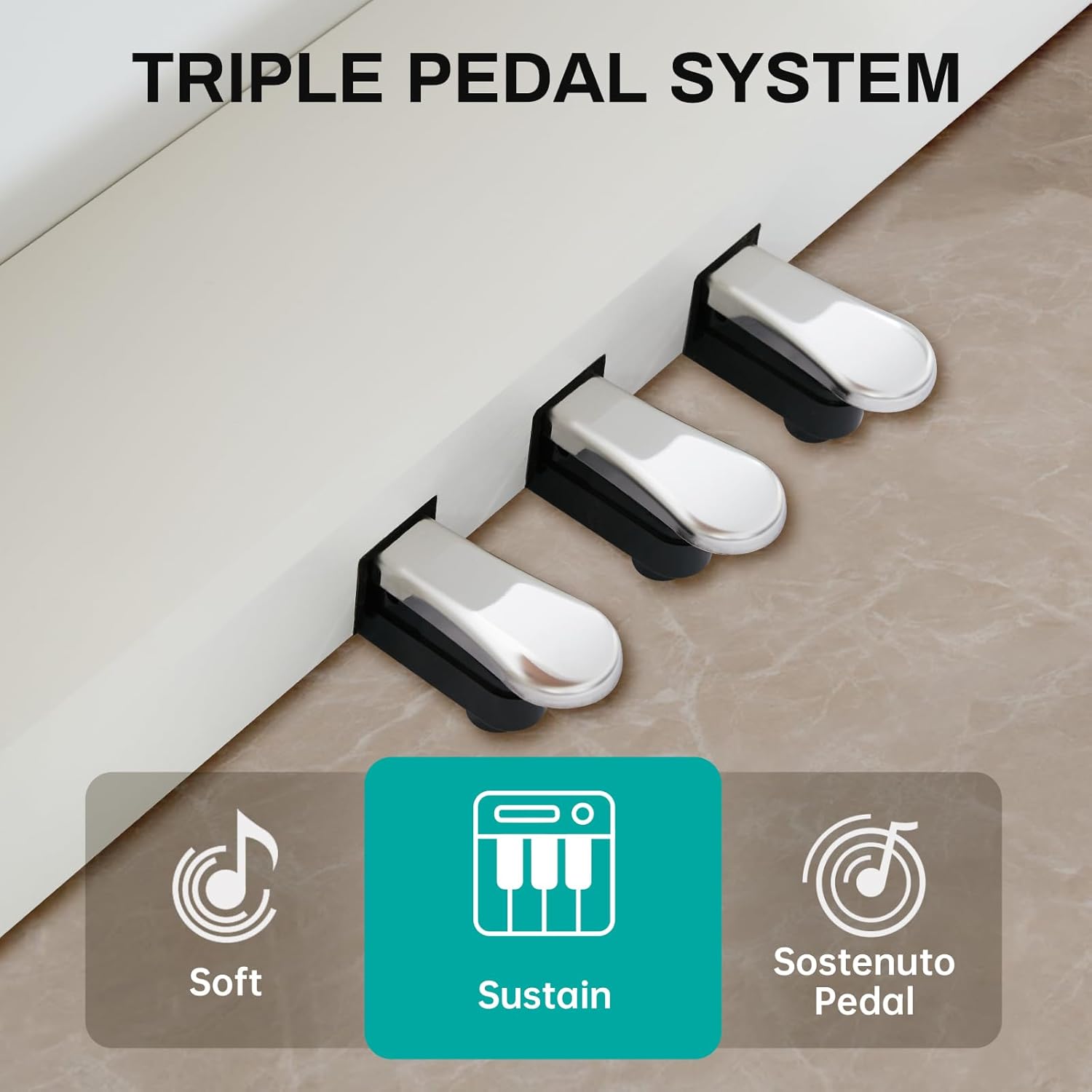
Image 5.2: Close-up of the three pedals: Soft, Sustain, and Sostenuto.
- Педаль м'якого торкання (ліва): Reduces the volume and changes the timbre of the notes.
- Sustain Pedal (Middle): Sustains the notes, allowing them to ring out after the keys are released.
- Sostenuto Pedal (Right): Sustains only the notes that are held down at the moment the pedal is pressed, while subsequent notes remain unaffected.
5.3. 88-Key Weighted Hammer Action Keyboard
The 88-key keyboard is designed to replicate the feel of an acoustic grand piano, providing a realistic playing experience.
- Weighted Hammer Action: Provides a heavier touch in the lower register and a lighter touch in the higher register, similar to an acoustic piano.
- Чутливість до дотику: The piano responds to the force with which keys are played, allowing for dynamic expression.
6. Інструкція з експлуатації
6.1. Увімкнення/вимкнення живлення
Натисніть Кнопка живлення on the control panel to turn the piano on. Press it again to turn the piano off.
6.2. Регулювання гучності
Використовуйте Ручки регулювання гучності on the control panel to adjust the overall output volume of the piano.
6.3. Вибір тону
Натисніть Кнопка тону, then use the numerical keys or navigation buttons to select from the 680 available instrument tones.
6.4. Вибір ритму
Натисніть Кнопка ритму, then use the numerical keys or navigation buttons to select from the 600 available rhythm patterns.
6.5. Demonstration Songs
Натисніть Демо-кнопка to cycle through or select one of the 80 built-in demonstration songs.
6.6. Dual Keyboard Split Tone
Активуйте Кнопка розділення to divide the keyboard into two sections, allowing two different tones to be played simultaneously or for two players to use the keyboard independently.
6.7. Відтворення MP3
Вставте USB-накопичувач із MP3 files в USB розетка. Використовуйте MP3 Play/Pause and navigation buttons to control playback.
6.8. Two-Track Recording
Натисніть Кнопка запису to start recording your performance. Press it again to stop. Use the Кнопка відтворення to listen to your recorded tracks.
6.9. Pedal Functions
Використовуйте Soft, Sustain, and Sostenuto Pedals as described in Section 5.2 to add expression to your playing.
7. Технічне обслуговування
Proper maintenance ensures the longevity and performance of your digital piano.
- Прибирання: Wipe the piano and bench surfaces with a soft, dry cloth. For stubborn dirt, slightly dampПротріть тканину водою з м’яким милом, потім негайно витріть насухо. Уникайте абразивних засобів для чищення або розчинників.
- Пилозахисний чохол: Використовуйте наданий пилозахисний чохол, коли піаніно не використовується, щоб захистити його від пилу та сміття.
- Догляд за ключами: Тримайте клавіші в чистоті. Якщо вони забруднилися, обережно протріть їх м’якою, злегка вологою ганчіркою.amp тканина.
- Умови навколишнього середовища: Store the piano in a stable environment, away from direct sunlight, extreme temperatures, and high humidity, which can affect electronic components and wood finishes.
8. Вирішення проблем
Якщо у вас виникли будь-які проблеми, будь ласка, зверніться до таблиці нижче, щоб знайти поширені проблеми та способи їх вирішення.
| проблема | Можлива причина | Рішення |
|---|---|---|
| Ні звуку | Power off; Volume too low; Headphones connected; Pedal issue. | Ensure power is on. Increase volume. Disconnect headphones. Check pedal connections. |
| Клавіші не відповідають | Instrument off; Specific setting activated (e.g., local control off). | Turn piano on. Check manual for advanced settings like local control. |
| Педалі не працюють | Pedal cable loose; Pedal unit faulty. | Ensure pedal cable is securely connected to the piano. |
| Проблеми з відтворенням MP3 | USB-накопичувач неправильно відформатований; несумісний file type; USB drive loose. | Ensure USB drive is FAT32 formatted. Use MP3 files. Reinsert USB drive. |
| Спотворений звук | Volume too high; Speaker interference. | Reduce volume. Ensure no objects are blocking speakers. |
Якщо проблема не зникає після спроби цих рішень, зверніться до служби підтримки клієнтів.
9. Технічні характеристики
- Клавіатура: 88-Key Weighted Hammer Action
- Поліфонія: 128-примітка
- Тони: 680 built-in tones
- Ритми: 600 вбудованих ритмів
- Демонстраційні пісні: 80
- Педалі: Triple Pedal System (Soft, Sustain, Sostenuto)
- функції: Dual Keyboard Split, MP3 Playback, Two-Track Recording
- Розміри лавки: 29-inch width, 2.68-inch deep storage bin
- Вантажопідйомність лави: 300 фунта
- Підключення: USB розетка
10. Гарантія та підтримка
This AODSK product is covered by a standard manufacturer's warranty against defects in materials and workmanship. Please refer to the warranty card included in your package for specific terms and conditions, including the warranty period and how to make a claim.
For technical support, troubleshooting assistance, or warranty inquiries, please contact AODSK customer service through the retailer where you purchased the product or visit the official AODSK webсайт для контактної інформації.