
1. Вступ
Thank you for choosing the RebotAi A11 Android 15 Tablet. This manual provides essential information for setting up, operating, maintaining, and troubleshooting your device. The RebotAi A11 features an 11-inch 2.5K IPS display, a powerful MediaTek Helio G100 Octa-Core processor, 24GB RAM, 128GB ROM, and an 8200 mAh battery, designed for a smooth and immersive user experience.
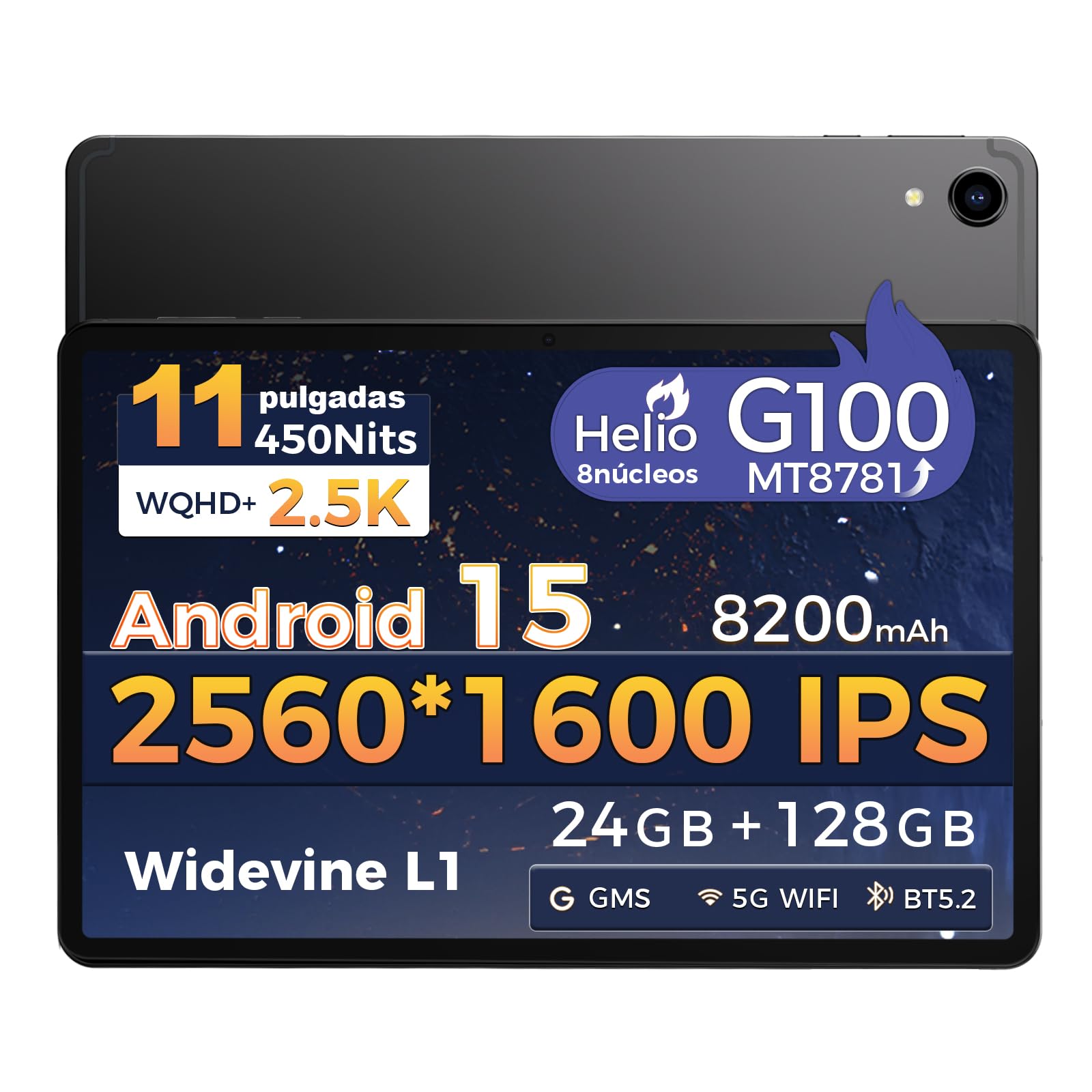
Зображення: спереду view of the RebotAi A11 Tablet.
2. Що в коробці
Upon opening your RebotAi A11 package, please ensure all the following items are present:
- Планшет RebotAi A11 (x1)
- Leather Case (x1)
- USB-C to USB-C Charging Cable (x1)
- Стилус (x1)
- SIM Ejector Pin (x1)
- Посібник користувача (x1)
Note: In accordance with global environmental guidelines, the RebotAi A11 tablet does not include a wall charger. Only a USB-C charging cable is provided.
Image: Contents of the RebotAi A11 Tablet package.
3. Налаштування
3.1 Заряджання батареї
Before first use, fully charge your tablet. Connect the provided USB-C cable to the tablet's USB-C port and the other end to a compatible USB wall charger (not included) or a computer. The tablet supports 20W PD fast charging.
3.2 Увімкнення/вимкнення
- Щоб увімкнути: Press and hold the Power button located on the side of the tablet until the RebotAi logo appears.
- Щоб вимкнути: Press and hold the Power button until the power options appear on the screen, then select "Power Off."
- Щоб перезапустити: Press and hold the Power button until the power options appear, then select "Restart."
3.3 Початкове налаштування
When you power on the tablet for the first time, follow the on-screen instructions to:
- Виберіть свою мову.
- Підключіться до мережі Wi-Fi.
- Увійдіть за допомогою свого облікового запису Google або створіть новий.
- Set up screen lock (PIN, pattern, password, or face unlock).
3.4 Вставлення карти MicroSD
The RebotAi A11 supports MicroSD cards up to 1TB for expanded storage. Use the provided SIM ejector pin to open the card tray, insert the MicroSD card into the designated slot, and then close the tray securely.
3.5 Використання стилуса
The included stylus can be used for precise navigation, drawing, writing, and signing documents on the tablet's screen. No charging is required for the stylus.

Зображення: Збоку view of the RebotAi A11 Tablet, showing ports and buttons.
4. Інструкція з експлуатації
4.1 Функції дисплея
The RebotAi A11 features an 11-inch IPS Full HD 2.5K anti-glare display with a resolution of 2560 x 1600 pixels. It supports Widevine L1 certification for high-definition streaming and dynamic brightness adjustment. The anti-glare screen and immersive reading mode help prevent eye fatigue.

Image: The RebotAi A11's 2.5K high-definition display with eye protection and automatic brightness.

Image: Widevine L1 support for premium streaming services.
4.2 Продуктивність та сховище
The tablet is powered by the MediaTek Helio G100 Octa-Core processor (MT8781), featuring 2 high-performance Cortex-A76 cores and 6 power-efficient Cortex-A55 cores. This ensures smooth operation for daily tasks, social media, video playback, and light gaming. It comes with 8GB base RAM, expandable by 16GB virtual RAM for a total of 24GB, and 128GB of internal storage, expandable up to 1TB via a MicroSD card.

Image: The Helio G100 chip, demonstrating high performance and energy efficiency.

Image: Large capacity storage with 24GB RAM and 128GB ROM, expandable to 1TB.
4.3 Камери
The RebotAi A11 is equipped with a 5MP front-facing camera and a 16MP rear-facing camera. These cameras are suitable for video calls, online meetings, and capturing everyday moments with clear and natural images.

Image: The 5MP front and 16MP rear cameras for clear photos and video calls.
4.4 Керування батареєю
The tablet features an 8200 mAh high-capacity battery, providing long-lasting power for reading, online courses, video playback, and office work. It supports 20W PD fast charging, allowing the device to be fully charged quickly.

Image: Powerful 8200 mAh battery with 20W fast charging for extended use.
4.5 Підключення
The RebotAi A11 supports dual-band Wi-Fi (2.4GHz and 5GHz) with 802.11ac for fast and stable internet access. It also includes Bluetooth 5.2 for energy-efficient wireless connections and GPS for precise navigation, compatible with Beidou, Galileo, and GLONASS.

Image: Fast connectivity and precise positioning with dual-band Wi-Fi, Bluetooth 5.2, and GPS.
4.6 Багатозадачність
With the dual-screen function, you can run two applications simultaneously on a single screen. This allows for seamless navigation, watching videos while chatting, or consulting information while working.

Image: Dual-screen functionality for fluid multitasking.
4.7 Аудіо
Equipped with dual BOX speakers, the tablet offers an immersive audio experience for both movies and music. The balanced reproduction of highs and lows creates a pleasant listening experience.

Image: Immersive and crystal-clear audio from dual BOX speakers.
4.8 Intelligent Sensors
The A11 is equipped with intelligent sensors and AI, offering a more intelligent user experience. The gyroscope improves immersion in games, while the magnetometer ensures precise navigation, even in tunnels. Other sensors include G-sensor (automatic rotation), proximity sensor (automatic screen off), and ambient light sensor (adjustable backlight).

Image: Intelligent detection with various sensors for enhanced user experience.
4.9 Фізичні особливості
The tablet features a uniform metallic body crafted with advanced nano-coating technology, providing a smooth and delicate touch while being durable. Its surface is resistant to fingerprints and scratches, offering a high-quality texture and feel. It is surprisingly light at 510g and thin at 7.8mm.

Image: The tablet's lightweight and slim design, achieved through nano-molding technology.
5. Технічне обслуговування
5.1 Очищення планшета
Для очищення планшета використовуйте м’яку тканину без ворсу. Для стійких плям злегкаampПротріть тканину водою або засобом для чищення екранів. Уникайте використання агресивних хімікатів, абразивних матеріалів або надмірної вологості.
5.2 Оновлення програмного забезпечення
Regularly check for and install software updates to ensure optimal performance, security, and access to new features. You can usually find this option in Налаштування > Система > Оновлення системи.
5.3 Догляд за акумулятором
Щоб продовжити термін служби акумулятора:
- Уникайте екстремальних температур.
- Не допускайте частої повної розрядки акумулятора.
- Unplug the charger once the tablet is fully charged.
- Налаштуйте яскравість екрана до комфортного рівня.
6. Вирішення проблем
| проблема | Можливе рішення |
|---|---|
| Планшет не вмикається | Ensure the battery is charged. Connect to a power source for at least 30 minutes. If it still doesn't turn on, try a forced restart by holding the power button for 10-15 seconds. |
| Екран не реагує | Перезавантажте планшет. Якщо проблема не зникає, виконайте скидання до заводських налаштувань (дані будуть втрачені). |
| Проблеми з підключенням Wi-Fi | Перезавантажте Wi-Fi роутер і планшет. Забудьте про мережу в налаштуваннях планшета та підключіться знову. Переконайтеся, що ви перебуваєте в зоні дії сигналу Wi-Fi. |
| Програми зависають або аварійно завершують роботу | Очистіть кеш і дані проблемної програми в Налаштування > Програми. If the issue continues, uninstall and reinstall the app. Ensure sufficient storage space is available. |
| Акумулятор швидко розряджається | Reduce screen brightness, close unused apps, disable Wi-Fi/Bluetooth when not in use. Check battery usage in Налаштування > Акумулятор щоб визначити енергоємні програми. |
7. Технічні характеристики
| Особливість | Специфікація |
|---|---|
| Бренд | RebotAi |
| Модель серії | A11 |
| Розміри продукту | 25 х 15 х 5 см |
| вага | 900 г |
| Колір | Сірий |
| Розмір екрана | 11 дюймів |
| Роздільна здатність екрана | 2560 x 1600 пікселів (2.5K) |
| Виробник процесора | MediaTek |
| Модель процесора | Helio G100 (MT8781) |
| Швидкість процесора | 2.2 ГГц |
| Розмір оперативної пам'яті | 8 ГБ (з можливістю розширення до 24 ГБ за допомогою віртуальної оперативної пам'яті) |
| Ємність зберігання | 128 ГБ (з можливістю розширення до 1 ТБ за допомогою MicroSD) |
| Задня WebРоздільна здатність камери | 16 Мп |
| Фронт WebРоздільна здатність камери | 5 Мп |
| Операційна система | Android 15 |
| Бездротове підключення | Wi-Fi 6 (802.11ac, 802.11n), Bluetooth 5.2, GPS |
| Ємність акумулятора | 8200 мАг |
| Середній термін служби батареї | 24 години |
| Швидка зарядка | 20 Вт PD |
8. Гарантія та підтримка
RebotAi offers a Гарантія 2 рік for your tablet, ensuring peace of mind with your purchase. We are committed to providing excellent customer service.
8.1 Підтримка клієнтів
If you encounter any technical issues or have questions regarding the use of your RebotAi A11 tablet, our customer support team is available 24/7. You can contact us through the seller contact option on the Amazon product page.

Image: RebotAi customer service support information.